Introduction to this section:
Through the previous lessons on data requests, data parsing, file upload/download, etc., you should now have a basic understanding of interacting with servers. This section introduces Android calling WebService, which is actually somewhat similar to data platforms that provide raw data API services, such as Juhe Data (聚combineData)! WebService uses XML and SOAP, and can complete interactions with remote machines via the HTTP protocol! Well, without further ado, let's begin this section~
1. WebService Introduction
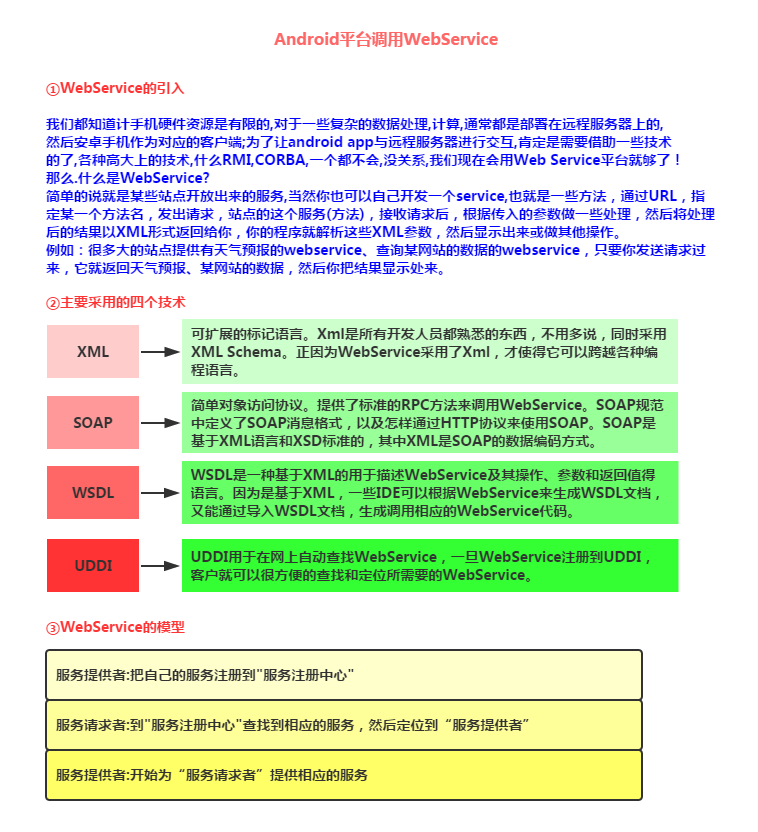
PS: If you're still not clear after reading the introduction above, then forget it. Previously, our company used C# to build a WebService! In this section, we won't discuss how to build a WebService; we only need to know how to obtain the services provided by WebService, parse the returned XML data, and then display the relevant data on our Android device!
2. Where to Get WebService Services
There are many websites on the internet that provide WebService. First, find these sites, and then obtain the corresponding services! Here we choose WebXml and Yunju 36wu as examples to explain to everyone. Their official websites:
webXml:http://www.webxml.com.cn/zh_cn/index.aspx
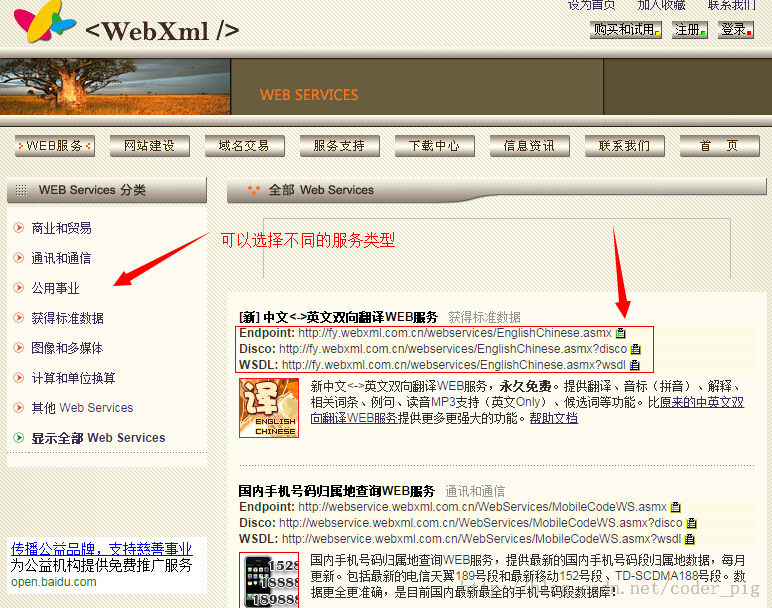
They used to be free, but they've all become commercialized now. Many services require payment, but you can try them out. This site provides 16 different web services. You can search for corresponding services and call different interfaces based on your needs!
Related pages of webXml:
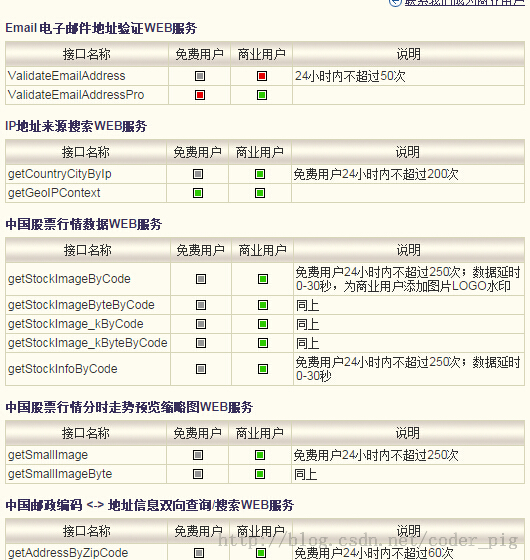
Description of related usage counts:
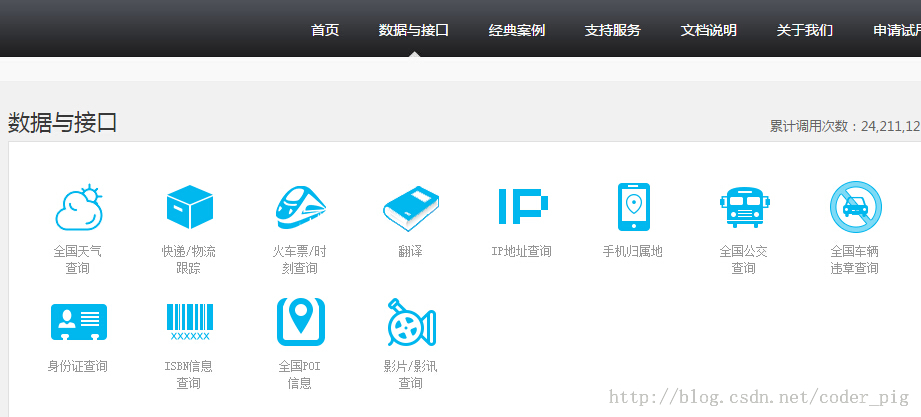
Yunju 36wu:http://www.36wu.com/Service
It also provides many services. Many mobile apps use the interfaces here, such as Rainbow Bus, Mobile Weather, etc. However, this one also charges fees =-=, but you can try it out. However, you can only send 20 requests per hour; click to apply for use, get the key, and you're done! Pick either one!
3. Preparation of Third-party JAR Packages
First, if you want to call WebService on the Android platform, you need to rely on the third-party library: ksoap2. On the Android platform, we use ksoap2 Android, an efficient and lightweight SOAP development package!
JAR package download address:https://code.google.com/p/ksoap2-android/wiki/HowToUse?tm=2
It might not be accessible in China. Here we provide two Baidu Cloud links for everyone to download:
Version 2.54:ksoap2-android 2.54.jar
Version 3.30:ksoap2-android 3.30.jar
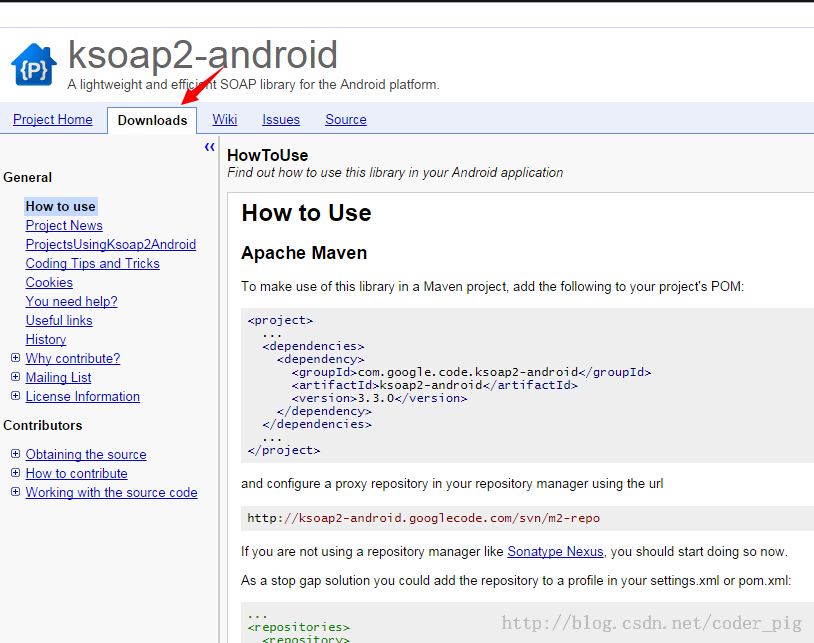
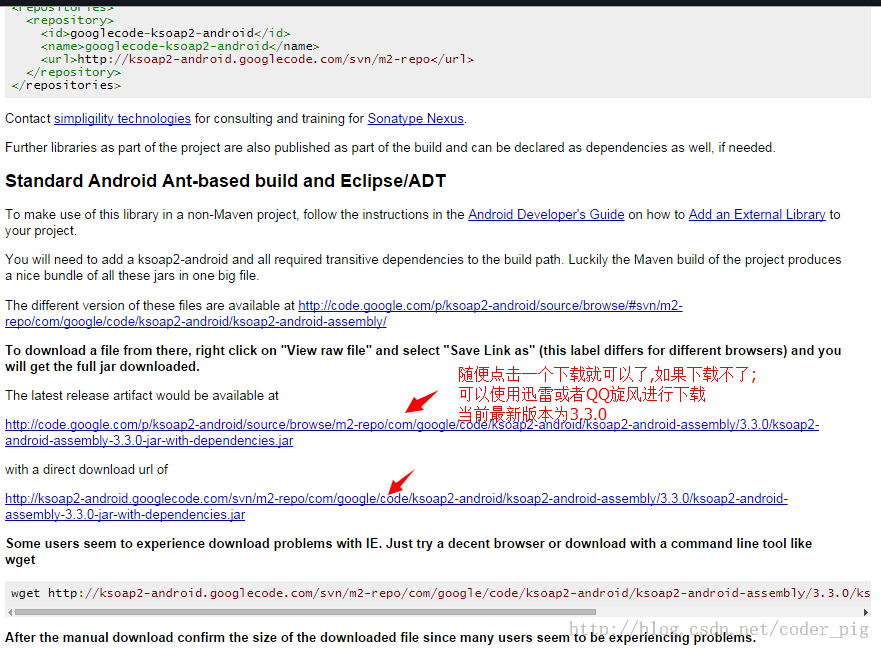
If you're lucky enough to access the JAR download address, you will see the following interface:
4. Obtaining Some Related Parameters
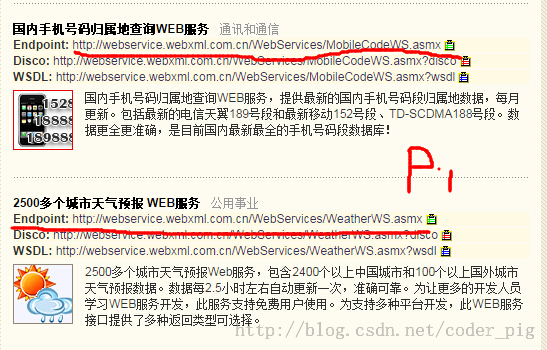
First, find the service we need to obtain, and then record the relevant parameters:NameSpace(Namespace),SoapActionas well asURLgoes without saying. Other parameters are found like this:
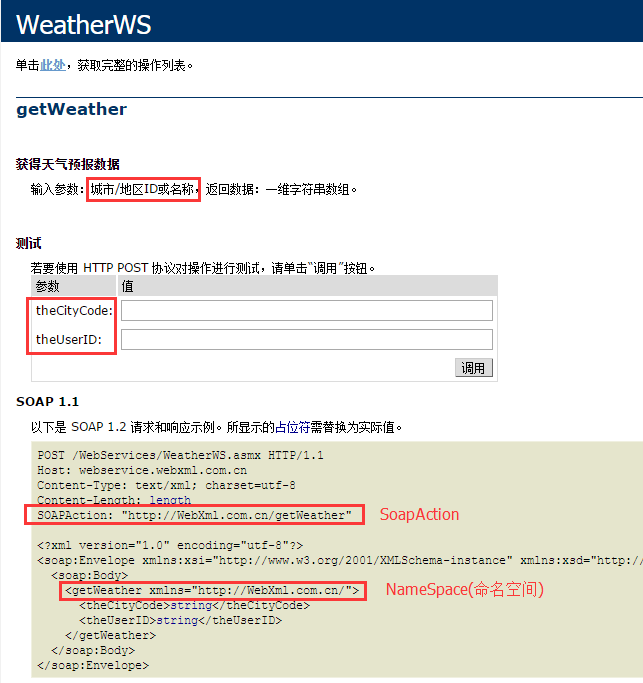
For example, what we're looking for here is the weather query parameters. Clicking in, we can see such a parameter document:
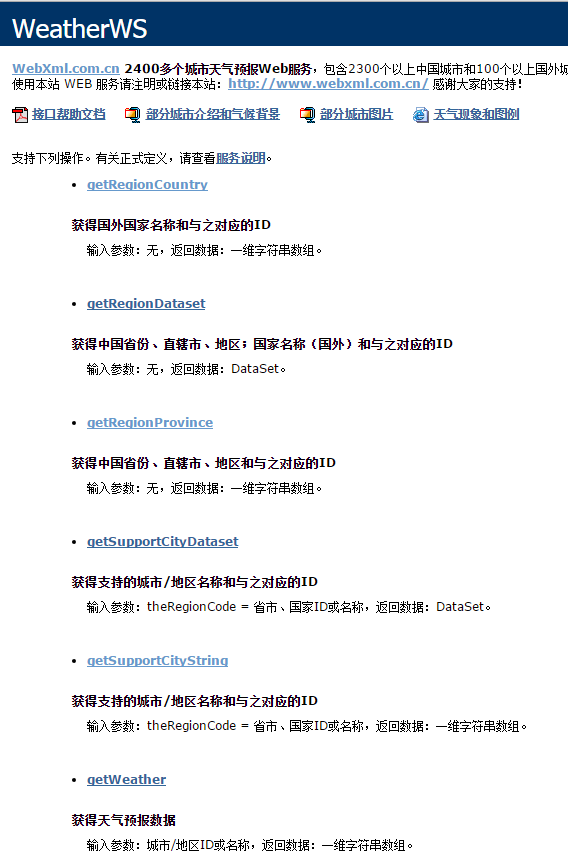
For example, here what we need is the weather query functionality:
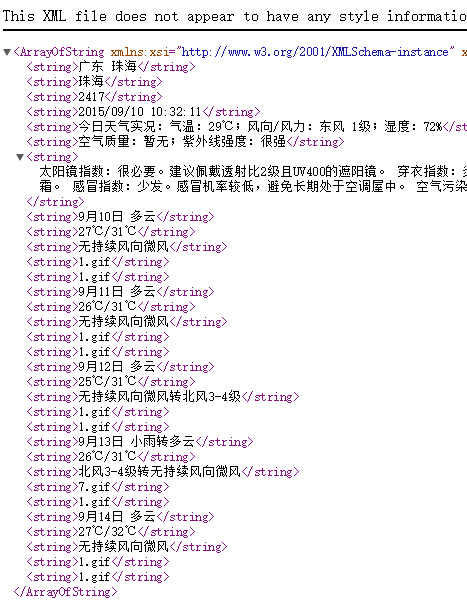
First, copy down the SoapAction and NameSpace that are circled! Of course, we can test on this page. Also, since we are free users, the id can be left blank and skipped directly. After entering, click the Invoke button and it will open a page like this:
Hehe, this is the returned XML, and what we need to do is parse such an XML. Additionally, the .gif here represents the weather icon!
Similarly, let's also mark down the SoapAction, NameSpace, and related parameters for the phone number location query!
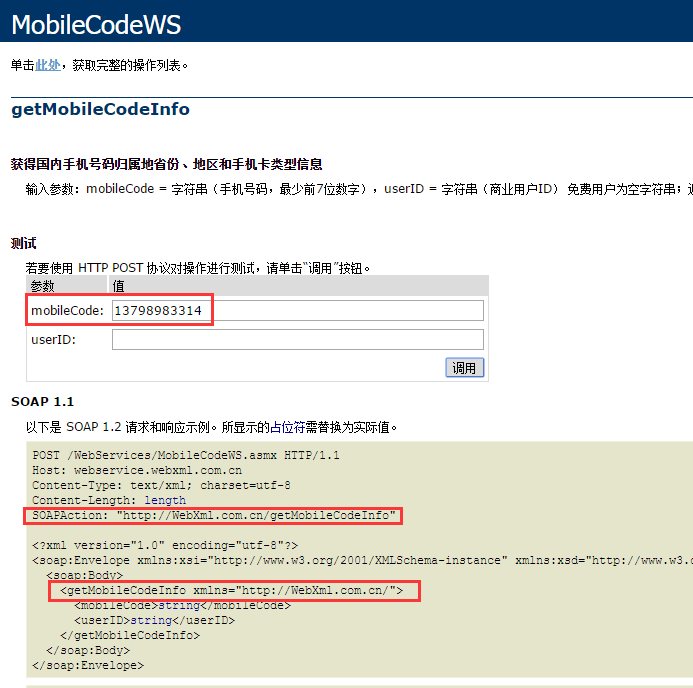
As well as the returned XML data:

5. Registering and Enabling Related Web Services
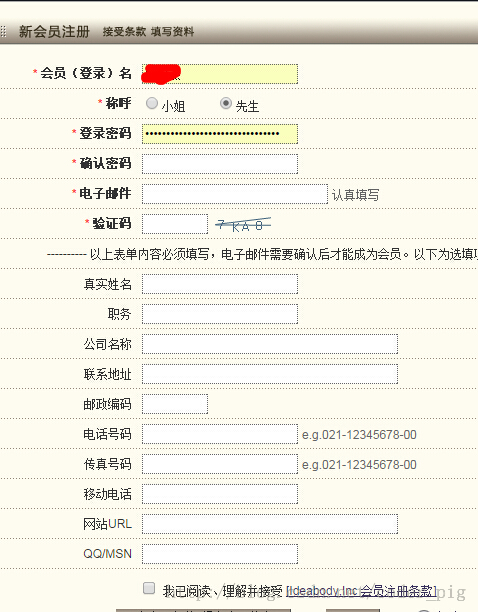
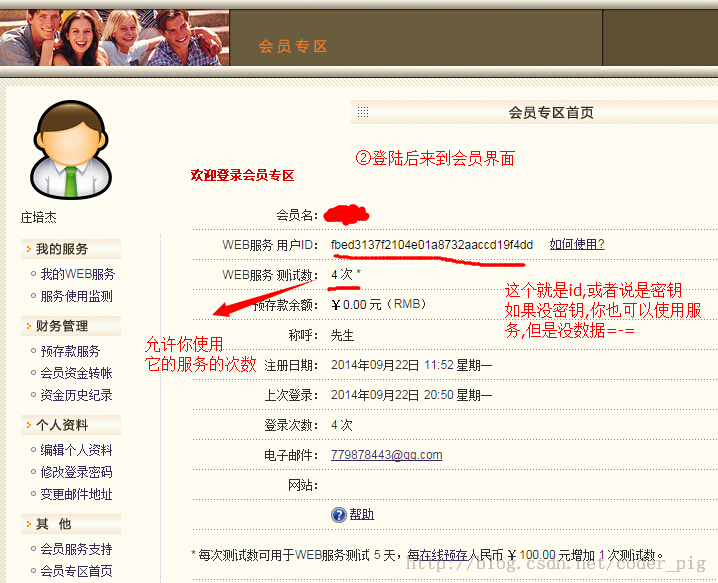
Click "My Web Server", then click "Try It". WebXml provides us with a five-day free trial. Let's enable the two servers we need!
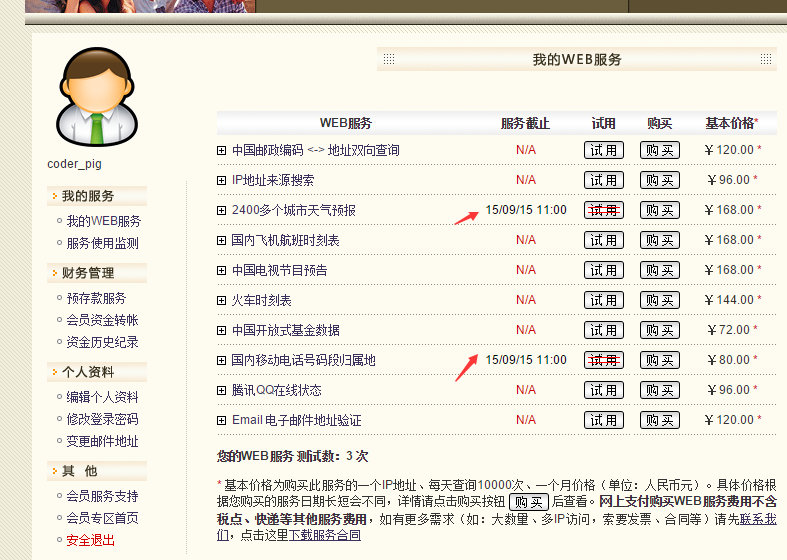
Okay, remember to mark down our own key~
6. Code Examples for Calling WebService
Well, next let's write code to verify the process of calling WebService:
Running result screenshot:
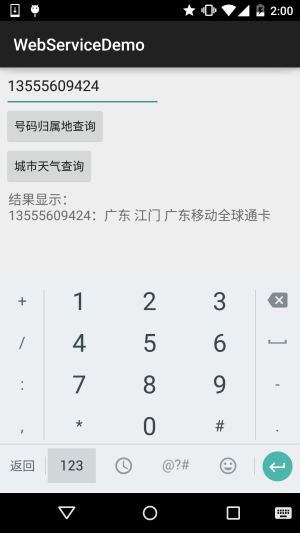
PS: This number is an old number =-=, don't try to call it; someone else has it now. Also, the weather service seems to have some issues; sometimes it can't be obtained. Probably due to some restrictions imposed by WebXml. After all, it's a trial...
Implementation Code:
public class MainActivity extends AppCompatActivity implements View.OnClickListener {

    private EditText edit_param;
    private Button btn_attribution;
    private Button btn_weather;
    private TextView txt_result;

    private String city;
    private String number;
    private String result;


    //定义获取手机信息的SoapAction与命名空间,作为常量
    private static final String AddressnameSpace = "http://WebXml.com.cn/";
    //天气查询相关参数
    private static final String Weatherurl = "http://webservice.webxml.com.cn/WebServices/WeatherWS.asmx";
    private static final String Weathermethod = "getWeather";
    private static final String WeathersoapAction = "http://WebXml.com.cn/getWeather";
    //归属地查询相关参数
    private static final String Addressurl = "http://webservice.webxml.com.cn/WebServices/MobileCodeWS.asmx";
    private static final String Addressmethod = "getMobileCodeInfo";
    private static final String AddresssoapAction = "http://WebXml.com.cn/getMobileCodeInfo";


    //定义一个Handler用来更新页面:
    private Handler handler = new Handler() {
        public void handleMessage(Message msg) {
            switch (msg.what) {
                case 0x001:
                    txt_result.setText("结果显示:\n" + result);
                    Toast.makeText(MainActivity.this, "获取天气信息成功", Toast.LENGTH_SHORT).show();
                    break;
                case 0x002:
                    txt_result.setText("结果显示:\n" + result);
                    Toast.makeText(MainActivity.this, "号码归属地查询成功", Toast.LENGTH_SHORT).show();
                    break;
            }

        }
    };

    @Override
    protected void onCreate(Bundle savedInstanceState) {
        super.onCreate(savedInstanceState);
        setContentView(R.layout.activity_main);
        bindViews();
    }

    private void bindViews() {
        edit_param = (EditText) findViewById(R.id.edit_param);
        btn_attribution = (Button) findViewById(R.id.btn_attribution);
        btn_weather = (Button) findViewById(R.id.btn_weather);
        txt_result = (TextView) findViewById(R.id.txt_result);
        btn_attribution.setOnClickListener(this);
        btn_weather.setOnClickListener(this);
    }

    @Override
    public void onClick(View v) {
        switch (v.getId()) {
            case R.id.btn_weather:
                new Thread() {
                    @Override
                    public void run() {
                        getWether();
                    }
                }.start();
                break;
            case R.id.btn_attribution:
                new Thread(new Runnable() {
                    public void run() {
                        getland();
                    }
                }).start();
                break;
        }
    }


    //定义一个获取某城市天气信息的方法:
    public void getWether() {
        result = "";
        SoapObject soapObject = new SoapObject(AddressnameSpace, Weathermethod);
        soapObject.addProperty("theCityCode:", edit_param.getText().toString());
        soapObject.addProperty("theUserID", "dbdf1580476240458784992289892b87");
        SoapSerializationEnvelope envelope = new SoapSerializationEnvelope(SoapEnvelope.VER11);
        envelope.bodyOut = soapObject;
        envelope.dotNet = true;
        envelope.setOutputSoapObject(soapObject);
        HttpTransportSE httpTransportSE = new HttpTransportSE(Weatherurl);
        System.out.println("天气服务设置完毕,准备开启服务");
        try {
            httpTransportSE.call(WeathersoapAction, envelope);
//            System.out.println("调用WebService服务成功");
        } catch (Exception e) {
            e.printStackTrace();
//            System.out.println("调用WebService服务失败");
        }

        //获得服务返回的数据,并且开始解析
        SoapObject object = (SoapObject) envelope.bodyIn;
        System.out.println("获得服务数据");
        result = object.getProperty(1).toString();
        handler.sendEmptyMessage(0x001);
        System.out.println("发送完毕,textview显示天气信息");
    }


    //定义一个获取号码归属地的方法:
    public void getland() {
        result = "";
        SoapObject soapObject = new SoapObject(AddressnameSpace, Addressmethod);
        soapObject.addProperty("mobileCode", edit_param.getText().toString());
        soapObject.addProperty("userid", "dbdf1580476240458784992289892b87");
        SoapSerializationEnvelope envelope = new SoapSerializationEnvelope(SoapEnvelope.VER11);
        envelope.bodyOut = soapObject;
        envelope.dotNet = true;
        envelope.setOutputSoapObject(soapObject);
        HttpTransportSE httpTransportSE = new HttpTransportSE(Addressurl);
        //    System.out.println("号码信息设置完毕,准备开启服务");
        try {
            httpTransportSE.call(AddresssoapAction, envelope);
            //System.out.println("调用WebService服务成功");
        } catch (Exception e) {
            e.printStackTrace();
            //System.out.println("调用WebService服务失败");
        }

        //获得服务返回的数据,并且开始解析
        SoapObject object = (SoapObject) envelope.bodyIn;//System.out.println("获得服务数据");
        result = object.getProperty(0).toString();//System.out.println("获取信息完毕,向主线程发信息");
        handler.sendEmptyMessage(0x001);
        //System.out.println("发送完毕,textview显示天气信息");
    }


}
Also, don't forget to import the package and the Internet permission!
<uses-permission android:name="android.permission.INTERNET"/>
Reference Code Download:
WebServiceDemo.zip:Download WebServiceDemo.zip
Summary of this section:
Alright, this section on how to use WebService on the Android side ends here. In the next section, we'll learn about an Android control similar to a browser—WebView. Stay tuned~ Thank you~!