1. Some Rambling
In the previous section, we set up a simple project and hosted the repository on GitHub. After analysis, we think it is necessary to optimize the following two points:
1. Hard-coded URL -> Parse the JSON returned by the API, process and obtain the image URL 2. Optimize image loading, add local loading
This section will complete the first point above!
2. Start Writing Code
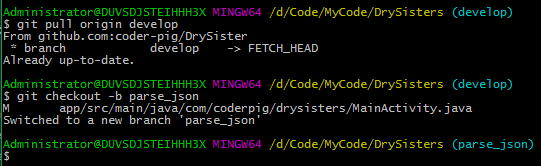
1) Create a feature branch from Develop:parse_json
2) Casually parse the API data with Json
Data source API:Gank.io API
Data source API:Gank.io API
The API we use here is:http://gank.io/api/data/福利/{request count}/{page number}For example: display 10 items per page, the first page:http://gank.io/api/data/福利/10/1
First, take a look at the Json format returned by the server:
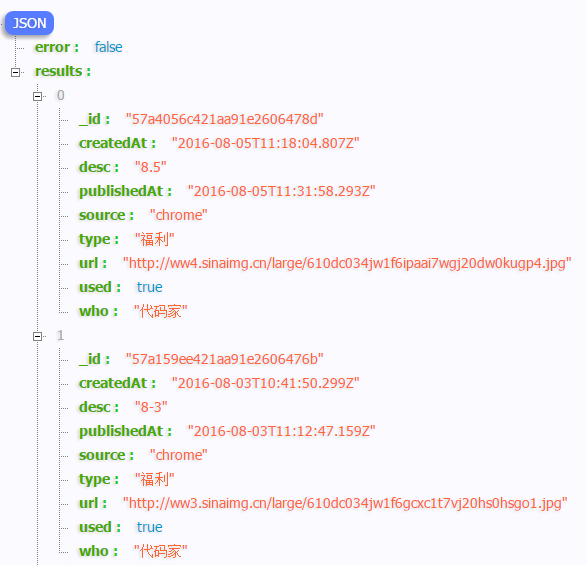
PS: The thing that formats Json is a Chrome plugin:JSON_handle
Based on this, let's first write our Bean class:Sister.java:
/**
 * 描述:妹子业务Bean
 *
 * @author coder-pig: 2016/08/06 17:16
 */
public class Sister {

    private String _id;
    private String createAt;
    private String desc;
    private String publishedAt;
    private String source;
    private String type;
    private String url;
    private boolean used;
    private String who;

    // 一些get和set方法...

}
Next, we write a class for parsing network data. The things to do in this class are, in order:
- Step 1Use HttpUrlConnection to initiate a GET request, then obtain the data returned by the backend; at this point it is in stream form.
- Step 2We need to write a method to convert the stream into a byte array.
- Step 3After converting the byte array into a string, we get the data returned by the backend. Next, we need to write a method to parse this large string of Json. We need to get the data we need from the Json and put it into the Bean.
- Step 4Return the processed collection data.
So then we write a network request handling class:SisterApi.java:
/**
 * 描述:网络请求处理相关类
 *
 * @author coder-pig: 2016/08/07 14:28
 */
public class SisterApi {
    private static final String TAG = "Network";
    private static final String BASE_URL = "http://gank.io/api/data/福利/";

    /**
     * 查询妹子信息
     */
    public ArrayList<Sister> fetchSister(int count, int page) {
        String fetchUrl = BASE_URL + count + "/" + page;
        ArrayList<Sister> sisters = new ArrayList<>();
        try {
            URL url = new URL(fetchUrl);
            HttpURLConnection conn = (HttpURLConnection) url.openConnection();
            conn.setConnectTimeout(5000);
            conn.setRequestMethod("GET");
            int code = conn.getResponseCode();
            Log.v(TAG, "Server response:" + code);
            if (code == 200) {
                InputStream in = conn.getInputStream();
                byte[] data = readFromStream(in);
                String result = new String(data, "UTF-8");
                sisters = parseSister(result);
            } else {
                Log.e(TAG,"请求失败:" + code);
            }
        } catch (Exception e) {
            e.printStackTrace();
        }
        return sisters;
    }


    /**
     * 解析返回Json数据的方法
     */
    public ArrayList<Sister> parseSister(String content) throws Exception {
        ArrayList<Sister> sisters = new ArrayList<>();
        JSONObject object = new JSONObject(content);
        JSONArray array = object.getJSONArray("results");
        for (int i = 0; i < array.length(); i++) {
            JSONObject results = (JSONObject) array.get(i);
            Sister sister = new Sister();
            sister.set_id(results.getString("_id"));
            sister.setCreateAt(results.getString("createdAt"));
            sister.setDesc(results.getString("desc"));
            sister.setPublishedAt(results.getString("publishedAt"));
            sister.setSource(results.getString("source"));
            sister.setType(results.getString("type"));
            sister.setUrl(results.getString("url"));
            sister.setUsed(results.getBoolean("used"));
            sister.setWho(results.getString("who"));
            sisters.add(sister);
        }
        return sisters;
    }

    /**
     * 读取流中数据的方法
     */
    public byte[] readFromStream(InputStream inputStream) throws Exception {
        ByteArrayOutputStream outputStream = new ByteArrayOutputStream();
        byte[] buffer = new byte[1024];
        int len ;
        while ((len = inputStream.read(buffer)) != -1) {
            outputStream.write(buffer, 0, len);
        }
        inputStream.close();
        return outputStream.toByteArray();
    }

}
Okay, next we will call this network request class. We put the callMainActivity.javainside. Since Android does not allow network operations on the main thread, here we don't directly create a Runnable; we directly write an AsyncTask and perform network operations and some simple logic in it.
public class MainActivity extends AppCompatActivity implements View.OnClickListener {
    private Button showBtn;
    private Button refreshBtn;
    private ImageView showImg;

    private ArrayList<Sister> data;
    private int curPos = 0; //当前显示的是哪一张
    private int page = 1;   //当前页数
    private PictureLoader loader;
    private SisterApi sisterApi;

    @Override protected void onCreate(Bundle savedInstanceState) {
        super.onCreate(savedInstanceState);
        setContentView(R.layout.activity_main);
        sisterApi = new SisterApi();
        loader = new PictureLoader();
        initData();
        initUI();
    }

    private void initData() {
        data = new ArrayList<>();
        new SisterTask(page).execute();
    }

    private void initUI() {
        showBtn = (Button) findViewById(R.id.btn_show);
        refreshBtn = (Button) findViewById(R.id.btn_refresh);
        showImg = (ImageView) findViewById(R.id.img_show);

        showBtn.setOnClickListener(this);
        refreshBtn.setOnClickListener(this);
    }

    @Override public void onClick(View v) {
        switch (v.getId()) {
            case R.id.btn_show:
                if(data != null && !data.isEmpty()) {
                    if (curPos > 9) {
                        curPos = 0;
                    }
                    loader.load(showImg, data.get(curPos).getUrl());
                    curPos++;
                }
                break;
            case R.id.btn_refresh:
                page++;
                new SisterTask(page).execute();
                curPos = 0;
                break;
        }
    }

    private class SisterTask extends AsyncTask<Void,Void,ArrayList<Sister>> {

        private int page;

        public SisterTask(int page) {
            this.page = page;
        }

        @Override
        protected ArrayList<Sister> doInBackground(Void... params) {
            return sisterApi.fetchSister(10,page);
        }

        @Override
        protected void onPostExecute(ArrayList<Sister> sisters) {
            super.onPostExecute(sisters);
            data.clear();
            data.addAll(sisters);
        }
    }

}
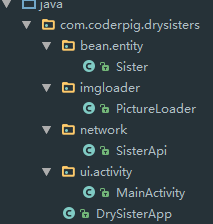
The core is this. There are also some small changes: we added an Application class, adjusted the structure a bit, and it becomes like this:
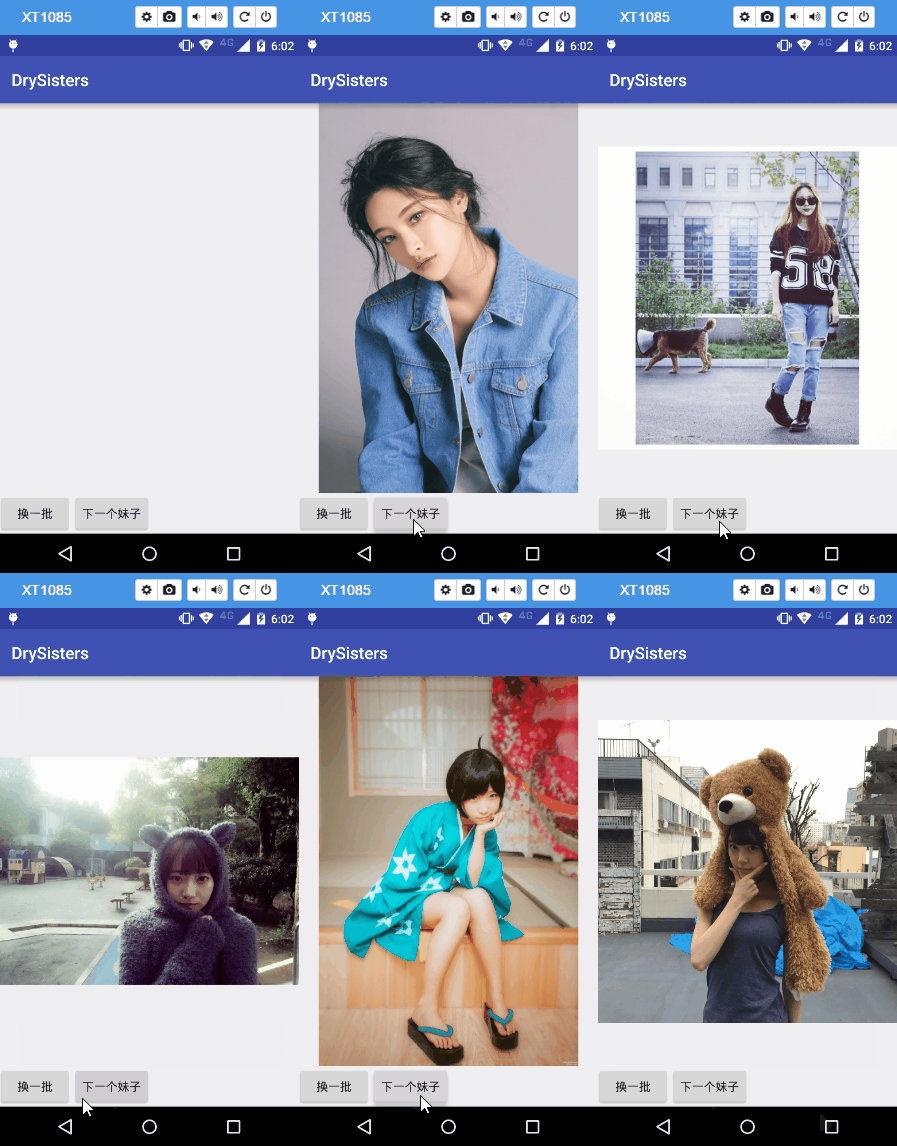
3. Screenshots of the Running Effect
4. Commit Code, Merge Branch, Delete Branch
Enter the commands one by one to commit the code:

After committing, on GitHub you can see:
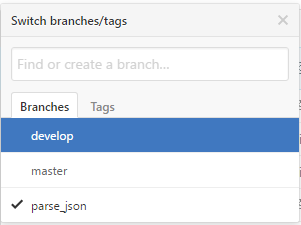
Because I didn't download the GitHub client, I'll just use the command line for branch merging: switch to the develop branch and run a merge parse_json.
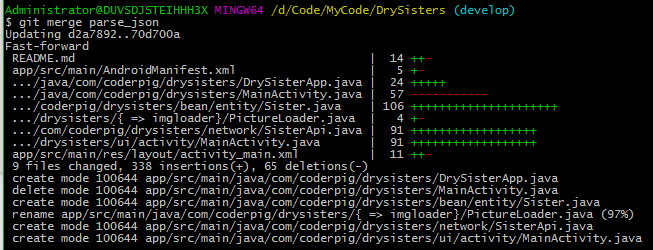
Then push the merged develop to GitHub. (Since it is a solo development, there is basically no need to handle conflicts.)

Okay, after pushing, you can see that the content of develop on GitHub has changed.
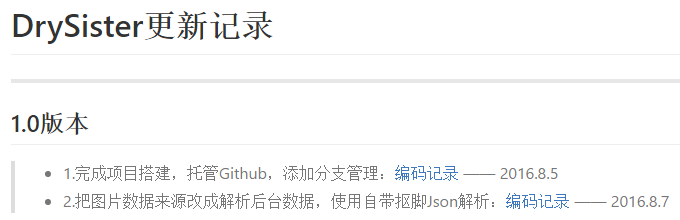
So the parse_json branch we created is now useless. We can delete this branch with a command:
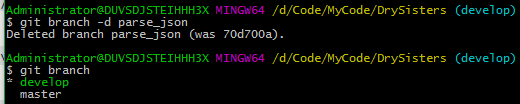
Of course, what we deleted here is only in the local repository; this branch still exists on GitHub. Type the command again:

Then go to GitHub and take a look:
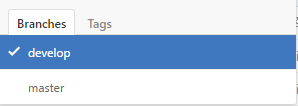
Great, the branch has been deleted! The code on the develop branch is also the latest code!
Bug Fix — (2016.08.09):
Today, B God in the group gave me some feedback that new AsyncTask may cause out-of-memory issues. On careful thought, this is indeed possible. Due to time constraints, I didn't pay attention to this when writing it, so I specially created aasyncTask_bugbranch to fix this issue, and modified the code in MainActivity. The modified code is as follows:
public class MainActivity extends AppCompatActivity implements View.OnClickListener {
    private Button showBtn;
    private Button refreshBtn;
    private ImageView showImg;

    private ArrayList<Sister> data;
    private int curPos = 0; //当前显示的是哪一张
    private int page = 1;   //当前页数
    private PictureLoader loader;
    private SisterApi sisterApi;
    private SisterTask sisterTask;

    @Override protected void onCreate(Bundle savedInstanceState) {
        super.onCreate(savedInstanceState);
        setContentView(R.layout.activity_main);
        sisterApi = new SisterApi();
        loader = new PictureLoader();
        initData();
        initUI();
    }

    private void initData() {
        data = new ArrayList<>();
    }

    private void initUI() {
        showBtn = (Button) findViewById(R.id.btn_show);
        refreshBtn = (Button) findViewById(R.id.btn_refresh);
        showImg = (ImageView) findViewById(R.id.img_show);

        showBtn.setOnClickListener(this);
        refreshBtn.setOnClickListener(this);
    }

    @Override public void onClick(View v) {
        switch (v.getId()) {
            case R.id.btn_show:
                if(data != null && !data.isEmpty()) {
                    if (curPos > 9) {
                        curPos = 0;
                    }
                    loader.load(showImg, data.get(curPos).getUrl());
                    curPos++;
                }
                break;
            case R.id.btn_refresh:
                sisterTask = new SisterTask();
                sisterTask.execute();
                curPos = 0;
                break;
        }
    }

    private class SisterTask extends AsyncTask<Void,Void,ArrayList<Sister>> {

        public SisterTask() { }

        @Override
        protected ArrayList<Sister> doInBackground(Void... params) {
            return sisterApi.fetchSister(10,page);
        }

        @Override
        protected void onPostExecute(ArrayList<Sister> sisters) {
            super.onPostExecute(sisters);
            data.clear();
            data.addAll(sisters);
            page++;
        }

        @Override
        protected void onCancelled() {
            super.onCancelled();
            sisterTask = null;
        }
    }

    @Override
    protected void onDestroy() {
        super.onDestroy();
        sisterTask.cancel(true);
    }
}
Source code download:DrySister