Introduction to This Section:
Quoting a short passage from Luo Zixiong, Visual Design Director of Smartisan Technology, at a TEDx event in Chongqing:
Whenever we see some wonderful designs, many people feel an impulse in their hearts. This impulse makes them want to create something new, to create something wonderful.
We often talk about user experience, user experience. When users use your software, what is the first thing they come into contact with? That's right, the graphical user interface (GUI), abbreviated as UI. For users, the most intuitive thing, and what leaves a first impression, is often the program's interface, not its functionality! People always like beautiful things, right? With the same functionality, what determines user preference is often the UI! Exquisite UI! Of course, there are also thoughtful, humanized operations, etc.! The figure below shows two computer App interfaces:

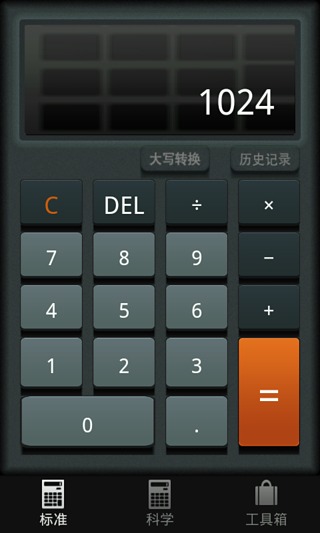
Let's not talk about functionality first; from a UI perspective, which one do you like? From this, the UI of a product is very important, and the interface prototype design of a product is generally completed by the company's product manager + graphic designer: requirements analysis -> interface prototype design -> then we write code! You might think interface prototypes are not of much use to us, but what if you want to develop your own App in the future? Or what if you get promoted to product manager? Hehe! Nothing is absolute in the world; who knows what will happen in the future? For companies, most use Axure RP, but this tool is relatively difficult to use! Besides this one, there are many other prototyping design tools:
- Pencil
- Framer
- Shireframe
- UIDesigner
- Balsamiq Mockups
- Mockup Builder
- Mockup
- FrameBox
- iPhone Mockup
- GOOFLOW
- WireframeSketcher
- FluidIA
- Indigo Studio
- Origami
- Quartz Composer
- Justproto
- Avocado
- PaintCode
- Mockplus (Moke)
- MockingBot (Modao), etc....
The author has used two domestically produced interface prototyping design tools, which are: Mockplus (Moke) and MockingBot (Modao). This article will briefly introduce the usage of Mockplus!
Using the Mockplus Prototyping Tool:
There are web versions and client versions for you to choose from:Mockplus Official Website
Step 1:Register your own account, then create a new file to enter the editing interface! (Due to time constraints, the author will try it directly here) Then a dialog box for prototype style pops up for us to choose: sketch and line!
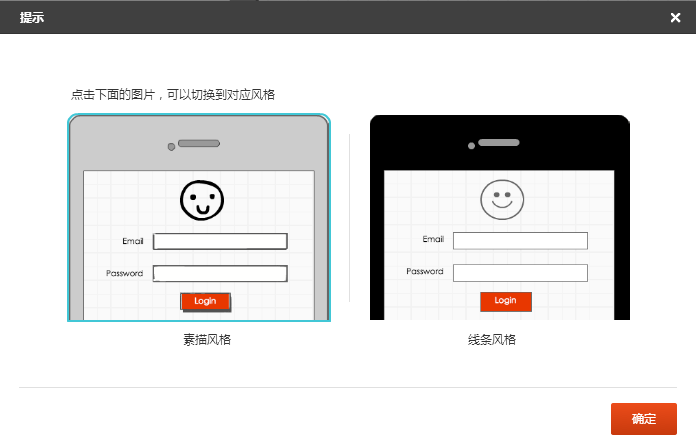
The author chooses line:
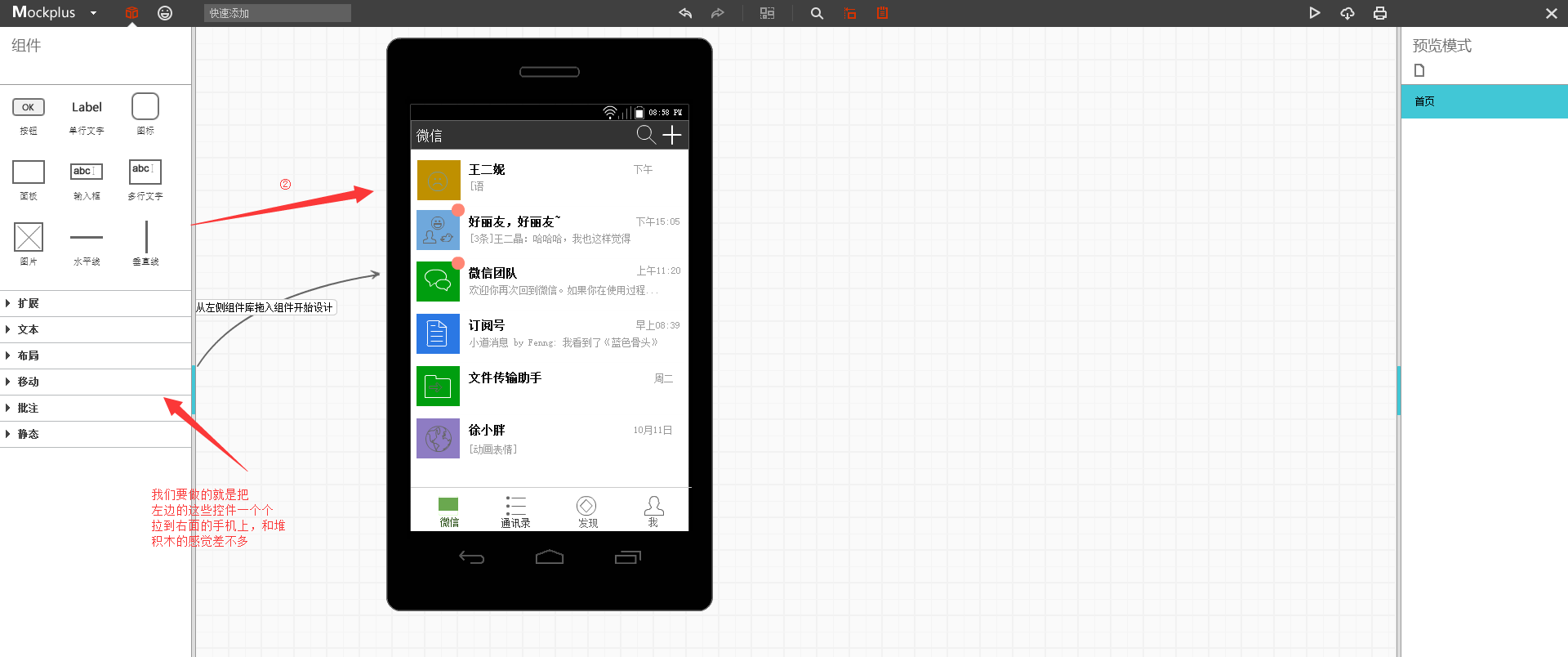
What we need to do is drag controls from the component bar on the left onto the phone interface. Of course, we can double-click a control to customize our styles, such as colors, background images, etc.!
Step 2:Interaction Implementation: Besides the interface, an interface prototype certainly requires interaction. Here we will create a simple news app interaction example for everyone to experience: We add a jump link to one of the news categories,
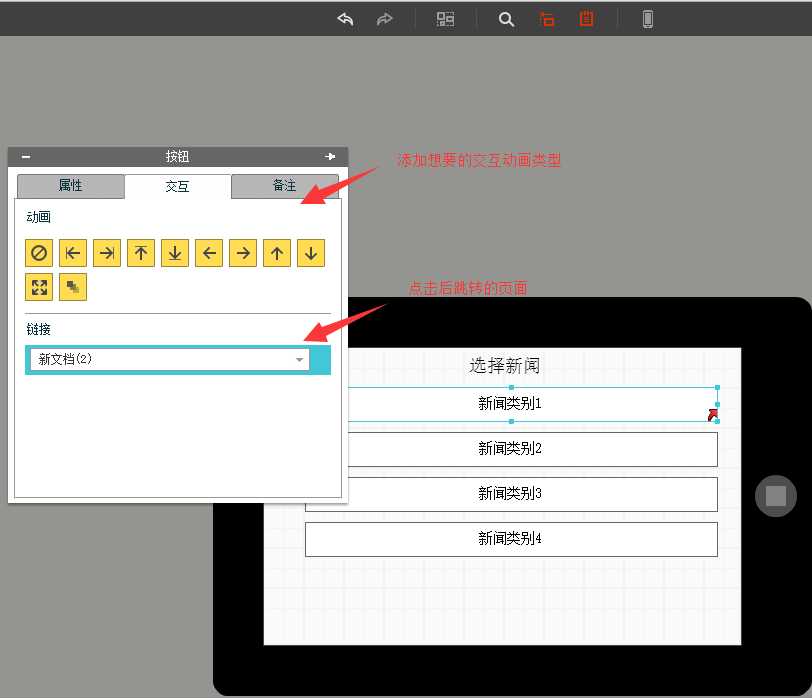
Then we can click the play button in the top right corner:
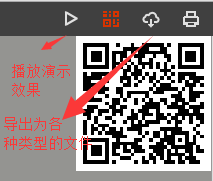
Next, we can see the specific interaction. PS: This might be a problem with the web version, as some images cannot be displayed!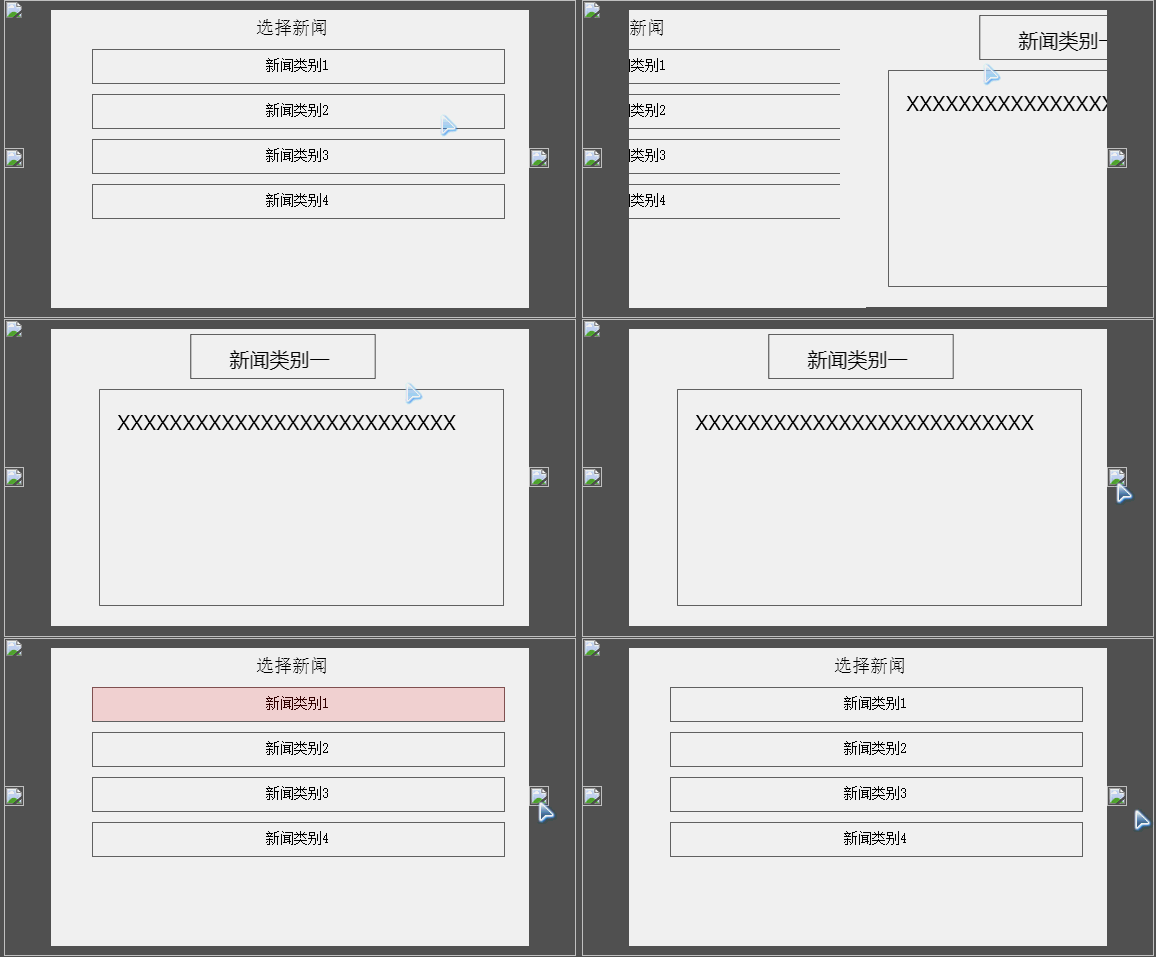
Alright, that's roughly the usage. Everyone can explore it on their own. Also, generating documents requires upgrading to a paid user! 6 yuan per month is not expensive, just the price of a breakfast. Of course, if you're just playing around for yourself, there's no need to upgrade!
Designing Android Interfaces with Android's Built-in DroidDraw Tool:
Actually, Android also provides us with an "outdated" interface design tool. Compared to the high-end interface prototyping tools mentioned above, it's dozens of streets behind. It can be understood as a separate ADT, and the feature slightly more advanced than ADT is automatic code generation... For friends who rarely work with prototyping design, it only takes 1 or 2 minutes to master this tool, so it's still quite worthwhile!
Tool Interface:
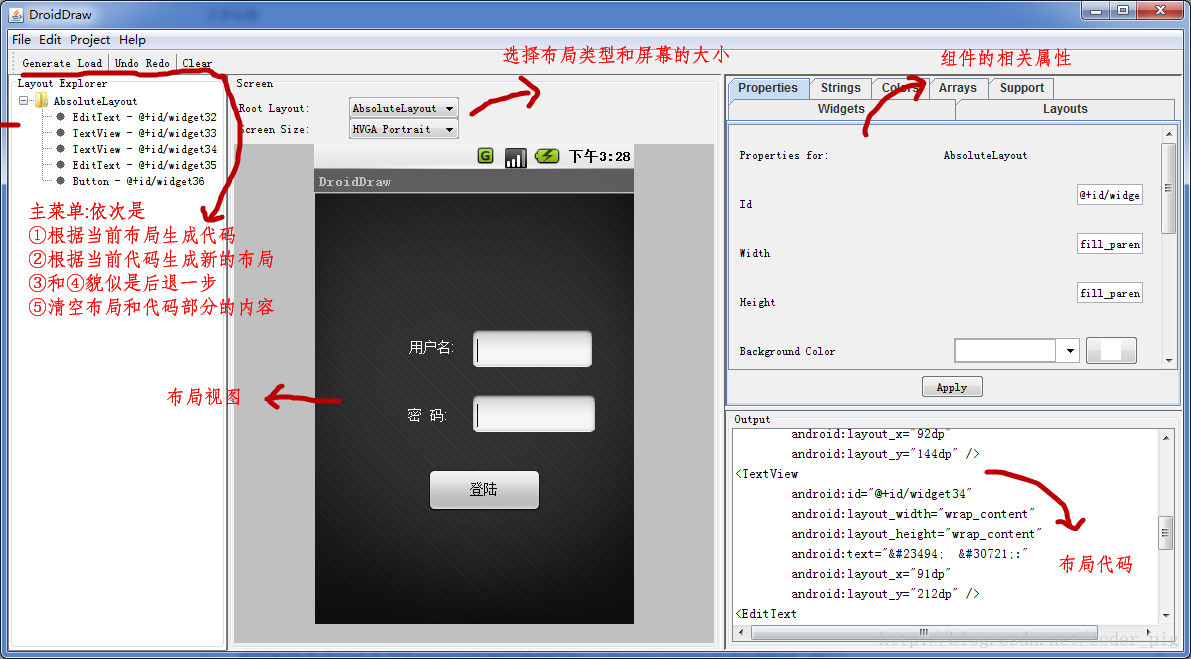
The illustration already indicates the relevant operations. It's very simple. Practice is the sole criterion for testing truth. Download it and try it yourself!!
Software Download:droiddrawr.jar
Summary of This Section:
This section introduced the concept of interface prototype design, the simple and practical lightweight Mockplus (Moke), and Android's built-in DroidDraw tool. The content is relatively simple, and everyone needs to practice and understand it on their own!