jQuery EasyUI Window -Creating a Simple Window
Creating a window is very simple; we create a DIV tag:
<div id="win" class="easyui-window" title="My Window" style="width:300px;height:100px;padding:5px;">
    Some Content.
</div>
Now run the test page, and you will see a window displayed on your screen. We don't need to write any JavaScript code.
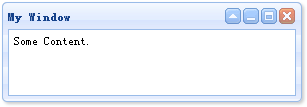
If you want to create a hidden window, remember to set the 'closed' property to 'true'. You can call the 'open' method to open the window:
<div id="win" class="easyui-window" title="My Window" closed="true" style="width:300px;height:100px;padding:5px;">
    Some Content.
</div>
$('#win').window('open');
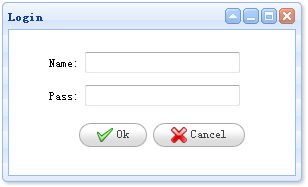
As a final example demonstration, we create a login window:
<div id="win" class="easyui-window" title="Login" style="width:300px;height:180px;">
    <form style="padding:10px 20px 10px 40px;">
        <p>Name: <input type="text"></p>
        <p>Pass: <input type="password"></p>
        <div style="padding:5px;text-align:center;">
            <a href="../index.html" class="easyui-linkbutton" icon="icon-ok">Ok</a>
            <a href="../index.html" class="easyui-linkbutton" icon="icon-cancel">Cancel</a>
        </div>
    </form>
</div>
Download jQuery EasyUI Examples
jeasyui-win-win1.zip
Other Extensions