jQuery EasyUI Layout -Adding Auto-Play Tabs
This tutorial will show you how to create an auto-play Tabs. The Tabs component displays the first tab panel, then the second, third... We'll write some code to automatically switch tab panels and make it loop.
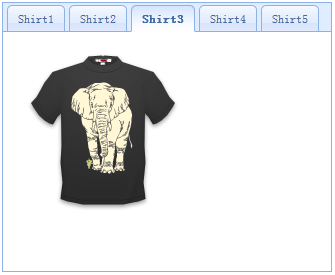
Step 1: Create Tabs
    <div id="tt" class="easyui-tabs" style="width:330px;height:270px;">
        <div title="Shirt1" style="padding:20px;">
            <img src="images/shirt1.gif.html">
        </div>
        <div title="Shirt2" style="padding:20px;">
            <img src="images/shirt2.gif.html">
        </div>
        <div title="Shirt3" style="padding:20px;">
            <img src="images/shirt3.gif.html">
        </div>
        <div title="Shirt4" style="padding:20px;">
            <img src="images/shirt4.gif.html">
        </div>
        <div title="Shirt5" style="padding:20px;">
            <img src="images/shirt5.gif.html">
        </div>
    </div>
Step 2: Write Auto-Play Code
    var index = 0;
    var t = $('#tt');
    var tabs = t.tabs('tabs');
    setInterval(function(){
        t.tabs('select', tabs[index].panel('options').title);
        index++;
        if (index >= tabs.length){
            index = 0;
        }
    }, 3000);
As you can see, we call the 'tabs' method to get all tab panels, and use the 'setInterval' function to switch them.
Download jQuery EasyUI Examples
jeasyui-layout-tabs3.zip
Other Extensions