Python Mongodb Update Document
 Python Mongodb
In MongoDB, we can use theupdate_one()method to modify records in a document. The first parameter of this method is the query condition, and the second parameter is the field to be modified.
If more than one matching record is found, only the first one will be modified.
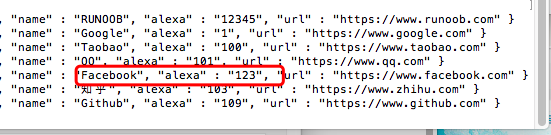
The test data used in this article is as follows (click the image to view a larger version):

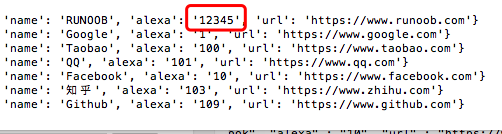
The following example changes the value of the alexa field from 10000 to 12345:
Example
After execution, the output result is:
update_one()The method can only modify the first matching record. To modify all matching records, you can useupdate_many()。
The following example will find allFbeginning withnamefields, and for all matched records, thealexafield is changed to123:
Example
The output result is:
1 文档已修改
Check whether the data has been modified: