Python3 JSON Data Parsing
JSON (JavaScript Object Notation) is a lightweight data interchange format.
If you don't yet understand JSON, you can first read ourJSON Tutorial。
Python3 can use the json module to encode and decode JSON data. It contains two functions:
- json.dumps(): Encode data.
- json.loads(): Decode data.
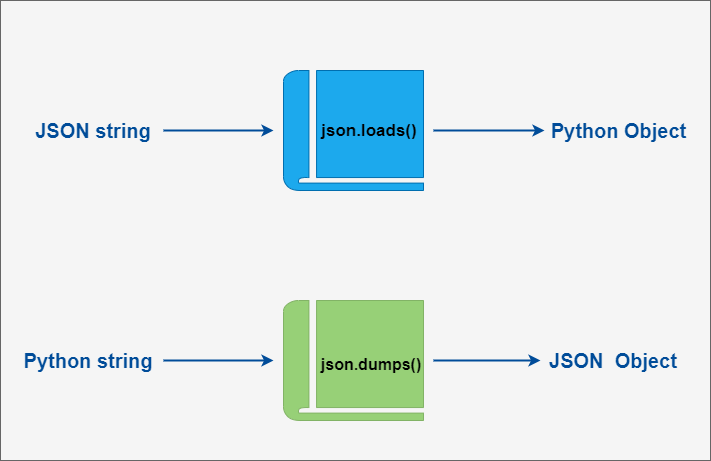
During the json encoding/decoding process, Python's native types and json types are converted to each other. The specific conversion correspondences are as follows:
Python encoding to JSON type conversion correspondence table:
| Python | JSON |
|---|---|
| dict | object |
| list, tuple | array |
| str | string |
| int, float, int- & float-derived Enums | number |
| True | true |
| False | false |
| None | null |
JSON decoding to Python type conversion correspondence table:
| JSON | Python |
|---|---|
| object | dict |
| array | list |
| string | str |
| number (int) | int |
| number (real) | float |
| true | True |
| false | False |
| null | None |
json.dumps and json.loads examples
The following example demonstrates converting Python data structures to JSON:
Example (Python 3.0+)
Executing the above code outputs the following result:
Python 原始数据: {'no': 1, 'name': 'Example', 'url': 'https://www.example.com'}
JSON 对象: {"no": 1, "name": "Example", "url": "https://www.example.com"}
From the output result, it can be seen that after encoding, simple types are very similar to their original repr() output.
Continuing from the above example, we can convert a JSON-encoded string back into a Python data structure:
Example (Python 3.0+)
Executing the above code outputs the following result:
Python 原始数据: {'name': 'Example', 'no': 1, 'url': 'http://www.example.com'}
JSON 对象: {"name": "Example", "no": 1, "url": "http://www.example.com"}
data2['name']:  Example
data2['url']:  http://www.example.com
If you are dealing with a file rather than a string, you can usejson.dump()andjson.load()to encode and decode JSON data. For example:
Example (Python 3.0+)
For more information, please refer to:https://docs.python.org/3/library/json.html Other extensions