OpenClaw One-Click Deployment
Now all major platforms support this agent. If you don't want to install it locally, you can deploy OpenClaw to the cloud with one click:
Token can be more cost-effective by purchasing the Coding plan package:
ArkClaw One-Click Deployment
ArkClawis a cloud AI agent service provided by Volcano Engine, helping developersone-click deploy OpenClaw to the cloud, eliminating local installation and complex operation and maintenance configuration.
With ArkClaw, you will get:
- Dedicated independent ECS resources, one-to-one isolated deployment
- 7×24-hour online operation, available anytime
- Zero-threshold out-of-the-box, no need to manually configure the environment
- Seamless integration with Ark Coding Plan, directly use subscription quota
- Say goodbye to Token pay-as-you-go anxiety, development costs more controllable
Create and Use ArkClaw
- Log in toVolcano Ark Experience Center。
- In the left directory, selectAgent > ArkClaw。
- Click the "Start Now" button to submit the creation request.

After successful creation, you can chat with ArkClaw in Ark:
Deploy OpenClaw on Alibaba Cloud
This chapter will detail how to use Alibaba Cloud to deploy OpenClaw. Visithttps://www.aliyun.com/activity/ecs/clawdbot, choose one-click purchase and deploy:
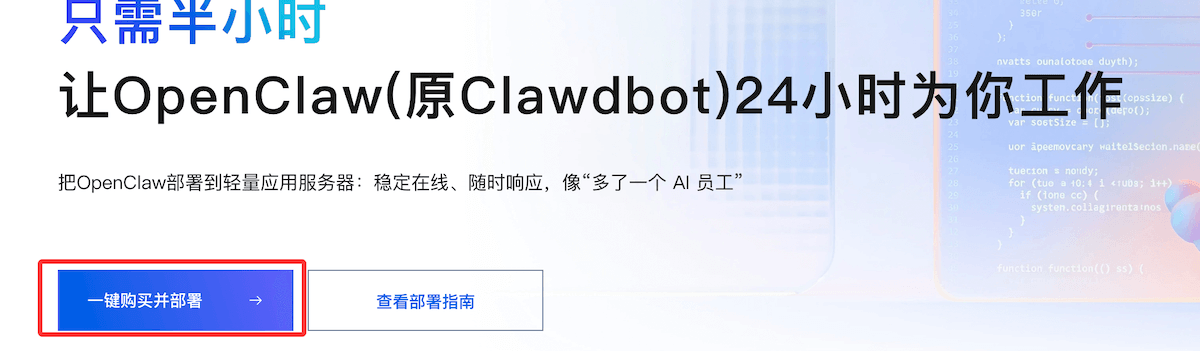
If you are fast, you can grab a server for 9.9 every day.
The advantages of cloud server deployment are still quite obvious:
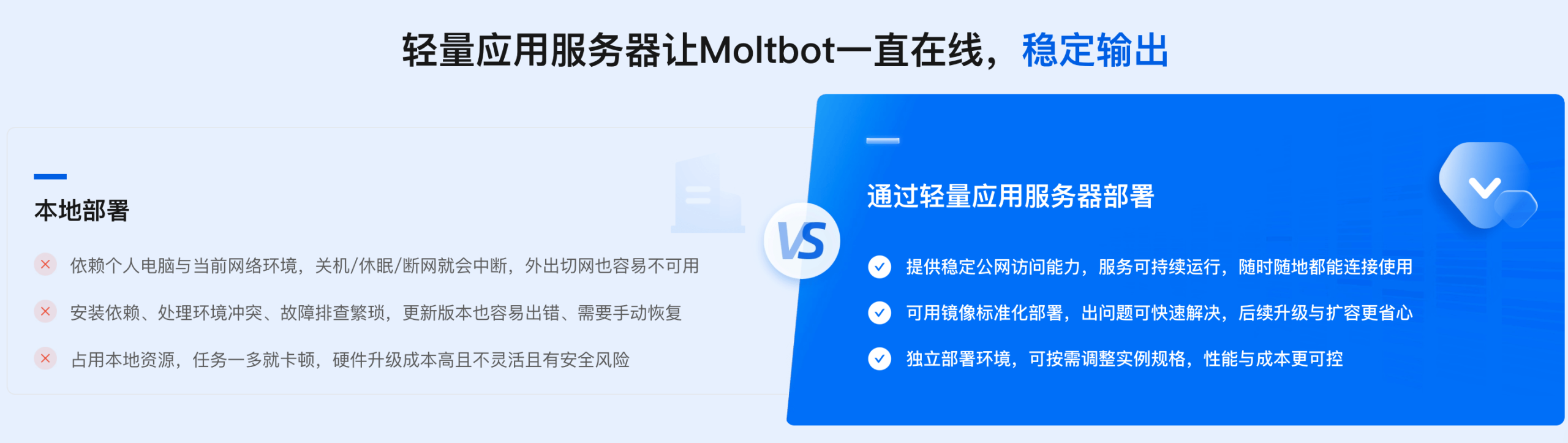
The package already includes the server and the large model:

We can use their images for one-click installation:
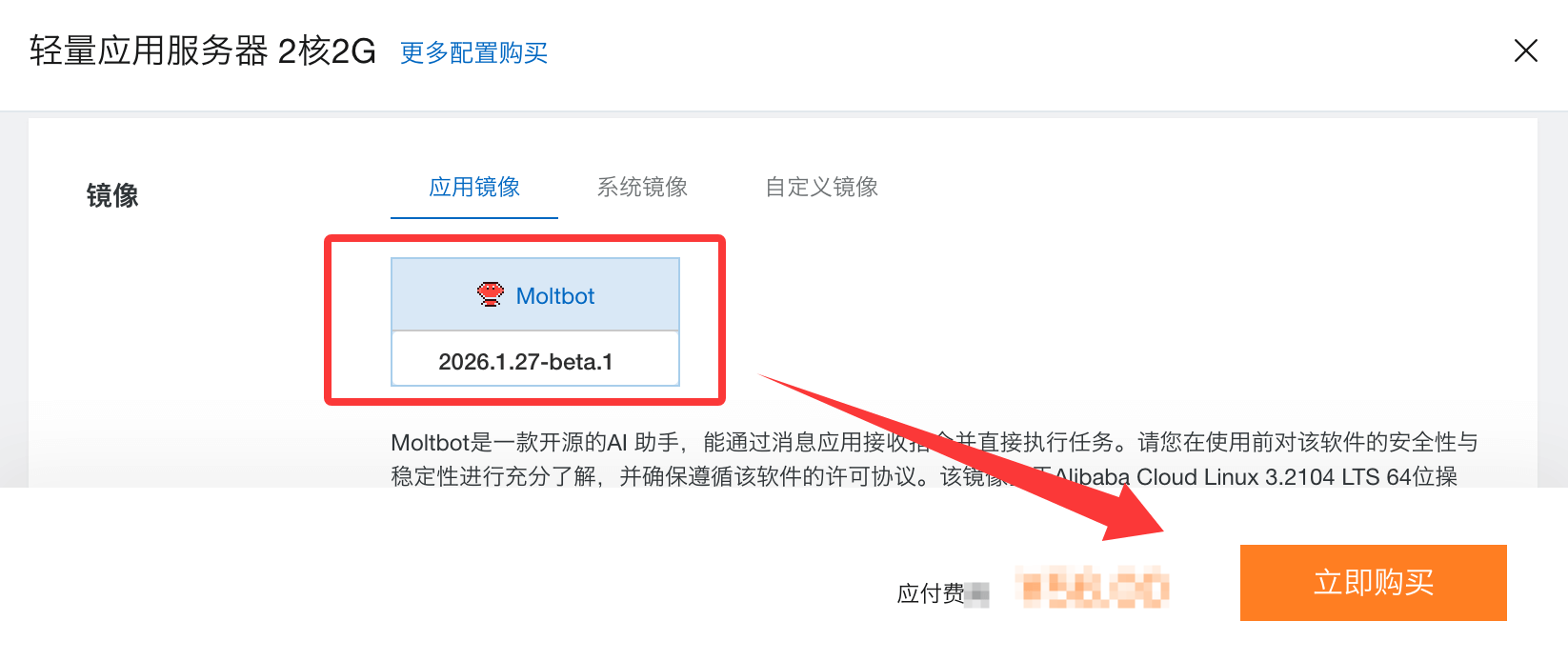
After purchase, you can go to the console to configure OpenClaw:

Configure OpenClaw
During OpenClaw execution, it calls the Bailian model by default. There are two main billing methods for model calls:
- Coding Plan AI Coding Package (recommended):Uses a fixed monthly fee model, provides monthly request quotas. Calls exceeding the time limit will error out without incurring charges, avoiding unexpected costs. Currently supports models such as qwen3.5-plus, kimi-k2.5, MiniMax-M2.5, glm-5.
- Billed by Token usage:OpenClaw version 2026.2.26 uses the qwen3.5-plus model as the default text and image processing model. If you use it a lot, this is not cost-effective.
We can first use the Alibaba Cloud main account to access the Bailian Model Studio platform:https://bailian.console.aliyun.com/Then click Login in the upper-right corner. After logging in, click the gear ⚙️ icon in the upper-right corner, select API key, and copy the API key. If you don't have one, you can also create an API key:
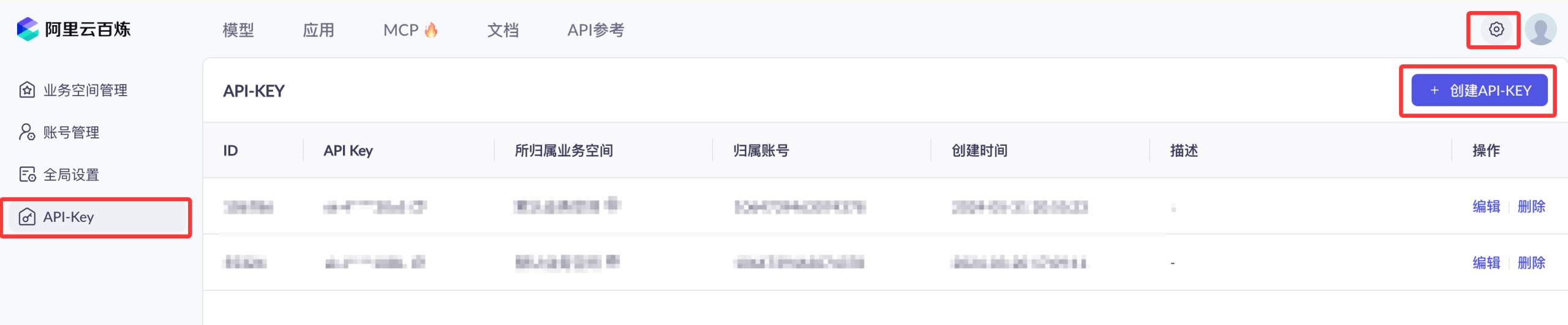

Activating Alibaba Cloud Bailian does not incur any fees. Only model calls (after exceeding the free quota), model deployment, and model fine-tuning will generate corresponding charges.
OpenClaw is still quite token-consuming. If you plan to use it long-term, we can first purchase the cheapest package:Alibaba Cloud Bailian Large Model Service Platform。
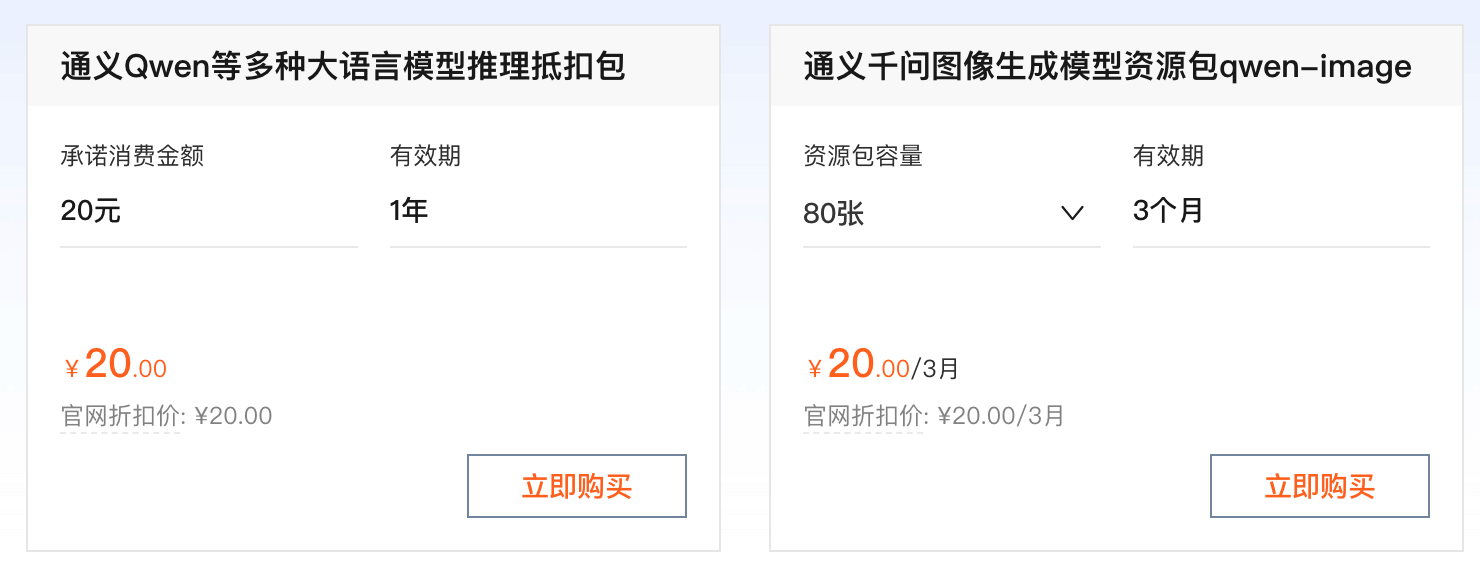
Coding Plan
Coding Plan is basically too hard to grab and is being taken down. Alibaba has now switched to Token Plan. See:Alibaba Cloud Bailian Token Plan
- OpenAI compatible:https://token-plan.cn-beijing.maas.aliyuncs.com/compatible-mode/v1
- Anthropic compatible:https://token-plan.cn-beijing.maas.aliyuncs.com/apps/anthropic
Additionally, using Bailian's Coding Plan package is cheaper:https://www.aliyun.com/benefit/scene/codingplan

After purchasing the Coding Plan package, you can go to theCoding Planpage to obtain the Coding Plan exclusive API Key (format: sk-sp-xxxxx).
Later, you need to configure one of the following Base URLs in your AI tool (varies by tool):
- OpenAI-compatible protocol (for OpenClaw): https://coding.dashscope.aliyuncs.com/v1
- Anthropic-compatible protocol: https://coding.dashscope.aliyuncs.com/apps/anthropic
Note:Coding Plan 专Attributeof API Key and Base URL and百炼Pay-as-you-goof API Key(sk-xxxxx) andBase URL(https://dashscope.aliyuncs.com/xxxxxx)No互通,please勿混use.
If you cannot grab one, you can directly purchase a resource package:https://cn.aliyun.com/benefit?from_alibabacloud=&userCode=i5mn5r7m
InServer page, click the instance ID on the server card to enter the server overview page.
Click the Application Details tab to configure OpenClaw.
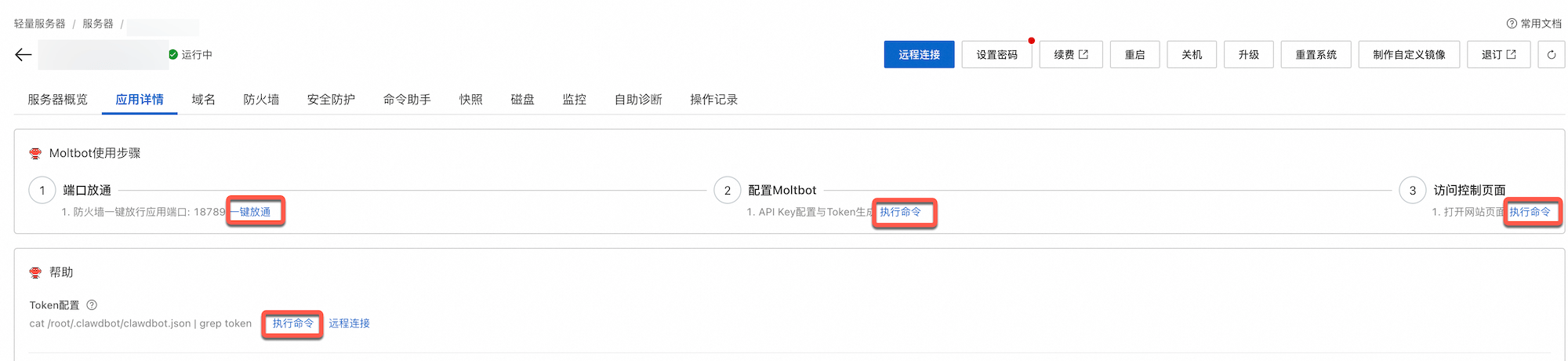
- Port opening:You need to allow the firewall for the corresponding port. Click One-click Open to allow it.
- Configure OpenClaw:Click Execute Command, enter the API-Key of Bailian, then click Next.
- Access Control page:Click Execute Command to get the address for Clawdbot conversations.
- View Token:In Help < Token Configuration, click Execute Command to obtain the Token.
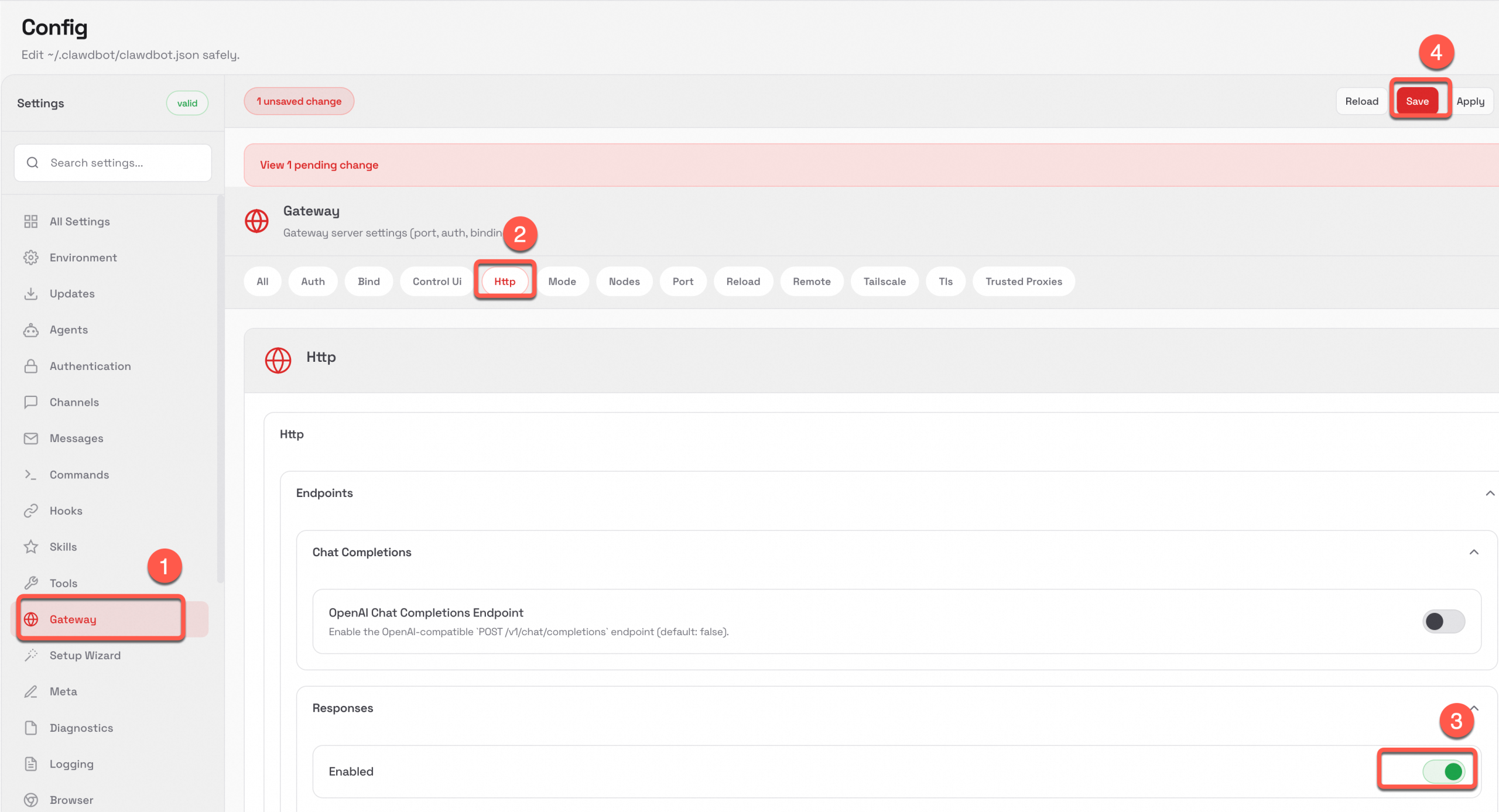
Enable ResponseAPI access. Subsequently, AppFlow will access OpenClaw via the API.
- In the left navigation bar of the Clawdbot page, click Setting > Config.
- In the left navigation bar of the Config page, click Gateway, switch to the Http tab, toggle Enabled to On in the Responses section, and click Save.
(Optional) Configure web search functionality
Currently, mainland China regions (except Hong Kong) do not support web search. For regions in Hong Kong and overseas, if you need to use the web search feature, refer toOpenClaw official website configuration。
Other extensions