Node.js Routing
In Node.js, routing is a key part of handling HTTP requests. It determines how to distribute requests based on different URLs and HTTP methods (such as GET, POST, PUT, DELETE, etc.).
Routing is commonly used to build web applications, especially RESTful APIs.
Node.js itself does not have built-in routing mechanisms, but it can be implemented through middleware libraries (such as Express).
Routing usually involves the following aspects:
- URL matching: Match routing rules according to the requested URL.
- HTTP method matching: Match routing rules according to the requested HTTP method (GET, POST, PUT, DELETE, etc.).
- Request handling: Once a matching routing rule is found, the corresponding handler function is called to process the request.
In Node.js, we can create a simple route through the http module, as in the following example:
Example
// Create server and define routes
const server = http.createServer((req, res) => {
const { url, method } = req;
if (url === '/' && method === 'GET') {
res.writeHead(200, { 'Content-Type': 'text/plain' });
res.end('Home Page');
} else if (url === '/about' && method === 'GET') {
res.writeHead(200, { 'Content-Type': 'text/plain' });
res.end('About Page');
} else {
res.writeHead(404, { 'Content-Type': 'text/plain' });
res.end('404 Not Found');
}
});
server.listen(3000, () => {
console.log('Server is running on http://localhost:3000');
});
Browser accesshttp://localhost:3000Displays as follows:

Browser accesshttp://localhost:3000/aboutDisplays as follows:
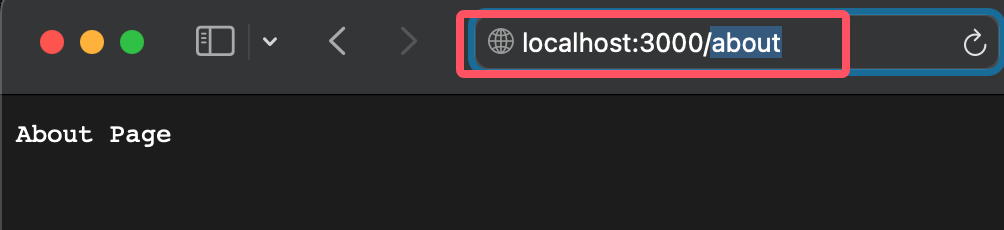
If other URL addresses are accessed, it will directly display404 Not Found。
For more HTTP requests, refer to:HTTP Tutorial。
Request Parameters
A complete URLhttp://localhost:8888/start?foo=bar&hello=worldcontains the host, path, and query string.
To parse this data, we can use theURLobject and thequerystringmodule.
const myUrl = new URL("http://localhost:8888/start?foo=bar&hello=world");

// 提取路径名
console.log(myUrl.pathname); // 输出: /start

// 提取查询参数
console.log(myUrl.searchParams.get("foo"));   // 输出: bar
console.log(myUrl.searchParams.get("hello")); // 输出: world
myUrl.pathname
          |
          |
        -----
http://localhost:8888/start?foo=bar&hello=world
                                ---       -----
                                 |          |
                                 |          |
           myUrl.searchParams.get("foo")    |
                                            |
                                     myUrl.searchParams.get("hello")
Of course, we can also use the querystring module to parse parameters in the POST request body. This will be introduced later inNode.js GET/POST Requests.
All the request data we need will be contained in the request object, which is passed as the first parameter to the onRequest() callback function.
Now let's add some logic to the onRequest() function of the http module to find out the URL path requested by the browser:
server.js file code:
Okay, our application can now distinguish different requests based on the requested URL path - this allows us to use routing (not yet complete) to map requests to handlers based on the URL path.
In the application we are going to build, this means requests from /start and /upload can be handled with different code. Later we will see how these things fit together.
Now we can write the route. Create a file namedrouter.jsand add the following content:
router.js file code:
router.js handles routing logic, defines and exports the route function, which is used to handle different paths when the server receives a request.
Our server should be aware of the route and use it effectively. We could of course hard-code this dependency to the server, but programming experience in other languages tells us this would be very painful, so we will use dependency injection to add the routing module in a loosely coupled way.
First, let's extend the server's start() function so that the route function can be passed in as a parameter.server.jsThe file code is as follows:
server.js file code:
server.js defines the server startup logic and calls the route function when a request is received.
At the same time, we will extend index.js accordingly so that the route function can be injected into the server:
index.js file code:
index.js is the entry file of the program, responsible for starting the server and passing the routing module into the server module.
Now start the application (node index.js, always remember this command line), then request a URL. You will see the application output the corresponding information, which shows that our HTTP server is already using the routing module and will pass the request path to the route:
$ node index.js
Server has started.
Access the following URL in the browserhttp://localhost:8888/, and the server should print the route-related message for the path on the console and return a "Hello World" response:
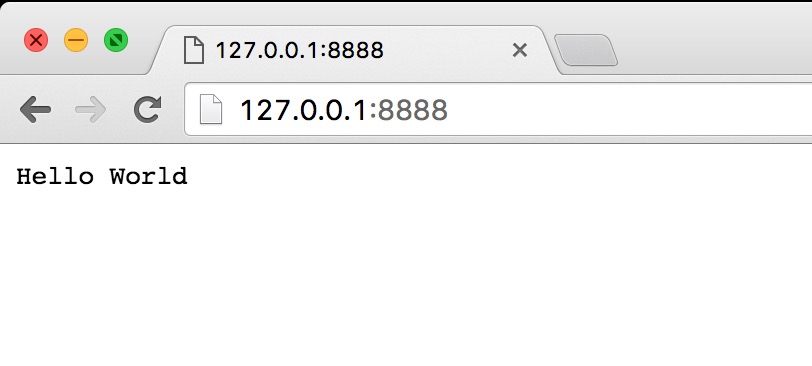
The backend terminal will display access information:
Request for / received.
About to route a request for /
Request for /favicon.ico received.
About to route a request for /favicon.ico
Routing with Express
Express is a popular Node.js framework that provides powerful routing capabilities.
For more about Express, refer to:Node.js Express Framework。
Installing Express
First, make sure you have installed Express. If not, you can use npm to install it:
npm install express
Basic Routing
The following is a simple Express application that demonstrates how to set up basic routing:
Example
const app = express();
const port = 3000;
// Define a GET route
app.get('/', (req, res) => {
res.send('Hello, World!');
});
// Define a POST route
app.post('/submit', (req, res) => {
res.send('Form submitted!');
});
// Start the server
app.listen(port, () => {
console.log(`Server is running on http://localhost:${port}`);
});
Dynamic Routing
Dynamic routing allows you to use parameterized URLs.
For example, you can define a route to handle/users/:id, where:idis a dynamic parameter.
app.get('/users/:id', (req, res) => {
    const userId = req.params.id;
    res.send(`User ID: ${userId}`);
});
Route Parameters
Express allows you to extract parameters from the URL and access them through the req.params object.
Example
const userId = req.params.id;
res.send(`User ID: ${userId}`);
});
app.get('/search/:query', (req, res) => {
const query = req.params.query;
res.send(`Search query: ${query}`);
});
Query Parameters
Query parameters are key-value pairs in the URL, usually used to pass additional information. You can access query parameters through the req.query object.
app.get('/search', (req, res) => {
    const query = req.query.q;
    res.send(`Search query: ${query}`);
});
Route Middleware
Route middleware are functions executed before or after processing a request. You can use middleware to handle tasks such as authentication, logging, and so on.
// 日志记录中间件
const logger = (req, res, next) => {
    console.log(`Request Type: ${req.method} ${req.url}`);
    next();
};

// 使用中间件
app.use(logger);

app.get('/', (req, res) => {
    res.send('Hello, World!');
});
Route Grouping
To better organize your code, you can use route grouping. Express provides the express.Router object, which can be used to create modular, mountable route handlers.
Example
const app = express();
const port = 3000;
// Create a router instance
const userRouter = express.Router();
// Define user-related routes
userRouter.get('/', (req, res) => {
res.send('List of users');
});
userRouter.get('/:id', (req, res) => {
const userId = req.params.id;
res.send(`User ID: ${userId}`);
});
// Mount the user router
app.use('/users', userRouter);
// Start the server
app.listen(port, () => {
console.log(`Server is running on http://localhost:${port}`);
});
Advanced Routing Techniques
1. Error handling:You can define error-handling middleware to catch and handle errors in routes.
app.use((err, req, res, next) => {
    console.error(err.stack);
    res.status(500).send('Something broke!');
});
2. Route priority:The order in which routes are defined determines their priority; routes defined first will be matched first.
3. Route restrictions:You can use middleware to restrict access to certain routes, for example, allowing only authenticated users.
Example
if (req.headers.authorization) {
next();
} else {
res.status(401).send('Unauthorized');
}
};
app.get('/admin', authMiddleware, (req, res) => {
res.send('Admin page');
});