Node.js Asynchronous Programming
In traditionalsynchronous programming, code is executed sequentially, and each line of code must wait for the previous line to finish executing before it can run. However,asynchronous programmingallows code to continue executing other tasks while waiting for certain operations (such as I/O operations) to complete, without blocking the program's execution.
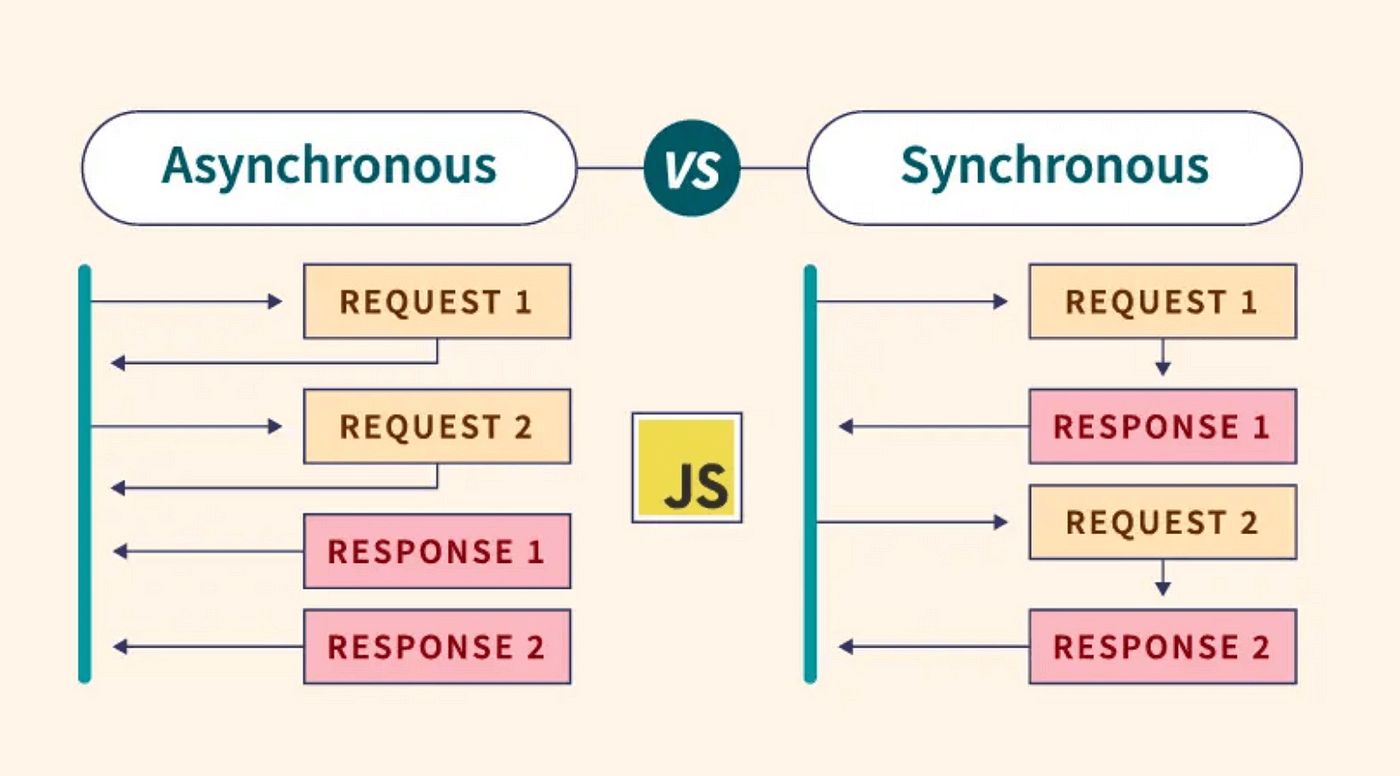
Node.js adopts an asynchronous I/O model, which makes it particularly suitable for handling high-concurrency network applications. Understanding asynchronous programming is key to mastering Node.js.
Why Node.js Needs Asynchronous Programming
Node.js is single-threaded, which means it can only execute one task at a time. If synchronous programming is used, when a time-consuming operation (such as reading a large file or a network request) is executed, the entire program will be blocked and unable to handle other requests.
Asynchronous programming solves this problem:
- Improves application throughput
- Utilizes system resources more effectively
- Provides a better user experience
Three Main Ways of Asynchronous Programming in Node.js
1. Callback Functions (Callbacks)
Callback functions are the most basic asynchronous handling method in Node.js. They work by passing a function as an argument to another function, and this function is called after the operation completes.
Example
// Asynchronously read file
fs.readFile('example.txt', 'utf8', (err, data) => {
if (err) {
console.error('Error reading file:', err);
return;
}
console.log('File content:', data);
});
console.log('File read request sent, continuing to execute other code...');
Features:
- Simple and straightforward
- Easily leads to "Callback Hell"
- Error handling is not intuitive enough
2、Promise
Promise is an asynchronous programming solution introduced in ES6. It represents the eventual completion or failure of an asynchronous operation and its resulting value.
Example
// Read file using Promise
fs.readFile('example.txt', 'utf8')
.then(data => {
console.log('File content:', data);
})
.catch(err => {
console.error('Error reading file:', err);
});
console.log('File read request sent, continuing to execute other code...');
Features:
- Chained calls, avoiding callback hell
- Better error handling mechanism
- State is irreversible (pending → fulfilled or rejected)
3、async/await
async/await is syntactic sugar introduced in ES8, based on Promise, making asynchronous code look like synchronous code.
Example
async function readFile() {
try {
const data = await fs.readFile('example.txt', 'utf8');
console.log('File content:', data);
} catch (err) {
console.error('Error reading file:', err);
}
}
readFile();
console.log('File read request sent, continuing to execute other code...');
Features:
- Code is more concise and readable
- Error handling uses try/catch structure
- Must be used in async functions
Error Handling Best Practices
Error Handling in Callback Functions
Example
if (err) {
console.error('Error reading file:', err);
return; // Important: return after handling the error to avoid executing subsequent code
}
console.log('File content:', data);
});
Promise Error Handling
Example
.then(data => {
console.log('File content:', data);
return someOtherAsyncOperation(data);
})
.then(result => {
console.log('Second step result:', result);
})
.catch(err => {
console.error('Error during processing:', err);
});
Error Handling with async/await
Example
try {
const data = await fs.readFile('example.txt', 'utf8');
const result = await someOtherAsyncOperation(data);
console.log('Final result:', result);
} catch (err) {
console.error('Error during processing:', err);
}
}
processData();
Performance Considerations
- Avoid blocking the event loop: Long-running synchronous code will block the entire application
- Use asynchronous operations appropriately: Not all operations need to be asynchronous; simple computation tasks may be more efficient using synchronous methods
- Control the degree of concurrency: Too many parallel asynchronous operations may lead to resource exhaustion
- Use streams to process large files: For large files, use streams instead of reading them all at once