Bootstrap Button (Button) Plugin
Button (Button) inBootstrap Buttonswas introduced in the chapter. Through the Button (Button) plugin, you can add interactions such as controlling button states, or creating button groups for other components (such as toolbars).
Loading state
To add a loading state to a button, simply add to the button elementdata-loading-text="Loading..."as its attribute, as shown in the example below:
Example
<button id="fat-btn" class="btn btn-primary" data-loading-text="Loading..."
type="button">Loading state</button>
<script>
$(function() {
$(".btn").click(function(){
$(this).button('loading').delay(1000).queue(function() {
// $(this).button('reset');
// $(this).dequeue();
});
});
});
</script>
Try it »
The result is as follows:
Single toggle
To activate a single button toggle (i.e., change the button's normal state to pressed state, and vice versa), simply add to the button elementdata-toggle="button"as its attribute, as shown in the example below:
Example
<button type="button" class="btn btn-primary"
data-toggle="button">Single toggle</button>
Try it »
The result is as follows:
Checkbox
You can create a checkbox group, and by adding tobtn-groupadd the data attributedata-toggle="buttons"to enable toggling for the checkbox group.
Example
<div class="btn-group" data-toggle="buttons">
<label class="btn btn-primary">
<input type="checkbox">Option 1</label>
<label class="btn btn-primary">
<input type="checkbox">Option 2</label>
<label class="btn btn-primary">
<input type="checkbox">Option 3</label>
</div>
Try it »
The result is as follows:
Radio buttons
Similarly, you can create a radio button group, and by adding tobtn-groupadd the data attributedata-toggle="buttons"to enable toggling for the radio button group.
Example
<div class="btn-group" data-toggle="buttons">
<label class="btn btn-primary">
<input type="radio" name="options" id="option1">Option 1</label>
<label class="btn btn-primary">
<input type="radio" name="options" id="option2">Option 2</label>
<label class="btn btn-primary">
<input type="radio" name="options" id="option3">Option 3</label>
</div>
Try it »
The result is as follows:
Usage
You canvia JavaScriptenable the Button (Button) plugin, as shown below:
$('.btn').button()
Options
There are no options.
Methods
Here are some useful methods in the Button (Button) plugin:
| Method | Description | Example |
|---|
| button('toggle') | Toggles the pressed state. Gives the button an activated appearance. You can usedata-toggleattribute to enable automatic toggling of the button. |
$().button('toggle') |
| .button('loading') | When loading, the button is disabled, and the text changes to the button element'sdata-loading-textattribute value. |
$().button('loading') |
| .button('reset') | Resets the button state, and the text content restores to the original content. This method is very useful when you want to return the button to its original state. |
$().button('reset') |
| .button(string) | The string in this method refers to any string declared by the user. Using this method, reset the button state and add new content. |
$().button(string) |
Example
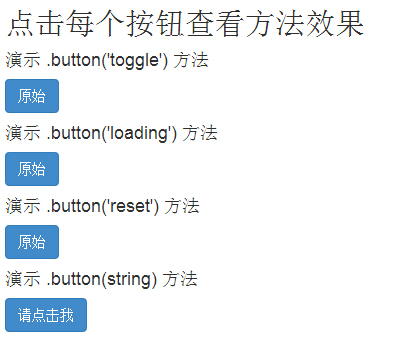
The following example demonstrates the usage of the above methods:
Example
<h2>Click each button to see the method effects</h2>
<h4>Demo .button('toggle') method</h4>
<div id="myButtons1" class="bs-example">
<button type="button" class="btn btn-primary">Original</button>
</div>
<h4>Demo .button('loading') method</h4>
<div id="myButtons2" class="bs-example">
<button type="button" class="btn btn-primary"
data-loading-text="Loading...">Original</button>
</div>
<h4>Demo .button('reset') method</h4>
<div id="myButtons3" class="bs-example">
<button type="button" class="btn btn-primary"
data-loading-text="Loading...">Original</button>
</div>
<h4>Demo .button(string) method</h4>
<button type="button" class="btn btn-primary" id="myButton4"
data-complete-text="Loading finished">Please click me</button>
<script>
$(function () {
$("#myButtons1 .btn").click(function(){
$(this).button('toggle');
});
});
$(function() {
$("#myButtons2 .btn").click(function(){
$(this).button('loading').delay(1000).queue(function() {
});
});
});
$(function() {
$("#myButtons3 .btn").click(function(){
$(this).button('loading').delay(1000).queue(function() {
$(this).button('reset');
});
});
});
$(function() {
$("#myButton4").click(function(){
$(this).button('loading').delay(1000).queue(function() {
$(this).button('complete');
});
});
});
</script>
Try it »
The result is as follows:
Other extensions