SQL Syntax
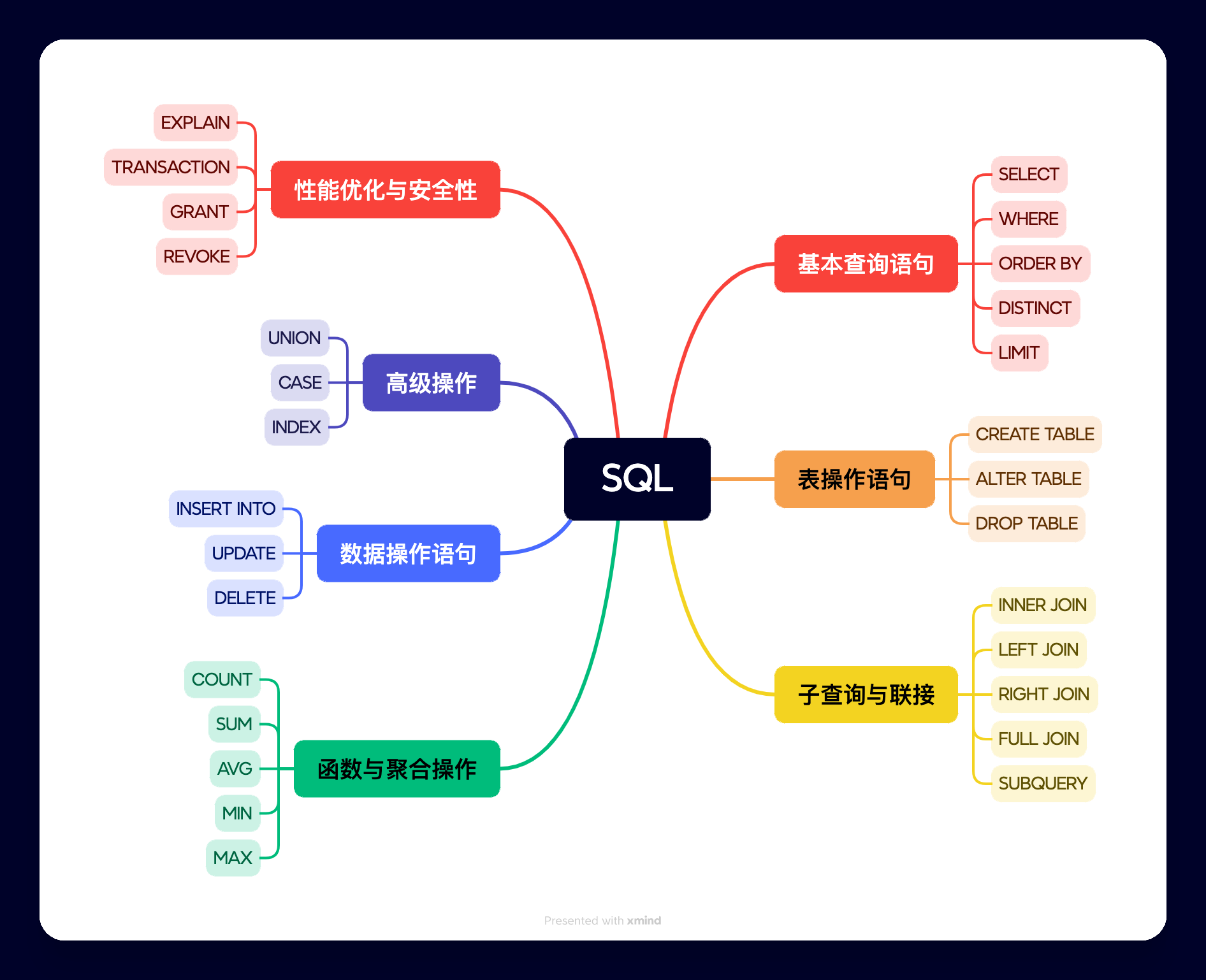
SQL (Structured Query Language) is a standard language used to manage and operate relational databases, including functions such as data query, data insertion, data update, data deletion, and database structure creation and modification.
Database Tables
A database usually contains one or more tables. Each table has a name identifier (e.g., "Websites"), and the table contains records (rows) with data.
In this tutorial, we created the Websites table in MySQL's EXAMPLE database to store website records.
We can view the data of the "Websites" table with the following command:
mysql> use EXAMPLE;
Database changed

mysql> set names utf8;
Query OK, 0 rows affected (0.00 sec)

mysql> SELECT * FROM Websites;
+----+--------------+---------------------------+-------+---------+
| id | name         | url                       | alexa | country |
+----+--------------+---------------------------+-------+---------+
| 1  | Google       | https://www.google.cm/    | 1     | USA     |
| 2  | 淘宝          | https://www.taobao.com/   | 13    | CN      |
| 3  | Example      | http://www.example.com/    | 4689  | CN      |
| 4  | 微博          | http://weibo.com/         | 20    | CN      |
| 5  | Facebook     | https://www.facebook.com/ | 3     | USA     |
+----+--------------+---------------------------+-------+---------+
5 rows in set (0.01 sec)
Explanation
- use EXAMPLE;The command is used to select a database.
- set names utf8;The command is used to set the character set to be used.
- SELECT * FROM Websites;Read the information of the data table.
- The table above contains five records (each corresponding to one website's information) and 5 columns (id, name, url, alexa, and country).
SQL Statements
Most of the work you need to perform on the database is done by SQL statements.
The following SQL statement selects all records from the "Websites" table:
Examples
In this tutorial, we will explain various different SQL statements to you.
Please remember...
- SQL is not case-sensitive: SELECT is the same as select.
Semicolon after SQL statements?
Some database systems require a semicolon at the end of each SQL statement.
The semicolon is the standard method of separating each SQL statement in database systems, so that more than one SQL statement can be executed in the same request to the server.
In this tutorial, we will use a semicolon at the end of each SQL statement.
Some of the most important SQL commands
- SELECT- Extract data from the database
- UPDATE- Update data in the database
- DELETE- Delete data from the database
- INSERT INTO- Insert new data into the database
- CREATE DATABASE- Create a new database
- ALTER DATABASE- Modify the database
- CREATE TABLE- Create a new table
- ALTER TABLE- Change (alter) database tables
- DROP TABLE- Delete a table
- CREATE INDEX- Create an index (search key)
- DROP INDEX- Delete an index
The following are some commonly used SQL statements and syntax:
SELECT: Used to query data from the database.
SELECT column_name(s)
FROM table_name
WHERE condition
ORDER BY column_name [ASC|DESC]
column_name(s): The column to query.table_name: The table to query.condition: Query conditions (optional).ORDER BY: Sorting method,ASCindicates ascending order,DESCindicates descending order (optional).
INSERT INTO: Used to insert new data into a database table.
INSERT INTO table_name (column1, column2, ...)
VALUES (value1, value2, ...)
table_name: The table to insert data into.column1, column2, ...: The columns to insert data into.value1, value2, ...: The values corresponding to the columns.
UPDATE: Used to update existing data in a database table.
UPDATE table_name
SET column1 = value1, column2 = value2, ...
WHERE condition
table_name: The table to update data in.column1 = value1, column2 = value2, ...: The columns to update and their new values.condition: Update conditions.
DELETE: Used to delete data from a database table.
DELETE FROM table_name
WHERE condition
table_name: The table to delete data from.condition: Deletion conditions.
CREATE TABLE: Used to create a new database table.
CREATE TABLE table_name (
    column1 data_type constraint,
    column2 data_type constraint,
    ...
)
table_name: The name of the table to create.column1, column2, ...: The columns of the table.data_type: The data types of the columns (such asINT、VARCHARetc.).constraint: The constraints of the columns (such asPRIMARY KEY、NOT NULLetc.).
ALTER TABLE: Used to modify the structure of an existing database table.
ALTER TABLE table_name
ADD column_name data_type
table_name: The table to modify.column_name: The column to add.data_type: The data type of the column.
Or:
ALTER TABLE table_name
DROP COLUMN column_name
column_name: The column to delete.
DROP TABLE: Used to delete a database table.
DROP TABLE table_name
table_name: The table to delete.
CREATE INDEX: Used to create an index to speed up queries.
CREATE INDEX index_name
ON table_name (column_name)
index_name: The name of the index.column_name: The column to be indexed.
DROP INDEX: Used to delete an index.
DROP INDEX index_name
ON table_name
index_name: The name of the index to delete.table_name: The table where the index is located.
WHERE: Used to specify filter conditions.
SELECT column_name(s)
FROM table_name
WHERE condition
condition: The filter condition.
ORDER BY: Used to sort the result set.
SELECT column_name(s)
FROM table_name
ORDER BY column_name [ASC|DESC]
column_name: The column used for sorting.ASC: Ascending order (default).DESC: Descending order.
GROUP BY: Used to group the result set by one or more columns.
SELECT column_name(s), aggregate_function(column_name)
FROM table_name
WHERE condition
GROUP BY column_name(s)
aggregate_function: Aggregate functions (such as COUNT, SUM, AVG, etc.).
HAVING: Used to filter the grouped result set.
SELECT column_name(s), aggregate_function(column_name)
FROM table_name
GROUP BY column_name(s)
HAVING condition
condition: The filter condition.
JOIN: Used to combine records from two or more tables.
SELECT column_name(s)
FROM table_name1
JOIN table_name2
ON table_name1.column_name = table_name2.column_name
JOIN: Can be INNER JOIN, LEFT JOIN, RIGHT JOIN, or FULL JOIN.
DISTINCT: Used to return unique and distinct values.
SELECT DISTINCT column_name(s)
FROM table_name
column_name(s): The column to query.
Other Extensions