POP3 Protocol
POP3 (Post Office Protocol version 3) is a protocol used to download emails from a mail server.
POP3 allows users to retrieve emails from a server via clients (such as Outlook, Thunderbird) and store them on local devices.
How POP3 Works
POP3 uses a client-server model to transmit emails over plaintext or encrypted communication channels. Its core function is to download emails from the server.
1. Establishing a POP3 Connection
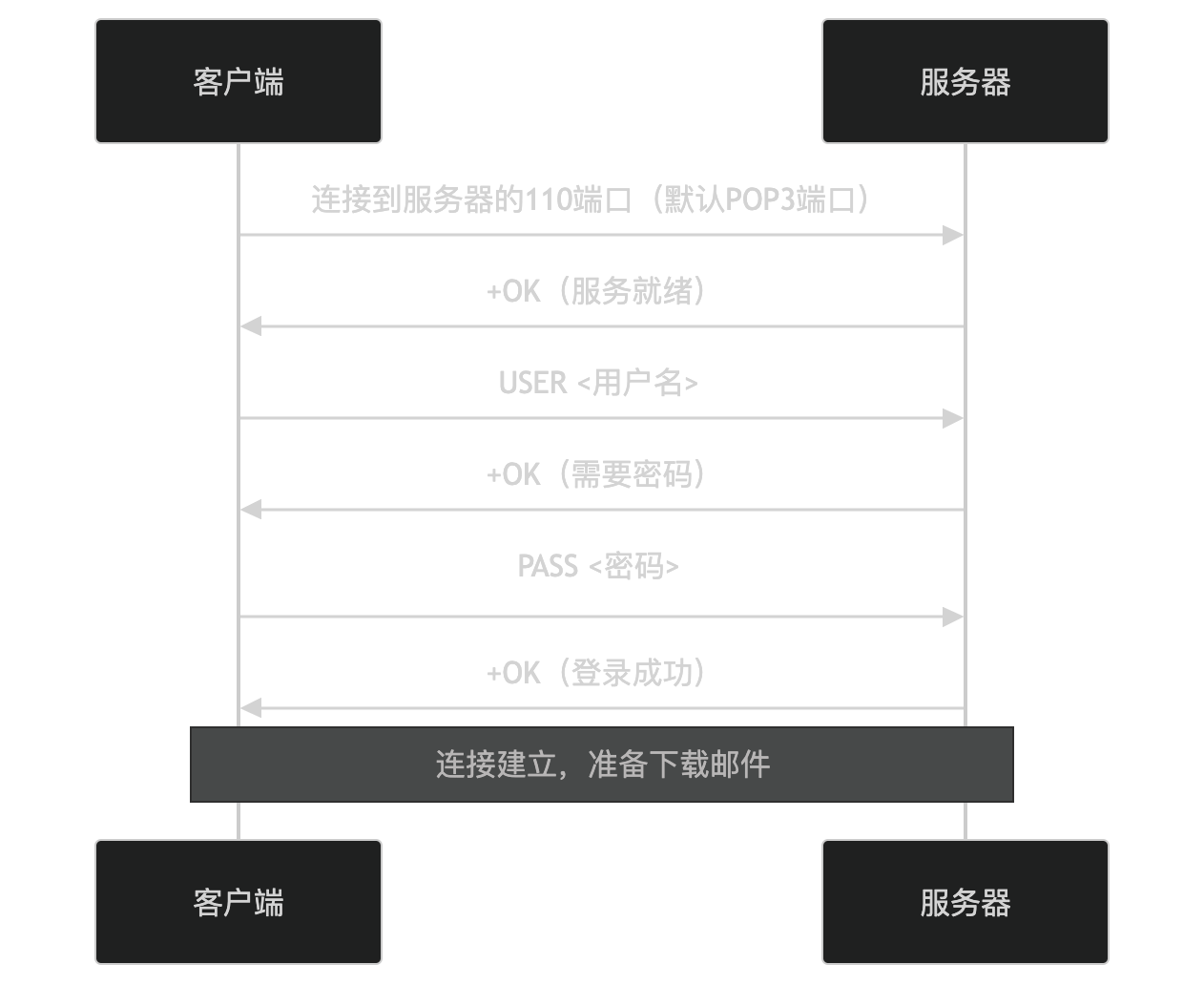
- The client connects to port 110 on the server (the default POP3 port).
- The server returns
+OK, indicating the service is ready. - The client sends the username (USER command), and the server returns
+OK, indicating a password is required. - The client sends the password (PASS command), and the server returns
+OK, indicating successful login.
2. Downloading Emails
After the connection is established, the client can download emails. The following is a typical email download process:
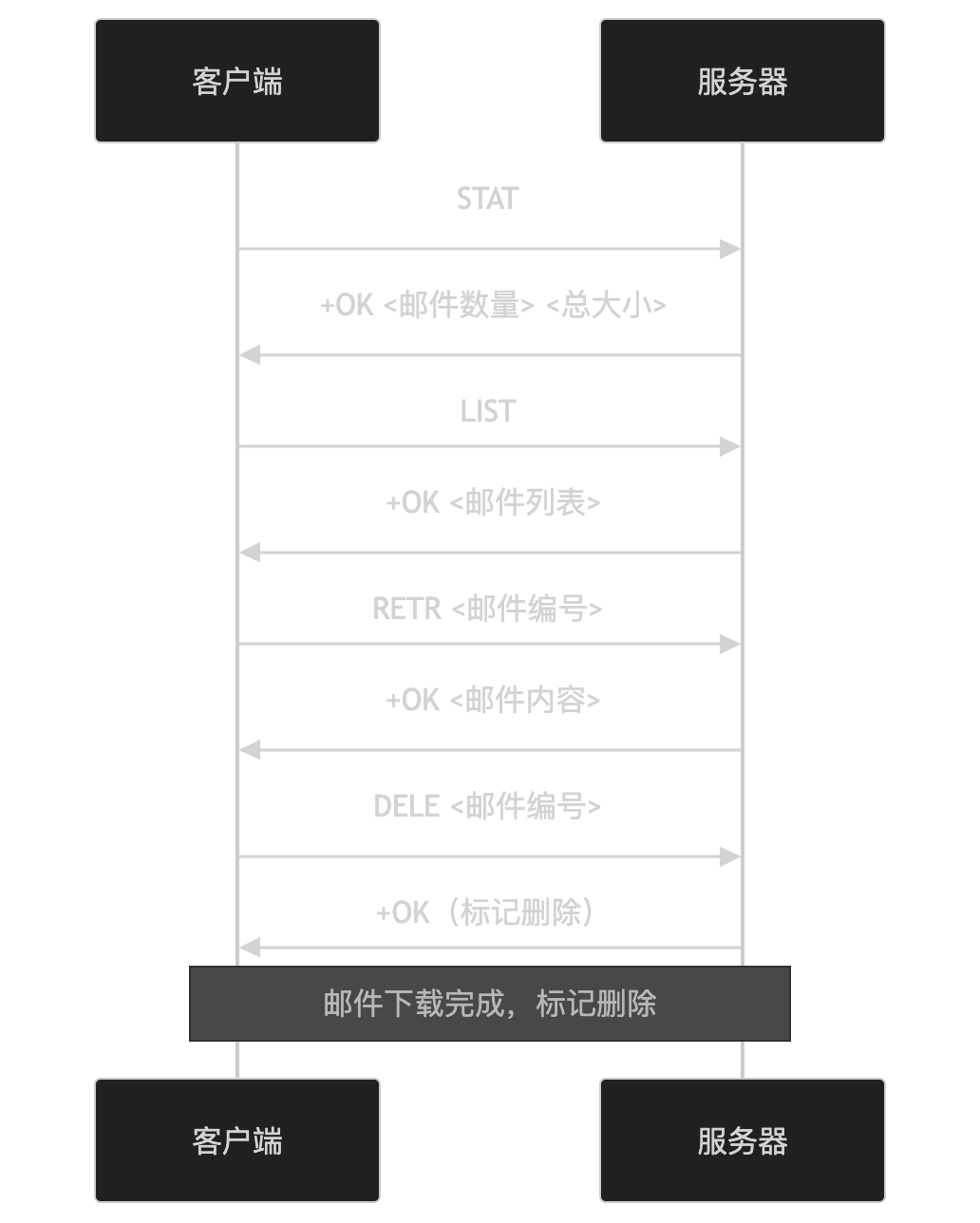
- STAT: The client retrieves the number and total size of the emails.
- LIST: The client retrieves the email list.
- RETR: The client downloads the specified email.
- DELE: The client marks the email as deleted (the email is deleted after the QUIT command).
3. Closing the Connection
After the email download is complete, the client can close the connection:
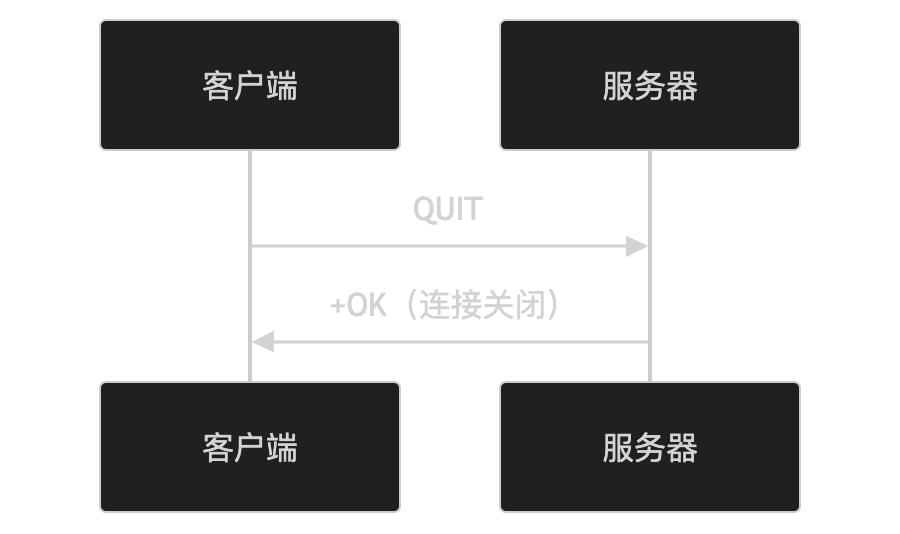
- The client sends the QUIT command to request closing the connection.
- The server returns
+OK, indicating the connection is closed, and deletes emails marked for deletion.
Key Features of POP3
-
Simple and easy to use:
- The protocol is simple and easy to implement and use.
-
Email download:
- Downloads emails from the server to local devices.
-
Deletion mechanism:
- Supports deleting emails from the server after download.
-
Stateless protocol:
- The server does not save the client's state.
Application Scenarios of POP3
POP3 is widely used in the following scenarios:
- Email clients: Email clients such as Outlook and Thunderbird use POP3 to download emails.
- Offline access: Users can access downloaded emails while offline.
- Storage management: By deleting emails on the server, server storage space is saved.
Security Issues of POP3
POP3 itself is insecure because it transmits data in plaintext during transmission, making it vulnerable to the following attacks:
- Eavesdropping: Attackers can eavesdrop on transmitted data.
- Tampering: Attackers can tamper with transmitted data.
- Spoofing: Attackers can impersonate the server or the client.
To improve security, POP3S (POP3 Secure), i.e., POP3 over TLS/SSL, can be used to protect data transmission through encrypted communication.
Alternatives to POP3
In some scenarios, the following alternatives can be used:
- IMAP: Supports managing emails on the server, suitable for multi-device access.
- Web mail services: Access emails through a web interface (such as Gmail, Outlook.com).
In summary, POP3 is a protocol for downloading emails, using a client-server model to download emails from the server to local devices. It is simple and easy to use, suitable for offline access and storage management, but attention should be paid to its security issues. If you are interested in a specific feature or application scenario of POP3, feel free to discuss further!
Other Extensions