IMAP Protocol
IMAP (Internet Message Access Protocol) is a protocol used to access and manage email from a mail server.
Unlike POP3, IMAP allows users to manage emails on the server, supporting multi-device synchronization and advanced email operations.
How IMAP Works
IMAP uses a client-server model to access emails through plaintext or encrypted communication channels. Its core function is to manage emails on the server.
1. IMAP Connection Establishment
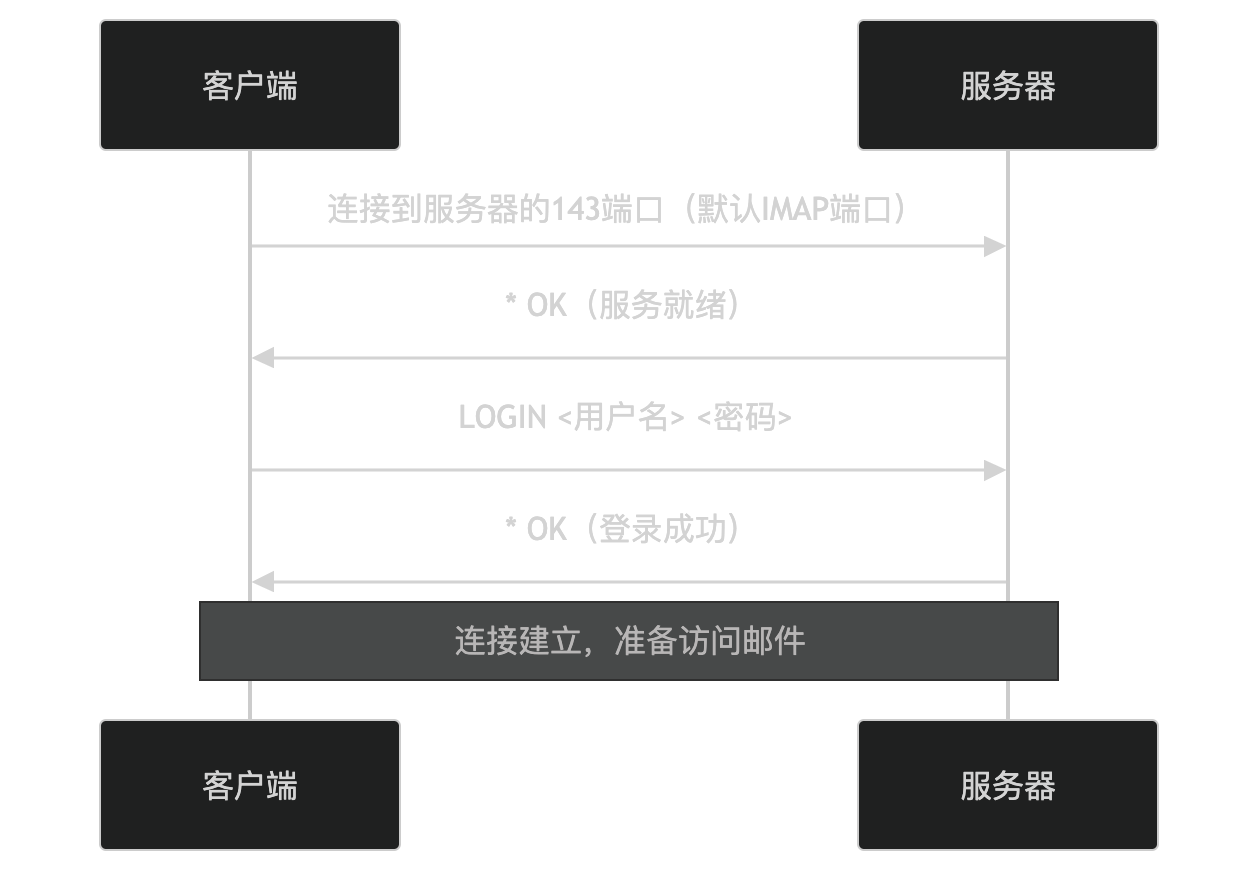
- The client connects to port 143 on the server (the default IMAP port).
- The server returns
* OK, indicating that the service is ready. - The client sends the username and password (LOGIN command), and the server returns
* OK, indicating successful login.
2. Email Access and Management
After the connection is established, the client can access and manage emails. The following is a typical email access process:
- SELECT: The client selects a mailbox (e.g., Inbox).
- FETCH: The client retrieves the content of a specified email.
- STORE: The client marks the email as read or other statuses.
3. Connection Closure
After completing email access, the client can close the connection:
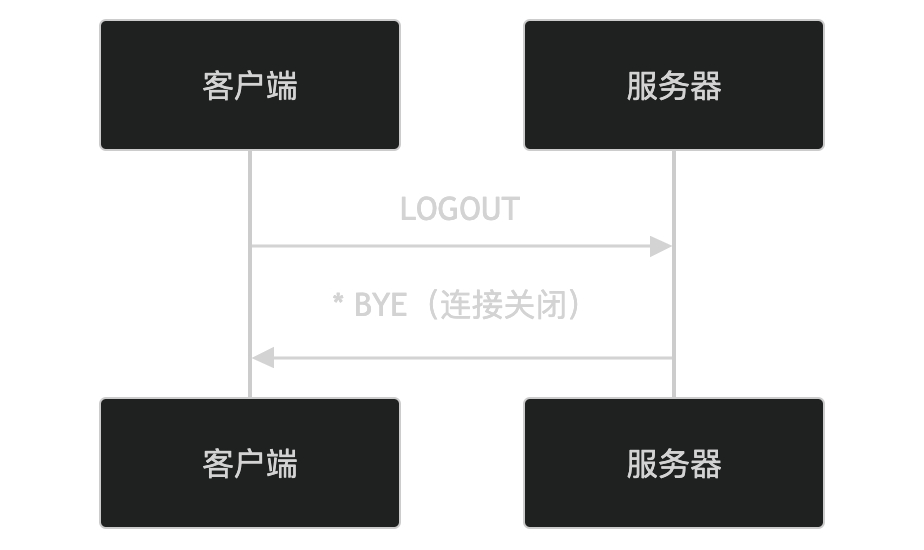
- The client sends the LOGOUT command to request closing the connection.
- The server returns
* BYE, indicating that the connection has been closed.
Key Features of IMAP
-
Server-side Email Management:
- Emails are stored on the server, supporting multi-device synchronization.
-
Advanced Email Operations:
- Supports marking email status (e.g., read, unread), moving emails, searching emails, etc.
-
Partial Download:
- You can download only part of the email content (e.g., email headers) to save bandwidth.
-
Mailbox Management:
- Supports creating, deleting, and renaming mailboxes (folders).
-
Stateless Protocol:
- The server does not save the client's state.
Application Scenarios of IMAP
IMAP is widely used in the following scenarios:
- Multi-device access: Users can access and manage emails on multiple devices.
- Email synchronization: Email status and actions are synchronized across all devices.
- Advanced email management: Supports complex email operations and search functions.
Security Issues of IMAP
IMAP itself is insecure because it transmits data in plaintext during the process, making it vulnerable to the following attacks:
- Eavesdropping: Attackers can eavesdrop on transmitted data.
- Tampering: Attackers can tamper with transmitted data.
- Masquerading: Attackers can impersonate the server or the client.
To improve security, IMAPS (IMAP Secure), i.e., IMAP over TLS/SSL, can be used to protect data transmission through encrypted communication.
Alternatives to IMAP
In some scenarios, the following alternatives can be used:
- POP3: Suitable for offline access and storage management.
- Webmail services: Access emails through a web interface (e.g., Gmail, Outlook.com).
In summary, IMAP is a protocol used to access and manage email, managing emails on the server through a client-server model. It supports multi-device synchronization and advanced email operations, making it suitable for scenarios that require complex email management, but attention should be paid to its security issues. If you are interested in a specific feature or application scenario of IMAP, feel free to discuss further!
Other Extensions