FTP Protocol
FTP (File Transfer Protocol) is a protocol used to transfer files over a network.
FTP allows users to upload or download files from one computer (client) to another computer (server).
FTP is one of the earliest protocols used on the Internet and is still widely used for file transfer today.
How FTP Works
FTP uses a client-server model and communicates through two independent connections:
- Control connection: used to send commands and receive responses.
- Data connection: used to actually transfer files.
1. FTP Connection Establishment
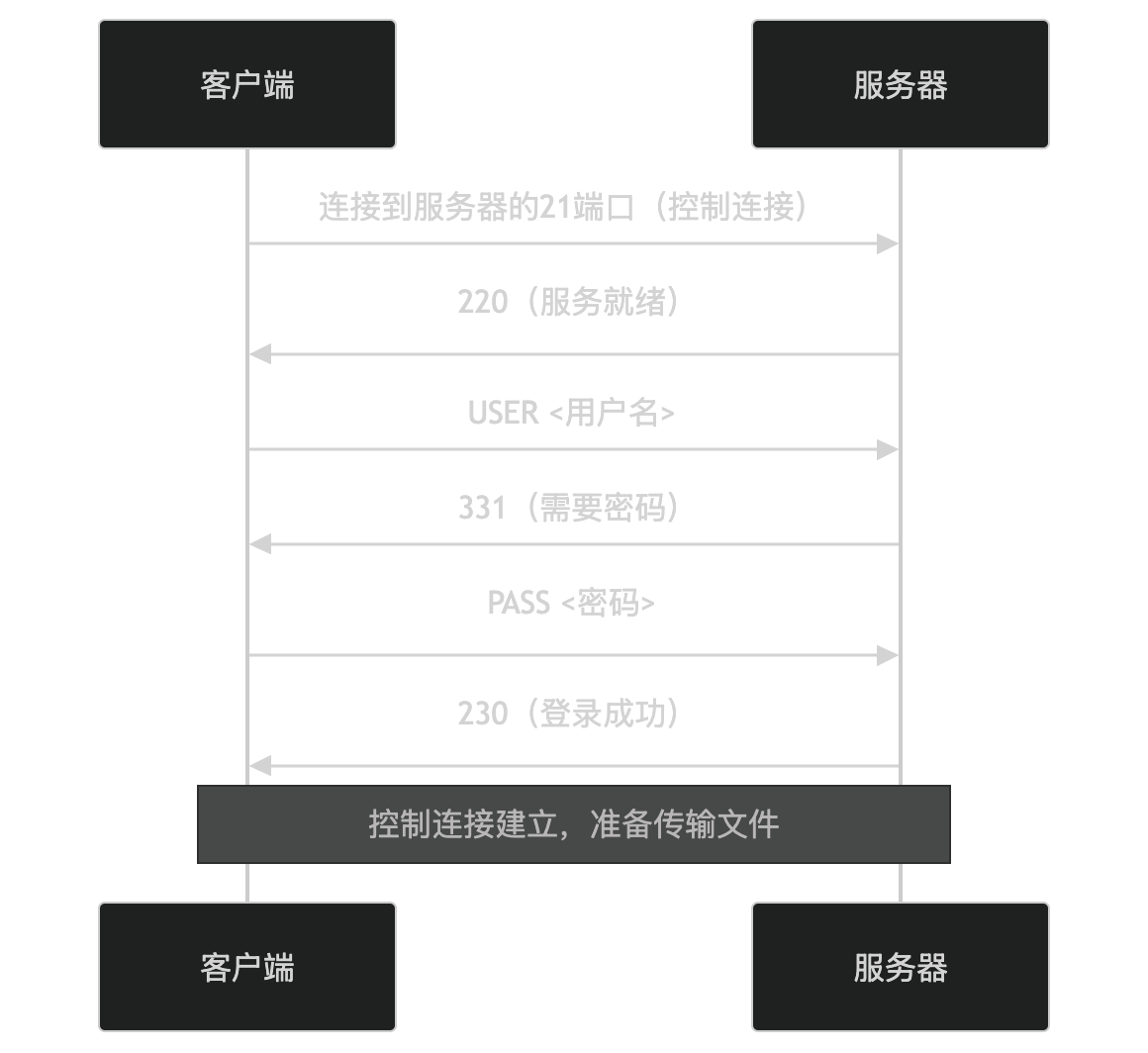
- The client connects to port 21 of the server (the default control connection port).
- The server returns status code 220, indicating that the service is ready.
- The client sends the username (USER command), and the server returns 331, indicating that a password is required.
- The client sends the password (PASS command), and the server returns 230, indicating successful login.
2. File Transfer
FTP supports two modes for transferring files:
- Active mode: The server actively connects to the client's data port.
- Passive mode: The client connects to the server's data port.
Active Mode
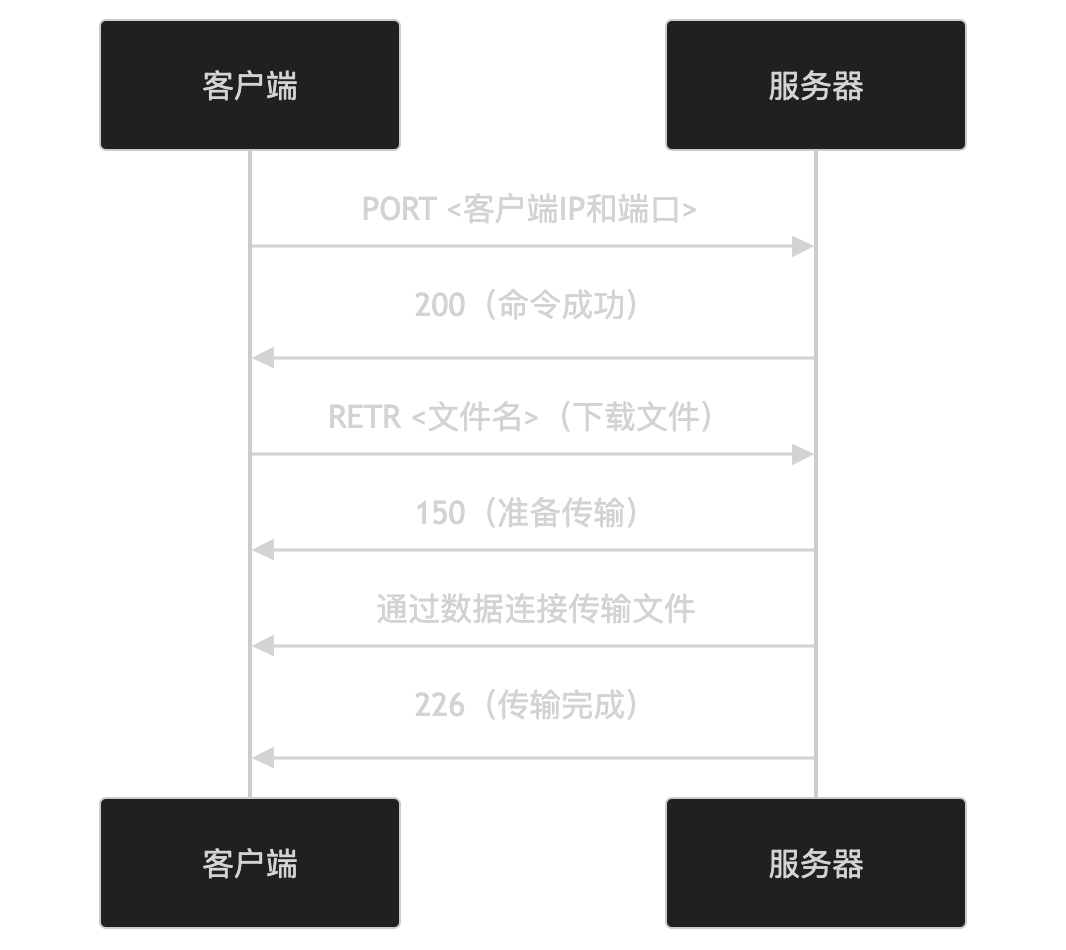
- The client sends the PORT command to inform the server of its IP address and data port.
- The server connects to the client's data port and begins transferring files.
Passive Mode
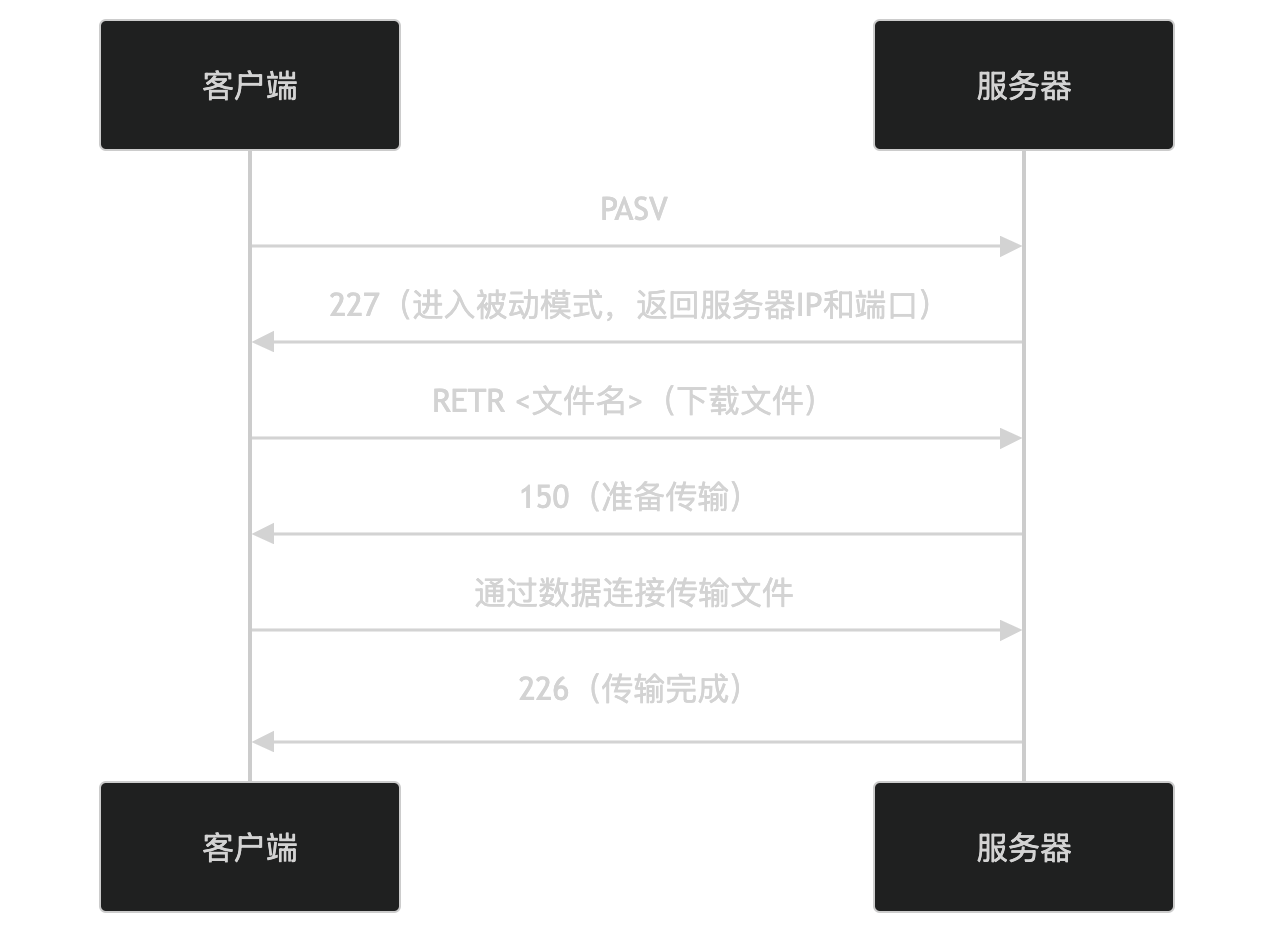
- The client sends the PASV command to request entering passive mode.
- The server returns its IP address and data port.
- The client connects to the server's data port and begins transferring files.
Key Features of FTP
-
Dual-connection model:
- The control connection is used to send commands and receive responses.
- The data connection is used to actually transfer files.
-
Supports multiple transfer modes:
- Active mode: The server actively connects to the client.
- Passive mode: The client connects to the server.
-
Supports anonymous access:
- Allows users to log in as "anonymous" without a password.
-
Supports file operations:
- Upload, download, delete, rename files, etc.
-
Supports directory operations:
- List directory contents, create directories, delete directories, etc.
FTP Application Scenarios
FTP is widely used in the following scenarios:
- Website maintenance: Upload and download website files.
- File sharing: Share files internally or externally within an organization.
- Software distribution: Provide software download services.
FTP Security
FTP itself is insecure because it transmits usernames, passwords, and data in plaintext during transmission. To improve security, the following alternatives can be used:
- SFTP: A file transfer protocol based on SSH, encrypting data transmission.
- FTPS: FTP based on SSL/TLS, encrypting data transmission.
In summary, FTP is a protocol for file transfer, enabling file upload and download through control and data connections. It supports active mode and passive mode, but attention should be paid to its security issues. If you are interested in a specific feature or application scenario of FTP, feel free to discuss further!
Other Extensions