State Management and Data Persistence
In the previous chapter, we completed componentization. Now we face the last practical pain point:Page refresh, all data is lost.。
To solve this problem, we will introduce the state management library officially recommended by VuePinia, and combineTailwind v4the styling capabilities, to achieve datapersistent storage。
Pinia State Management and Data Persistence
Pinia is a lightweight state management library for Vue.js. It allows you to share and manage state between components. We can think of Pinia as a global data store; all components can get data from it or update data there.
Reference for Pinia-related content:Pinia Getting Started Tutorial。
Why Use Pinia?
In the previous code, the data was all inApp.vuethere. If the project grows (e.g., adding a statistics page, user center), passing data between components becomes a Russian-doll-style nightmare (Props Hell).
- PiniaIt provides a global data store.
- Any component can directly get data from the store, or trigger methods on the store.
Installation and Initialization:
npm install pinia
npm install @vue/devtools-kit -D
Register in src/main.js:
Example
import { createPinia } from 'pinia'
import App from './App.vue'
import './style.css'
const app = createApp(App)
app.use(createPinia()) // Plugin registration
app.mount('#app')
Create Task Store (store)
Create a `stores` directory under the `src` directory, then create `taskStore.js` under `src/stores`.
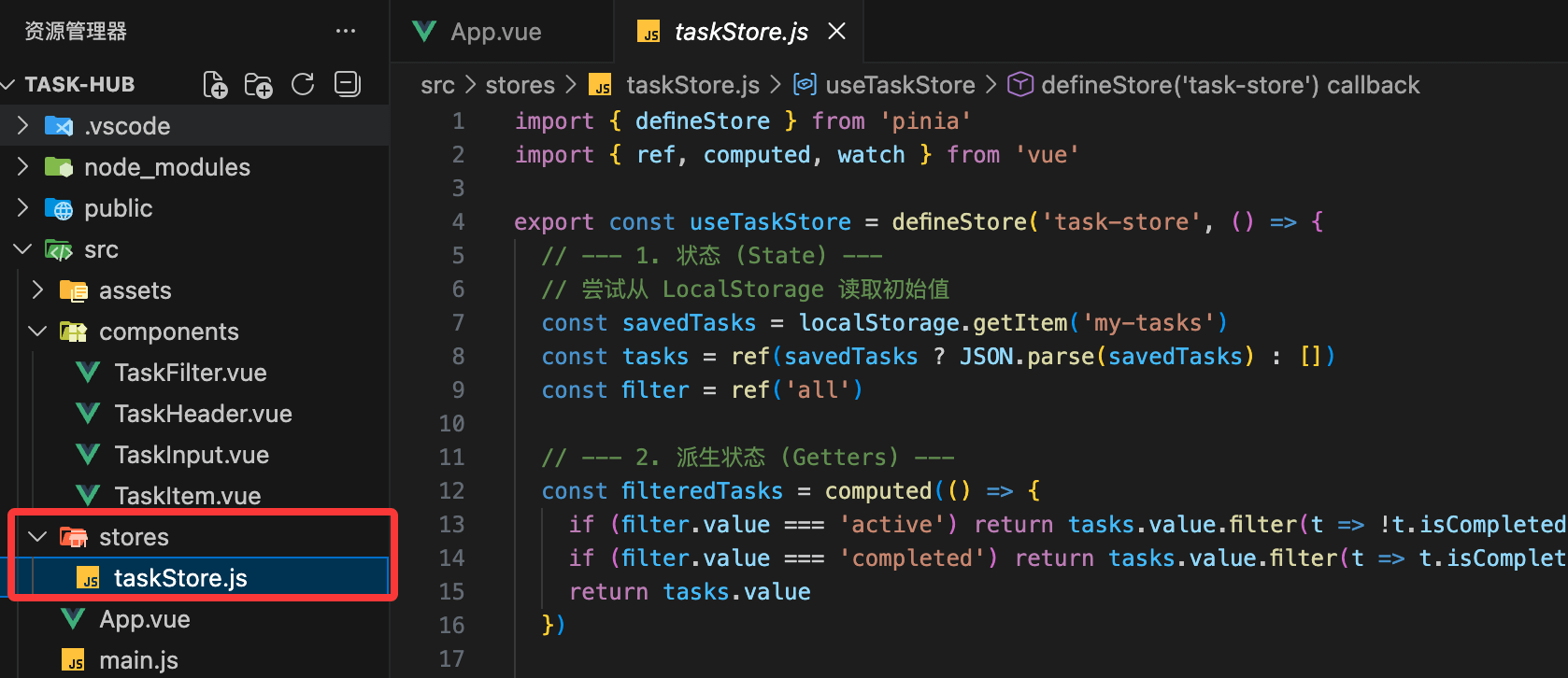
We will move all the logic originally in App.vue over here.
Example
import { ref, computed, watch } from 'vue'
export const useTaskStore = defineStore('task-store', () => {
// --- 1. State ---
// Try to read the initial value from LocalStorage
const savedTasks = localStorage.getItem('my-tasks')
const tasks = ref(savedTasks ? JSON.parse(savedTasks) : [])
const filter = ref('all')
// --- 2. Derived State (Getters) ---
const filteredTasks = computed(() => {
if (filter.value === 'active') return tasks.value.filter(t => !t.isCompleted)
if (filter.value === 'completed') return tasks.value.filter(t => t.isCompleted)
return tasks.value
})
// --- 3. Actions ---
const addTask = (title) => {
tasks.value.unshift({ id: crypto.randomUUID(), title, isCompleted: false })
}
const removeTask = (id) => {
tasks.value = tasks.value.filter(t => t.id !== id)
}
const toggleTask = (id) => {
const task = tasks.value.find(t => t.id === id)
if (task) task.isCompleted = !task.isCompleted
}
// --- 4. Persistence ---
// Watch for changes in tasks, once a change occurs, write to LocalStorage
watch(tasks, (newVal) => {
localStorage.setItem('my-tasks', JSON.stringify(newVal))
}, { deep: true }) // Deeply watch changes to objects inside the array
return {
tasks,
filter,
filteredTasks,
addTask,
removeTask,
toggleTask
}
})
Refactor App.vue (Connecting to the Store)
Now App.vue doesn't need to manage data itself; it just needs to call the Store.
Example
import { storeToRefs } from 'pinia'
import { useTaskStore } from '@/stores/taskStore'
import TaskHeader from './components/TaskHeader.vue'
import TaskInput from './components/TaskInput.vue'
import TaskFilter from './components/TaskFilter.vue'
import TaskItem from './components/TaskItem.vue'
// Initialize the store
const taskStore = useTaskStore()
// Use storeToRefs to keep the reactive destructuring of data
// This way you can directly use filter and filteredTasks in the template
const { filter, filteredTasks } = storeToRefs(taskStore)
const { addTask, removeTask, toggleTask } = taskStore
</script>
<template>
<div class="min-h-screen py-12 px-4">
<div class="max-w-md mx-auto bg-white rounded-3xl shadow-xl border border-slate-100 overflow-hidden">
<TaskHeader />
<main class="p-6">
<TaskInput @add-task="addTask" />
<TaskFilter v-model="filter" />
<ul class="space-y-3">
<TransitionGroup name="list">
<TaskItem
v-for="task in filteredTasks"
:key="task.id"
:task="task"
@toggle="toggleTask"
@remove="removeTask"
/>
</TransitionGroup>
</ul>
</main>
</div>
</div>
</template>
Detailed Explanation of Knowledge Points
1. storeToRefsWhat is it?
If you write it directly like this:const { filter } = taskStore, you will lose reactivity. When you modifyfilter, the page will not refresh.
- Reason: The Store is a
reactivewrapped object; direct destructuring will break the reference. - Solution: Use
storeToRefs. It will convert the state in the store intoref, ensuring that after destructuring, it can still "move the whole body by pulling a single hair".
2. watchDeep Watch (deep: true)
In the persistence logic, what we are watching istasksthe array.
- If you don't add it
{ deep: true }, only when the array is replaced (e.g.,tasks.value = []) will saving be triggered. - After adding it, modifications to properties of objects inside the array (e.g., a task changing from "pending" to "completed") will also be captured and saved to disk.
3. Persistence Approach
We use a closed loop of "read on initialization + write on change":
- Read: When the Store is created, from
localStoragefetch data, giving the app a "memory". - Write: Use
watchto achieve fully automated synchronization, developers no longer need to manually writesetItem。
Final Polish with Tailwind v4
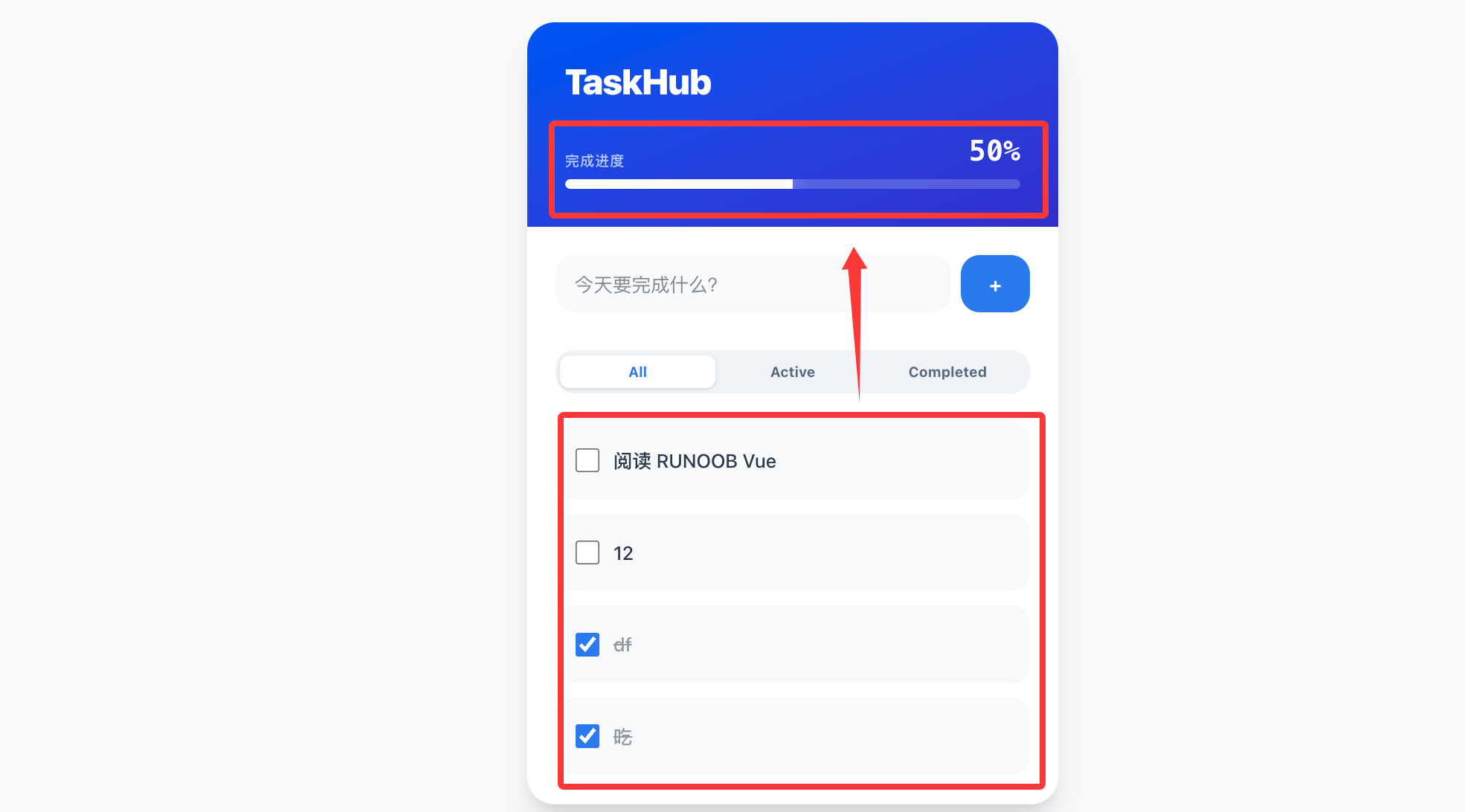
With the support of the Store, we can add someglobal feedback styles. For example, in theTaskHeader.vuedisplay the task progress:
Example
<script setup>
import { computed } from 'vue';
import { storeToRefs } from 'pinia';
import { useTaskStore } from '@/stores/taskStore'; // Make sure the path is correct
// 1. Initialize the store
const taskStore = useTaskStore();
// 2. Use storeToRefs to destructure tasks, ensuring it is reactive
// If you directly do const { tasks } = taskStore; the progress bar will not move as items are checked
const { tasks } = storeToRefs(taskStore);
// 3. Write the progress logic
const progress = computed(() => {
const total = tasks.value.length;
if (total === 0) return 0; // Prevent division by zero
const completedCount = tasks.value.filter(t => t.isCompleted).length;
// Calculate the percentage and round it
return Math.round((completedCount / total) * 100);
});
</script>
<template>
<header class="bg-linear-to-br from-blue-600 to-indigo-700 p-8 text-white">
<h1 class="text-3xl font-black tracking-tight">TaskHub</h1>
<div class="mt-6">
<div class="flex justify-between items-end mb-2">
<p class="text-blue-100/80 text-xs font-bold uppercase tracking-wider">Completion Progress</p>
<span class="text-2xl font-mono font-black">{{ progress }}%</span>
</div>
<div class="h-2 w-full bg-white/20 rounded-full overflow-hidden backdrop-blur-sm">
<div
class="h-full bg-white shadow-[0_0_15px_rgba(255,255,255,0.5)] transition-all duration-500 ease-out"
:style="{ width: `${progress}%` }"
></div>
</div>
</div>
</header>
</template>
After the modification, the entire interface now has the progress bar feature: