Vue3 Installation
1. Standalone Version
We can directly download the latest version from the official Vue.js website and use it with<script>the tag to import it.
2. Using CDN Method
The following recommends two relatively stable CDNs from abroad. We haven't found a good one in China yet, so it is still recommended to download them locally.
-
cdnjs : https://cdnjs.cloudflare.com/ajax/libs/vue/3.0.5/vue.global.js
-
Staticfile CDN (China) : https://cdn.staticfile.net/vue/3.0.5/vue.global.js
-
unpkg:https://unpkg.com/vue@3/dist/vue.global.js, will stay consistent with the latest version published on npm.
We can use the ES module build version to create a more modern and modular development environment:
Example
<script type="module">
import { createApp } from 'https://unpkg.com/vue@3/dist/vue.esm-browser.js'
createApp({
data() {
return {
message: 'Hello EXAMPLE!'
}
}
}).mount('#app')
</script>
Try it »
3. NPM Method
Because npm installation is slow, this tutorial uses Taobao's mirror and its command cnpm. For installation and usage instructions, refer to:Using Taobao NPM Mirror。
The npm version needs to be greater than 3.0. If it is lower than this version, you need to upgrade it:
# 查看版本
$ npm -v
2.3.0

#升级 npm
cnpm install npm -g


# 升级或安装 cnpm
npm install cnpm -g
When building large applications with Vue.js, it is recommended to install with cnpm. cnpm works well with Webpack or Browserify module bundlers. Then run the following command in the command line:
# 最新稳定版
$ npm init vue@latest
This command will install and execute create-vue, which is Vue's official project scaffolding tool.
<hr> <h2>Command Line Tool</h2> <p>Vue.js provides an official command line tool that can be used to quickly build large single-page applications.</p> <p>For Vue 3, you should use the Vue CLI v4.5 available on npm as @vue/cli. To upgrade, you should need to reinstall the latest version of @vue/cli globally:</p> <pre># Install vue-cli globally yarn global add @vue/cli # or cnpm install -g @vue/cli</pre> <p>After installation, check the version:</p> <pre> $ vue --version @vue/cli 4.5.11 </pre><p>Then run in a Vue project:</p><pre>vue upgrade --next</pre> <p><strong>Note:</strong> vue-cli 3.x and vue-cli 2.x use the same vue command. If you have previously installed vue-cli 2.x, it will be replaced by Vue-cli 3.x.</p> <p>If you still need to use the old version of the vue init feature, you can install a bridge tool globally:</p> <pre>npm install -g @vue/cli-init # The effect of running vue init will be the same as [email protected] vue init webpack my-project</pre> <h3>Create Project</h3> <p>In the following example, we use the vue init command to create a project. You will see optional feature prompts such as TypeScript and test support:</p>$ npm init vue@latest Need to install the following packages: [email protected] Ok to proceed? (y) y Vue.js - The Progressive JavaScript Framework # 这里需要进行一些配置,项目名输入 example-vue3-test,其他默认回车即可 -> Project name: … example-vue3-test -> Add TypeScript? … No / Yes -> Add JSX Support? … No / Yes -> Add Vue Router for Single Page Application development? … No / Yes -> Add Pinia for state management? … No / Yes -> Add Vitest for Unit Testing? … No / Yes -> Add an End-to-End Testing Solution? › No -> Add ESLint for code quality? … No / Yes Scaffolding project in /Users/example/example-test/example-vue3/example-vue3-test... Done. Now run: cd example-vue3-test npm install npm run dev
If you are not sure whether to enable a feature, you can simply press Enter to select No.
After the project is created, install dependencies and start the development server through the following steps:
$ cd example-vue3-test
$ npm install
$ npm run dev
  VITE v4.3.4  ready in 543 ms

  ➜  Local:   http://localhost:5173/
  ➜  Network: use --host to expose
  ➜  press h to show help
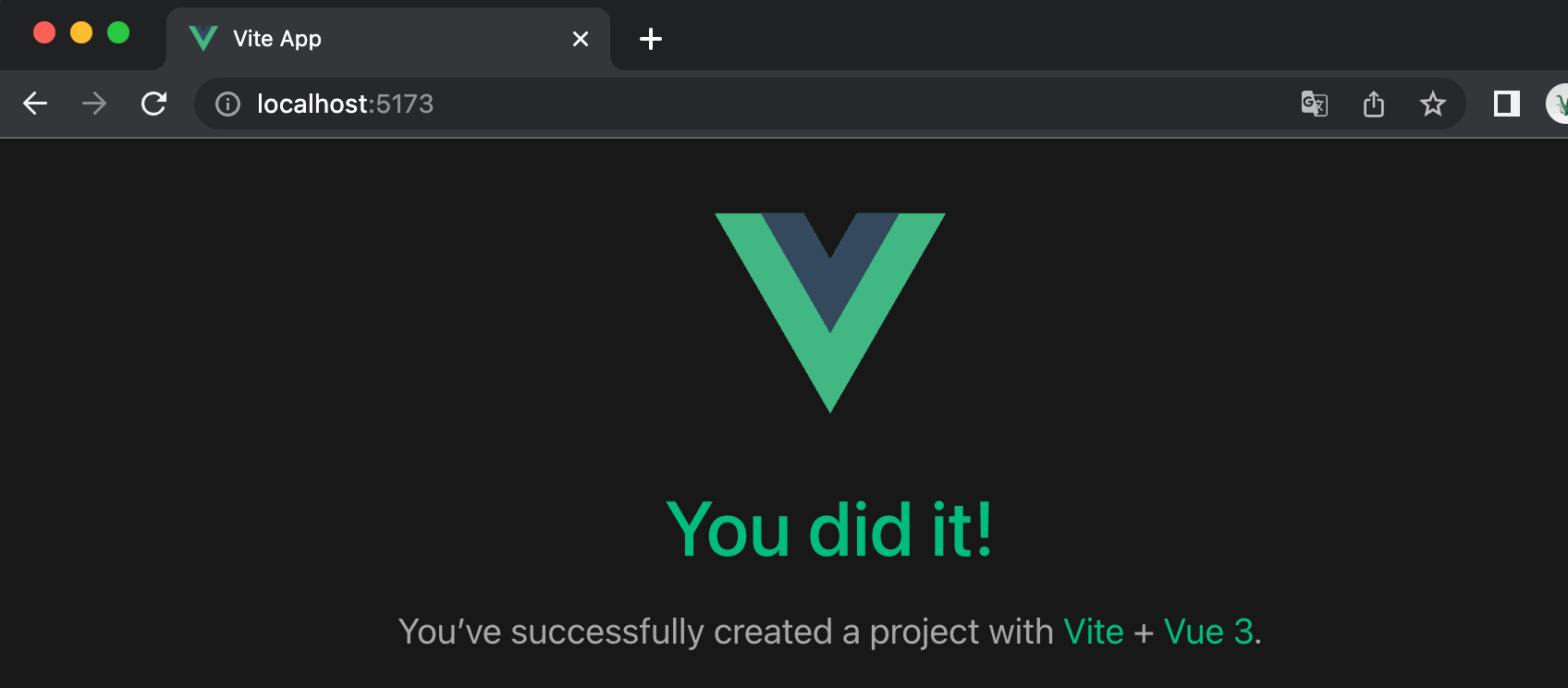
After successfully executing the above commands, visithttp://localhost:5173/, the output result is as shown below:
Note:Vue.js does not support IE8 and earlier IE versions.
Using the Graphical Interface
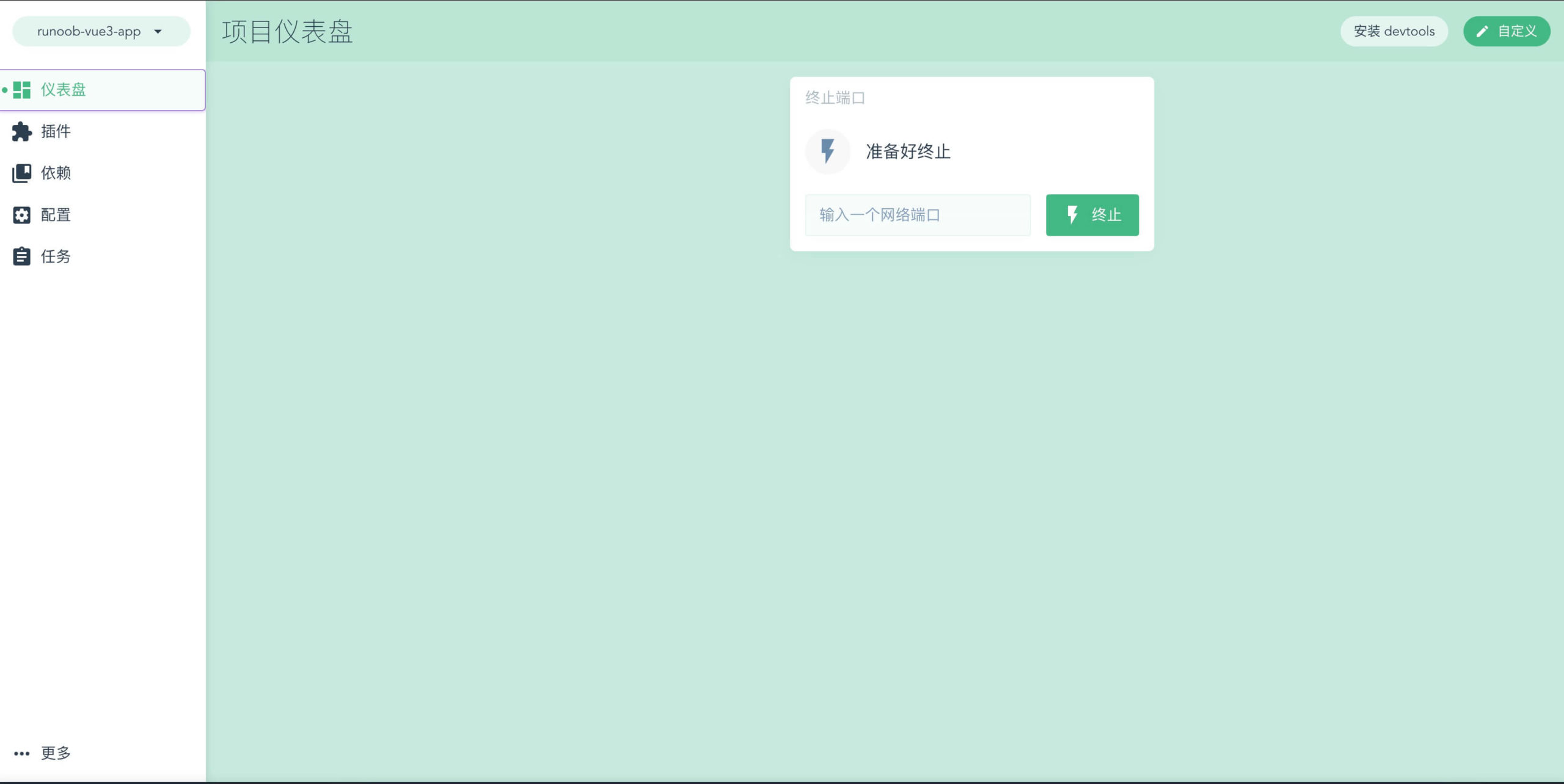
We can use thevue uicommand to open the graphical interface to create and manage projects:
vue ui
Executing the above command will open a graphical interface in the browser to guide project creation:
Vite
Vite is a web development build tool. Thanks to its native ES module import approach, it can achieve lightning-fast cold server startup.
By running the following command in the terminal, you can use Vite to quickly build a Vue project. The syntax format is as follows:
npm init vite-app <project-name>
Create project example-vue3-test2:
$ npm init vite-app example-vue3-test2
Run the project:
$ cd example-vue3-test2
$ cnpm install
$ cnpm run dev
> [email protected] dev /Users/example/example-test/vue3/example-vue3-test2
> vite

[vite] Optimizable dependencies detected:
vue

  Dev server running at:
  > Local:    http://localhost:3000/
Openhttp://localhost:3000/, the display is as follows: