MySQL Create Data Table
To create a MySQL data table, you need the following information:
- Table name
- Table field names
- Define the data type for each table field
Syntax
The following is the general SQL syntax for creating a MySQL data table:
CREATE TABLE table_name (
    column1 datatype,
    column2 datatype,
    ...
);
Parameter description:
table_nameis the name of the table you want to create.column1,column2, ... are the column names in the table.datatypeis the data type of each column.
The following is a specific example to create a user table.users:
Example
id INT AUTO_INCREMENT PRIMARY KEY,
username VARCHAR(50) NOT NULL,
email VARCHAR(100) NOT NULL,
birthdate DATE,
is_active BOOLEAN DEFAULT TRUE
);
Example analysis:
id: User id, integer type, auto-increment, used as primary key.username: Username, variable-length string, not allowed to be empty.email: User email, variable-length string, not allowed to be empty.birthdate: User's birthday, date type.is_active: Whether the user is activated, boolean type, default value is true.
The above is just a simple example, using some common data types including INT, VARCHAR, DATE, BOOLEAN. You can choose different data types according to actual needs. The AUTO_INCREMENT keyword is used to create an auto-increment column, and PRIMARY KEY is used to define the primary key.
If you want to specify the storage engine, character set, collation, etc. when creating a table, you can useCHARACTER SETandCOLLATEclause:
Example
id INT PRIMARY KEY,
name VARCHAR(50)
) CHARACTER SET utf8mb4 COLLATE utf8mb4_general_ci;
The above code creates a table using the utf8mb4 character set and utf8mb4_general_ci collation.
In the following example, we will create the data table example_tbl in the EXAMPLE database:
Example
`example_id` INT UNSIGNED AUTO_INCREMENT,
`example_title` VARCHAR(100) NOT NULL,
`example_author` VARCHAR(40) NOT NULL,
`submission_date` DATE,
PRIMARY KEY ( `example_id` )
)ENGINE=InnoDB DEFAULT CHARSET=utf8;
Example analysis:
If you don't want a field to beEmptyyou can set the field attribute toNOT NULL, as with the example_title and example_author fields in the above example, if the data entered for these fields is empty when operating on the database, an error will be reported.
- AUTO_INCREMENTDefines the column as auto-increment, generally used for primary key, the value automatically increases by 1.
- PRIMARY KEYkeyword is used to define the column as the primary key. You can use multiple columns to define the primary key, separated by commas,.
- ENGINESet storage engine,CHARSETSet encoding.
Create Table via Command Prompt
Through mysql>command window, you can easily create a MySQL data table.
You can use the SQL statementCREATE TABLEto create a data table.
Example
The following is an example of creating the data table example_tbl:
Example
Enter password:*******
mysql> USE EXAMPLE;
DATABASE changed
mysql> CREATE TABLE example_tbl(
-> example_id INT NOT NULL AUTO_INCREMENT,
-> example_title VARCHAR(100) NOT NULL,
-> example_author VARCHAR(40) NOT NULL,
-> submission_date DATE,
-> PRIMARY KEY ( example_id )
-> )ENGINE=InnoDB DEFAULT CHARSET=utf8;
Query OK, 0 ROWS affected (0.16 sec)
mysql>
Note:The MySQL command terminator is a semicolon.; 。
Note: ->is a newline marker, do not copy it.
Create Data Table Using PHP Script
You can use PHP'smysqli_query()function to create a data table in an existing database.
This function has two parameters and returns TRUE on success, otherwise returns FALSE.
Syntax
mysqli_query(connection,query,resultmode);
| Parameter | Description |
|---|---|
| connection | Required. Specifies the MySQL connection to use. |
| query | Required. Specifies the query string. |
| resultmode |
Optional. A constant. Can be any of the following values:
|
Example
The following example uses PHP script to create a data table:
Create Data Table
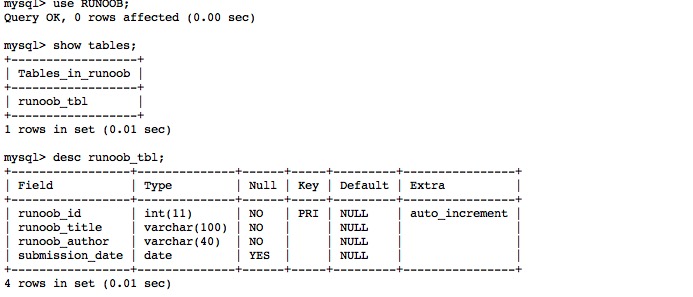
After successful execution, you can view the table structure via the command line: