Java InputStream Class
InputStream is an abstract base class in the Java I/O system for reading byte data, located injava.iothe package.
InputStream is the parent class of all byte input streams, providing a basic framework for reading byte data.
InputStream is an abstract class, which means you cannot instantiate it directly, but you can create concrete input stream objects through its subclasses (such as FileInputStream, ByteArrayInputStream, etc.).
Core Method Analysis
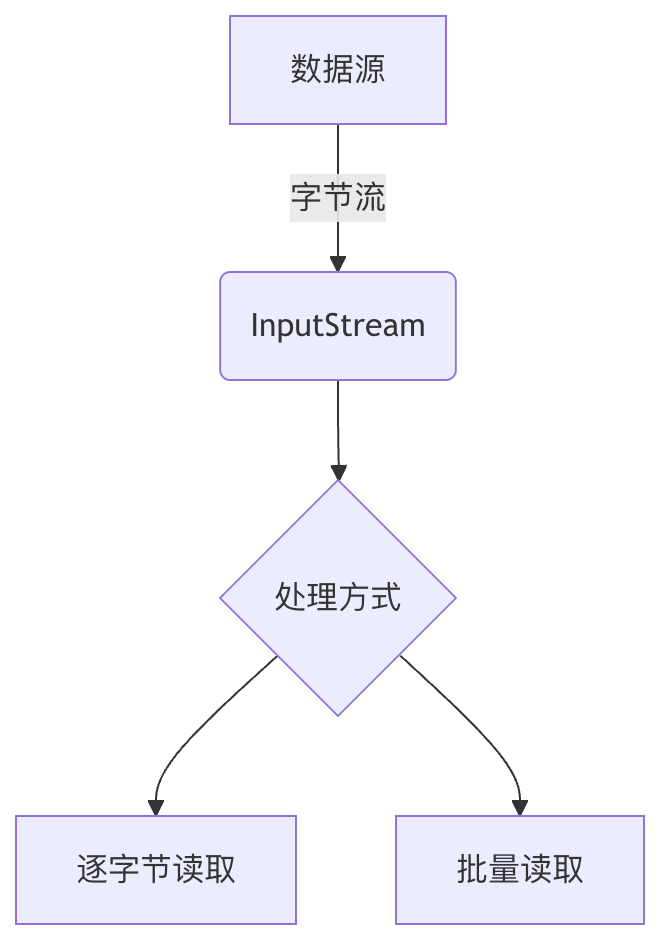
InputStream is part of Java IO streams, used to read data in bytes (8-bit).
InputStream is suitable for processing non-text data, such as images, audio, video, compressed files, etc.
You can think of it as a "water pipe", where data flows from the source to your program like water.
Core Methods
| Method Name | Description |
|---|---|
int read() | Reads a byte, the return value is an int from 0 to 255, returns if the end of the stream is reached-1 |
int read(byte[] b) | Reads at most from the streamb.lengthbytes of data and stores them in a byte arrayb |
int read(byte[] b, int off, int len) | fromoffReads at most starting from the offset positionlenbytes into the arrayb |
void close() | Closes the stream and releases associated resources |
Read a Single Byte
This is the most basic method in InputStream, used to read the next byte of data from the input stream. The return value is an int between 0 and 255, and -1 is returned if the end of the stream is reached.
Example Code
Example
int data = input.read();
while(data != -1) {
System.out.print((char)data);
data = input.read();
}
input.close();
Read Byte Array
Example
This method attempts to read up to b.length bytes of data into a byte array, returning the actual number of bytes read, or -1 if the end of the stream is reached.
Example Code
Example
byte[] buffer = new byte[1024];
int bytesRead;
while((bytesRead = input.read(buffer)) != -1) {
System.out.println("Read " + bytesRead + " bytes");
}
input.close();
, read up to 500 bytes
Example
This method allows you to specify the position (off) to start storing the read data, and the maximum number of bytes (len) to read.
Example Code
Example
byte[] buffer = new byte[1024];
int bytesRead = input.read(buffer, 10, 500); // Store starting from buffer
input.close();
Skip Bytes
Example
Skips and discards n bytes of data in the input stream, returning the actual number of bytes skipped.
Check Available Bytes
Example
Returns an estimate of the number of bytes that can be read (or skipped) from this input stream without blocking.
2.6 Close Stream
Example
Closes the input stream and releases all system resources associated with it. This is a very important method and should be called after completing stream operations.
Introduction to Common Subclasses
- FileInputStream: Used to read data from files.
- ByteArrayInputStream: Allows a byte array in memory to be used as an input stream.
- FilterInputStream: A decorator class that provides additional functionality to other input streams.
- ObjectInputStream: Used to deserialize objects previously serialized with ObjectOutputStream.
- PipedInputStream: Used together with PipedOutputStream to implement pipe communication between threads.
Best Practices
Use try-with-resources
Java 7 introduced the try-with-resources statement, which can automatically close resources that implement the AutoCloseable interface.
Example
int data;
while ((data = input.read()) != -1) {
System.out.print((char)data);
}
} catch (IOException e) {
e.printStackTrace();
}
Buffered Reading for Better Performance
For large files or frequent read operations, it is recommended to wrap with BufferedInputStream to improve performance.
Example
// Read operation
} catch (IOException e) {
e.printStackTrace();
}
Handle Exceptions Properly
IO operations may throw IOException, and these exceptions should be handled properly.
5. FAQ
Why does the read() method return int instead of byte?
Because a special value (-1) is needed to indicate the end of the stream, and the byte type cannot represent -1.
How to convert InputStream to String?
Example
try (BufferedReader reader = new BufferedReader(new InputStreamReader(input))) {
StringBuilder stringBuilder = new StringBuilder();
String line;
while ((line = reader.readLine()) != null) {
stringBuilder.append(line);
}
return stringBuilder.toString();
}
}
How to copy InputStream?
InputStream can usually only be read once. If multiple reads are needed, you can copy its contents to a byte array or ByteArrayInputStream.
6. Summary
The InputStream class is one of the core components of the Java I/O system, providing basic functionality for reading byte data. Understanding InputStream and its subclasses is crucial for handling various input sources (such as files, network connections, memory buffers, etc.). In practical applications, attention should be paid to resource management, exception handling, and performance optimization.
Other Extensions