Claude Code Using ByteArk Coding Plan
 Coding Plan
ByteArk Coding Plan is an AI coding subscription service launched by Volcano Ark. One subscription plan allows mixed use of multiple mainstream code LLMs, supporting unified access for mainstream development tools such as Cursor and Claude Code.
Full coverage of multiple models (including ByteDance Doubao)
- ByteDance series:Doubao Seed Code、Doubao Seed 2.0、Doubao Embedding Vision
- Mainstream third-party:DeepSeek V4、GLM-5.1、Kimi K2.6、MiniMax M3(1 million ultra-long context)
- Supports manual switching orAuto intelligent scheduling(Use lightweight models for simple tasks to save quota, and flagship models for complex tasks to ensure quality)
Full tool compatibility (one API Key for all)
- Editor:Cursor、Cline、Roo Code、Kilo Code
- Terminal:Claude Code、OpenCode、OpenClaw、TRAE
- Configure once, all tools share the plan quota
Two plan tiers, choose based on usage (limited-time 75% off in June 2026)
- Lite (everyday development): original price¥40/month, limited-time¥9.9/month; 5-hour limit: 1200 calls, monthly limit: 18000 calls
- Pro (heavy development/team): original price¥200/month, limited-time¥49.9/month; 5-hour limit: 6000 calls, monthly limit: 90000 calls
Coding Plan/Agent PlanFirst two months at 75% off
Promotion period: 2026.06.08-2026.08.07
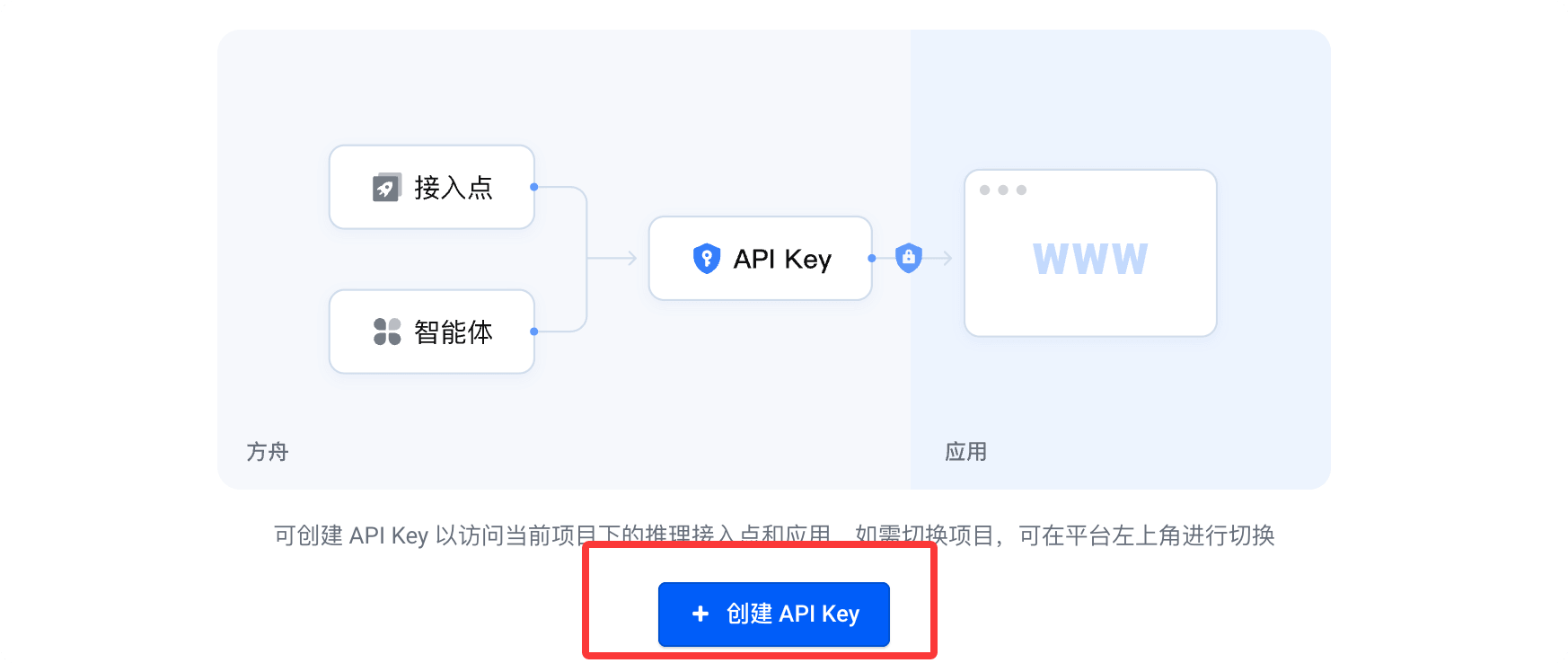
After a successful purchase, clickCreate your API Key:
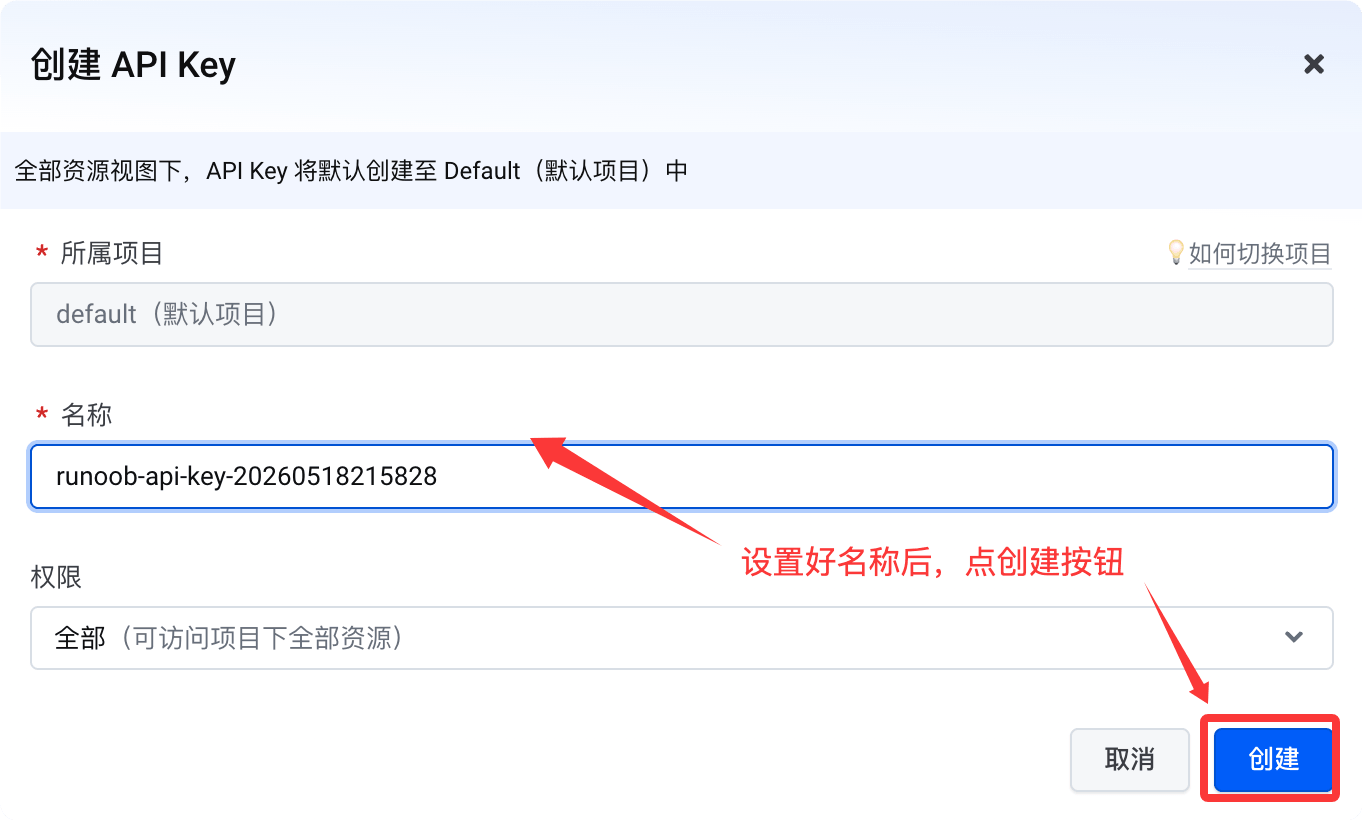
Then click the create button:
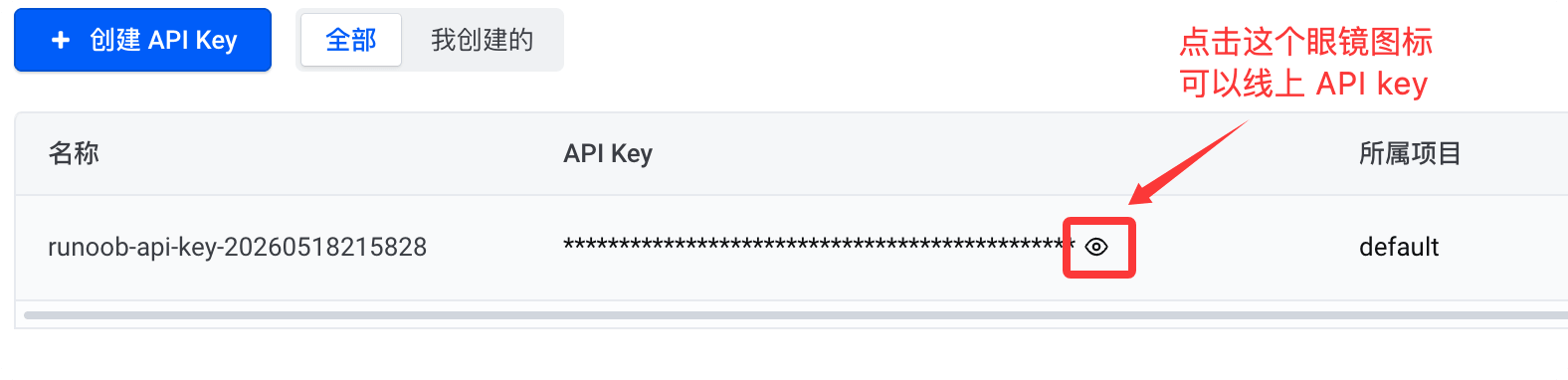
Click the small eye icon below to view the API key. When you need to use it, just copy it:
CC Switch Configuration
Next, we'll use CC Switch to get Claude Code using Qwen3.6 for free. CC Switch is an open-source cross-platform desktop tool that centrally manages AI coding assistants such as Claude Code, Codex, and Gemini CLI, supporting one-click switching of API providers, models, and configurations.
You can download it from the official website:https://ccswitch.io/zh/。
You can also go to GitHub Releases: https://github.com/farion1231/cc-switch/releases/latestDownload the installer for your platform.
Scroll to the very bottom of the page, in the resources section, download the installer for your platform:

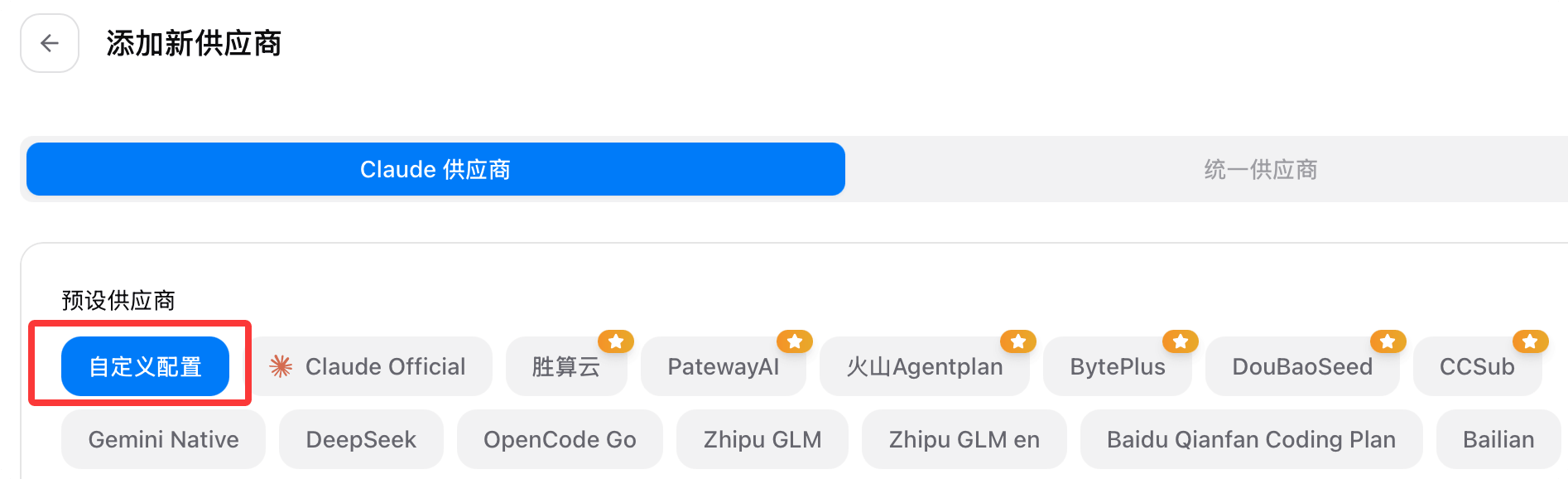
After downloading and installing CC Switch, we select Claude Code, then click the "Create" button in the top-right corner.
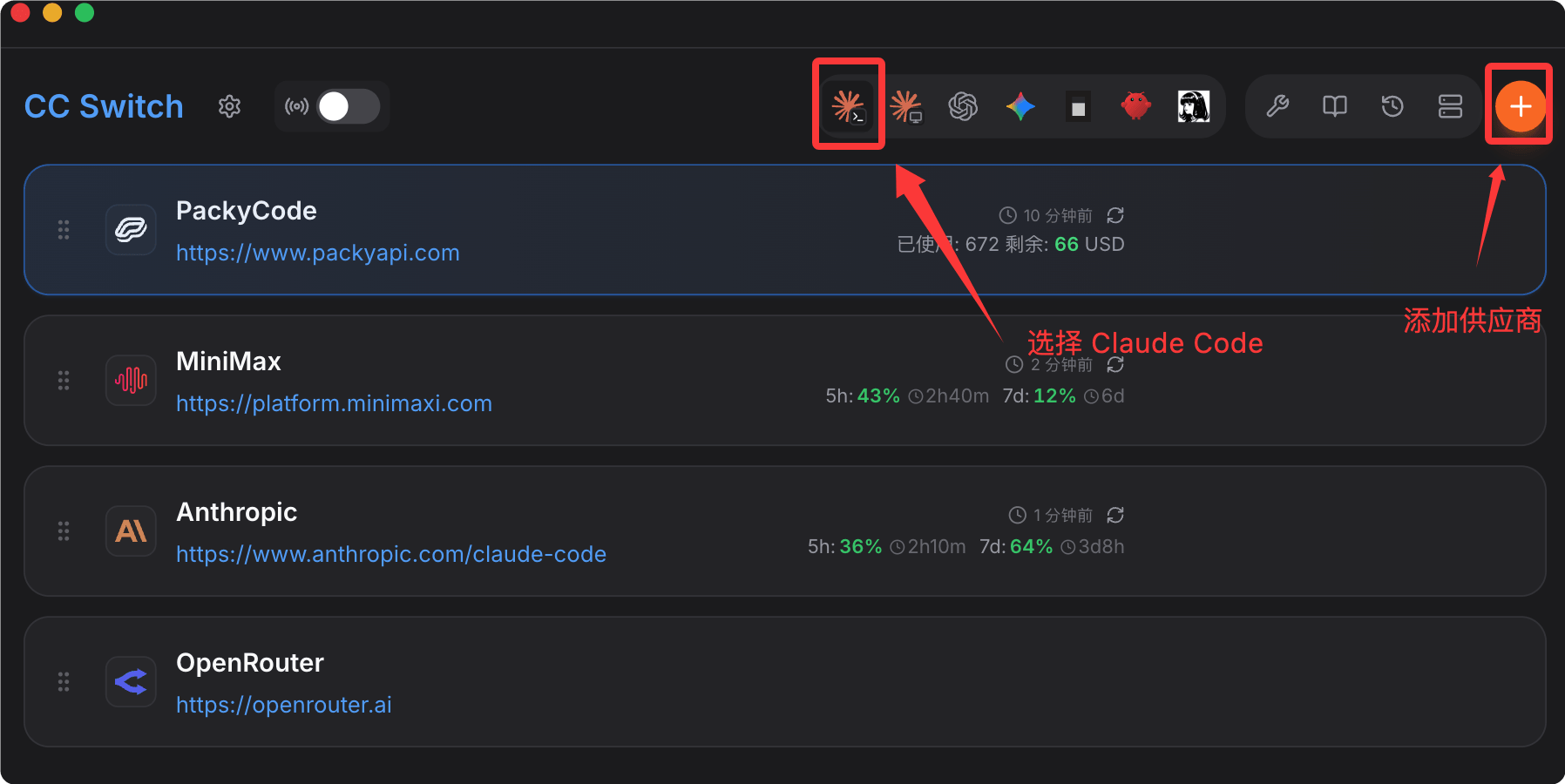
Then select Custom in the configuration:
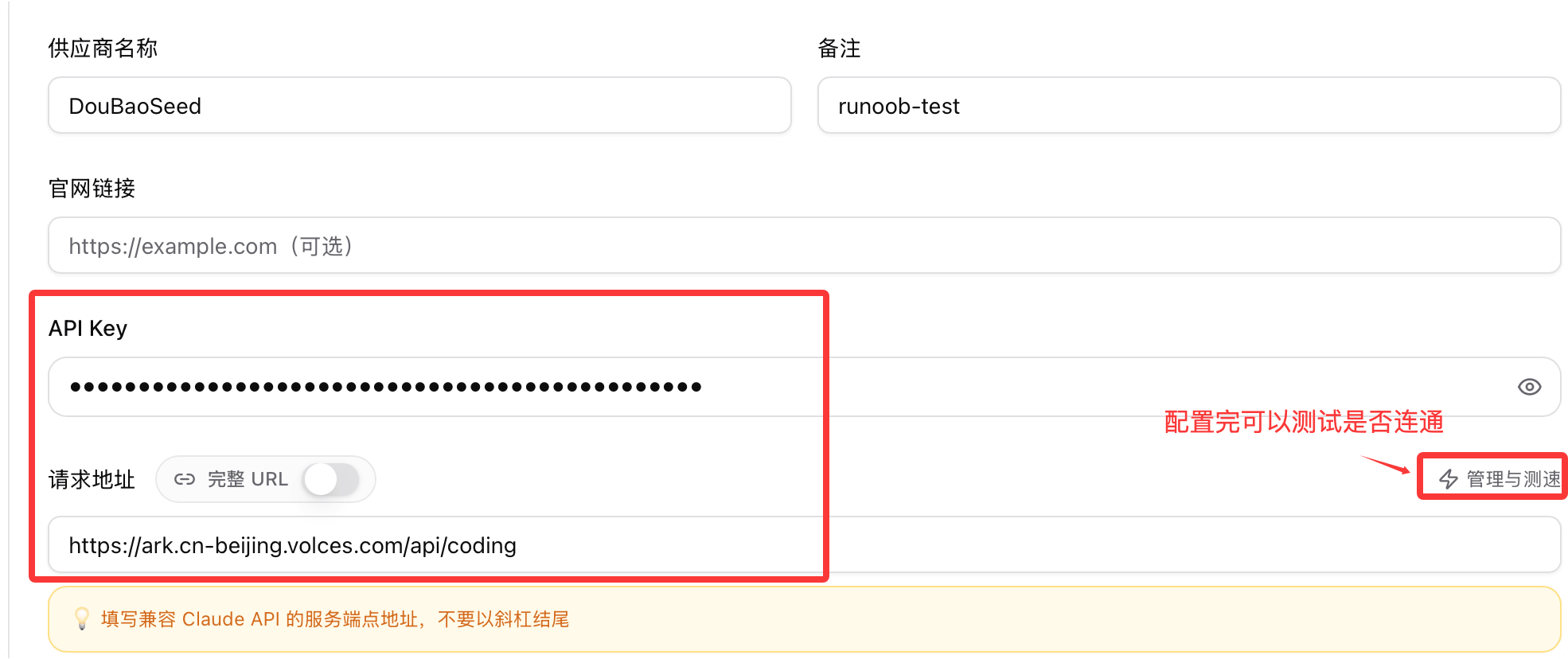
Enter the API Key and request address, Anthropic-compatible request address:https://ark.cn-beijing.volces.com/api/coding
- OpenAI protocol-compatible:https://ark.cn-beijing.volces.com/api/coding/v3
- Anthropic API protocol-compatible:https://ark.cn-beijing.volces.com/api/coding
Next, configure the model in the advanced options. Supported models include Doubao, GLM, DeepSeek, Kimi, MiniMax, etc.:

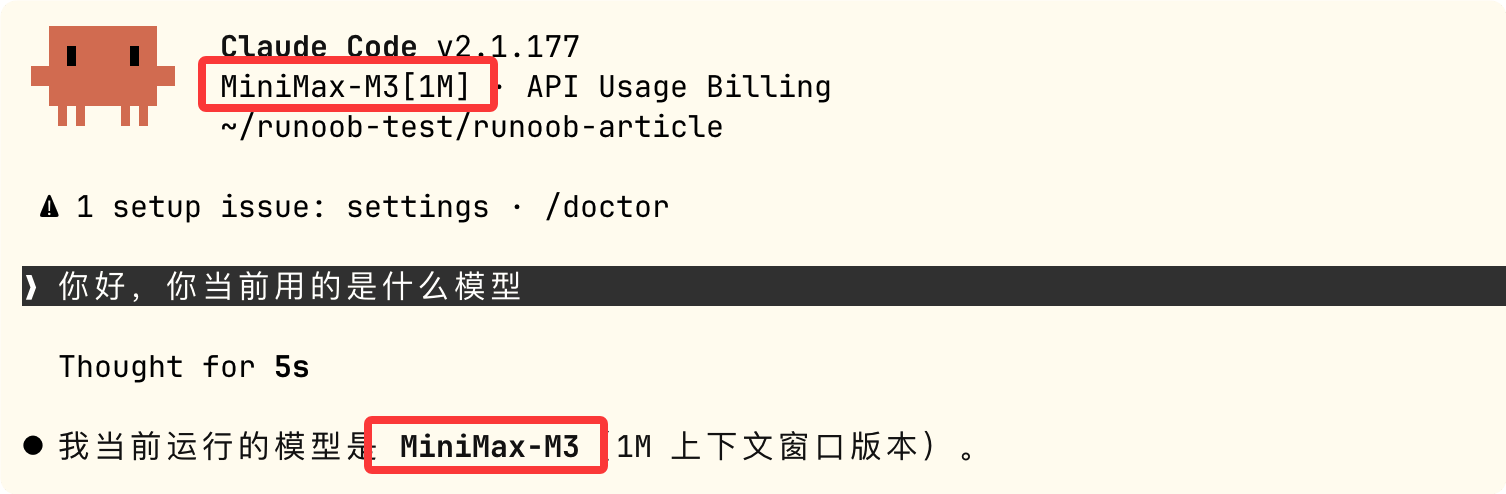
We can useMiniMax-M3model as an example:

After configuring, click the Save button in the bottom-right corner. Back on the main interface, we can see the configured information. We can test whether the setup was successful, then enable it:

After enabling it, go to the command line and run theclaudecommand to start Claude Code:
claude
As you can see, the model has been configured successfully and is ready to use:
Other extensions