Claude Code Project Initialization
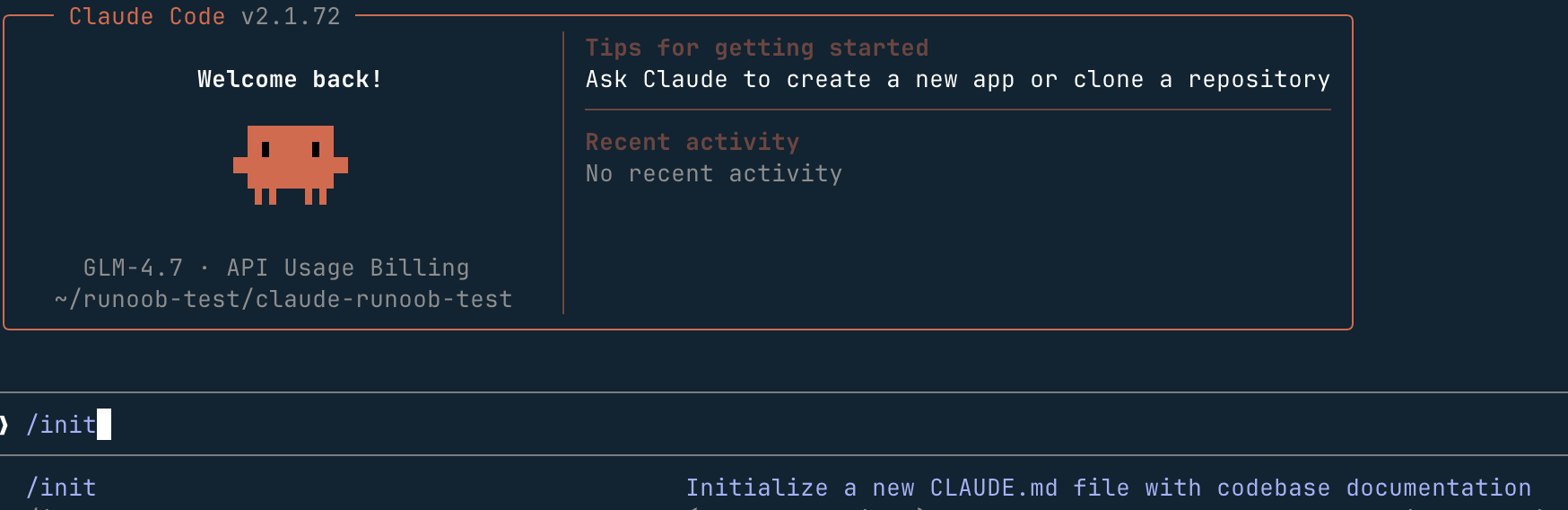
You can initialize a Claude Code project by entering the following in the Claude Code interactive interface:
/init
We can initialize in an existing project directory, or create a new one.
We can first create a directory:
mkdir claude-example-test
Enter that directory:
cd claude-example-test
Create a test file test.py with the following code:
print("Hello, Example!")
Enter the Claude Code interactive interface:
claude
Use the/init command to initialize the project:
/init
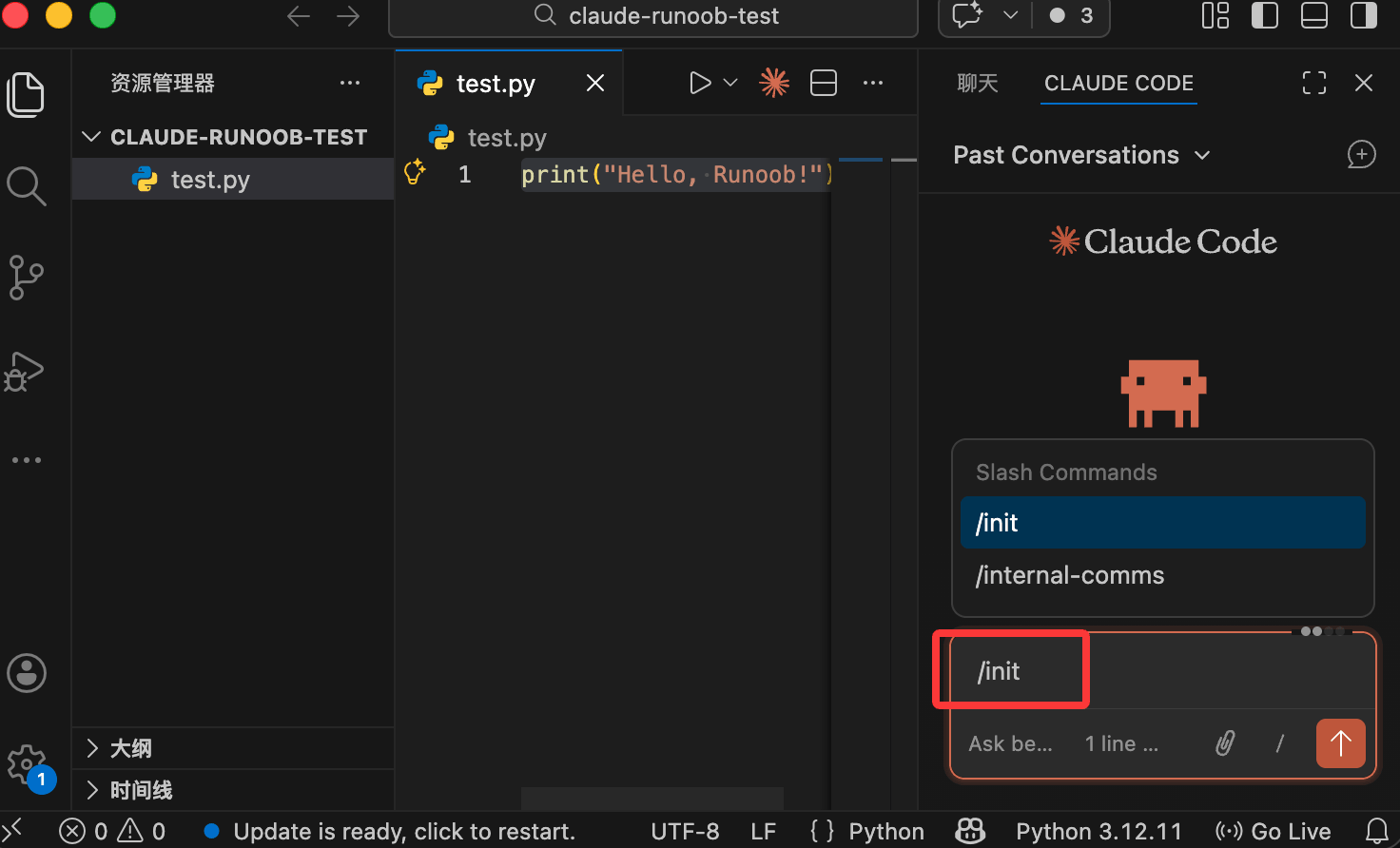
If you use VS Code, you can also enter it in the Claude Code interface in VS Code/init:
Claude will automatically scan your codebase—reading package.json, existing documentation, configuration files, and the code structure—then generate a CLAUDE.md file tailored specifically to your project.
Claude The entire process requires no manual operation; Claude will analyze and output the initial configuration on its own.
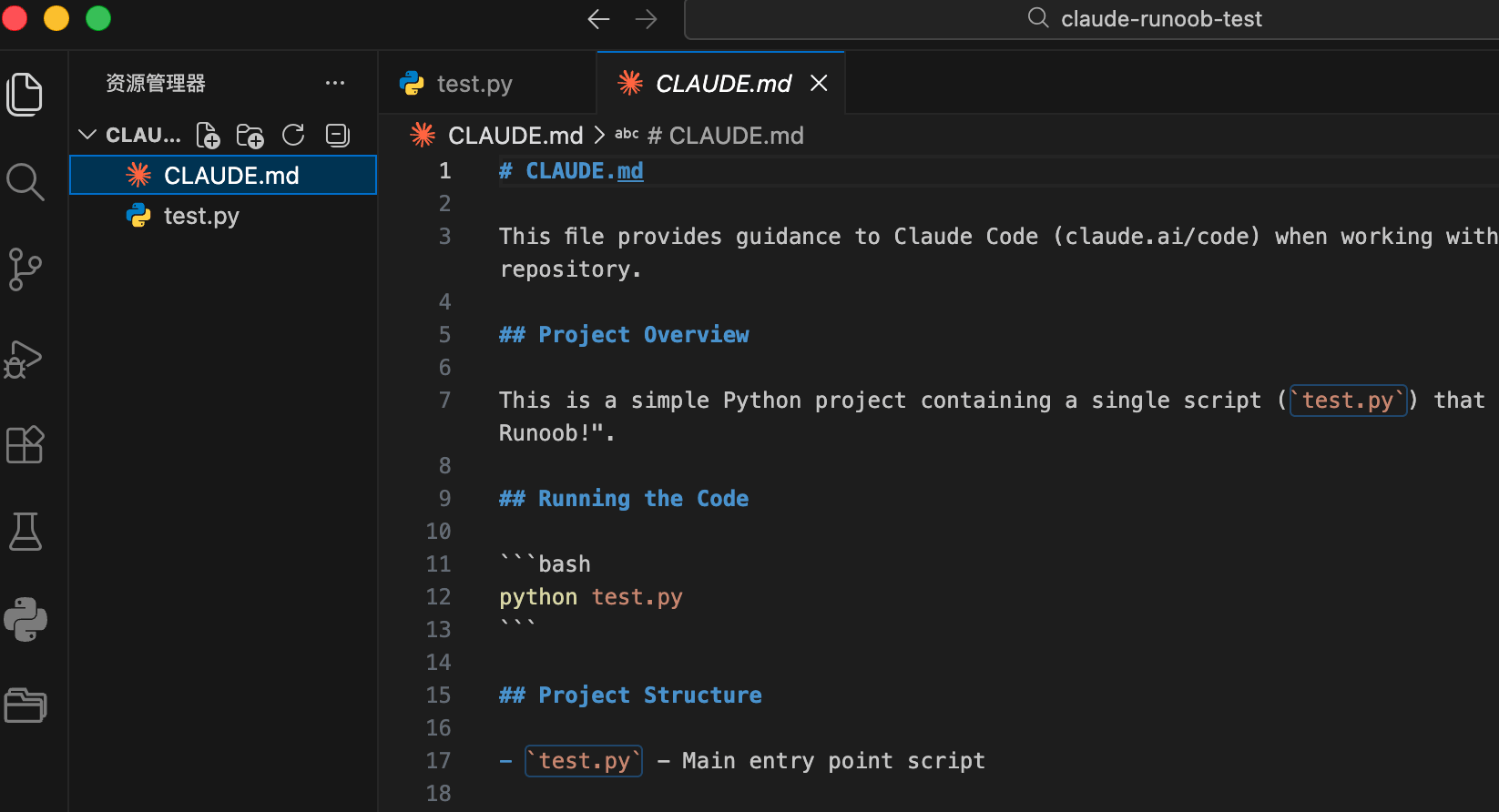
CLAUDE.md File
CLAUDE.md is a Markdown file placed in the project root directory. Claude Code automatically reads it at the start of every session.
CLAUDE.md becomes part of Claude's system prompt, allowing every conversation to preload project context without the need to repeatedly explain basic information.
A good CLAUDE.md should cover three dimensions:
- WHAT: Tech stack and project structure—providing Claude with a global map of the codebase
- WHY: The project's purpose, and the function and positioning of each module
- HOW: Development practices, such as using bun instead of node, and how Claude verifies whether changes are correct Humanlayer
The following is an example of a typical CLAUDE.md structure:
# 项目名称

## 项目概述
简述这个项目的目的和功能。

## 技术栈
- Frontend: React + TypeScript
- Backend: Node.js + Express
- Database: PostgreSQL

## 目录结构
- `src/components/` - React 组件
- `src/api/`        - API 层
- `tests/`          - 测试文件

## 常用命令
- 启动开发服务器:`pnpm dev`
- 运行测试:`pnpm test`
- 代码检查:`pnpm lint`

## 开发规范
- 使用 TypeScript strict 模式
- 优先使用 interface 而非 type
- 禁止使用 any,使用 unknown 替代
```

### 文件位置与层级

项目的核心文件结构如下:
```
your-project/
├── CLAUDE.md                  # 项目主记忆文件(团队共享)
├── .claude/
│   ├── settings.json          # Hooks、权限、环境配置
│   ├── settings.local.json    # 个人配置(建议加入 .gitignore)
│   └── commands/              # 自定义斜杠命令
│       └── my-command.md
└── .mcp.json                  # MCP 服务配置
```
Best Practices After Initialization
Iterate and refine, rather than writing it once and leaving it unchanged.
/initThe command is great for quick onboarding, but the real value comes from continuous iteration over time. You can add content that Claude cannot infer on its own, such as branch naming conventions, deployment processes, and Code Review requirements, while removing generic advice that doesn't apply.
Commit to version control: Commit the
CLAUDE.mdfile to Git, so the entire team can benefit. New members can quickly get up to speed by having Claude explain the codebase.-
Keep it concise: Content should be brief and broadly applicable. Adopt the "progressive disclosure" principle—don't cram in everything you want Claude to know; instead, tell ithow to find important informationand let it fetch on demand, avoiding overflow of the context window.
-
Don't let CLAUDE.md replace the linter: Writing code style rules in the file is one of the most common mistakes. Never use an LLM to do a linter's job—linters are faster, cheaper, and deterministic. Code style constraints only bloat the context window and reduce the quality of Claude's instruction following.
Usage#Shortcut Keys Continuously Updated
During a conversation, use the#prefix at any time to send memory instructions to Claude:
# 我们始终使用 pnpm,不用 npm
# 所有组件必须包含单元测试
These additions gradually accumulate, forming aCLAUDE.md。
Verify Initialization Results
After initialization is complete, you can confirm whether Claude correctly understands the project through the following conversations:
- What does this project do?
- Explain the directory structure.
- What technologies does the project use?
- What is the command to run the tests?