Bootstrap5 Dropdowns
Dropdowns can be single-select dropdown menus or multi-select dropdown menus.
Single-select dropdown:

Multi-select dropdown:

In Bootstrap5, dropdown menu<select>elements can use the.form-selectclass to render:
Example
<select class="form-select">
<option>1</option>
<option>2</option>
<option>3</option>
<option>4</option>
</select>
Try it Yourself »
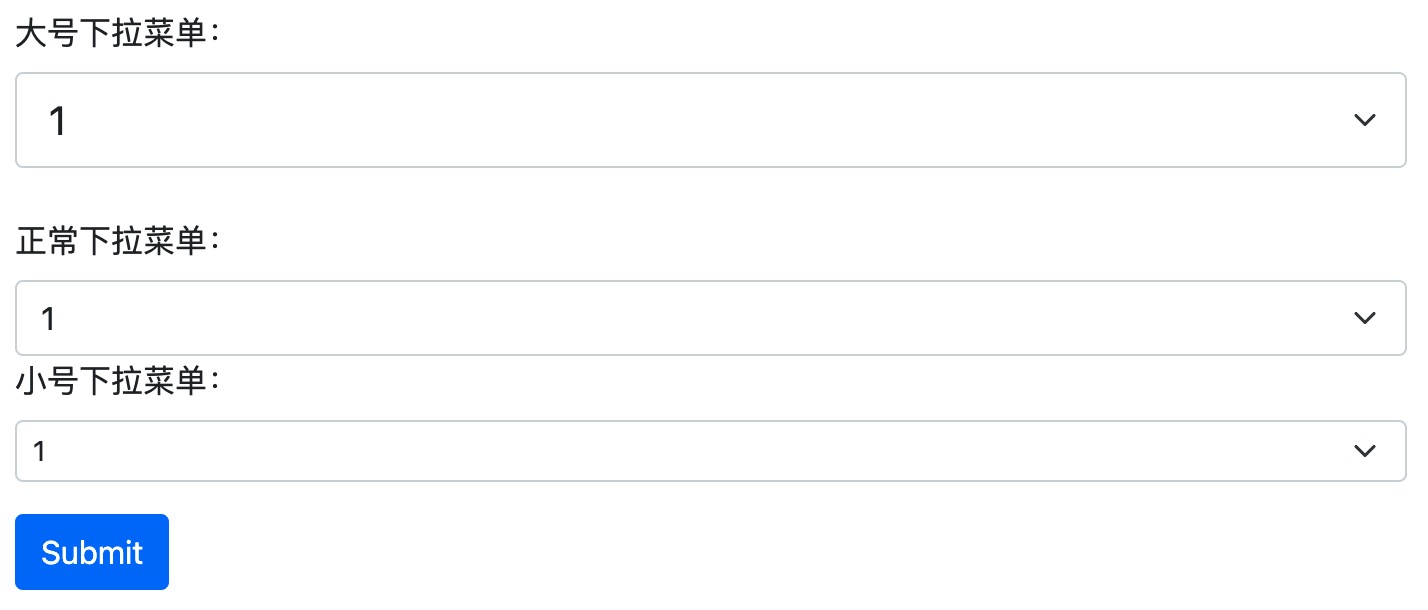
Dropdown menus can use the.form-select-lgor.form-select-smclass to modify the size:
Example
<select class="form-select form-select-lg">
<select class="form-select">
<select class="form-select form-select-sm">
Try it Yourself »
The effect is as shown below:
disabledThe attribute can prevent the dropdown from being selected:
Example
<select class="form-select" disabled>
<option>1</option>
<option>2</option>
<option>3</option>
<option>4</option>
</select>
Try it Yourself »
Data List
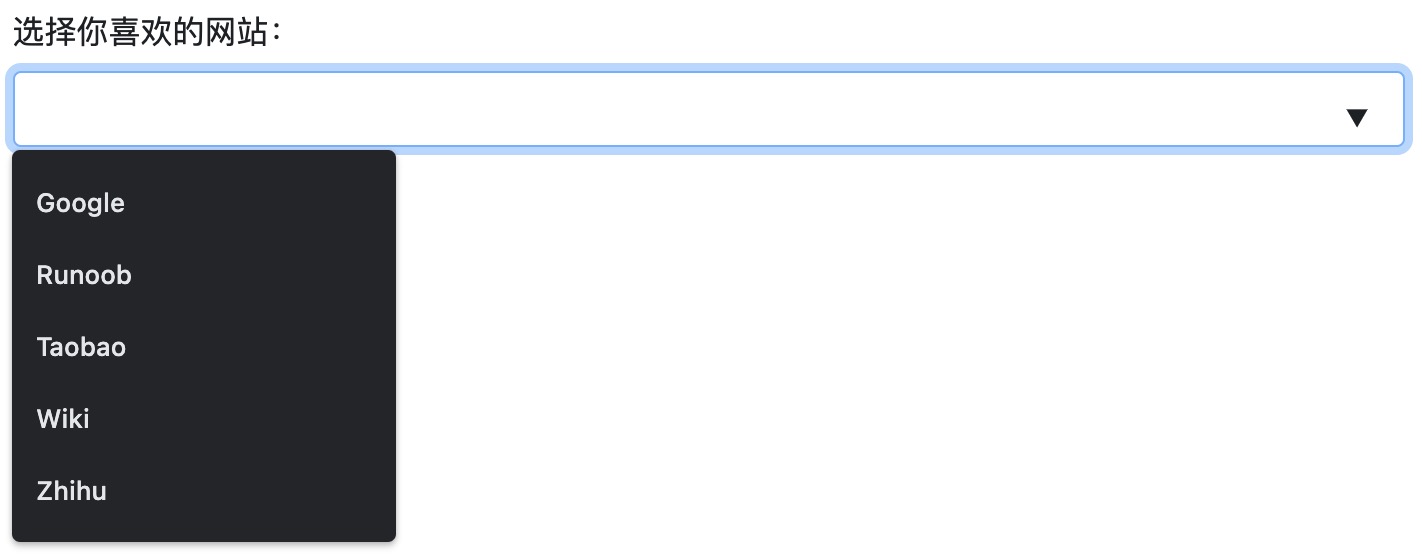
Bootstrap can also use the datalist tag to set a dropdown menu for <input> elements:
The following example selects a website from the list:
Example
<label for="browser" class="form-label">Select your favorite website:</label>
<input class="form-control" list="sites" name="site" id="site">
<datalist id="sites">
<option value="Google">
<option value="Example">
<option value="Taobao">
<option value="Wiki">
<option value="Zhihu">
</datalist>
Try it Yourself »
The effect is as shown below: