Eclipse Run Program
Run Java Program
We can, in the Package Explorer view
You can quickly run Java programs in the Package Explorer view.
Package Explorer view:
right-click the Java class containing the main function and select Run As > Java Application
Similarly, you can also select the class containing the main method in the Package Explorer view and press the shortcut keys: Alt + Shift + X, J
Either of the following two methods can create a newRun ConfigurationWe can use it to launch Java applications.
If the run configuration has already been created, you can select Run Configurations from the Run menu to launch the Java application, click the name of the run configuration, and then click the Run button for Java Application.
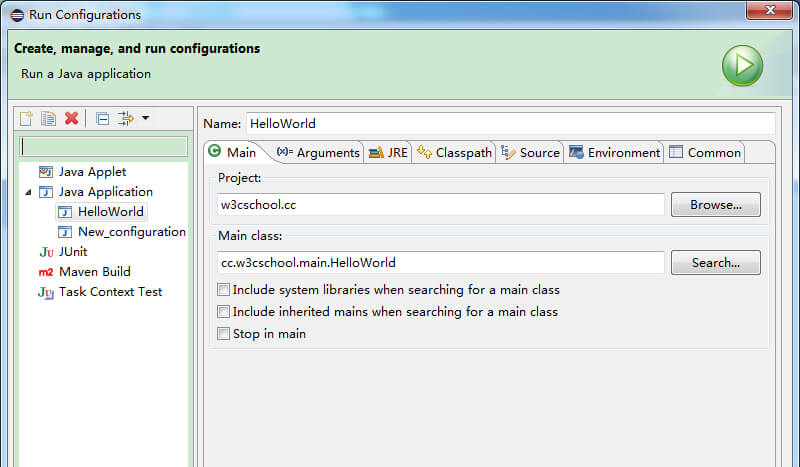
The Run option in the Run menu can restart previously launched Java applications.
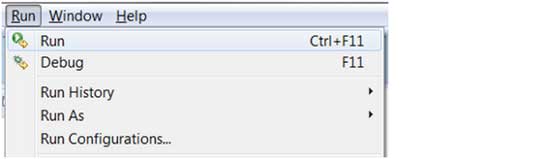
The shortcut for restarting a previously launched Java application is Ctrl + F11.
other extensions