What is a perspective view?
A perspective is a visual container that includes a series of views and content editors. The default perspective is called java.
The Eclipse window can open multiple perspectives, but only one perspective can be active at a time.
Users can switch between two perspective views.
Perspective Operations
Open the perspective dialog box via the "Window" menu and select "Open Perspective > Other".
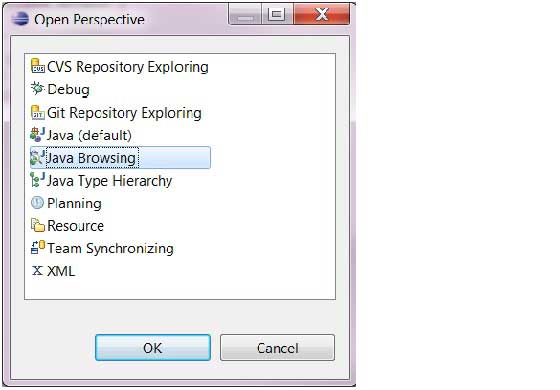
The Perspective dialog displays a list of available perspectives.
This perspective list can also be opened via the perspective button on the toolbar ( ) 。
) 。
Switching Views
In most cases, Java developers use the Java Perspective and the Debug Perspective. You can freely switch between them by the perspective names on the toolbar.

Close Perspective
Right-click the perspective name on the toolbar and select "Close" to close the perspective.

Customize perspective view
We can customize the perspective window to set up the perspective we want.
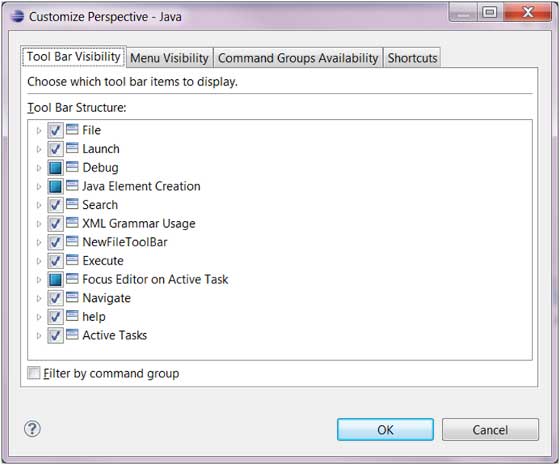
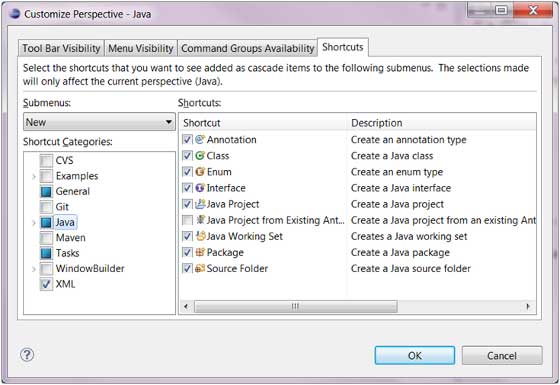
- Click "Windows" => "Customize Perspective" on the menu bar. A pop-up window appears, where you can select the content you want to configure in "Submenus".
- "New" => Configure your New menu, where you can select the file types you most frequently need to create.
- "Show Views" – In the layout of this view that you customize, that is, which windows will appear after switching to your own view. Set it according to your habits.
- "Open Perspective" => In the perspective switching menu, which selectable perspectives appear.
- Once all settings are done, save your customized perspective. Windows => Save Perspective as, then give your customized perspective a name and save.
 other extensions