Eclipse Generate JAR Package
Open the JAR File Wizard
The JAR File Wizard can be used to export projects as runnable jar packages.
The steps to open the wizard are:
- In Package Explorer, select the project content you want to export. If you want to export all classes and resources in the project, simply select the entire project.
- Click the File menu and select Export.
- Enter "JAR" in the input box.
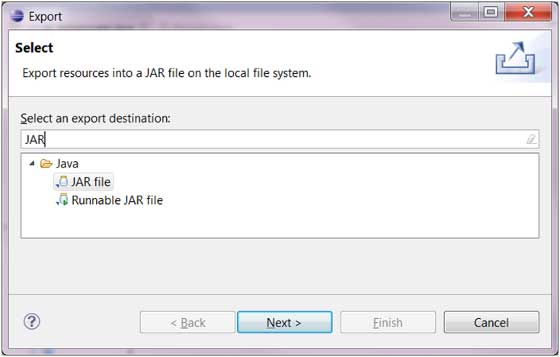
- In the options, select the JAR file option to launch the wizard.
- Click the Next button
Using the JAR File Wizard
On the JAR File Specification (JAR file description) page, you can perform the following operations:
- Enter the JAR file name and folder
- By default, only class files are exported. You can also check the "Export Java source files and resources" option to export the source code contents.
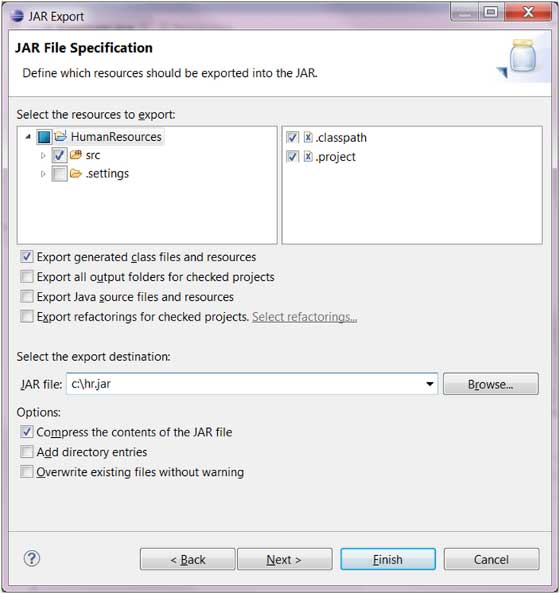
- Click the Next button to modify the JAR package options.
- Click the Next button to modify the JAR Manifest description.
- Click the Finish button to complete the operation.