Eclipse Run Configuration
Create and use Eclipse run configurations
In the Run Configuration dialog box, you can create multiple run configurations. Each configuration can be enabled in the application.
The Run Configuration dialog box can be invoked by selecting Run Configurations from the Run menu.
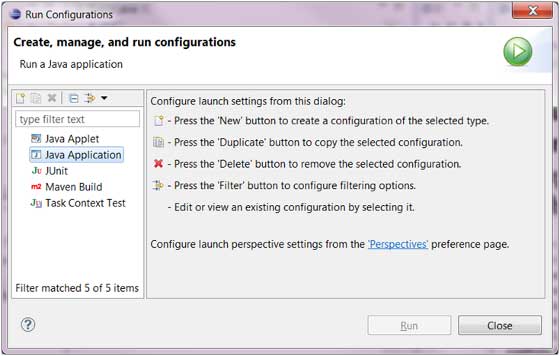
To create a run configuration for a Java application, select "Java Application" from the list on the left and click the New button.
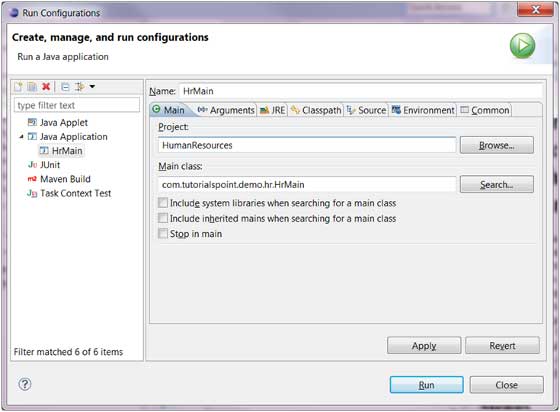
The items described in the dialog box are:
- Run configuration name
- Project name
- Main Class Name
The Arguments (parameters) tab contains:
- Program arguments can be 0 or more.
- VM arguments (Virtual Machine arguments) can be 0 or more.
The Commons tab provides general configuration, such as options for standard input and output, which can be directed to the console or a specified file.
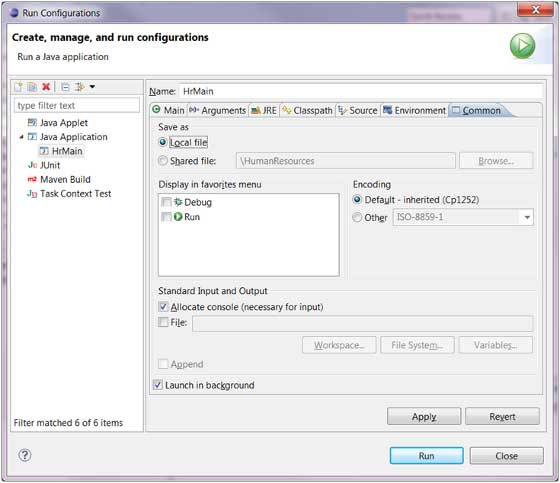
Click the Apply button to save the run configuration, and click the Run button to run the Java application again.
other extensions