Eclipse Create Java Package
Open the New Java Package wizard
You can use the New Java Package wizard to create Java packages. The Java Package wizard can be opened in the following ways:
- By clicking the "File" menu and selecting New > Package
- In Package Explorer, right-click and select > Package
- Click the package button on the toolbar (
 )
)
If you want to create a subpackage, select the parent package before opening the New Java Package wizard, so that the Name field will already contain the value of the parent package.
Use the Create Java Package wizard
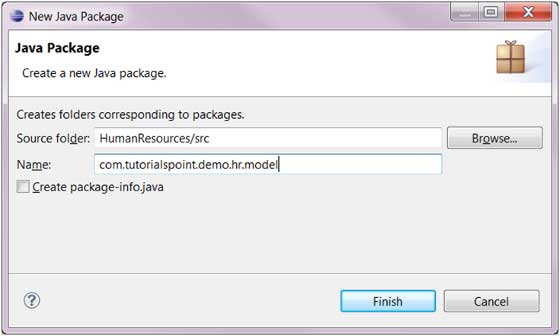
In the wizard dialog box (New Java Package), you can perform the following operations:
- Enter the source folder name (Source Folder field)
- Enter the package name (Name field)
- Click the "Finish" button
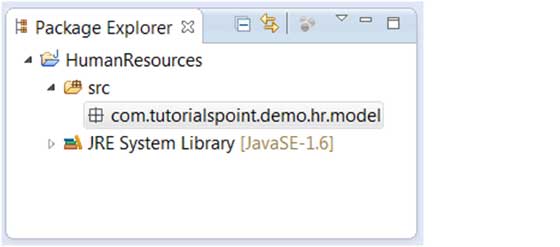
View New Package
Under the source folder in the Package Explorer, we can view the newly created package.
 other extensions