Pi Agent Integration with DeepSeek
DeepSeek provides an OpenAI-compatible API, so you can reuse Pi's existing OpenAI adapter layer without developing a separate adapter for DeepSeek.
The core work for integration is only two things: declare the provider and model parameters in models.json, and provide the API Key via environment variables.
The overall architecture is shown in the following diagram:

The so-called "OpenAI-compatible API" means the provider's HTTP interface protocol is consistent with OpenAI. As long as the protocol is compatible, any tool that supports OpenAI can call it directly; DeepSeek belongs to this category.
Install Pi
Pi depends on the Node.js runtime. Before installing, please make sure Node.js is ready.
Install Node.js
Download the installer for your system from the official Node.js website and install it with the default options.
Install Pi CLI
Install globally via npm in the terminal:
npm install -g --ignore-scripts @earendil-works/pi-coding-agent
Linux and macOS users can also use the official installation script to install with one command:
curl -fsSL https://pi.dev/install.sh | sh
Verify Installation
Run the following command. If the version number prints normally, the installation was successful:
pi --version
Output similar to:
0.83.0
Configure DeepSeek Provider
Pi defines custom model providers through models.json. This section integrates DeepSeek as an OpenAI-compatible API.
Configuration File Path
Different operating systems have different configuration paths. Please follow the one for your system:
| Operating System | Configuration File Path |
|---|---|
| Linux / macOS | ~/.pi/agent/models.json |
| Windows | %USERPROFILE%\.pi\agent\models.json |
Write models.json
Write the following content into the configuration file:
{
  "providers": {
    "deepseek": {
      "baseUrl": "https://api.deepseek.com",
      "api": "openai-completions",
      "apiKey": "$DEEPSEEK_API_KEY",
      "models": [
        {
          "id": "deepseek-v4-pro",
          "name": "DeepSeek V4 Pro",
          "contextWindow": 1000000,
          "maxTokens": 384000,
          "input": ["text"],
          "reasoning": true,
          "cost": {
            "input": 1.74,
            "output": 3.48,
            "cacheRead": 0.145,
            "cacheWrite": 0
          },
          "compat": {
            "requiresReasoningContentOnAssistantMessages": true,
            "thinkingFormat": "deepseek",
            "reasoningEffortMap": {
              "minimal": "high",
              "low": "high",
              "medium": "high",
              "high": "high",
              "xhigh": "max"
            }
          }
        },
        {
          "id": "deepseek-v4-flash",
          "name": "DeepSeek V4 Flash",
          "contextWindow": 1000000,
          "maxTokens": 384000,
          "input": ["text"],
          "reasoning": true,
          "cost": {
            "input": 0.14,
            "output": 0.28,
            "cacheRead": 0.028,
            "cacheWrite": 0
          },
          "compat": {
            "requiresReasoningContentOnAssistantMessages": true,
            "thinkingFormat": "deepseek",
            "reasoningEffortMap": {
              "minimal": "high",
              "low": "high",
              "medium": "high",
              "high": "high",
              "xhigh": "max"
            }
          }
        }
      ]
    }
  }
}
Configuration Item Explanation
The following explains the main fields used in models.json one by one:
| Field | Type | Required? | Description | Default Value |
|---|---|---|---|---|
| baseUrl | string | Required | The OpenAI-compatible API endpoint for DeepSeek | https://api.deepseek.com |
| api | string | Required | Integration protocol; declares the use of the OpenAI Completions-compatible protocol | openai-completions |
| apiKey | string | Required | Reads the key from an environment variable with the same name; no need to write the key in plain text in the configuration file | $DEEPSEEK_API_KEY |
| contextWindow | number | Required | Context window size (tokens) | 1000000 |
| maxTokens | number | Required | Maximum output length per request (tokens) | 384000 |
| reasoning | boolean | Optional | Declares that the model supports chain-of-thought (reasoning) capability | true |
| cost | object | Optional | Records unit prices for input/output/cache hits, used by the Pi interface to estimate costs | — |
| requiresReasoning ContentOnAssistantMessages | boolean | Recommended | In multi-turn conversations, assistant messages need to keep the reasoning_content field; otherwise compatibility issues may occur | true |
| thinkingFormat | string | Recommended | Parses and displays the reasoning process according to DeepSeek's specific thinking content format | deepseek |
| reasoningEffortMap | object | Recommended | Maps Pi's reasoning effort levels to the levels actually supported by DeepSeek | — |
reasoningEffortMap maps Pi's five reasoning levels (minimal / low / medium / high / xhigh) to the levels supported by DeepSeek. Except for xhigh mapping to max, all the others converge to high.
Model Selection
The configuration declares two DeepSeek models. The main differences are as follows:
| Model | Context Window | Max Output | Input Unit Price | Output Unit Price | Cache Hit Unit Price | Applicable Scenarios |
|---|---|---|---|---|---|---|
| deepseek-v4-pro | 1,000,000 | 384,000 | 1.74 | 3.48 | 0.145 | Stronger reasoning capability, suitable for complex tasks |
| deepseek-v4-flash | 1,000,000 | 384,000 | 0.14 | 0.28 | 0.028 | Faster response, lower cost |
Unit prices are in US dollars per million tokens.
Obtain and Set API Key
First apply for an API Key on the DeepSeek open platform:https://platform.deepseek.com/api_keys。
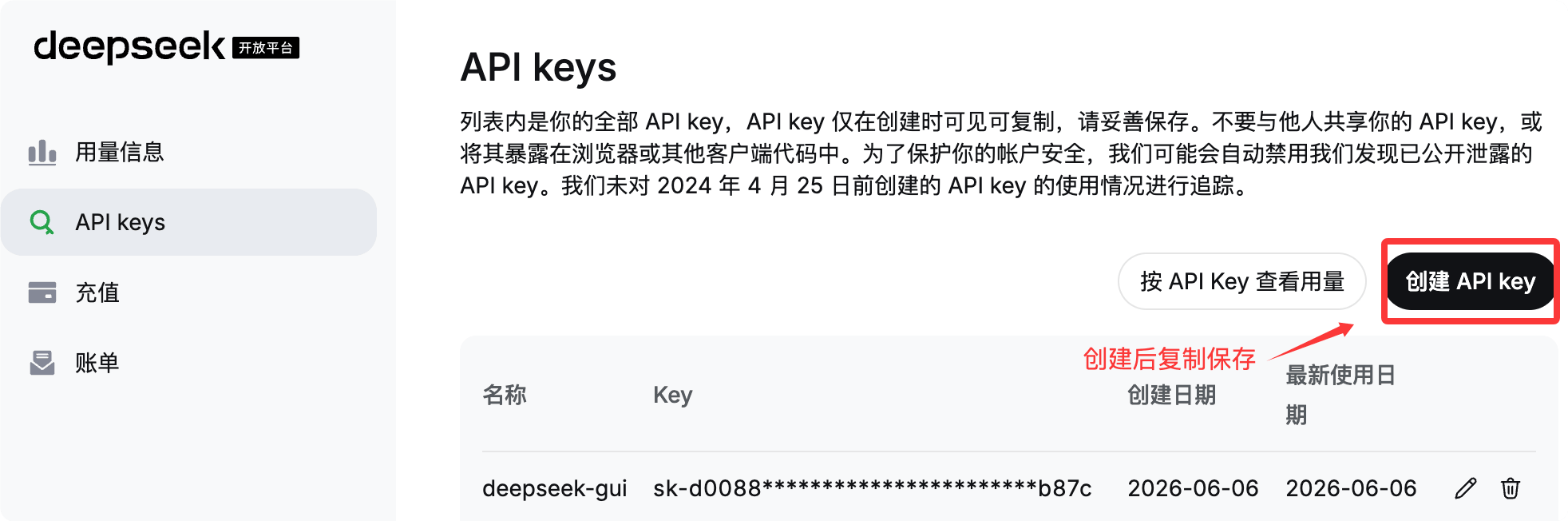
For Linux / macOS, export the environment variable in the terminal:
export DEEPSEEK_API_KEY="你的 DeepSeek API Key"
For Windows (PowerShell), set it as follows:
$env:DEEPSEEK_API_KEY="你的 DeepSeek API Key"
It is recommended to write the export command into the shell configuration (such as ~/.bashrc, ~/.zshrc, or PowerShell Profile) to avoid having to set it again every time you open a new terminal.
Please replace "your DeepSeek API Key" in the example with your real key. The API Key is sensitive information; please keep it safe and never commit it to a repository.
Run and Test
Once configured, you can start Pi and switch to the DeepSeek model.
Start Pi
Enter the project directory:
cd ~/example-test/
Directly run the pi command:
pi
Switch to DeepSeek Model
After entering the interactive interface, switch by following these steps:
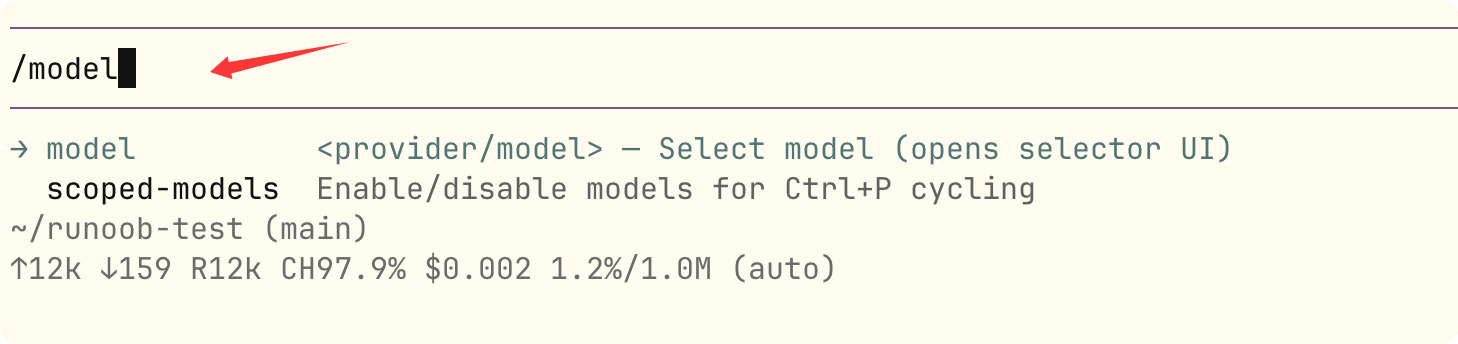
Input/modelOpen the model selector.
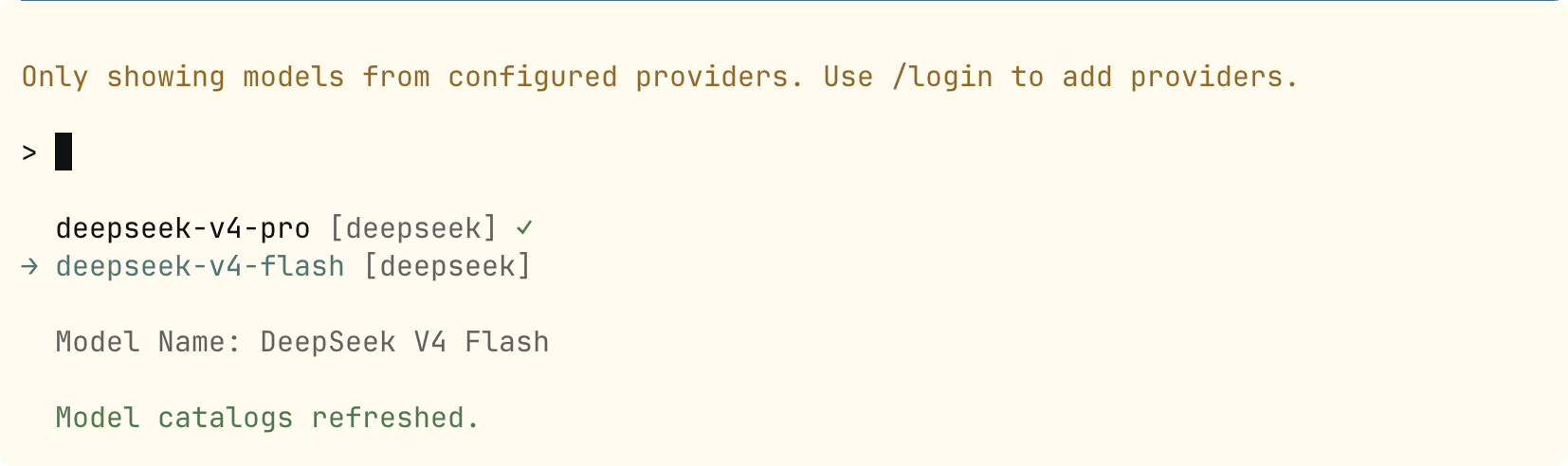
Select the deepseek provider, then choose DeepSeek-V4-Pro or DeepSeek-V4-Flash.
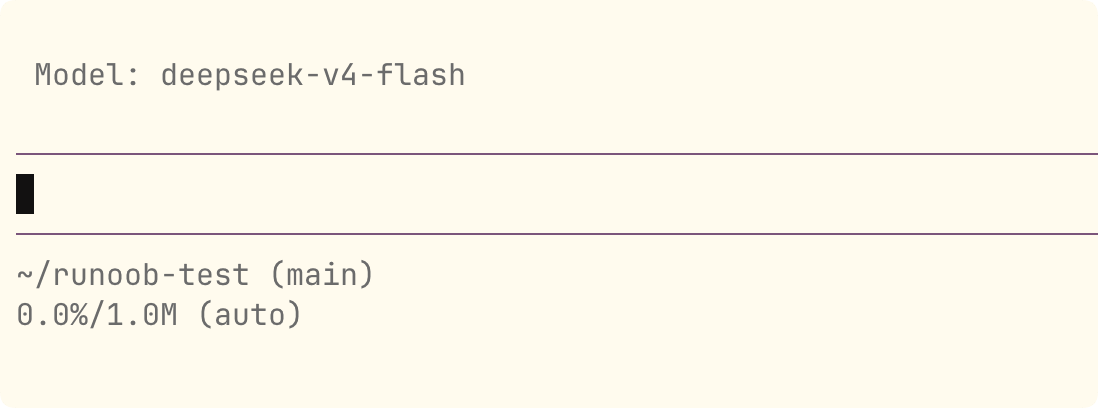
Next, query the current model.
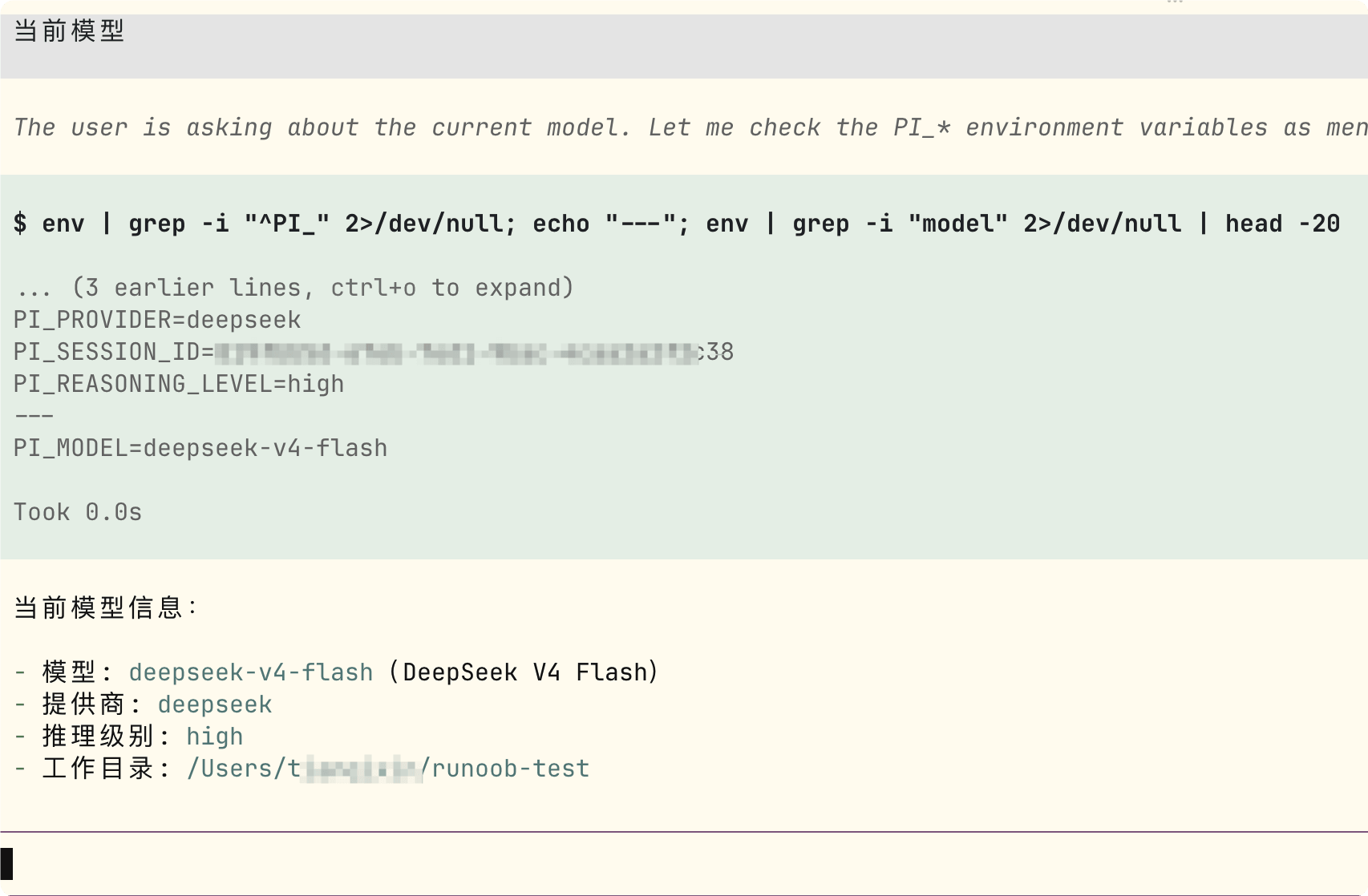
After switching, you can start coding directly in this minimalist terminal framework.
Suggested Test Steps
Verify whether the integration is complete and usable by going through the checklist below:
| Test Item | Operation Method | Expected Result |
|---|---|---|
| Authentication and Connectivity | Send a sentence, for example, "Hello, please introduce the example learning platform" | Receive a normal reply with no 401 / 403 authentication errors, confirming that apiKey and baseUrl are configured correctly |
| Reasoning Capability | Ask a question that requires multi-step reasoning, such as asking it to analyze first and then provide a solution | Output a visible thinking process, indicating that thinkingFormat and reasoning are in effect |
| Multi-turn Tool Calls | Have Pi continuously call tools to read files, run commands, modify code, and verify results | Multi-turn conversation stays stable without errors caused by missing reasoning_content |
| Reasoning Effort Switching | In /model, switch from medium to xhigh | Behavior conforms to the reasoningEffortMap mapping; xhigh corresponds to DeepSeek's max |
| Cost Calculation | After running a few real tasks, check the cost statistics | The interface statistics match the unit prices set in the cost field |
Among these, "Multi-turn Tool Calls" is the key scenario for verifying whether the requiresReasoningContentOnAssistantMessages configuration is correct.
Common Troubleshooting
If you encounter issues during integration, use the following checklist to quickly locate them.
Can't See DeepSeek in Model Selector
Check whether the models.json path is correct. The paths for Windows and Linux / macOS are different.
Also confirm that the JSON format has no syntax errors, such as trailing commas or unclosed quotes.
Authentication Failed
Confirm that the DEEPSEEK_API_KEY environment variable has been set correctly.
Note: The terminal session where you run the pi command must be the same session where you set the environment variable.
Multi-turn Tool Calls Report Errors
First check whether requiresReasoningContentOnAssistantMessages and thinkingFormat have been fully configured as described above.
Need More Customization Capabilities
You can refer toPi official models documentation, for more comprehensive configuration options.
Other extensions