PHP Multidimensional Arrays
A multidimensional array is an array that contains one or more arrays.
In a multidimensional array, each element of the main array can also be an array, and each element of a sub-array can also be an array.
The values in one array can be another array, and the values of that other array can also be arrays. In this way, we can create two-dimensional or three-dimensional arrays.
Syntax format for two-dimensional arrays:
array (
    array (elements...),
    array (elements...),
    ...
)
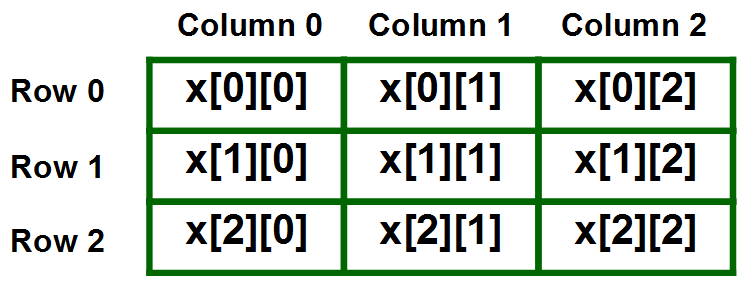
The elements of the above array are automatically assigned keys, starting from0start:
Examples
Run example »
In the following example, we create a two-dimensional array with specified keys (associative array):
Examples
$sites = array
(
"example"=>array
(
"Example",
"http://www.example.com"
),
"google"=>array
(
"Google Search",
"http://www.google.com"
),
"taobao"=>array
(
"Taobao",
"http://www.taobao.com"
)
);
print("<pre>"); // Format and output the array
print_r($sites);
print("</pre>");
?>
The above array will output as follows:
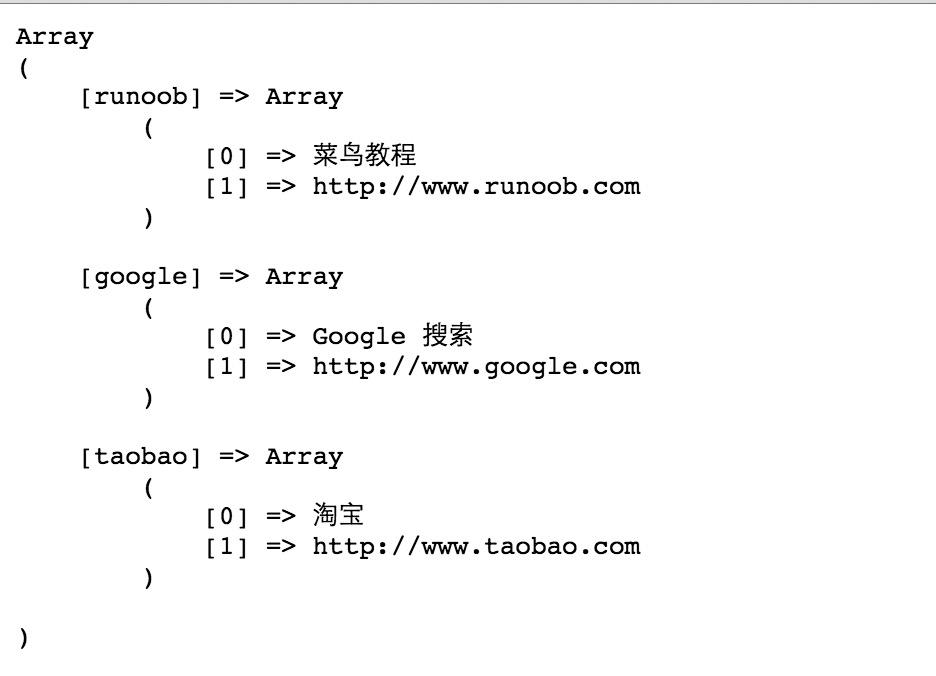
Let's try to display a certain value from the above array:
echo $sites['example'][0] . '地址为:' . $sites['example'][1];
The above code will output:

Three-dimensional Arrays
A three-dimensional array is a two-dimensional array with another layer of arrays nested inside it. The format is as follows:
array (
    array (
        array (elements...),
        array (elements...),
        ...
    ),
    array (
        array (elements...),
        array (elements...),
        ...
    ),
    ...
)
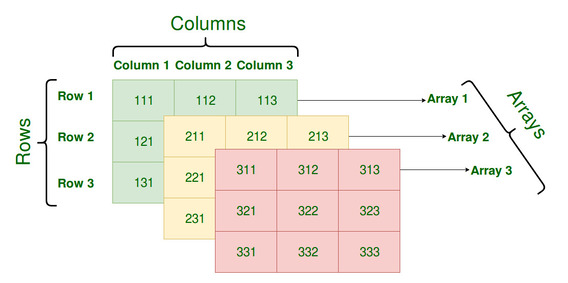
Examples
// Create a three-dimensional array
$myarray = array(
array(
array(1, 2),
array(3, 4),
),
array(
array(5, 6),
array(7, 8),
),
);
// Output array information
print_r($myarray);
?>
The above array will output as follows:
Array
(
    [0] => Array
        (
            [0] => Array
                (
                    [0] => 1
                    [1] => 2
                )

            [1] => Array
                (
                    [0] => 3
                    [1] => 4
                )

        )

    [1] => Array
        (
            [0] => Array
                (
                    [0] => 5
                    [1] => 6
                )

            [1] => Array
                (
                    [0] => 7
                    [1] => 8
                )

        )

)
Other extensions