Matplotlib imsave() Method
The imsave() method is a function in the Matplotlib library used to save image data to disk.
With the imsave() method, we can easily save the generated image to a directory we specify.
The imsave() method supports multiple image formats for saving images, such as PNG, JPEG, BMP, etc.
The syntax of the imsave() method is as follows:
matplotlib.pyplot.imsave(fname, arr, **kwargs)
Parameter description:
fname: The filename for saving the image; it can be a relative path or an absolute path.arr: Represents the NumPy array of the image.kwargs: Optional parameters, used to specify parameters such as the image format and image quality for saving.
The following is a simple example of using the imsave() method to save an image:
Example
import numpy as np
# Create a two-dimensional image data
img_data = np.random.random((100, 100))
# Display the image
plt.imshow(img_data)
# Save the image to disk
plt.imsave('example-test.png', img_data)
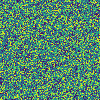
In the above example, we used the imsave() method to save this image to the current directory with the file nameexample-test.png。
Since no image format was specified, the Matplotlib library saves it as a PNG file by default.
Open the current directory and you will find aexample-test.pngfile, as shown below:
The following example demonstrates how to use the imsave() method to save a grayscale image and a color image to the current directory:
Example
import numpy as np
# Create a grayscale image
img_gray = np.random.random((100, 100))
# Create a color image
img_color = np.zeros((100, 100, 3))
img_color[:, :, 0] = np.random.random((100, 100))
img_color[:, :, 1] = np.random.random((100, 100))
img_color[:, :, 2] = np.random.random((100, 100))
# Display the grayscale image
plt.imshow(img_gray, cmap='gray')
# Save the grayscale image to disk
plt.imsave('test_gray.png', img_gray, cmap='gray')
# Display the color image
plt.imshow(img_color)
# Save the color image to disk
plt.imsave('test_color.jpg', img_color)
In the above example, we used thenumpy.randommodule to create a grayscale image and a color image respectively, and then used the imshow() method to display the two images respectively.
Next, we used the imsave() function to save the two images to the current directory, with the file namestest_gray.pngandtest_color.jpg。
When saving the grayscale image, we used the cmap parameter to save it in grayscale image format.
When saving the color image, we did not specify an image format, and the Matplotlib library saved it as a JPEG file by default.
Other extensions