Linux System Directory Structure
After logging into the system, type the command in the current command window:
ls /
You will see the following as shown in the figure:

Tree directory structure:
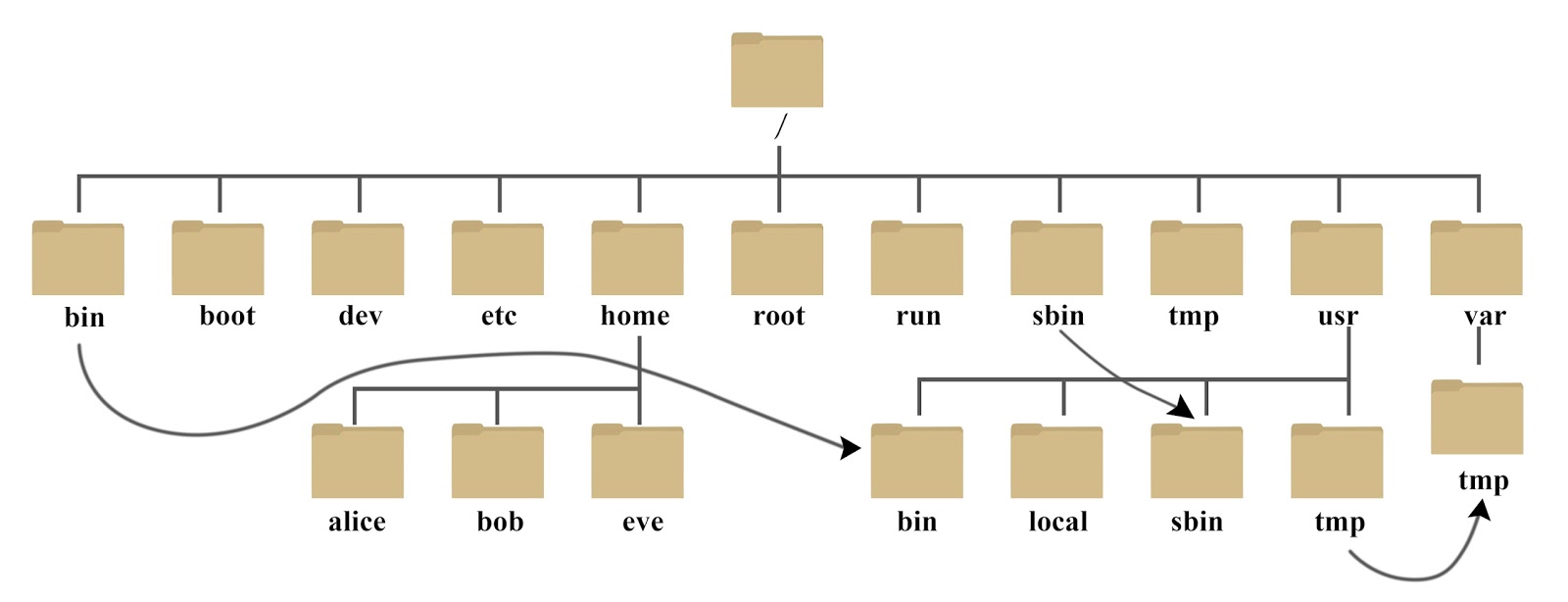
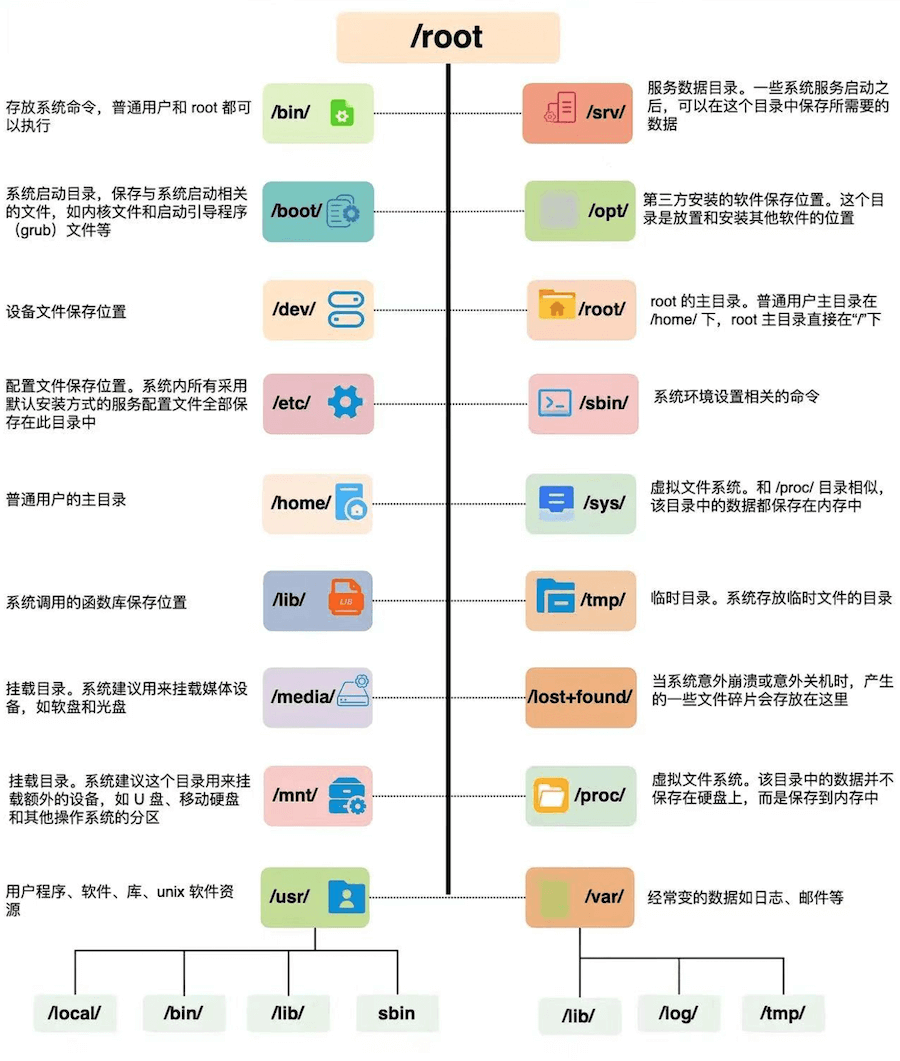
The following is an explanation of these directories:
| Directory | Detailed Description | Common Files / Examples |
|---|---|---|
/ |
Root filesystem, the starting point of all mount points and paths. Contains the system's required subdirectories and entry structure. | No specific data files, only subdirectory structure. |
/bin |
Basic commands required for system startup and single-user mode, executable by all users. | ls, cp, mv, rm, bash |
/sbin |
System administration and maintenance commands, intended for root. | fsck, reboot, shutdown |
/usr |
Main collection of user-level programs and libraries, containing most system software, documentation, and tools. | /usr/bin, /usr/lib, /usr/share |
/usr/bin |
Main directory for placing regular user programs. | python3, vim, git |
/usr/sbin |
Extended collection of management tools. | useradd, apache2ctl |
/usr/lib |
/usrDynamic libraries and modules that the internal programs depend on. |
Various types of.sodynamic libraries |
/usr/local |
Independent area for locally installed or compiled software. | /usr/local/bin, /usr/local/lib |
/libor/lib64 |
Location of the system boot core libraries and the dynamic linker. | libc.so.6, ld-linux.so |
/etc |
System-level configuration center, centrally storing all service and system configurations. | passwd, group, fstab, ssh/sshd_config |
/home |
Collection of personal home directories for ordinary users. | /home/user/.bashrc, /home/user/Documents |
/root |
Home directory of the root user. | /root/.ssh/ |
/var |
Frequently changing data: logs, caches, database runtime files, etc. | /var/log, /var/lib, /var/cache |
/var/log |
Centralized location for all system and service logs. | syslog, auth.log, kern.log |
/var/cache |
Application and package manager caches. | /var/cache/apt/ |
/var/lib |
Persistent state data for services. | mysql/, docker/ |
/tmp |
Temporary file area for running programs, can be cleared at any time. | Temporary files, socket paths |
/boot |
Files required for booting: kernel, initramfs, boot configuration. | vmlinuz-*, initrd.img, grub/grub.cfg |
/dev |
Collection of device nodes; files are devices. | /dev/sda, /dev/null, /dev/tty0 |
/proc |
Virtual filesystem provided by the kernel, displaying real-time information about the system and processes. | /proc/cpuinfo, /proc/<pid>/ |
/sys |
Status interface for devices, drivers, and kernel subsystems. | /sys/class/net/, /sys/block/ |
/mnt |
Temporary mount point for manual mounting. | /mnt/usb |
/media |
Default location for auto-mounting external devices. | /media/user/USB_DRIVE |
/run |
Runtime data storage location, cleared after reboot. | *.pid, runtime status socket files |
In Linux, the following directories are critical system areas. Accidentally deleting or arbitrarily modifying them will directly damage system operation:
/etc — System Configuration Core
All critical configurations are centralized here. Any incorrect modification may cause services to crash or even prevent the system from booting.
/bin, /sbin, /usr/bin, /usr/sbin — System Command Area
Location of the system's preinstalled commands.
- /bin、/usr/bin: Basic commands for ordinary users (such as
lslocated in/bin/ls)。 - /sbin、/usr/sbin: System administration commands, mainly used by root.
/var — Dynamic Data Area
Data continuously written during system operation all lands here.
The key point is/var/log, all service logs are stored here; emails, caches, queues, and other contents are also maintained under this directory.
Other extensions