Cloud Server
Cloud Server (Elastic Compute Service, ECS)is a computing service that is simple, efficient, safe, reliable, and has elastically scalable processing capacity.
Cloud server management is simpler and more efficient than physical servers. There is no need to purchase expensive hardware in advance to quickly create or delete cloud servers. Cloud server costs generally range from tens to hundreds of yuan and can be configured according to our needs.
There are many cloud servers on the market. Here we mainly introduce the following providers:
-
Alibaba Cloud: Alibaba Cloud's annual promotional server discounts are significant.Direct link。
-
Tencent Cloud: Tencent Cloud currently has more promotions and offers high cost-performance.Direct link。
-
JD Cloud: JD Cloud's server discounts are significant.Direct link。
More cloud server references: https://www.jyshare.com/cloud-server/
Note:Many cloud servers offer the greatest discounts to new users, basically at 10% to 20% of the original price. It is recommended that newly registered users make purchases.
Alibaba Cloud
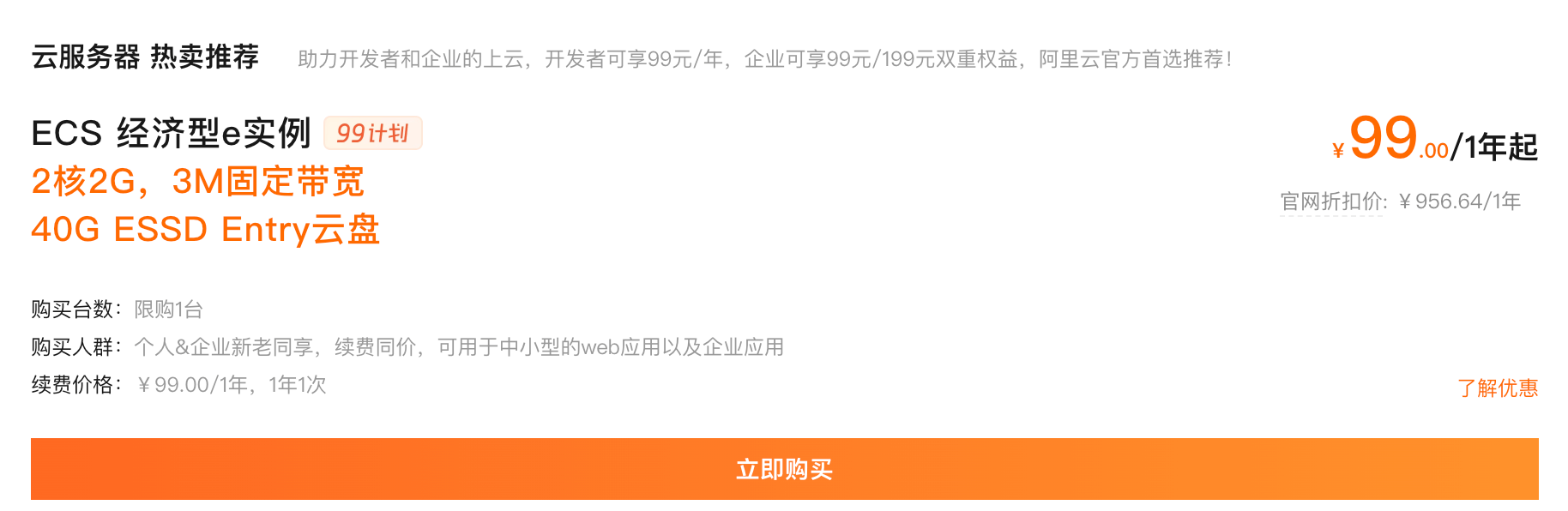
Alibaba Cloud new users get relatively large purchase discounts. The original price of a cloud server with 2 cores, 2G RAM, and 3M fixed bandwidth is1507.56/year, now as low as99 yuan/year. Additionally, you can renew it at99 yuanfor one year, which means198 yuanfor two years. Click the image below for details.
Tencent Cloud
Tencent Cloud's flash sale has started. The following models offer very high cost-performance. Some models require rush purchasing, and as long as you watch the timing, you can basically get them.
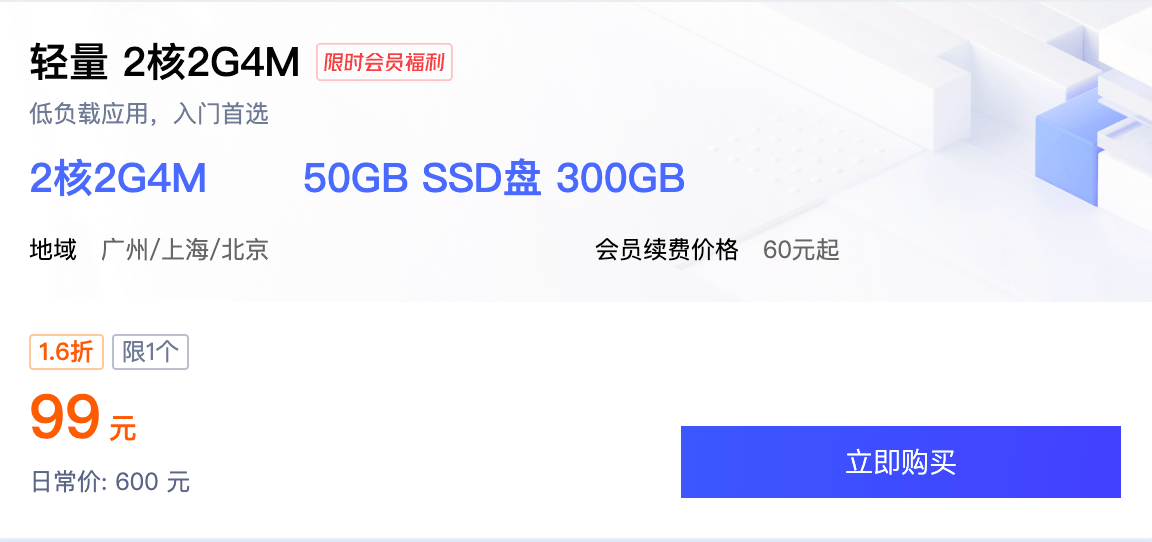
- 2-core 2G 4M cloud server: available to both new and existing users at 99 yuan/year, with renewal at the same price.
Different configurations and prices are available at each time point. For specific information, click the image below (https://url.cn/zpx9ruoW)。
Tencent Cloud Server Usage
This chapter uses Tencent Cloud Server as an example.
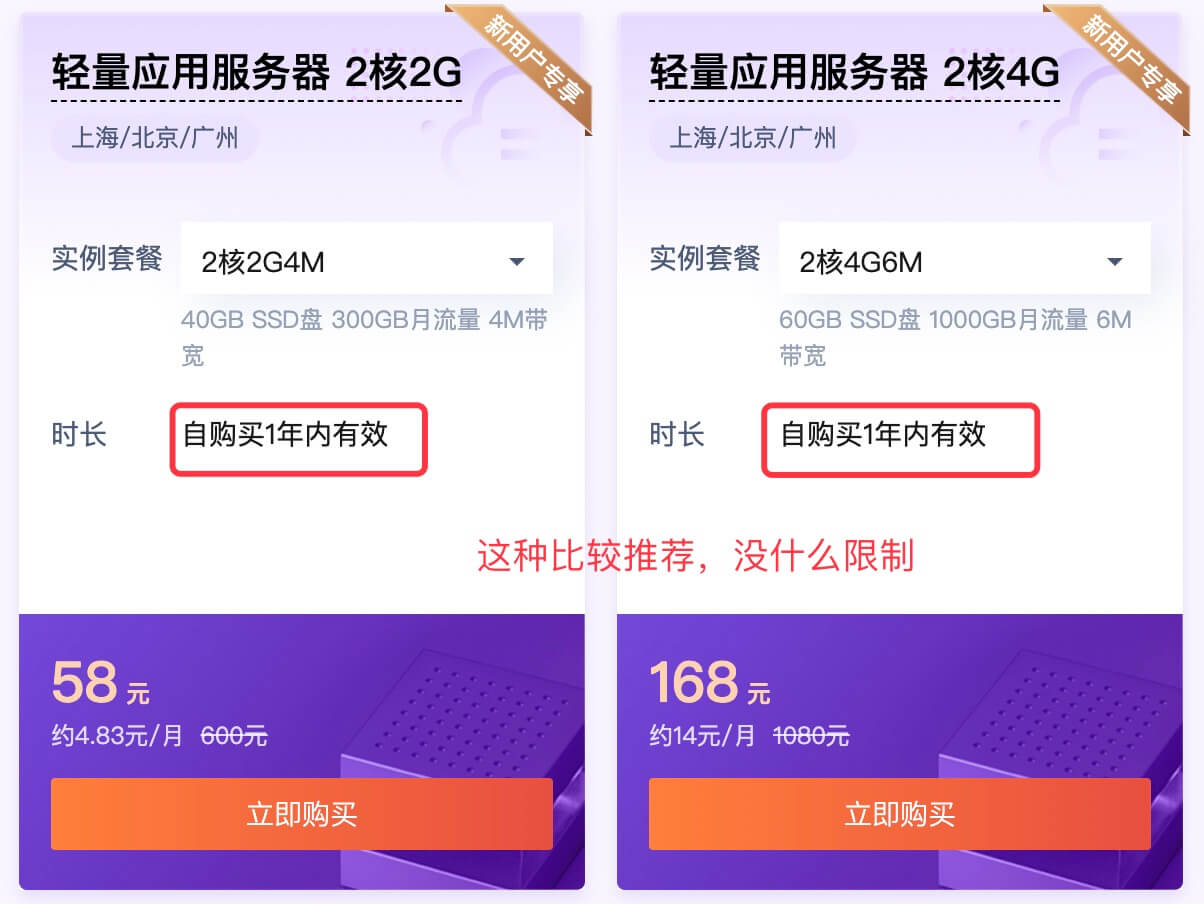
1. First, click the image below to purchase (see below for more server configuration information):
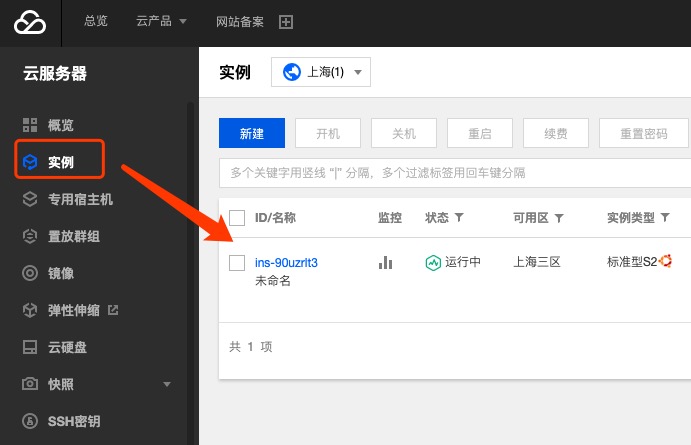
2. Log in to the Tencent Cloud console and view the purchased servers:
3. Before using the Tencent Cloud server, we need to create an SSH key. Click theSSH Keyon the left (logging in with a key is more secure than with a password):
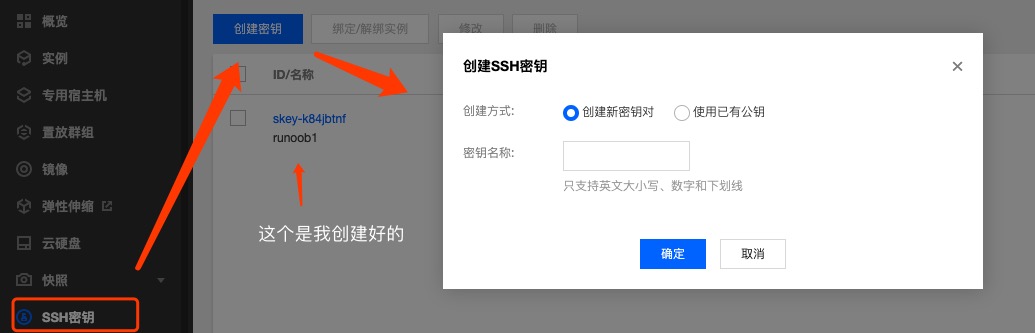
Enter a key name, then click OK, and a key will be automatically generated. The key will be automatically downloaded to your local machine. Please keep the downloaded key safe. The key file name is the key name you entered.
4. Next, check the created key and click theBind/Unbind Instancesbutton. Our ECS server will appear in the pop-up window. Just bind it to this key:
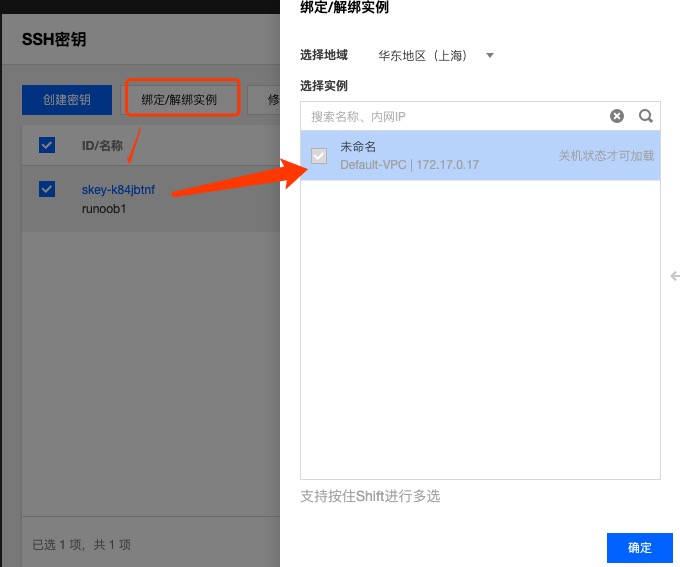
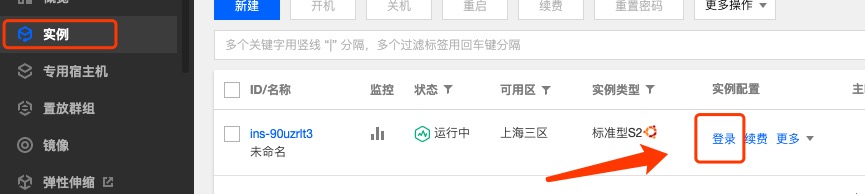
5. Return to the instance list and click theLoginbutton on the right side of the instance. In the pop-up window, click Log In Now. A new browser window will pop up. We choose key login, and the key file is the one created in step 3:
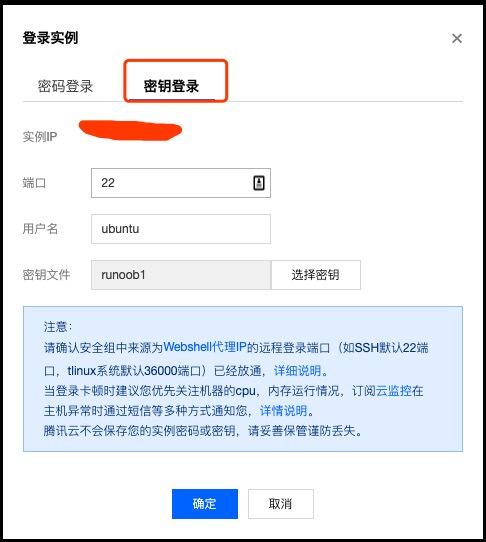
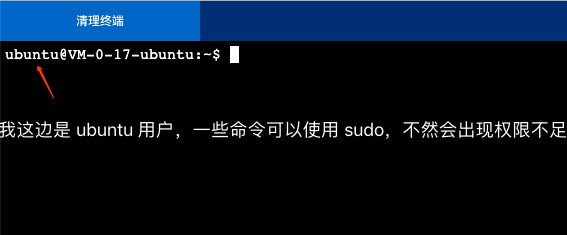
Of course, you can choose to log in with a third-party client (such as SecureCRT). The username is ubuntu; other systems may differ slightly. Then just import the corresponding key.
Other Extensions