React Component Lifecycle
In this chapter, we will discuss the lifecycle of React components.
The lifecycle of a component can be divided into three states:
- Mounting: Has been inserted into the real DOM
- Updating: Being re-rendered
- Unmounting: Has been removed from the real DOM
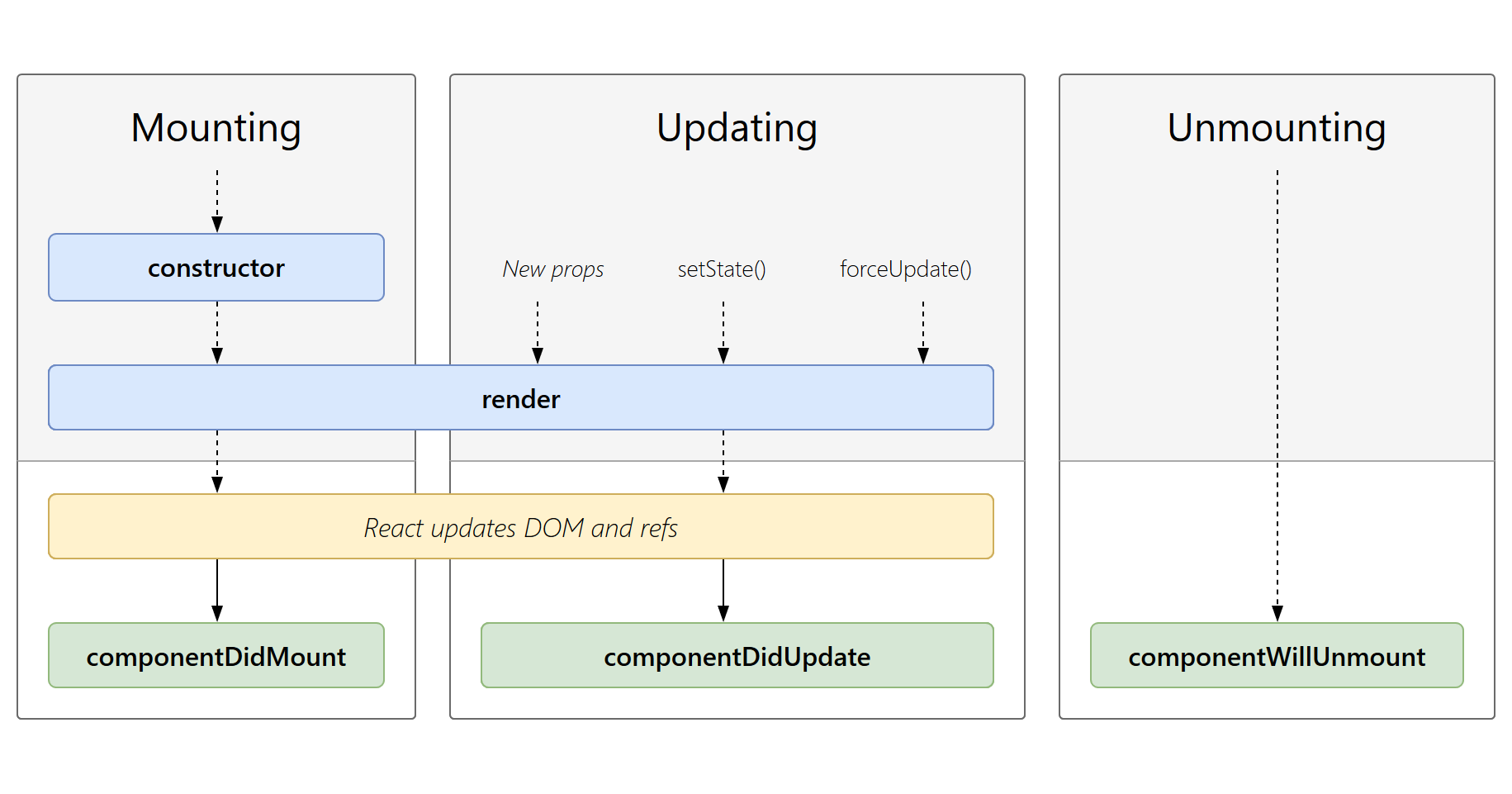
Mounting
When a component instance is created and inserted into the DOM, the lifecycle method invocation order is as follows:
constructor(): Called before a React component is mounted, its constructor will be invoked.getDerivedStateFromProps(): Called before the render method is invoked, and will be called during the initial mount and subsequent updates.render(): The render() method is the only required method in a class component.componentDidMount(): Called immediately after the component is mounted (inserted into the DOM tree).
The render() method is the only required method in a class component; other methods can be implemented as needed.
For detailed documentation on these methods, please refer tothe official documentation。
Updating
Whenever a component's state or props change, the component will update.
An update is triggered when a component's props or state change. The lifecycle method invocation order for component updates is as follows:
getDerivedStateFromProps(): Called before the render method is invoked, and will be called during both the initial mount and subsequent updates. Based on the return value of shouldComponentUpdate(), it determines whether the output of the React component is affected by the current state or props changes.shouldComponentUpdate(): When props or state change, shouldComponentUpdate() will be called before rendering is executed.render(): The render() method is the only required method in a class component.getSnapshotBeforeUpdate(): Called before the most recently rendered output is committed to the DOM node.componentDidUpdate(): Called immediately after the update.
The render() method is the only required method in a class component; other methods can be implemented as needed.
For detailed documentation on these methods, please refer tothe official documentation。
Unmounting
When a component is removed from the DOM, the following method will be called:
componentWillUnmount(): Called directly before the component is unmounted and destroyed.
For detailed documentation on these methods, please refer tothe official documentation。
Example
The following is an example of the current time, updated every second:
Example
Try it »
In the following example, after the Hello component is loaded, a timer is set up via the componentDidMount method to reset the component's opacity every 100 milliseconds and re-render:
React Example
Try it »
The following example initializesstate , setNewnumberfor updatingstate. All lifecycle methods are in theContentcomponent.
React Example
Try it »