Python Tkinter Frame Widget
 Python GUI Programming
Python Tkinter Frame widget displays a rectangular area on the screen, often used as a container.
Syntax
The syntax format is as follows:
w = Frame ( master, option, ... )
master: The parent container of the frame.
options: Optional items, i.e., the configurable properties of the frame. These options can be set in key-value form, separated by commas.
| No. | Option & Description |
|---|---|
| 1 | bg Background color of the frame |
| 2 | bd Size of the frame, default is 2 pixels |
3 | cursor The shape of the cursor when the mouse moves over the frame; can be set to arrow, circle, cross, plus, etc. |
| 4 | height The height of the frame, default value is 0. |
| 5 | highlightbackground The color of the highlight border when the frame does not have focus; default is specified by the system. |
| 6 | highlightcolor The color of the highlight border when the frame has focus |
| 7 | highlightthickness Specifies the width of the highlight border; default is 0 (without highlight border) |
| 8 | relief Border style, options are: FLAT, SUNKEN, RAISED, GROOVE, RIDGE. Default is FLAT. |
| 9 | width Sets the frame width, default value is 0. |
| 10 | takefocus Specifies whether the component accepts input focus (users can move focus to it via the Tab key); default is false. |
Example
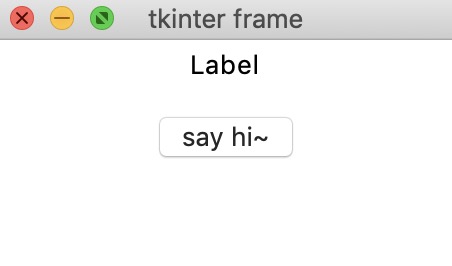
The test output is as follows:
 Other Extensions