OpenCode Configuration File
OpenCode uses JSON format for configuration.
We can first look at the global configuration file~/.config/opencode/opencode.json:
touch ~/.config/opencode/opencode.json
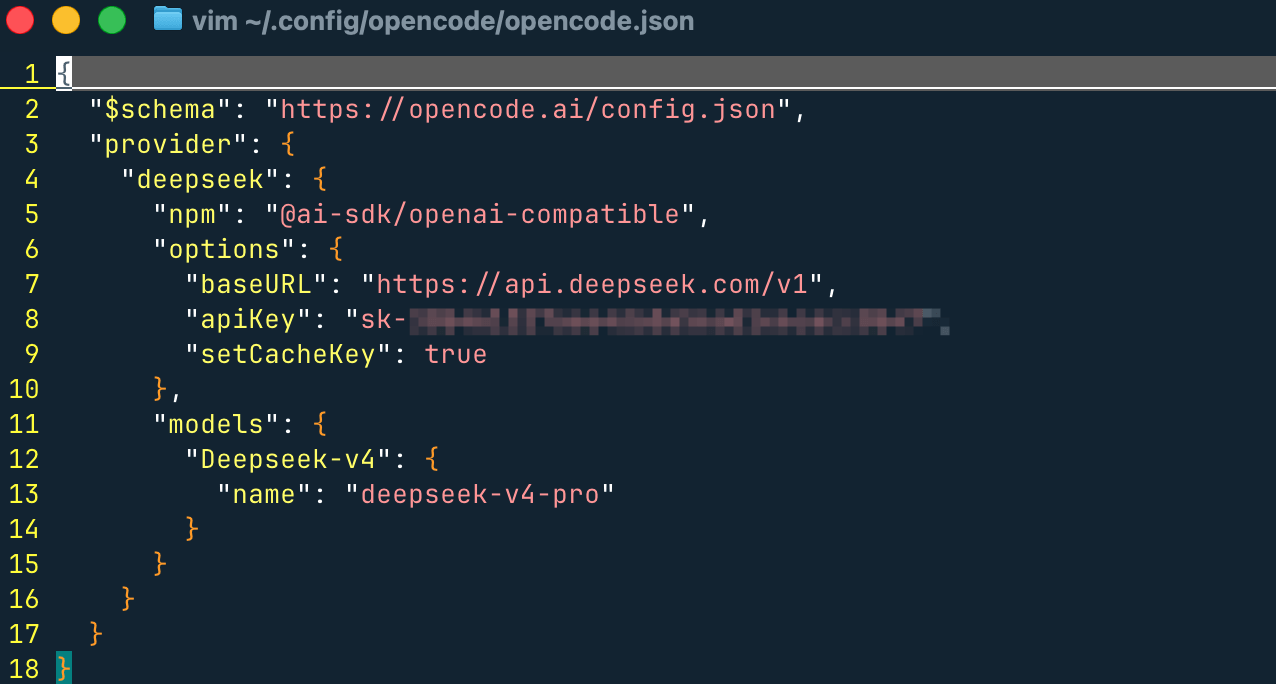
Contains model provider and configuration information:
{
  // JSON Schema(用于编辑器校验和自动补全)
  "$schema": "https://opencode.ai/config.json",

  "provider": {
    // 自定义 Provider 名称(使用时:deepseek/xxx)
    "deepseek": {

      // 使用 OpenAI 兼容适配器(适用于 DeepSeek 这类兼容接口)
      "npm": "@ai-sdk/openai-compatible",

      "options": {
        // API 基础地址(必须是 OpenAI 兼容格式)
        "baseURL": "https://api.deepseek.com/v1",

        // API Key
        "apiKey": "sk-xxxx",

        // 是否强制设置缓存 key(提升缓存命中率,降低成本)
        "setCacheKey": true
      },

      "models": {
        // 本地模型别名(CLI/TUI 中使用:deepseek/Deepseek-v4)
        "Deepseek-v4": {
          // 实际调用的模型名称(API 层)
          "name": "deepseek-v4-pro"
        }
      }
    }
  }
}
A Minimal Viable Configuration Example
{
  "$schema": "https://opencode.ai/config.json",
  "model": "anthropic/claude-sonnet-4-5",
  "autoupdate": true,
  "theme": "default"
}
Common Global Configuration Items:
| Configuration Item | Type | Description |
|---|---|---|
model |
string | Default Main Model |
small_model |
string | Lightweight Task Model (e.g., Title Generation) |
autoupdate |
boolean / "notify" | Auto Update Policy |
theme |
string | UI Theme |
provider |
object | Model Provider Configuration |
Provider Example:
{
  "provider": {
    "anthropic": {
      "options": {
        "timeout": 600000,
        "setCacheKey": true
      }
    }
  }
}
Understanding the Configuration "Merge Mechanism"
OpenCode's configuration is not overwritten, but ratherLayered Merge。
Loading Order (From Low to High)
| Order | Source | Description |
|---|---|---|
| 1 | Remote.well-known/opencode |
Organization Default Configuration |
| 2 | Global Configuration | ~/.config/opencode/opencode.json |
| 3 | Custom Path | OPENCODE_CONFIG |
| 4 | Project Configuration | In the project'sopencode.json |
| 5 | .opencode/Directory |
Extension Capability |
| 6 | Inline Configuration | OPENCODE_CONFIG_CONTENT |
Merge Rules
- Non-conflicting fields: all retained
- Conflicting fields: the latter overrides the former
Example
Global Configuration:
{
  "autoupdate": true
}
Project Configuration:
{
  "model": "anthropic/claude-sonnet-4-5"
}
Final Result:
{
  "autoupdate": true,
  "model": "anthropic/claude-sonnet-4-5"
}
Project Configuration
Create in the project root directory:
opencode.json
Purpose:
- Define project-specific AI behavior
- Can be committed to Git
- Override global configuration
Example: Project-Level Configuration
{
  "$schema": "https://opencode.ai/config.json",
  "model": "anthropic/claude-sonnet-4-5",
  "tools": {
    "write": true,
    "bash": true
  }
}
Detailed Explanation of Core Configuration Modules
{
  "model": "anthropic/claude-sonnet-4-5",
  "small_model": "anthropic/claude-haiku-4-5"
}
Models and Providers
{
  "model": "anthropic/claude-sonnet-4-5",
  "small_model": "anthropic/claude-haiku-4-5"
}
| Field | Description |
|---|---|
model |
Main Task Model |
small_model |
Low-Cost Task Model |
Tool Control
{
  "tools": {
    "write": false,
    "bash": false
  }
}
| Tool | Purpose |
|---|---|
| write | Write File |
| bash | Execute Command |
This isThe first layer of security control。
Permission Control
{
  "permission": {
    "edit": "ask",
    "bash": "ask"
  }
}
| Value | Meaning |
|---|---|
| allow | Auto Execute |
| ask | Confirm Each Time |
| deny | Forbidden |
Agent (Core Capability)
{
  "agent": {
    "code-reviewer": {
      "description": "代码审查",
      "model": "anthropic/claude-sonnet-4-5",
      "prompt": "You are a code reviewer",
      "tools": {
        "write": false
      }
    }
  }
}
Essence:Define role + capability scope for AI
Command (Automated Prompt)
{
  "command": {
    "test": {
      "template": "Run tests and fix failures",
      "description": "运行测试"
    }
  }
}
Essence:Prompt Template System
TUI Configuration
{
  "tui": {
    "scroll_speed": 3,
    "scroll_acceleration": {
      "enabled": true
    },
    "diff_style": "auto"
  }
}
Server Configuration (API / Web)
{
  "server": {
    "port": 4096,
    "hostname": "0.0.0.0",
    "mdns": true
  }
}
Context Compression (Token Optimization)
{
  "compaction": {
    "auto": true,
    "prune": true,
    "reserved": 10000
  }
}
Plugin System
{
  "plugin": [
    "opencode-helicone-session",
    "@my-org/custom-plugin"
  ]
}
MCP (Extension Ecosystem)
{
  "mcp": {}
}
Used to integrate external tools (such as Jira, databases, etc.)
Instruction System (AI Rules)
{
  "instructions": [
    "CONTRIBUTING.md",
    "docs/*.md"
  ]
}
Provider Control
{
  "enabled_providers": ["anthropic"],
  "disabled_providers": ["openai"]
}
Priority:
disabled > enabled
Variable System
Environment Variables:
{
  "model": "{env:OPENCODE_MODEL}"
}
File Reference
{
  "apiKey": "{file:~/.secrets/key}"
}
Directory Extension Mechanism
OpenCode is not just JSON configuration, it also supports directory extensions:
.opencode/
├── agents/
├── commands/
├── plugins/
├── tools/
├── themes/
Purpose:
- Define agents with Markdown
- File-Level Commands
- Plugin Extensions
Recommended Getting Started Configuration
{
  "$schema": "https://opencode.ai/config.json",
  "model": "anthropic/claude-sonnet-4-5",
  "small_model": "anthropic/claude-haiku-4-5",
  "autoupdate": "notify",
  "tools": {
    "write": true,
    "bash": true
  },
  "permission": {
    "bash": "ask"
  },
  "compaction": {
    "auto": true,
    "prune": true
  }
}
Summary (Architecture Perspective)
OpenCode configuration can be understood as a four-layer structure:
配置层(多级 merge)
    ↓
能力层(agent / tools / mcp)
    ↓
执行层(model / provider)
    ↓
交互层(tui / server / web)
Essentially, it is not a simple configuration file, but a:
Configuration center of a programmable AI Agent operating system
Other Extensions