OpenCode API Settings
With OpenCode, you can connect to any LLM (Large Language Model) provider, such as OpenAI, Claude, DeepSeek, Alibaba Bailian, etc., to gain stronger AI coding capabilities.
If you are using it for the first time, it is recommended to prioritize choosingOpenCode Zen, which is a set of models officially curated by OpenCode. They have been tested and optimized, ready to use out of the box, suitable for beginners.
OpenCode ZenIt also contains a large number of free LLMs, so you can basically use it directly without paying.
Step 1: Startup Configuration
Run directly:
opencode
If you seeEACCES: permission denied, open ''it's a permission issue. Please run with administrator privileges, for example:
sudo opencode
You will see the terminal interface (TUI):
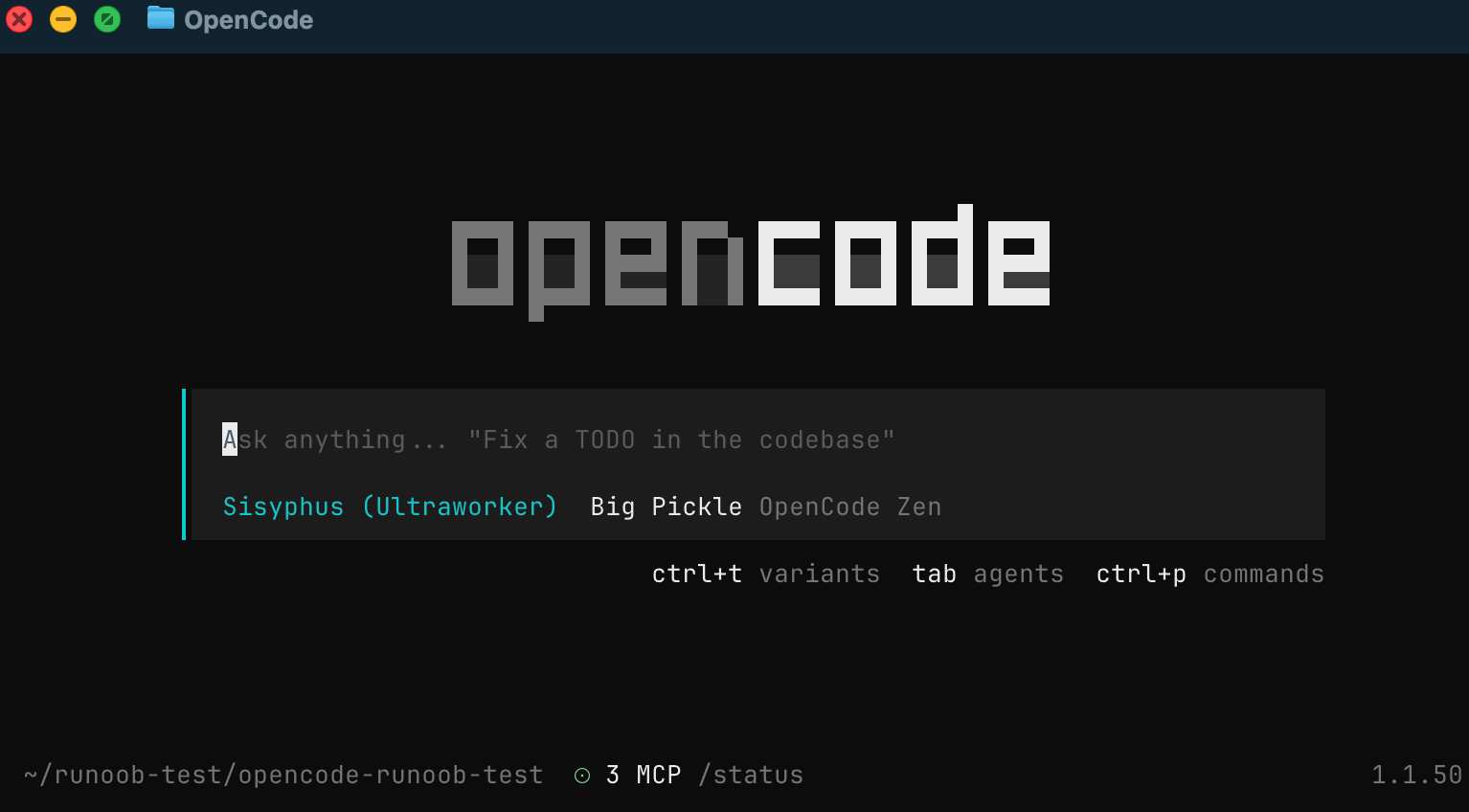
Enter the following in the OpenCode terminal interface:
/connect
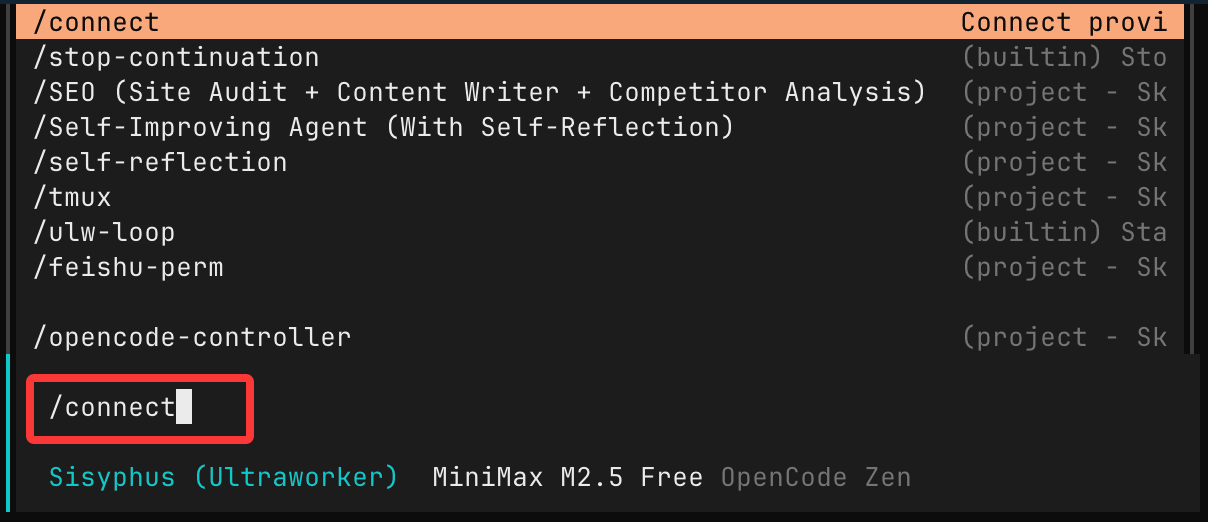
Note: Use the/connectcommand to add the provider's API key, the credentials will be stored in~/.local/share/opencode/auth.json.
Then select:opencode
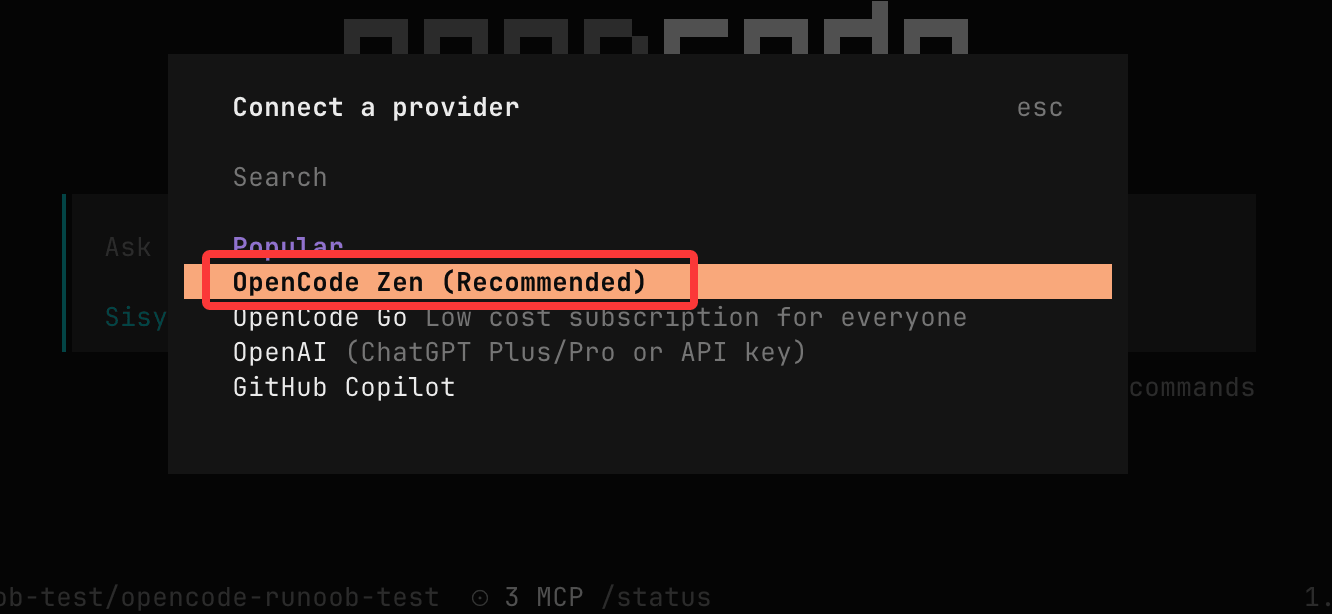
If you have other LLM keys, you can also select and configure them through this list.
Step 2: Get API Key
Open the following page and log in:https://opencode.ai/auth
- Log in to your account
- Add billing information
- Create API Key
Step 3: Paste API Key
Go back to the terminal and paste the obtained API Key:

Once completed, you can start using OpenCode.
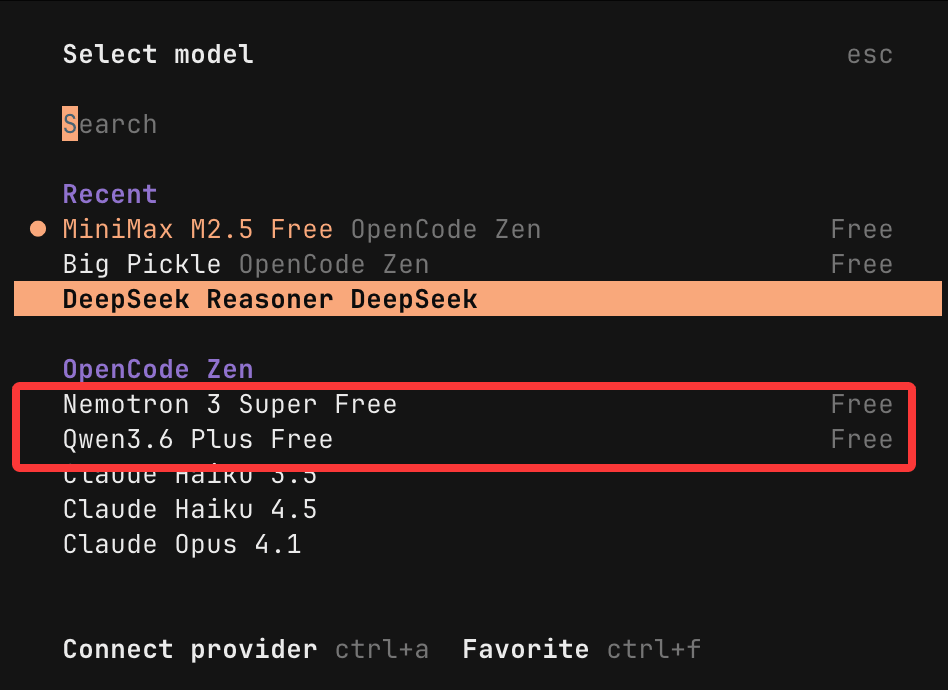
We can press Esc to exit the LLM provider configuration, then enter the following in the chat window/modelcommand to view supported models:
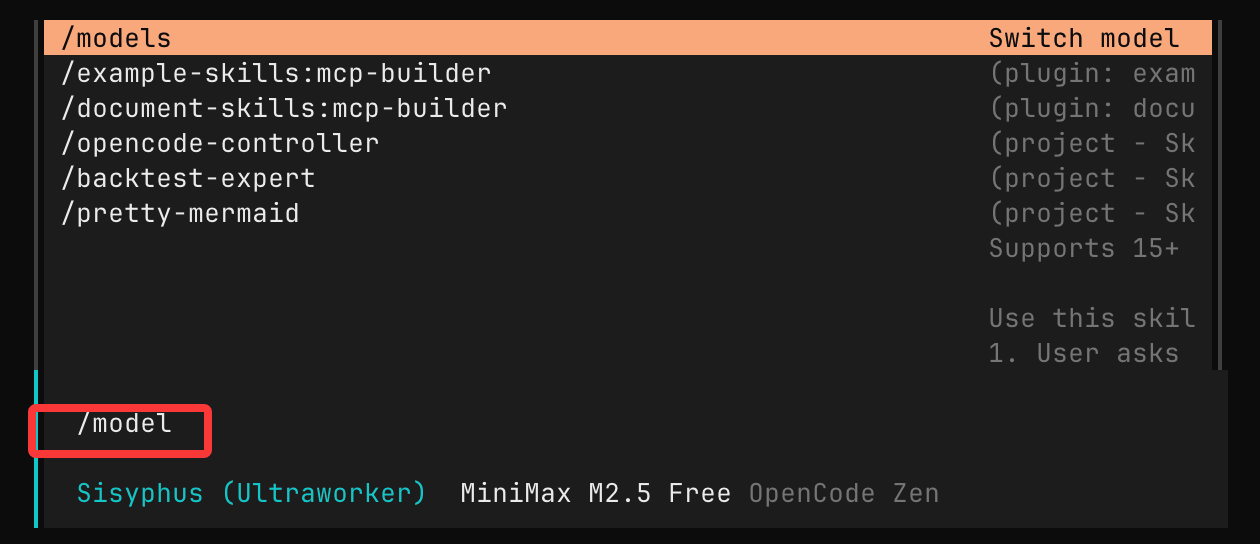
Models with the "Free" label are free models:
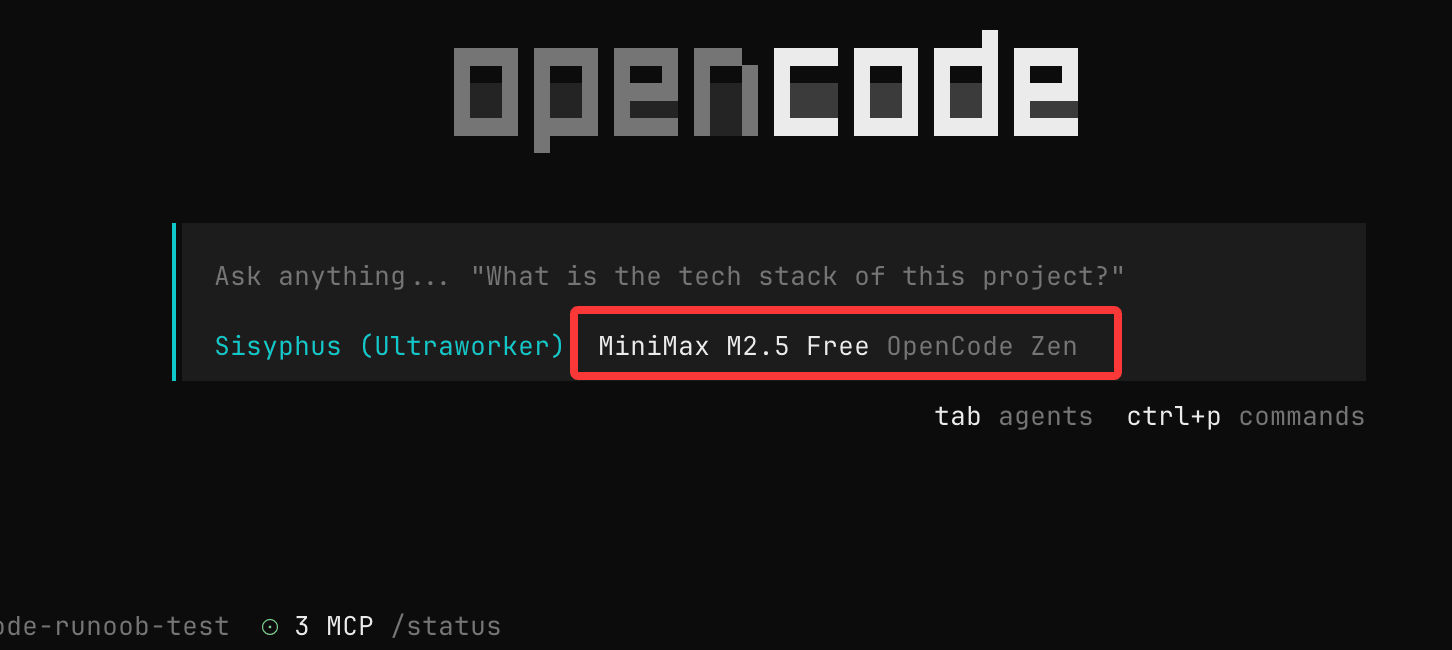
After making your selection, press Esc to exit the configuration, and you will see the current LLM in use:
Domestic Coding Plan Packages
There are many LLM vendors on the market now. Foreign ones include Anthropic, OpenAI, Grok, Gemini, etc., but accessing foreign services is inconvenient now. Domestic ones include DeepSeek, Qwen, ZLM, Minimax, etc.
When using Claude Code to write code, tokens are the most expensive part. Overseas access is inconvenient and expensive. Domestic providers now offer monthly subscription plans. If you use it long-term, it's recommended to buy a monthly plan for better value.
Integrate Alibaba Bailian
OpenCode is an open-source AI coding tool that can work with the model inference services provided by Alibaba Cloud Bailian for efficient code development.
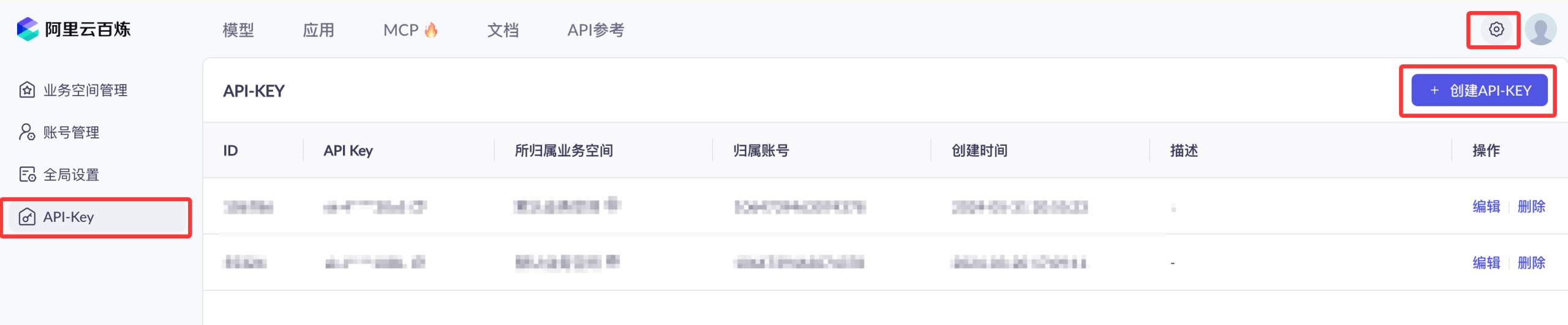
We can first use the Alibaba Cloud primary account to access the Bailian model service platformhttps://bailian.console.aliyun.com/, then click "Login" in the top-right corner. After logging in, click the gear ⚙️ icon in the top-right corner, select API Key, then copy the API Key. If you don't have one, you can also create an API Key:

You can purchase resource packages directly, which is more cost-effective:https://cn.aliyun.com/benefit?from_alibabacloud=&userCode=i5mn5r7m
Configure in OpenCode
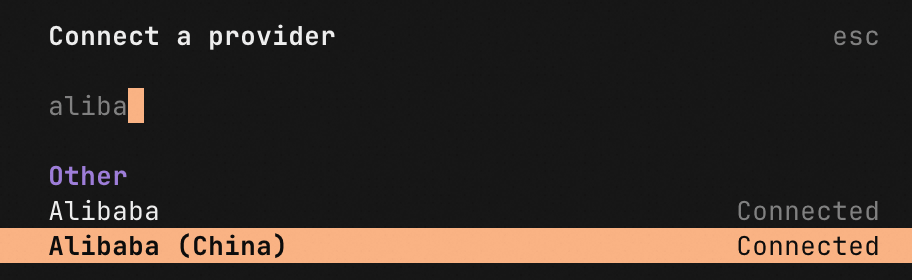
Enter the following in the input box/connectand press Enter.
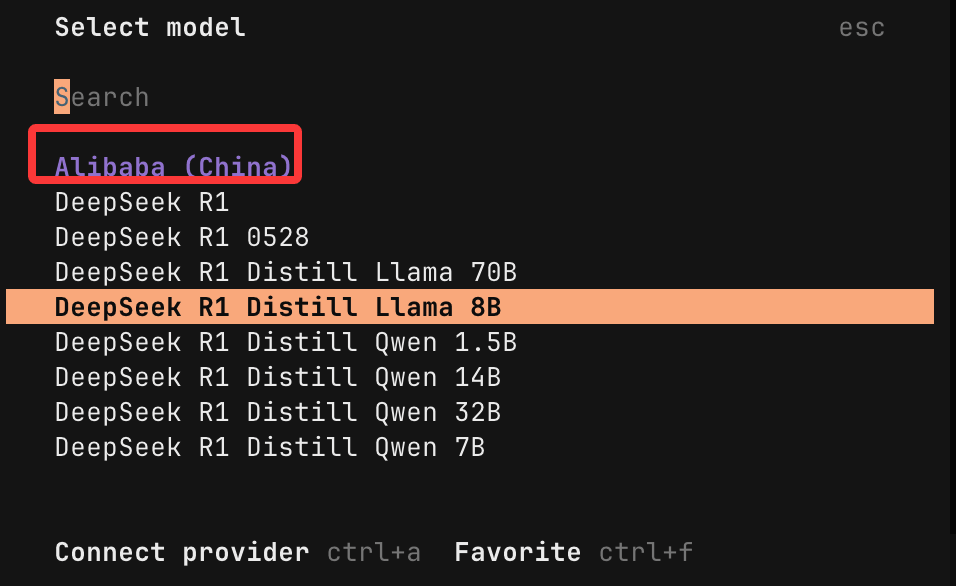
InConnect a Provider Enter the following in the list's search boxalibabato search, select Alibaba (China) and press Enter.
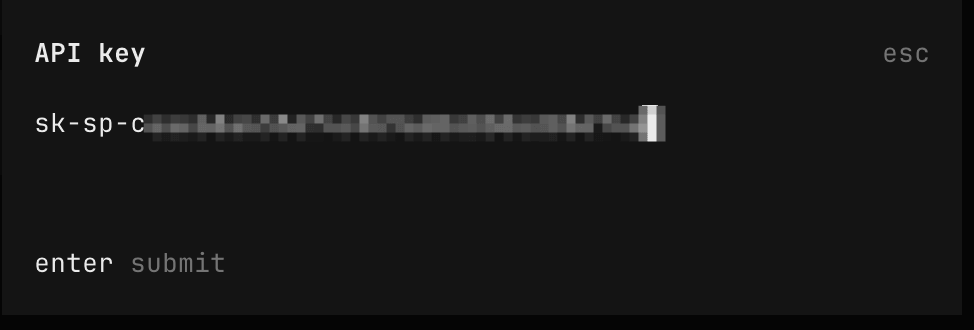
Enter the API Key we applied for and press Enter:
Then we can enter/modelto view the models supported by Alibaba and select the one you need:
This document applies only to pay-as-you-go mode. Coding Plan users should use the dedicated Base URL and API Key for access. For details, please refer toOpenCode Coding Planthe documentation for configuration.
Domestic API Configuration
Domestic vendor API application addresses:
| Vendor/Brand | Description | API Application Portal (Click to Access) |
|---|---|---|
| DeepSeek (Domestic High Cost-Effectiveness) | Official models: deepseek-v4-flash deepseek-v4-pro deepseek-chat (will be deprecated on 2026/07/24) deepseek-reasoner (will be deprecated on 2026/07/24) |
https://platform.deepseek.com/api_keys |
| Volcano Ark Coding Plan | Supports free switching among the latest versions of Doubao-Seed-2.0-pro/lite/Code, Doubao-Seed-Code, MiniMax-M2.5, Kimi-K2.5, GLM-4.7, Deepseek-V3.2 models, or use Auto mode for scheduling. | https://www.volcengine.com/activity/codingplan |
| Alibaba Bailian (Tongyi Qianwen) | Alibaba Cloud's unified LLM portal, supporting the latest versions of Qwen, GLM, Kimi, MiniMax, and other models | https://bailian.console.aliyun.com |
| GLM (Zhipu Qingyan) | Tsinghua's ChatGLM series, supporting GLM-4, GLM-3-Turbo, etc. | https://open.bigmodel.cn |
| MiniMax | Domestic multimodal, supporting mixed calls of text, voice, and images | https://platform.minimaxi.com |
After entering the corresponding console: register/log in → complete real-name verification → create an API Key to start calling.
API Management Tools
With so many platforms, configuration becomes troublesome. We can use the third-party tool CC Switch to easily manage the API configurations of these popular tools:https://github.com/farion1231/cc-switch/, fully supports Windows / macOS / Linux.
CC Switch is a comprehensive auxiliary tool for Claude Code / Codex / Gemini CLI.
CC Switch can help us easily manage the API configurations of these popular tools, just like having a smart organizing assistant for your development toolbox, where all tool configurations can be managed in an orderly manner.

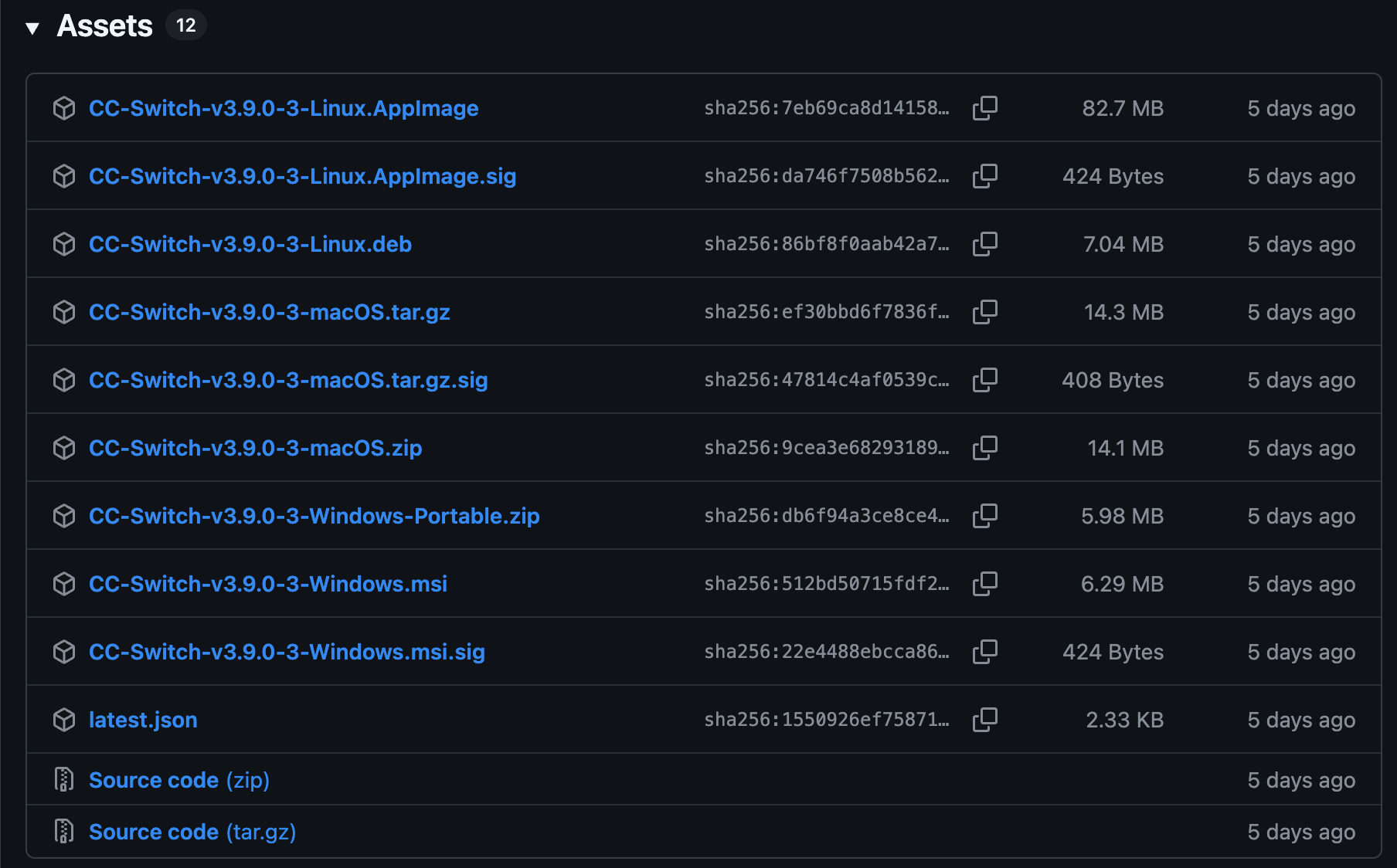
Installation package download addresses for each platform:https://github.com/farion1231/cc-switch/releases。
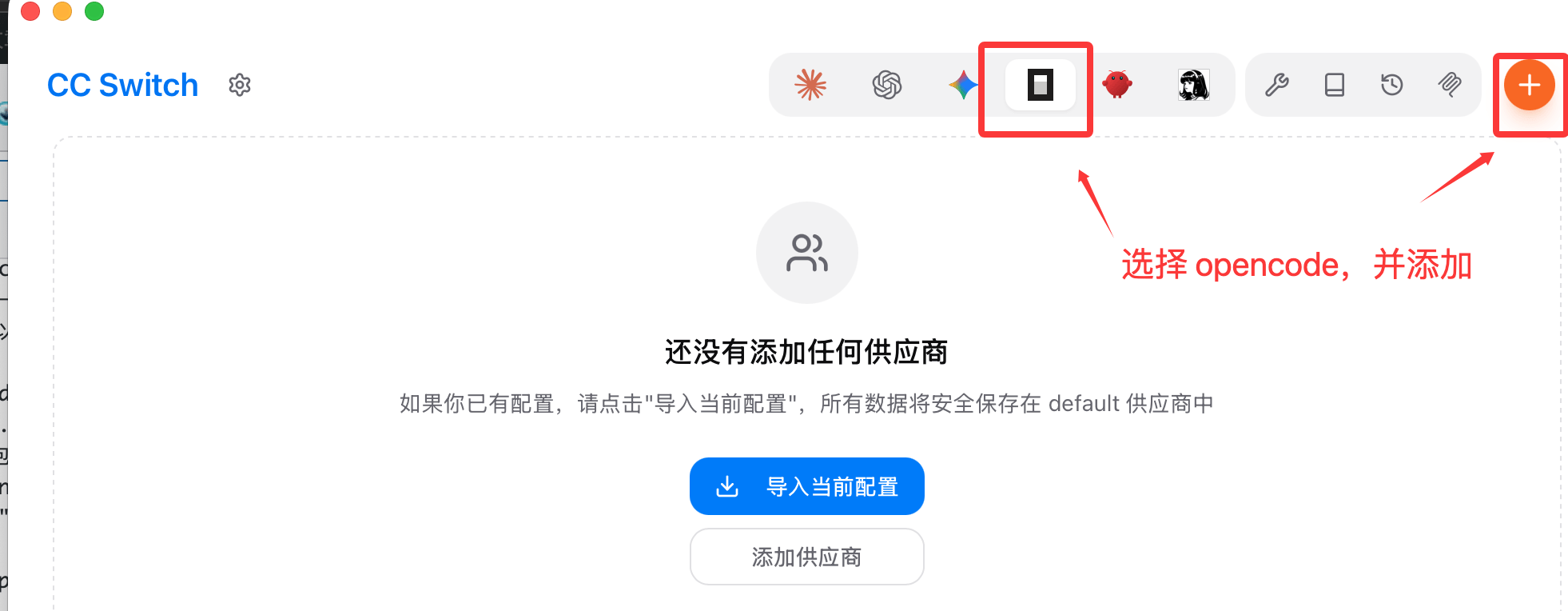
Here we select the OpenCode icon, then click the Add button in the top-right corner:
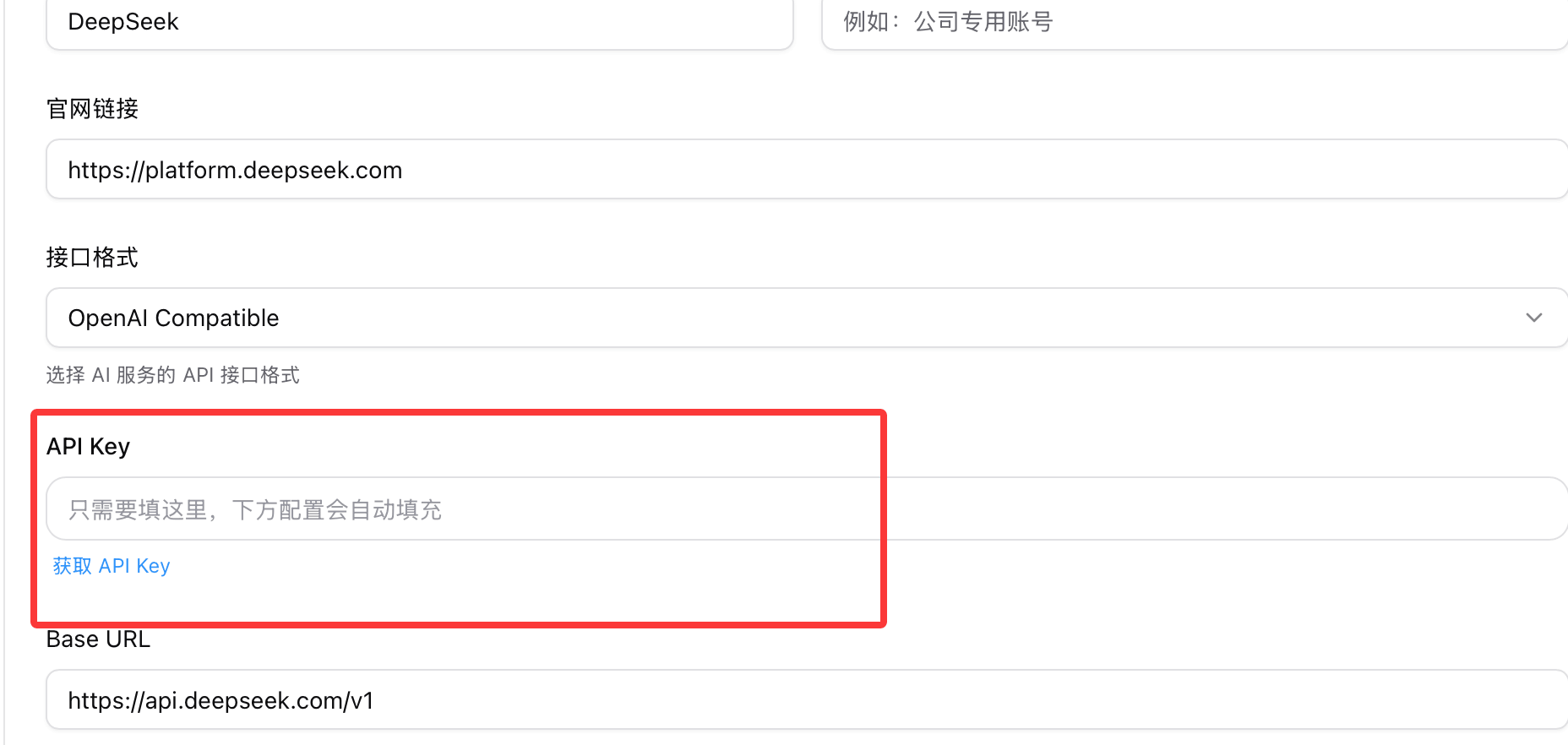
There are many providers by default. Here I'll select DeepSeek for demonstration:

Set the API key you obtained:
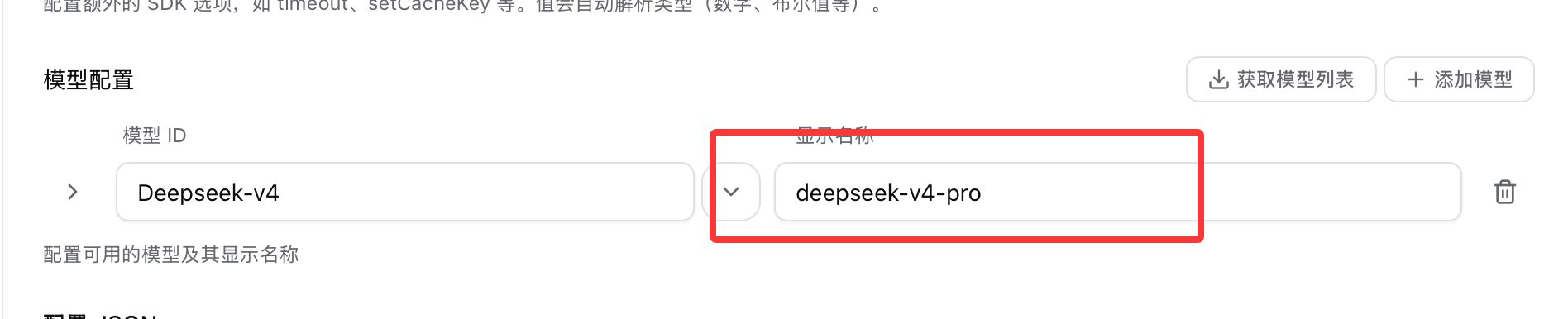
Set the modeldeepseek-v4-pro:
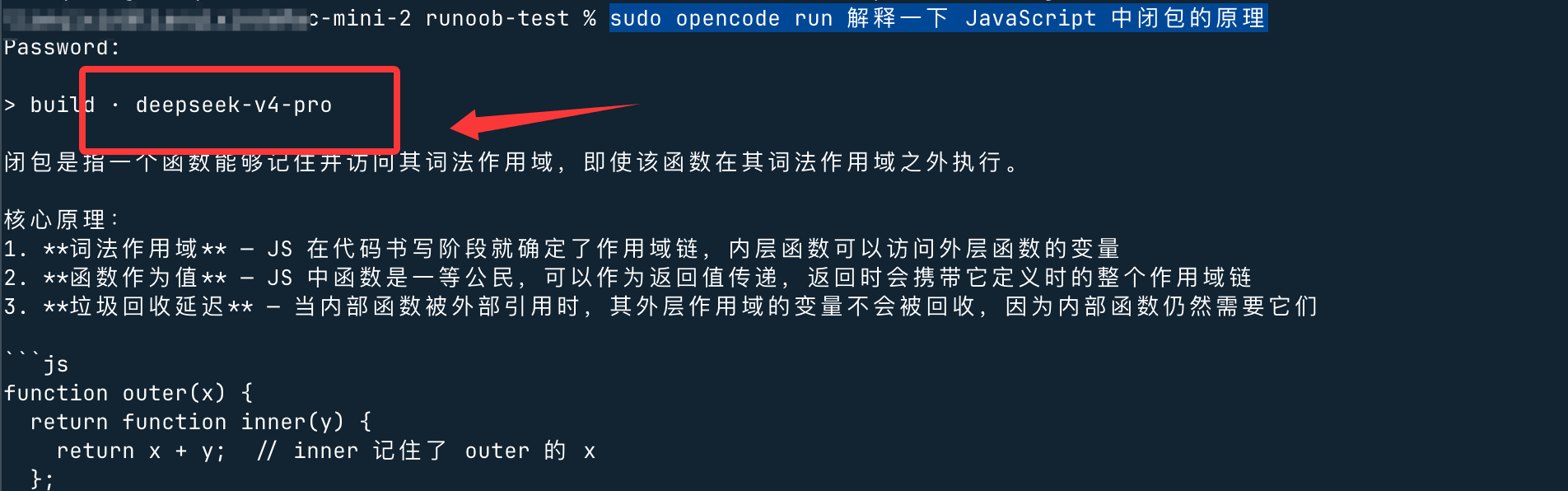
After configuration, we can test it in the terminal:
sudo opencode run 解释一下 JavaScript 中闭包的原理
Other ExtensionsFor more specific operation settings, refer to the article:https://www.example.com/ai-agent/cc-switch.html