LaTeX Beamer Presentation and Resume Templates
This chapter introduces two common "end products" of LaTeX: Beamer for academic slides, and resumes typeset with the moderncv template.
Beamer: The Standard Tool for Academic Slides
Beamer is a LaTeX document class for slides and the mainstream tool for academic presentations in mathematics and computer science—the formula slides it produces are hard to match with PowerPoint.
There is only one core concept: the frame. A frame is one slide; all other syntax is identical to the LaTeX you've learned over the previous eleven articles.
Example: Your First Chinese Slide Deck
\usetheme{Madrid} % Theme: determines colors, headers/footers, and layout
\title{Quick Introduction to LaTeX}
\author{EXAMPLE}
\date{\today}
\begin{document}
\begin{frame} % Cover page
\titlepage
\end{frame}
\begin{frame}{Outline} % Text in braces is the title of the slide
\tableofcontents
\end{frame}
\section{Introduction}
\begin{frame}{Why use LaTeX?}
\begin{itemize}
\itemHigh-quality mathematical formula typesetting
\itemNumbering, table of contents, and references are fully automatic
\pause % During presentation, the first two items appear first; this one appears after pressing a key
\itemConsistent formatting for long documents
\end{itemize}
\end{frame}
\section{Formula Example}
\begin{frame}{Typesetting Example of Formulas}
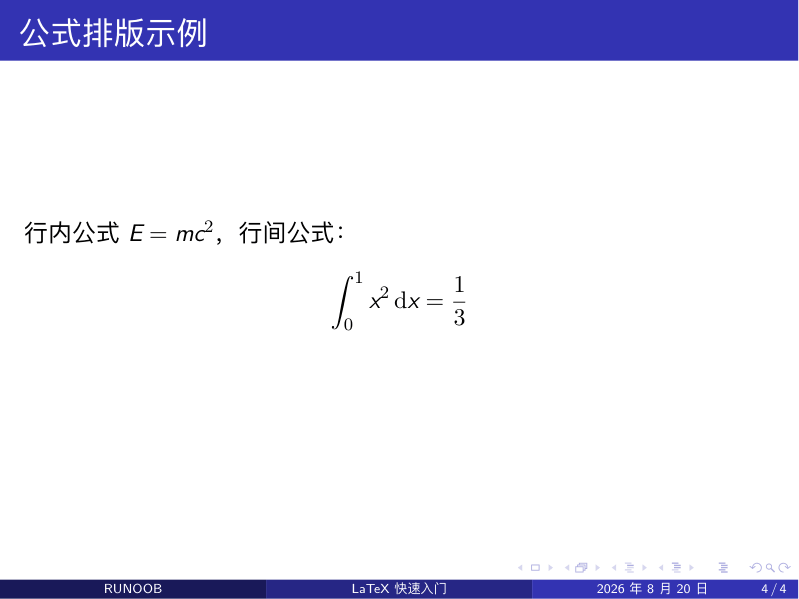
Inline formula$E = mc^2$, display formula:
\[
\int_0^1 x^2 \,\mathrm{d}x = \frac{1}{3}
\]
\end{frame}
\end{document}
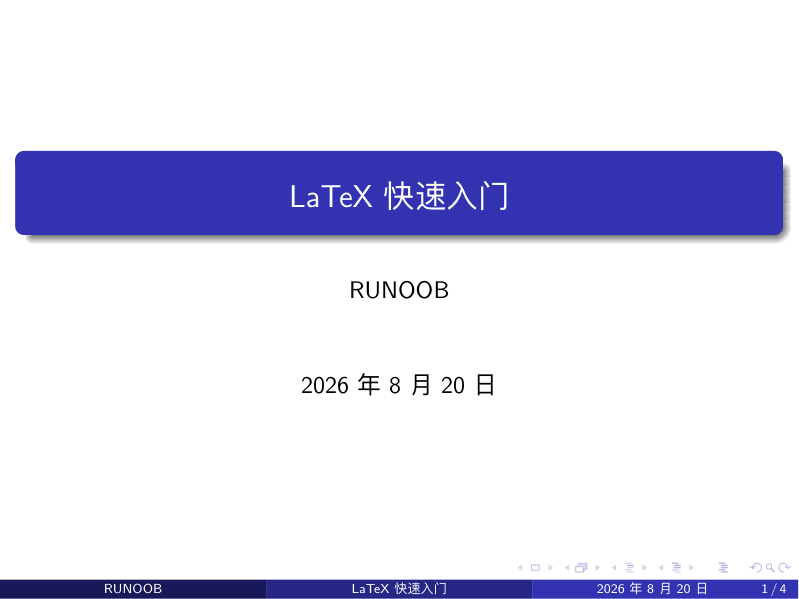
After compilation, you get a 16:9 PDF; just present it in full screen. A few key effects:
Cover page (the Madrid theme includes a bottom navigation bar):
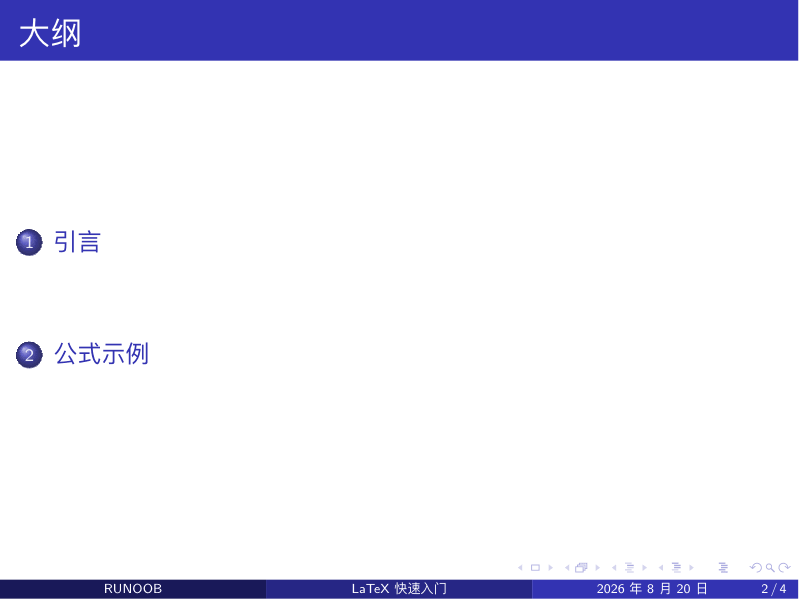
Outline page (\tableofcontents automatically collects all \section entries; click to jump):
Formula page (the title bar shows the current subsection name, and the formulas are typeset exactly as in a paper):
| Key Points | Syntax | Description |
|---|---|---|
| One slide | \begin{frame}{Title}...\end{frame} | The title in braces can be omitted |
| Change theme | \usetheme{Madrid} | One line in the preamble changes the entire look |
| Stepwise reveal | \pause | Items appear one by one during presentation; most commonly used in lectures |
| Chinese slides | ctexbeamer document class | No configuration needed; write Chinese directly |
| Pages for code snippets | \begin{frame}[fragile] | Must add [fragile] if containing verbatim/listings |
The theme is Beamer's outfit switcher: Madrid is solemn, Boadilla is compact, Berlin has column navigation—change one word to switch. For academic talks, choosing Madrid or default is safe.
Beamer's strength is academic reports with "formulas + itemized lists + figures/tables"; if your presentation is mainly graphics, animations, or multimedia, PowerPoint or Keynote is more suitable—don't force it.
Resume: The moderncv Template
A resume is the best example of "separation of content and style": the template handles the looks; you only fill in the content.
Example: A Chinese Resume with moderncv
\moderncvstyle{classic} % Layout style: classic / casual / banking
\moderncvcolor{blue} % Main color
\usepackage[UTF8]{ctex} % Chinese support
\name{San}{Zhang} % Given name and family name
\title{Algorithm Engineer}
\address{Haidian District, Beijing}{100000}
\phone{138-0000-0000}
\email{[email protected]}
\begin{document}
\makecvtitle % Generate resume header (name, job title, contact information)
\section{Education}
\cventry{2018--2022}{Computer Science and Technology}{Some University}{Beijing}{}{Bachelor's degree, GPA 3.8/4.0}
\section{Work Experience}
\cventry{2022--Present}{Algorithm Engineer}{A Technology Company}{Beijing}{}{Responsible for R&D of the ranking module in a recommendation system}
\section{Skills}
\cvitem{Programming Languages}{Python、C++、SQL}
\cvitem{Professional Skills}{Machine Learning, Deep Learning, Big Data Processing}
\end{document}
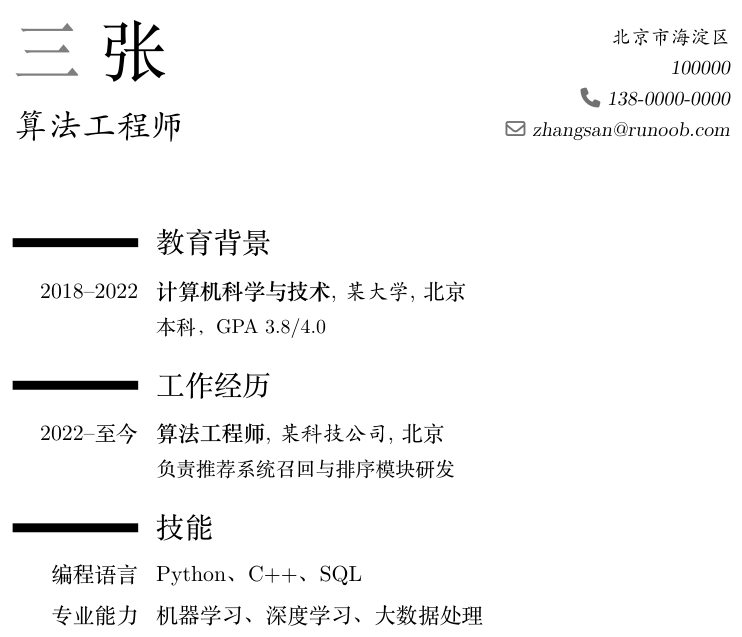
Just remember three commands: \cventry for experience entries of "time + position + organization", \cvitem for skill lines of "label + content", and \section for blue group headings.
| Customizable Items | Command | Options |
|---|---|---|
| Layout Style | \moderncvstyle{...} | classic、casual、banking、oldstyle |
| Main Color | \moderncvcolor{...} | blue, green, red, grey, etc. |
| Photo | \photo[64pt][0.4pt]{photo} | Square brackets for size and border |
Besides moderncv, for Chinese or English resumes you can also look at open-source templates such as Awesome-CV and Deedy-Resume (searchable on GitHub); they are mature solutions where you just fill in content.
Learning Resources
After getting started, the resources below will accompany you a long way.
| Resource | Type | Description |
|---|---|---|
| "A Not So Short Introduction to LaTeX" (lshort Chinese version) | Free e-book | The most classic introductory manual; read through in a few hours, use as a quick reference |
| Overleaf Documentation | Online documentation | Hundreds of tutorials covering various specific problems |
| TeX StackExchange | Q&A community | Search here when you get errors; nine out of ten problems have already been asked |
| CTAN | Package repository | Official documentation for all packages (texdoc package-name can view locally) |
| "Introduction to LaTeX" (Liu Haiyang) | Print book | The most systematic advanced textbook in Chinese |
| texdoc command | Local tool | Type texdoc geometry in the terminal to directly open the package manual |
Advanced Directions
This tutorial series covers "using LaTeX to write documents"; there are still three levels to explore underneath.
| Direction | What to learn | What you can do |
|---|---|---|
| TikZ drawing | Draw flowcharts, function graphs, and geometric figures with code | Figures and vector graphics for papers, precise down to coordinates |
| Font customization | fontspec package (XeLaTeX-specific) | Freely use system fonts; specify Chinese and English fonts separately |
| Template and package development | Writing document classes (.cls), LaTeX3 syntax | Create unified templates for teams or schools |