ASP.NET MVC - Security
To learn ASP.NET MVC, we will build an Internet application.
Part 8: Adding Security.
MVC Application Security
Models folderContains classes that represent the application models.
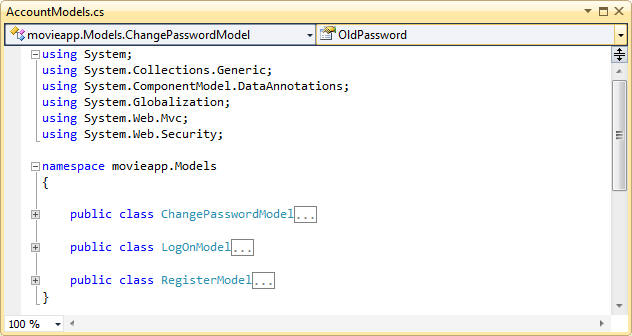
Visual Web Developer automatically createsAccountModels.csa file that contains the models for application authentication.
AccountModelsContainsLogOnModel、ChangePasswordModelandRegisterModel:
Change Password Model
public class ChangePasswordModel
{
[Required]
[DataType(DataType.Password)]
[Display(Name = "Current password")]
public string OldPassword { get; set; }
[Required]
[StringLength(100, ErrorMessage = "The {0} must be at least {2} characters long.", MinimumLength = 6)]
[DataType(DataType.Password)]
[Display(Name = "New password")]
public string NewPassword { get; set; }
[DataType(DataType.Password)]
[Display(Name = "Confirm new password")]
[Compare("NewPassword", ErrorMessage = "The new password and confirmation password do not match.")]
public string ConfirmPassword { get; set; }
}
{
[Required]
[DataType(DataType.Password)]
[Display(Name = "Current password")]
public string OldPassword { get; set; }
[Required]
[StringLength(100, ErrorMessage = "The {0} must be at least {2} characters long.", MinimumLength = 6)]
[DataType(DataType.Password)]
[Display(Name = "New password")]
public string NewPassword { get; set; }
[DataType(DataType.Password)]
[Display(Name = "Confirm new password")]
[Compare("NewPassword", ErrorMessage = "The new password and confirmation password do not match.")]
public string ConfirmPassword { get; set; }
}
Logon Model
public class LogOnModel
{
[Required]
[Display(Name = "User name")]
public string UserName { get; set; }
[Required]
[DataType(DataType.Password)]
[Display(Name = "Password")]
public string Password { get; set; }
[Display(Name = "Remember me?")]
public bool RememberMe { get; set; }
}
{
[Required]
[Display(Name = "User name")]
public string UserName { get; set; }
[Required]
[DataType(DataType.Password)]
[Display(Name = "Password")]
public string Password { get; set; }
[Display(Name = "Remember me?")]
public bool RememberMe { get; set; }
}
Register Model
public class RegisterModel
{
[Required]
[Display(Name = "User name")]
public string UserName { get; set; }
[Required]
[DataType(DataType.EmailAddress)]
[Display(Name = "Email address")]
public string Email { get; set; }
[Required]
[StringLength(100, ErrorMessage = "The {0} must be at least {2} characters long.", MinimumLength = 6)]
[DataType(DataType.Password)]
[Display(Name = "Password")]
public string Password { get; set; }
[DataType(DataType.Password)]
[Display(Name = "Confirm password")]
[Compare("Password", ErrorMessage = "The password and confirmation password do not match.")]
public string ConfirmPassword { get; set; }
}
{
[Required]
[Display(Name = "User name")]
public string UserName { get; set; }
[Required]
[DataType(DataType.EmailAddress)]
[Display(Name = "Email address")]
public string Email { get; set; }
[Required]
[StringLength(100, ErrorMessage = "The {0} must be at least {2} characters long.", MinimumLength = 6)]
[DataType(DataType.Password)]
[Display(Name = "Password")]
public string Password { get; set; }
[DataType(DataType.Password)]
[Display(Name = "Confirm password")]
[Compare("Password", ErrorMessage = "The password and confirmation password do not match.")]
public string ConfirmPassword { get; set; }
}
Other Extensions