HTMLGuide
HTML - Hyper Text Markup Language
HTML is the main language for building websites/creating web pages.
HTML is an easy-to-learn markup language.
HTML uses markup tags like <p> in angle brackets to define the content of a web page:
HTML Examples
<html>
<head>
<meta charset="utf-8">
<title>Example (example.com)</title>
</head>
<body>
<h1>My First Heading</h1>
<p>My first paragraph.</p>
</body>
</html>
Try it yourself »
Click the "Try it yourself" button to view the example.
HTML uses start tags and end tags to mark a web page element. In the above example:
<h1>The tag marks the start of a heading,</h1>marks the end of that heading.
-
<p>The tag marks the start of a paragraph,</p>marks the end of that paragraph.
By using simple HTML tags, web designers can add headings, paragraphs, text, tables, images, lists, programming code, etc. to a web page (HTML document).
Web browsers (Edge, Firefox, Chrome, etc.) read HTML documents, interpret HTML tags, and display correct user-readable content (without displaying HTML tags):
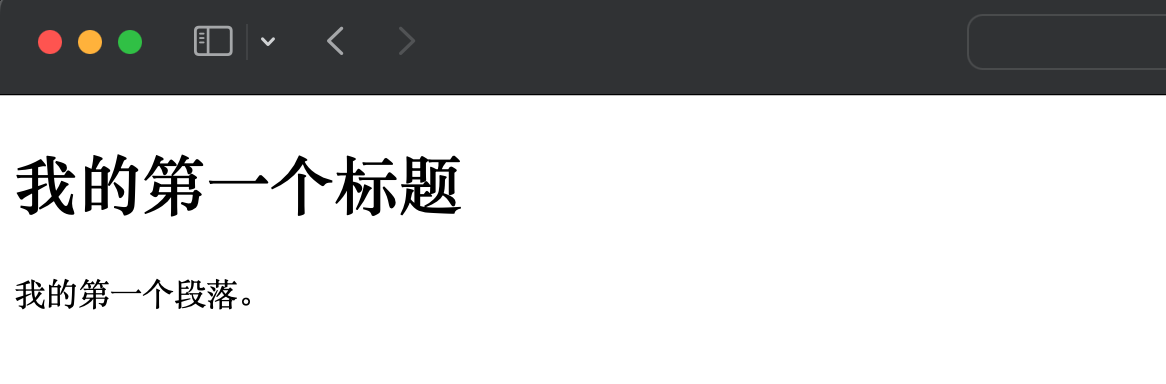
According to HTML standards, HTML can be used to define the content of web pages.
To define visual styles (colors, sizes, appearance, layout, etc.), you should use CSS (Cascading Style Sheets) (see next chapter).
How to learn HTML?
Example provides a complete HTML tutorial, where you can learn everything about HTML.
HTML is easy to learn - you will love it.
Learn ourComplete HTML Tutorial
Learn ourComplete HTML Reference Manual
Other Extensions