Perl POD Documentation
In Perl, POD (Plain Old Documentation) documents can be embedded in modules or scripts.
POD is a simple and easy-to-use markup language.
POD document usage rules:
POD documents start with=head1start,=cutend,=head1before and=cutadd a blank line after.
Perl ignores the documentation in POD. Example follows:
Example
Executing the above program produces the following output:
Hello, World
Hello, Example
We can also use "__END__" or "__DATA__" to "comment out" all content after the line where they appear:
Example
Executing the above program produces the following output:
Hello, World

=head1 Hello, World 实例
这是一个 Perl 的简单实例。
print "Hello, Example\n";
The following example does not read POD documentation:
Example
Executing the above program produces the following output:
Hello, World
What is POD?
Pod (Plain Old Documentation) is a simple and easy-to-use markup language, often used for writing documentation in Perl programs and modules.
Pod converters can convert Pod into many formats, such as text, html, man, and many more.
The Pod markup language contains three basic types: ordinary, verbatim, and command.
Ordinary paragraph: You can use formatting codes in ordinary paragraphs, such as bold, italic, or code style, underline, etc.
Verbatim paragraph: Verbatim paragraphs are used for code blocks or other parts that do not need converter processing, and do not require paragraph reflow.
Command paragraph: Command paragraphs affect the entire document, usually used for heading settings or list markers.
All command paragraphs (they are only one line long) start with "=" followed by an identifier. The following text will be affected by this command. The widely used commands now include
=pod (开始文档)
=head1 标题文本
=head2 标题文本
=head3 标题文本
=head4 标题文本
=over 缩进空格数量
=item 前缀
=back (结束列表)
=begin 文档格式
=end 结束文档格式
=for 格式文本
=encoding 编码类型
=cut (文档结束)
In Perl, you can use pod2html **.pod >**.html to generate POD documents in HTML format.
Consider the following POD example:
Example
pod2html will copy this code verbatim.
Use the pod2html command to execute and convert it to HTML code:
$ pod2html test.pod > test.html
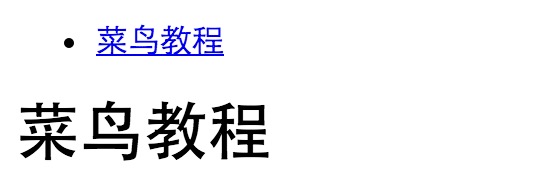
Open test.html in a browser, the link section is the index, displayed as follows:
The following example writes HTML directly in a POD document:
=begin html
=encoding utf-8

<h1>Example</h1>
<p> www.example.com </p>

=end html
pod2html will copy this code verbatim.
Use the pod2html command to execute and convert it to HTML code:
$ pod2html test.pod > test.html
Open test.html in a browser, the link section is the index, displayed as follows: