In this chapter, we will learn how to use JS/CSS to implement a tablesearchorfilterfunction.
First take a look at the effect below:
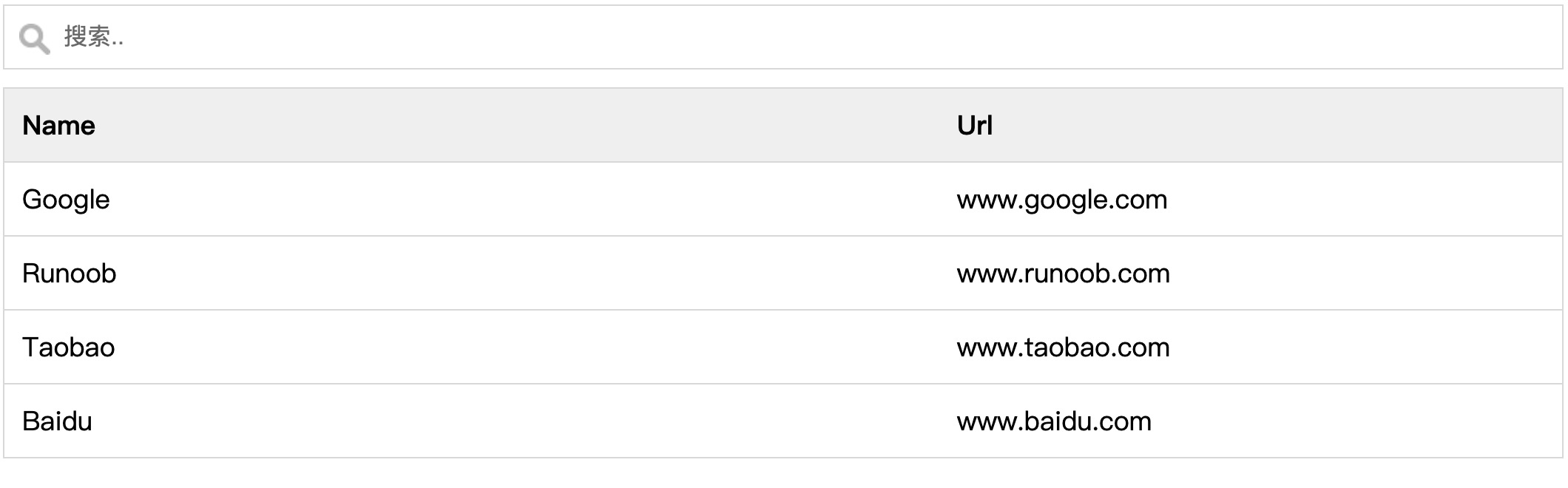
View online examples:https://www.jyshare.com/codedemo/6228/
Basic HTML Code
Example
<input type="text" id="myInput" onkeyup="myFunction()" placeholder="Search..">
<table id="myTable">
<tr class="header">
<th style="width:60%;">Name</th>
<th style="width:40%;">Url</th>
</tr>
<tr>
<td>Google</td>
<td>www.google.com</td>
</tr>
<tr>
<td>Example</td>
<td>www.example.com</td>
</tr>
<tr>
<td>Taobao</td>
<td>www.taobao.com</td>
</tr>
<tr>
<td>Baidu</td>
<td>www.baidu.com</td>
</tr>
</table>
The following are the styles for the search box and suggestion menu:
Example
#myInput {
background-image: url('/css/searchicon.png'); /*Add search button*/
background-position: 10px 12px; /*Position the search button*/
background-repeat: no-repeat; /*Image no-repeat*/
width: 100%; /*Full screen display*/
font-size: 16px; /*Font size*/
padding: 12px 20px 12px 40px; /*Set padding*/
border: 1px solid #ddd; /*Add gray border*/
margin-bottom: 12px; /*Add top margin*/
}
#myTable {
border-collapse: collapse; /*Collapse borders*/
width: 100%; /*Full screen display*/
border: 1px solid #ddd; /*Set gray border*/
font-size: 18px; /*Font size*/
}
#myTable th, #myTable td {
text-align: left; /*Text left-aligned*/
padding: 12px; /*Set padding*/
}
#myTable tr {
/*Set bottom border for each row*/
border-bottom: 1px solid #ddd;
}
#myTable tr.header, #myTable tr:hover {
/*Set background for table header*/
background-color: #f1f1f1;
}
The following is the JavaScript code for the search box and suggestion menu:
Example
function myFunction() {
//Declare variables
var input, filter, table, tr, td, i, txtValue;
input = document.getElementById("myInput");
filter = input.value.toUpperCase();
table = document.getElementById("myTable");
tr = table.getElementsByTagName("tr");
//Loop through all list items and hide those that do not match the search query
for (i = 0; i < tr.length; i++) {
td = tr[i].getElementsByTagName("td")[0];
if (td) {
txtValue = td.textContent || td.innerText;
if (txtValue.toUpperCase().indexOf(filter) > -1) {
tr[i].style.display = "";
} else {
tr[i].style.display = "none";
}
}
}
}
Try it »
Tip:If you want a case-sensitive search, you can removetoUpperCase()method.
Tip:If you want to search the second column, you cantr[i].getElementsByTagName('td')[0]in the[0]change to[1]。