CMake Tutorial

CMake is an open-source cross-platform automated build system used to manage software build processes. It does not depend on a specific compiler and supports multi-level directories, multiple applications, and multiple libraries.
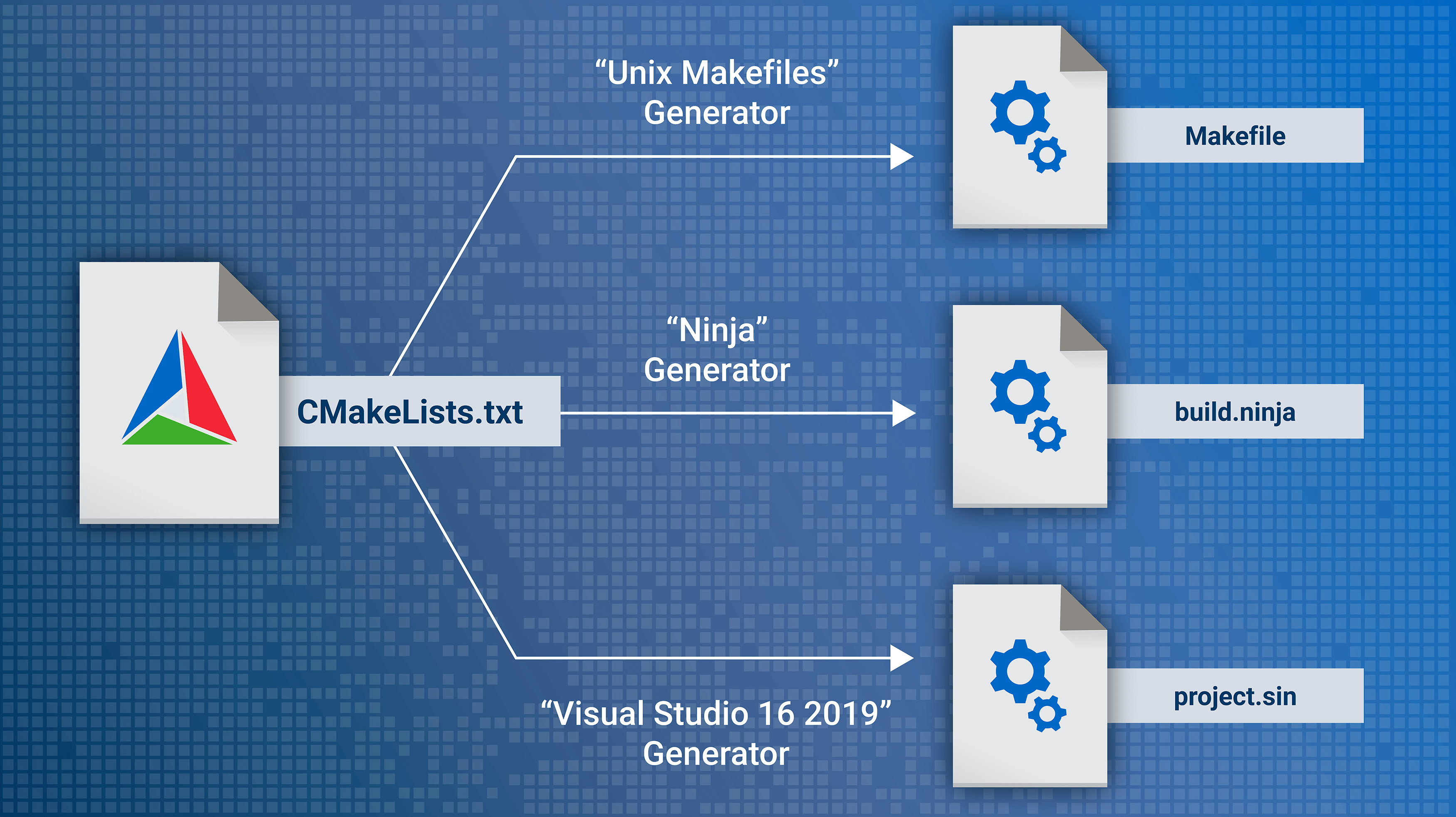
CMake simplifies the compilation and build process of projects by using the simple configuration file CMakeLists.txt to automatically generate build files for different platforms (such as Makefile, Ninja build files, Visual Studio project files, etc.).
CMake itself is not a build tool, but a tool that generates build systems. The build system it generates can use different compilers and toolchains.
The Role and Advantages of CMake
- Cross-platform support:CMake supports multiple operating systems and compilers, allowing the same build configuration to be used in different environments.
- Simplified configuration:Through the CMakeLists.txt file, users can define project structure, dependencies, compilation options, etc., without having to manually write complex build scripts.
- Automated build:CMake can automatically detect libraries and tools on the system, reducing the workload of manual configuration.
- Flexibility:Supports multiple build types and configurations (such as Debug, Release), and allows users to customize build options and modules.
Build Configuration
- CMakeLists.txt file:CMake's configuration file, used to define project build rules, dependencies, compilation options, etc. Each CMake project typically contains one or more CMakeLists.txt files.
- Build directory:To keep the source code clean, CMake encourages the use of a separate build directory (out-of-source build). This way, files generated by the build are stored separately from the source code.
Basic Workflow
- Write the CMakeLists.txt file:Define the project's build rules and dependencies.
- Generate build files:Use CMake to generate build system files suitable for the current platform (e.g., Makefile, Visual Studio project files).
- Execute the build:Use the generated build system files (such as
make、ninja、msbuild) to compile the project.
Related Links
- CMake Official Websitehttps://cmake.org/
- CMake Official Documentation:https://cmake.org/cmake/help/latest/guide/tutorial/index.html
- CMake Source Code:https://github.com/Kitware/CMake
- CMake Source Code:https://gitlab.kitware.com/cmake/cmakeku