HTTP/HTTPS Introduction
HTTP (Hypertext Transfer Protocol)is a transfer protocol used to transmit hypertext from the network to a local browser. It defines the format of requests and responses between client and server. HTTP works on top of the TCP/IP model and typically uses port80。
HTTPS (Hypertext Transfer Protocol Secure)is a secure version of HTTP. It adds the SSL/TLS protocol on top of HTTP, providing data encryption, integrity verification, and authentication. HTTPS typically uses port443。
HTTP
The HTTP protocol is the abbreviation of Hyper Text Transfer Protocol, a transfer protocol used to transmit hypertext from World Wide Web (WWW) servers to local browsers.
HTTP is a protocol based on the TCP/IP communication protocol for transmitting data (HTML files, image files, query results, etc.).
HTTPS
The HTTPS protocol is the abbreviation of HyperText Transfer Protocol Secure, a transfer protocol for secure communication over a computer network.
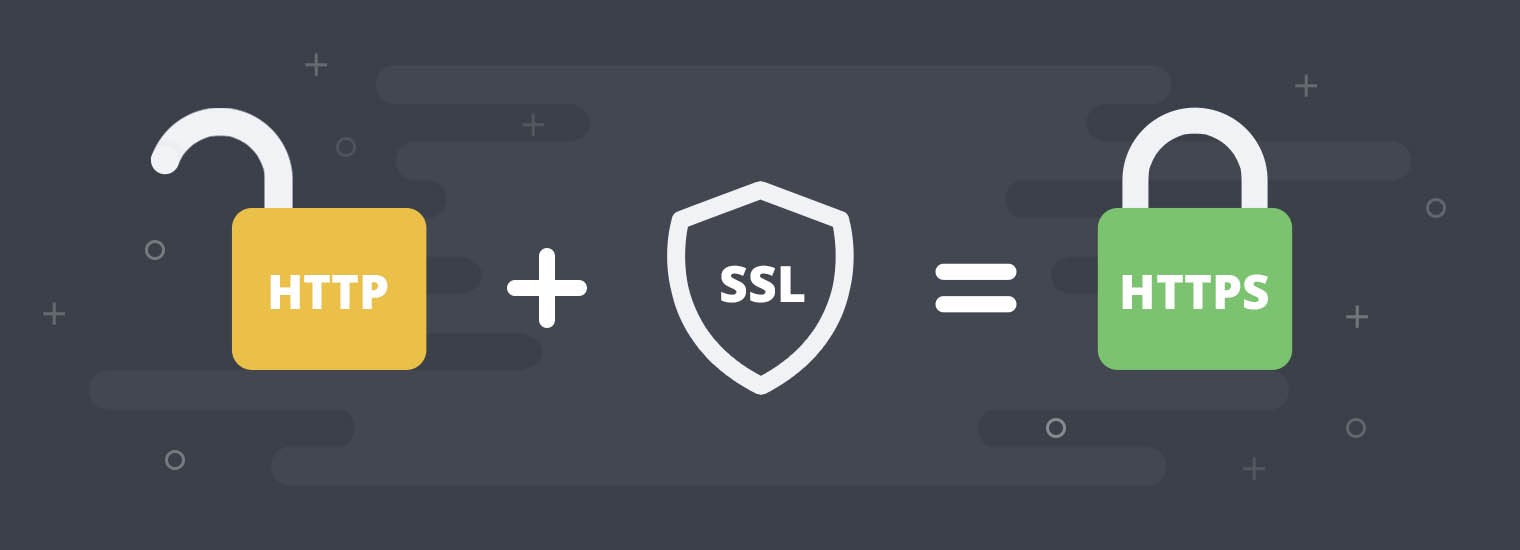
HTTP itself is insecure because transmitted data is not encrypted and may be eavesdropped on or tampered with. To solve this problem, HTTPS was introduced, which adds the SSL/TLS protocol on top of HTTP, providing encryption and authentication for data transmission.
HTTPS communicates via HTTP but uses SSL/TLS to encrypt data packets. The main purpose of HTTPS development is to provide identity authentication for web servers and protect the privacy and integrity of exchanged data.
HTTP URLs start withhttp://and use default port80, while HTTPS URLs start withhttps://and use default port443。
How HTTP Works
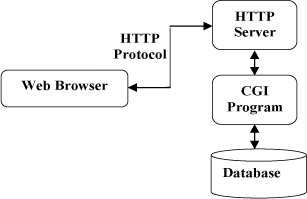
The HTTP protocol works on a client-server architecture.
The HTTP working process is usually as follows:- Client sends a request: The user enters a URL via a client (such as a browser), and the client sends an HTTP request to the server.
- Server processes the request: After receiving the request, the server processes it accordingly based on the request type (such as GET, POST, etc.) and the requested resource.
- Server returns a response: The server wraps the processing result into an HTTP response message and sends it back to the client.
- Client renders the page: After receiving the response, the client renders the page based on the response content (such as HTML, images, etc.) and displays it to the user.
Web servers include: Nginx server, Apache server, IIS server (Internet Information Services), etc.
HTTP default port number is 80, but you can change it to 8080 or other ports.
Three notes about HTTP:
HTTP is connectionless: Connectionless means that each connection is limited to handling only one request. After the server processes the client's request and receives the client's response, it disconnects. This approach saves transmission time.
HTTP is media independent: This means that as long as the client and server know how to handle the data content, any type of data can be sent via HTTP. The client and server specify the appropriate MIME-type content type.
HTTP is stateless: The HTTP protocol is a stateless protocol. Stateless means the protocol has no memory of transaction processing. Lack of state means if subsequent processing requires previous information, it must be retransmitted, which may increase the amount of data transmitted per connection. On the other hand, responses are faster when the server does not need prior information.
The following diagram shows the HTTP protocol communication process:
HTTPS Function
The main function of HTTPS is to create a secure channel over an insecure network, and when appropriate encryption packages are used and the server certificate can be verified and trusted, it provides reasonable protection against eavesdropping and man-in-the-middle attacks.
HTTPS trust is based on certificate authorities (CA) pre-installed in the operating system.
Therefore, an HTTPS connection to a website can only be trusted under the following circumstances:
- The browser correctly implements HTTPS and the operating system has correct and trusted certificate authorities installed;
- The certificate authority only trusts legitimate websites;
- The visited website provides a valid certificate, that is, it is issued by a certificate authority trusted by the operating system (most browsers will warn about invalid certificates);
- The certificate correctly verifies the visited website (for example, when visitinghttps://www.example.coma certificate issued to www.example.com rather than other domain names is received);
- The encryption layer (SSL/TLS) of this protocol can effectively provide authentication and high-strength encryption.
Browsers such as Google Chrome, Internet Explorer, and Firefox will issue warnings when a website contains mixed content consisting of encrypted and unencrypted content.
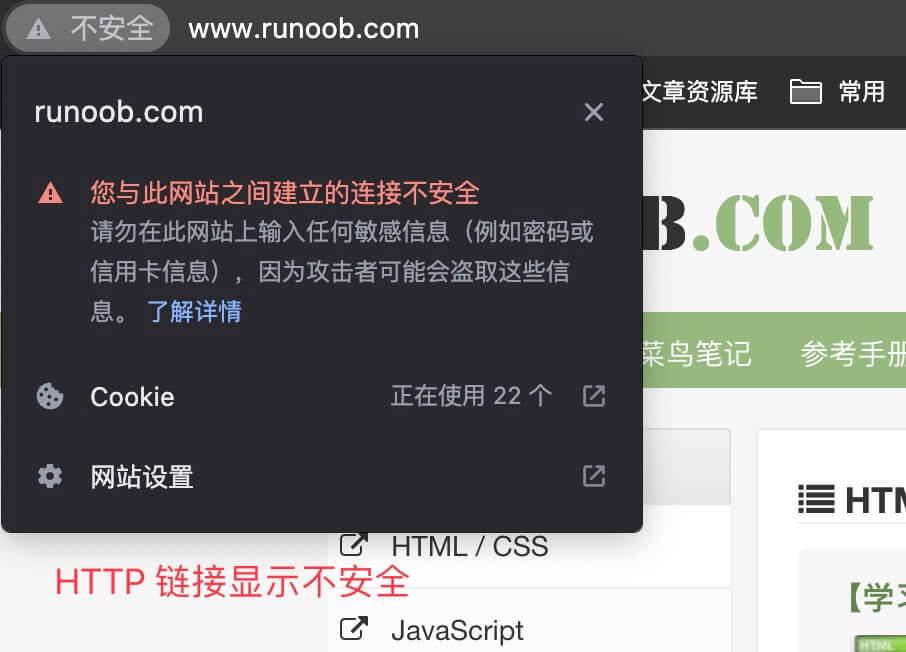
HTTP links display as not secure:
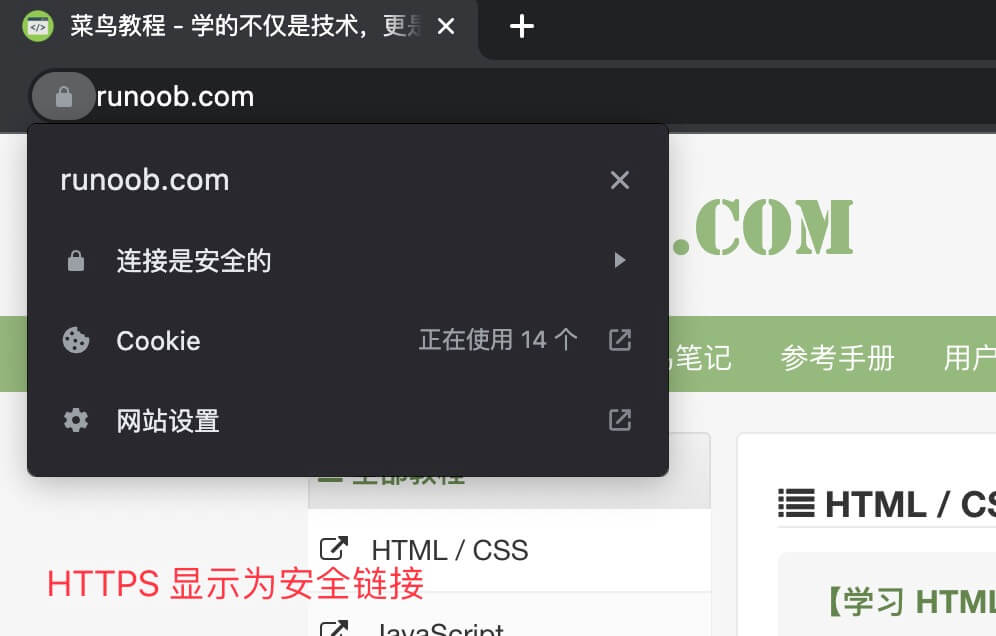
HTTPS links display as secure:
Difference Between HTTP and HTTPS
Although HTTP and HTTPS are very similar in name, they have essential differences in security: HTTPS provides encryption and integrity verification for data transmission by using the SSL/TLS protocol, thereby protecting user privacy and data security. As cybersecurity awareness increases, more and more websites are starting to use HTTPS to protect user data.
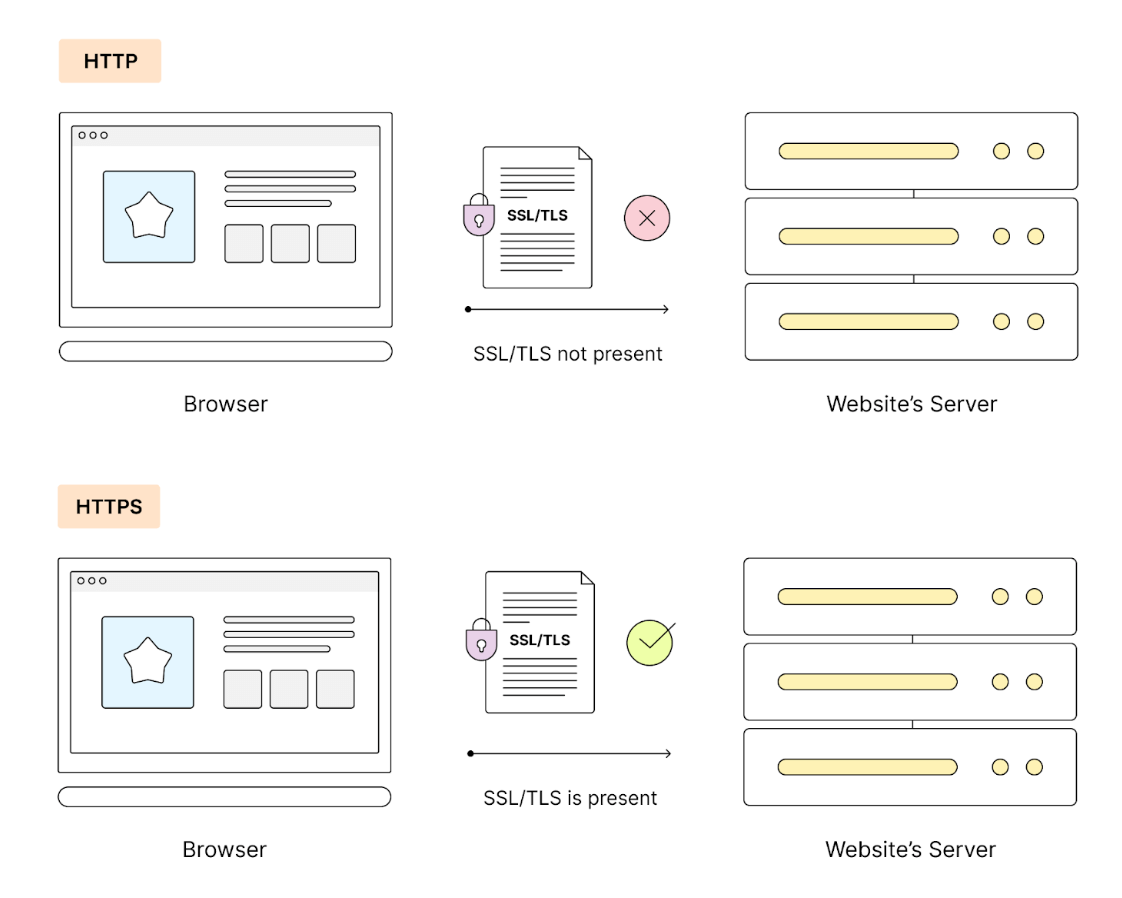
At the same time, mainstream browsers and search engines are also encouraging websites to use HTTPS.
Therefore, for websites involving the transmission of sensitive information, it is recommended to use HTTPS to improve security.
The main differences are as follows:
-
Encryption:
- HTTP: Data is not encrypted during transmission and can be easily intercepted and tampered with.
- HTTPS: Uses the SSL/TLS protocol to encrypt transmitted data, protecting security during data transmission.
-
Port:
- HTTP: Uses port 80 by default.
- HTTPS: Uses port 443 by default.
-
Security:
- HTTP: Does not provide data encryption, low security.
- HTTPS: Provides data encryption and integrity verification, high security.
-
Certificate:
- HTTP: No certificate required.
- HTTPS: Requires an SSL certificate to enable encryption and verify the server's identity.
-
Performance:
- HTTP: Since data is not encrypted, performance is slightly higher than HTTPS.
- HTTPS: Since encryption and decryption are required, there may be some performance overhead.
-
Search Engine Optimization (SEO):
- HTTP: Search engines may lower the ranking of websites that do not use HTTPS.
- HTTPS: Search engines tend to prioritize indexing and displaying websites that use HTTPS.
-
Browser display:
- HTTP: In most modern browsers, HTTP websites are usually displayed as "Not Secure".
- HTTPS: The browser displays a padlock icon, indicating the website is secure.
-
Cost:
- HTTP: Usually free.
- HTTPS: Requires purchasing an SSL certificate, which may involve some cost.
-
Application scenarios:
- HTTP: Suitable for websites that do not need to transmit sensitive information, such as news websites, blogs, etc.
- HTTPS: Suitable for websites that need to transmit sensitive information, such as online banking, online shopping, email, etc.