When managing servers, we often need to write monitoring scripts and then notify via email when problems occur. Next, we will introduce the simplest way to send emails on Linux:
mail command on CentOS/RedHat systems
1. Turn off the local sendmail service or postfix service.
#执行下面的命令,各位大侠都对号入座吧
#sendmial
service sendmail stop
chkconfig sendmail off
#postfix
service postfix stop
chkconfig postfix off

#再狠一点就直接卸载吧..
yum remove sendmail
yum remove postfix
2. Then modify /etc/mail.rc and add the following content at the end of the file to specify the external SMTP server address, account password, etc.
$ vi /etc/mail.rc
set [email protected]
set smtp=smtp.qq.com
set smtp-auth-user=123456
set smtp-auth-password=example
set smtp-auth=login
The QQ mailbox SMTP is used here, and the following configuration is required:
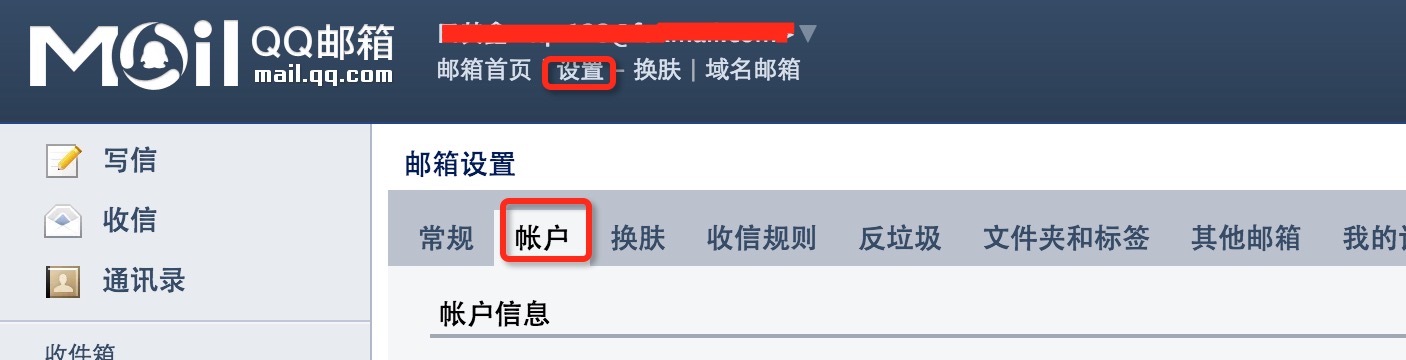
For QQ mailbox, set the password by generating an authorization code:
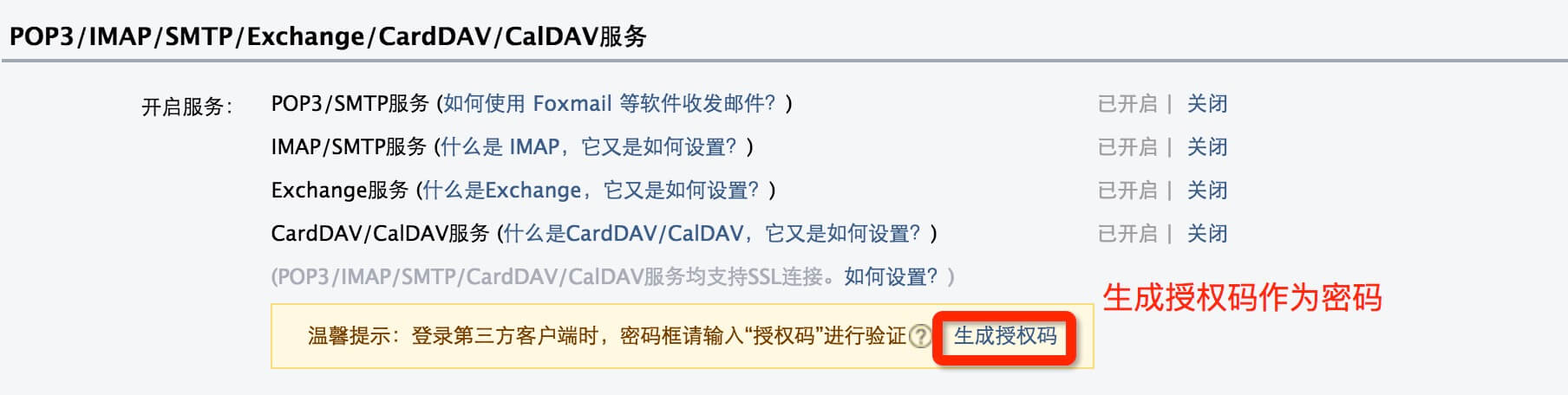
3. Then send the email using a command.
echo hello word | mail -s " title" [email protected]
heirloom-mailx command on Ubuntu systems
1. Install heirloom-mailx
sudo apt-get install heirloom-mailx
2. Configure
vi /etc/nail.rcAdd the SMTP server provided by QQ mailbox that requires authentication:
set [email protected]
set smtp=smtp.qq.com
set [email protected]
set smtp-auth-password=example
set smtp-auth=login
3. Send email to QQ mailbox users from the command line
echo "邮件内容" | heirloom-mailx -s "邮件标题" [email protected]