SVG Basic Syntax
An SVG document consists of one or more SVG elements that define the content and properties of the graphics.
<svg
  width="200"     <!-- 指定SVG画布的宽度 -->
  height="200"    <!-- 指定SVG画布的高度 -->
  xmlns="http://www.w3.org/2000/svg">   <!-- 指定SVG命名空间 -->
  <!-- SVG图形内容 -->
</svg>
widthandheightThe attributes define the width and height of the SVG canvas.xmlnsThe attribute specifies the XML namespace of the SVG document.
Basic syntax of SVG:
An SVG document starts with
<svg>the tag and ends with</svg>the tag.SVG elements use tags to describe different graphics, for example
<circle>represents a circle,<rect>represents a rectangle, etc.SVG elements can contain attributes to specify various characteristics of the graphics, such as position, size, color, etc.
Drawing Basic Shapes:
SVG provides a series of graphic elements to draw various shapes, such as rectangles, circles, lines, polygons, etc.
<rect>: Draw a rectangle<circle>: Draw a circle<ellipse>: Draw an ellipse<line>: Draw a line<polyline>: Draw a polyline<polygon>: Draw a polygon<path>: Draw a path
Rectangles:Use the <rect> element to draw a rectangle; you can specify attributes such as position, size, and rounded corners.
<rect x="50" y="50" width="100" height="50" rx="10" ry="10" fill="blue" />
Circles:Use the <circle> element to draw a circle; you can specify the center coordinates and radius.
<circle cx="100" cy="100" r="50" fill="red" />
Ellipses:Use the <ellipse> element to draw an ellipse; you can specify the center coordinates and the radii of the major and minor axes.
<ellipse cx="100" cy="100" rx="80" ry="50" fill="green" />
Lines:Use the <line> element to draw a line; you need to specify the start and end coordinates.
<line x1="50" y1="50" x2="150" y2="150" stroke="black" stroke-width="2" />
Polygons:Use the <polygon> element to draw a polygon; you need to specify the coordinates of multiple vertices.
<polygon points="100,50 150,150 50,150" fill="orange" />
Polylines:Use the <polyline> element to draw a polyline; you need to specify the coordinates of multiple points.
<polyline points="100,50 150,150 50,150" fill="none" stroke="blue" stroke-width="2" />
Paths:Use the <path> element to draw a path; you can draw various shapes by specifying a series of path commands.
<path d="M10 10 L90 10 L90 90 Z" fill="none" stroke="black" stroke-width="2" />
Gradients and Fills:
Use
<linearGradient>or<radialGradient>to define gradients.Use
fillandstrokeattributes to specify fill and stroke styles.
Text and Fonts:
Use
<text>element to insert text.Use
font-family、font-sizeand other attributes to control text style.
Animation and Interaction:
Use CSS or JavaScript to create animation effects.
Add event handlers to implement interactive features such as mouse clicks, hover, etc.
SVG Element Attributes:
SVG elements can have various attributes to specify characteristics such as position, size, and color.
<circle
  cx="100"       <!-- 圆心的x坐标 -->
  cy="100"       <!-- 圆心的y坐标 -->
  r="50"         <!-- 圆的半径 -->
  fill="red"     <!-- 填充颜色 -->
  stroke="black" <!-- 描边颜色 -->
  stroke-width="2" <!-- 描边宽度 -->
/>
cxandcyThe attributes define the x and y coordinates of the center.rThe attribute defines the radius of the circle.fillThe attribute defines the fill color.strokeThe attribute defines the stroke color.stroke-widthThe attribute defines the stroke width.
Nesting and Grouping:
SVG elements can be nested and grouped to better organize and manage graphic elements.
<g id="group1">   <!-- 定义一个分组 -->
  <!-- 分组内的图形元素 -->
  <rect x="10" y="10" width="50" height="50" />
  <circle cx="100" cy="100" r="30" />
</g>
<g>The element is used to create a group.idThe attribute is used to assign a unique identifier to the group.
Simple SVG Example
It is recommended to use.svg(all lowercase) as the extension for such files.
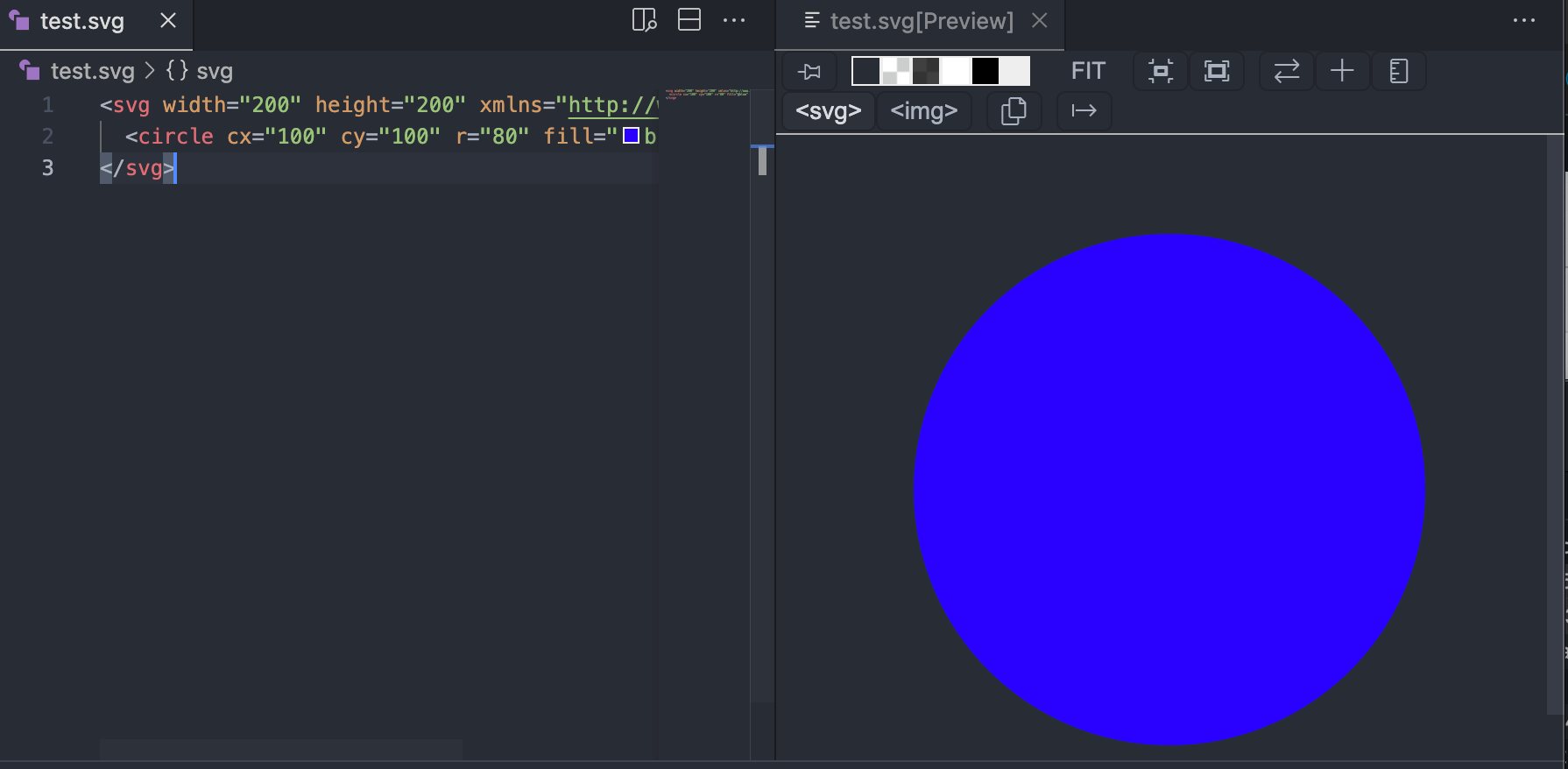
1. The following is a simple SVG file example that creates an SVG image containing a circle:
test.svg file
<circle cx="100" cy="100" r="80" fill="blue" />
</svg>
This code describes an SVG canvas with a width of 200 units and a height of 200 units. A circle is drawn on the canvas with center coordinates (100, 100), a radius of 80 units, and a blue fill color.
Preview:
2. Another simple SVG graphic example:
test.svg file
baseProfile="full"
width="300" height="200"
xmlns="http://www.w3.org/2000/svg">
<rect width="100%" height="100%" stroke="red" stroke-width="4" fill="yellow" />
<circle cx="150" cy="100" r="80" fill="green" />
<text x="150" y="115" font-size="16" text-anchor="middle" fill="white">EXAMPLE SVG TEST</text>
</svg>
Try it »
The result is shown as follows:
SVG Code Analysis:
-
<svg version="1.1" baseProfile="full" width="300" height="200" xmlns="http://www.w3.org/2000/svg">: This is the start tag of the SVG document, specifying the SVG version, basic configuration (full), and the width and height of the canvas. The xmlns attribute defines the XML namespace of the SVG document. -
<rect width="100%" height="100%" stroke="red" stroke-width="4" fill="yellow" />: This is a rectangle element, using<rect>tag to represent it. Its width and height are both set to the canvas width and height (100%). The stroke attribute specifies the rectangle's border color as red, the stroke-width attribute sets the border width to 4 units, and the fill attribute specifies the rectangle's fill color as yellow. -
<circle cx="150" cy="100" r="80" fill="green" />: This is a circle element, using<circle>tag to represent it. Its center coordinates (cx, cy) are (150, 100), radius r is 80 units, and the fill attribute specifies the circle's fill color as green. -
<text x="150" y="115" font-size="16" text-anchor="middle" fill="white">EXAMPLE SVG TEST</text>: This is a text element, using<text>tag to represent it. Its starting coordinates (x, y) are (150, 115). The font-size attribute sets the font size to 16 units, the text-anchor attribute sets the horizontal alignment of the text to center, and the fill attribute specifies the text color as white. The text content is "EXAMPLE SVG TEST". -
</svg>: This is the closing tag of the SVG document, marking the end of the SVG document.