HTML DOM clientHeight Property
 Element Object
Example
Get the height of the div element, including padding:
Try it Yourself »
Definition and Usage
The clientHeight property is a read-only property. It returns the pixel height of the element. The height includes padding, but does not include border, margin, or scrollbar. It is an integer, and the unit is pixels (px).
clientHeight can be calculated as CSS height + CSS padding - horizontal scrollbar height (if it exists).
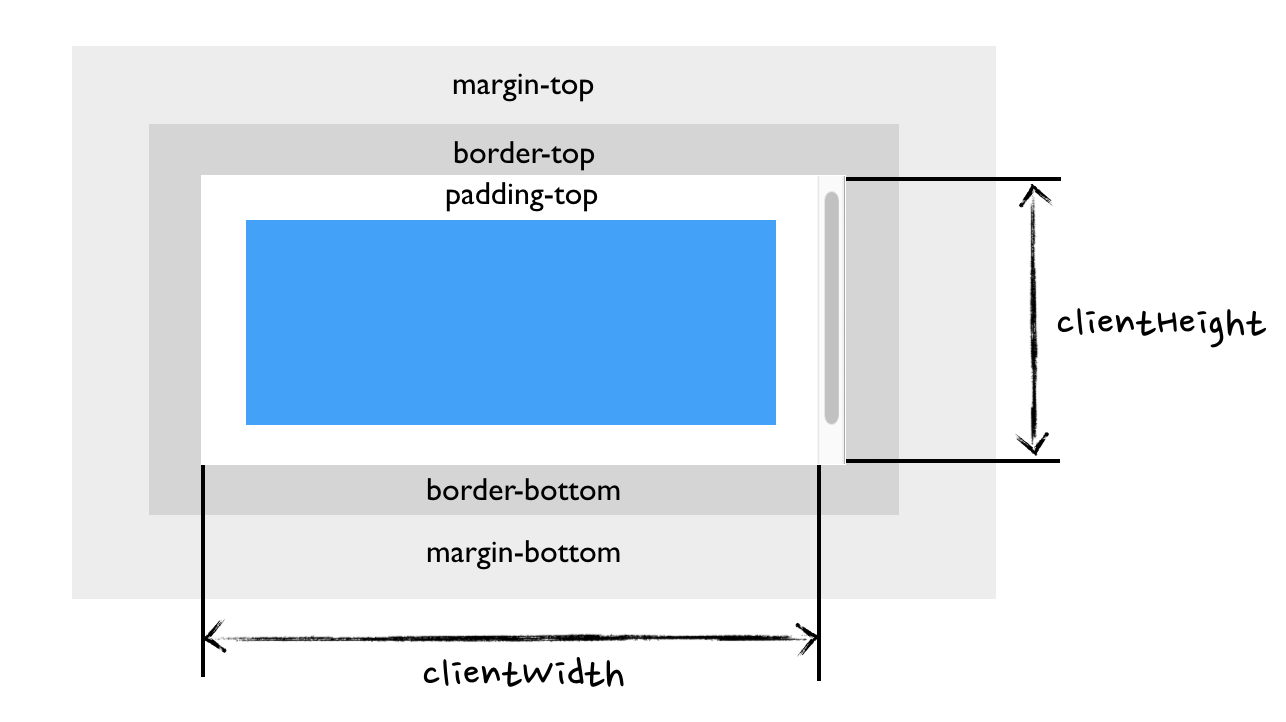
For the document's body object, it includes the total content height in place of the element's CSS height. The height of content extending downward from floating elements is ignored.
Note:To understand this property, please refer toCSS Box Model。
Tip:This property is usually used together withclientWidththe property.
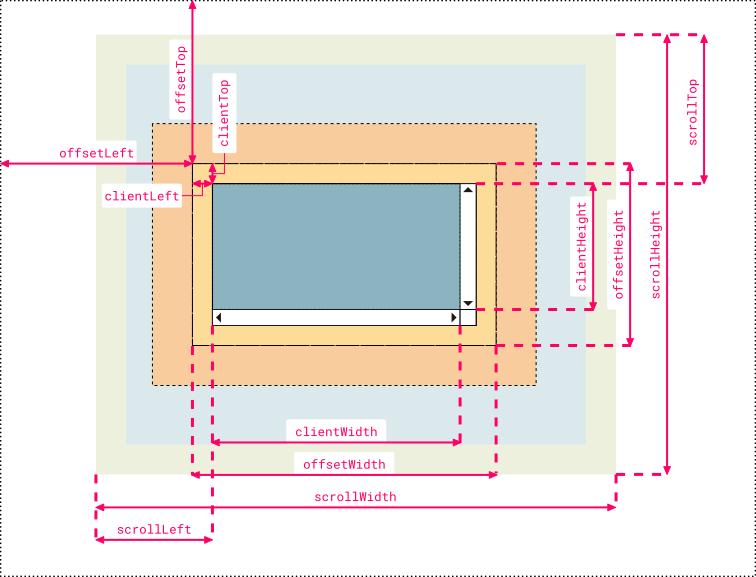
Tip:Use offsetHeightandoffsettWidthproperty to return the visible height and width of the element, including padding and border.
Tip:To add a scrollbar to the element, you can useoverflowthe property.
This is a read-only property.
Browser Support
| Property | |||||
|---|---|---|---|---|---|
| clientHeight | Yes | Yes | Yes | Yes | Yes |
Syntax
element.clientHeight
Technical Details
| Return Value: | Returns an integer representing the pixel height of the element. |
|---|
More Examples
Example
The following example demonstrates the difference between the clientHeight/clientWidth and offsetHeight/offsetWidth properties:
Try it Yourself »
Example
The following example demonstrates the difference between the clientHeight/clientWidth and offsetHeight/offsetWidth properties after adding a scrollbar to the element:
Try it Yourself »
Other Extensions