JSON Object
Object Syntax
Example
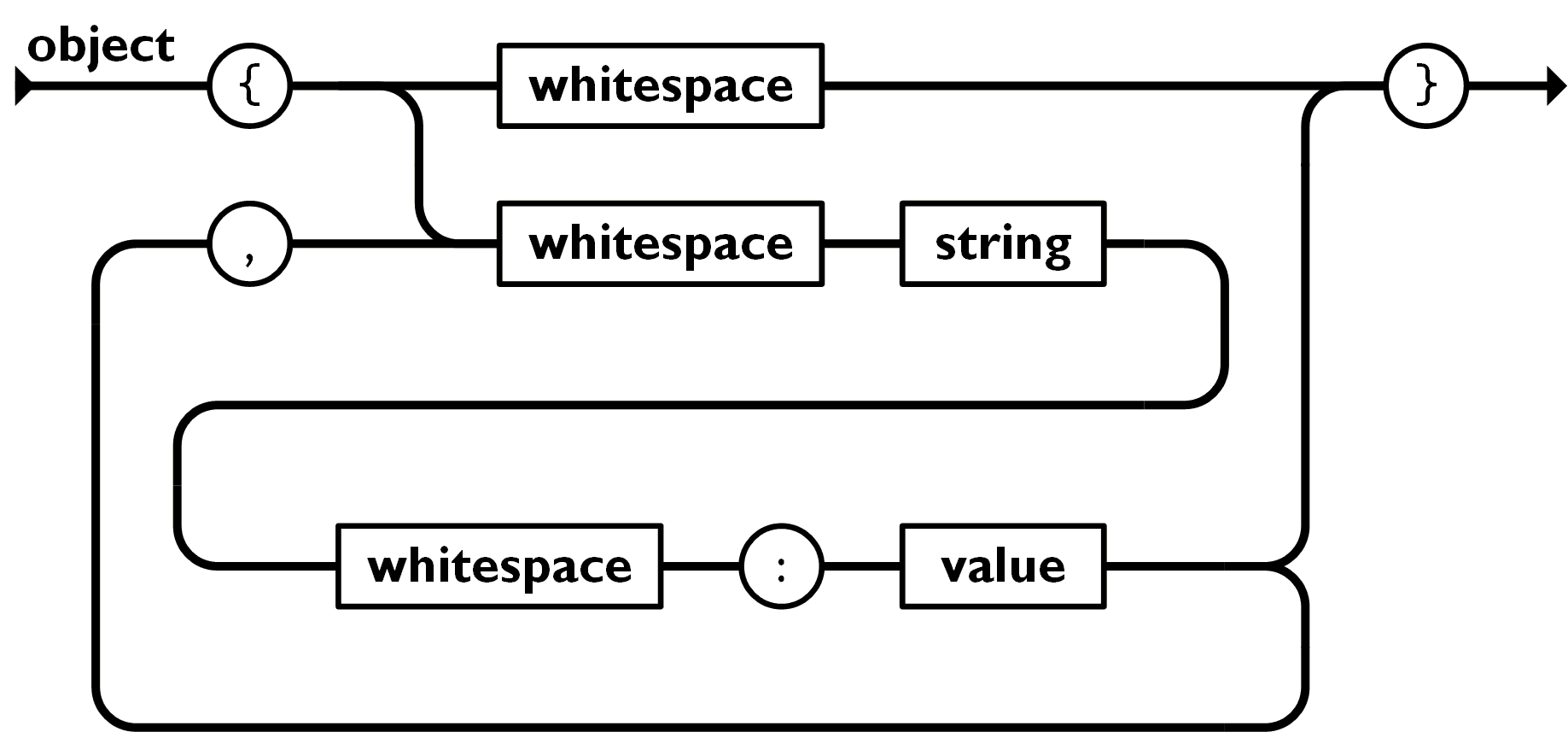
JSON objects are written in{...}curly braces.
Objects can contain multiplekey/valuepairs.
Keys must be strings, and values can be valid JSON data types (string, number, object, array, boolean, or null).
Use a colon between the key and value:to separate them.
Each key/value pair uses a comma,to separate.
Access Object Values
You can use a dot.to access the object's values:
Example
Try it Yourself »
You can also use square brackets ([]) to access the object's values:
Example
Try it Yourself »
Loop Object
You can use for-in to loop through the properties of an object:
Example
Try it Yourself »
When looping through object properties with for-in, use square brackets ([]) to access the property values:
Example
Try it Yourself »
Nested JSON Object
JSON objects can contain another JSON object:
Example
You can use dot notation.or square brackets[...]to access nested JSON objects.
Modify Values
You can use a dot.to modify the value of a JSON object:
You can use square brackets[...]to modify the value of a JSON object:
Delete Object Properties
We can use thedeletekeyword to delete JSON object properties:
You can use square brackets[...]to delete JSON object properties:
Other Extensions