JSON Arrays
Arrays as JSON Objects
Example
JSON arrays are written inside square brackets.
Square brackets[]The stored array is an ordered collection of values. An array begins with a left square bracket[starts, a right square bracket]ends, values are separated by commas,separated.
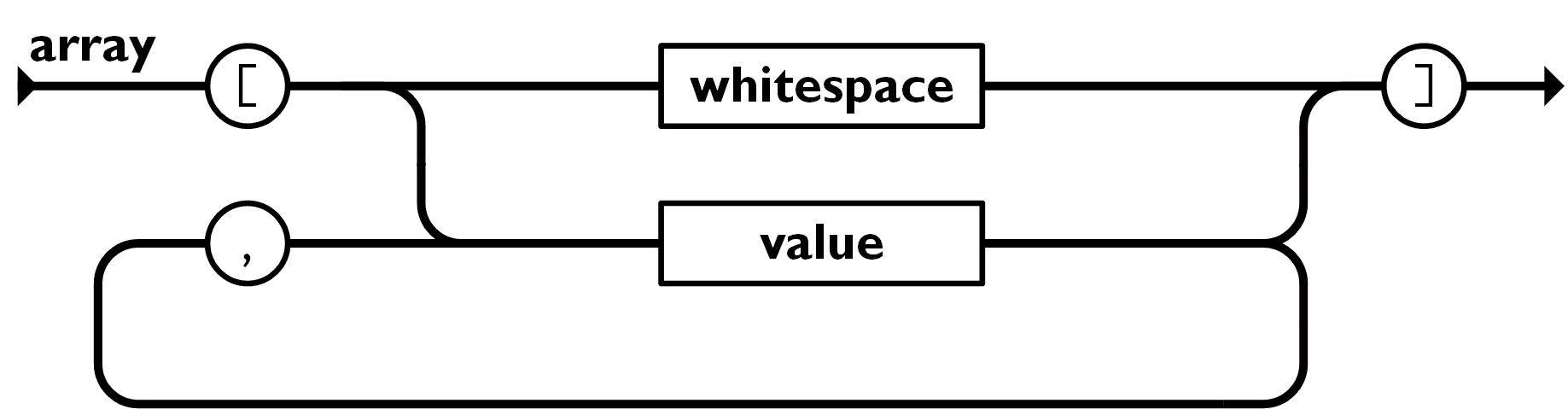
Array values in JSON must be valid JSON data types (string, number, object, array, boolean, or null).
In JavaScript, array values can be the above JSON data types, or JavaScript expressions, including functions, dates, andundefined。
Arrays in JSON Objects
The value of an object property can be an array:
Example
We can access arrays using index values:
Looping Through Arrays
You can use for-in to access arrays:
You can also use a for loop:
Example
Try it Yourself »
Arrays in Nested JSON Objects
Arrays in JSON objects can contain another array, or another JSON object:
Example
We can use for-in to loop through each array:
Example
Try it Yourself »
Modify Array Values
You can use index values to modify array values:
Delete Array Elements
We can use thedeletekeyword to delete array elements:
Other Extensions