Zig Environment Installation
When configuring the development environment for the Zig programming language, you need to install the Zig compiler and set up related development tools.
The following are the steps to configure Zig on different operating systems:
Install using a package manager
Windows
Zig is available on Chocolatey:
choco install zig
Windows (winget)
winget install zig.zig
Windows (scoop):
scoop install zig
MacOS
Homebrew installation:
brew install zig
Linux
Ubuntu (snap)
Stable version installation:
snap install zig --classic --beta
Fedora:
dnf install zig
FreeBSD:
pkg install lang/zig
After configuration is complete, you can start using the Zig programming language for development.
Source code installation
We can also download the source code to compile and install.
Zig source package download address:https://ziglang.org/zh/download/。
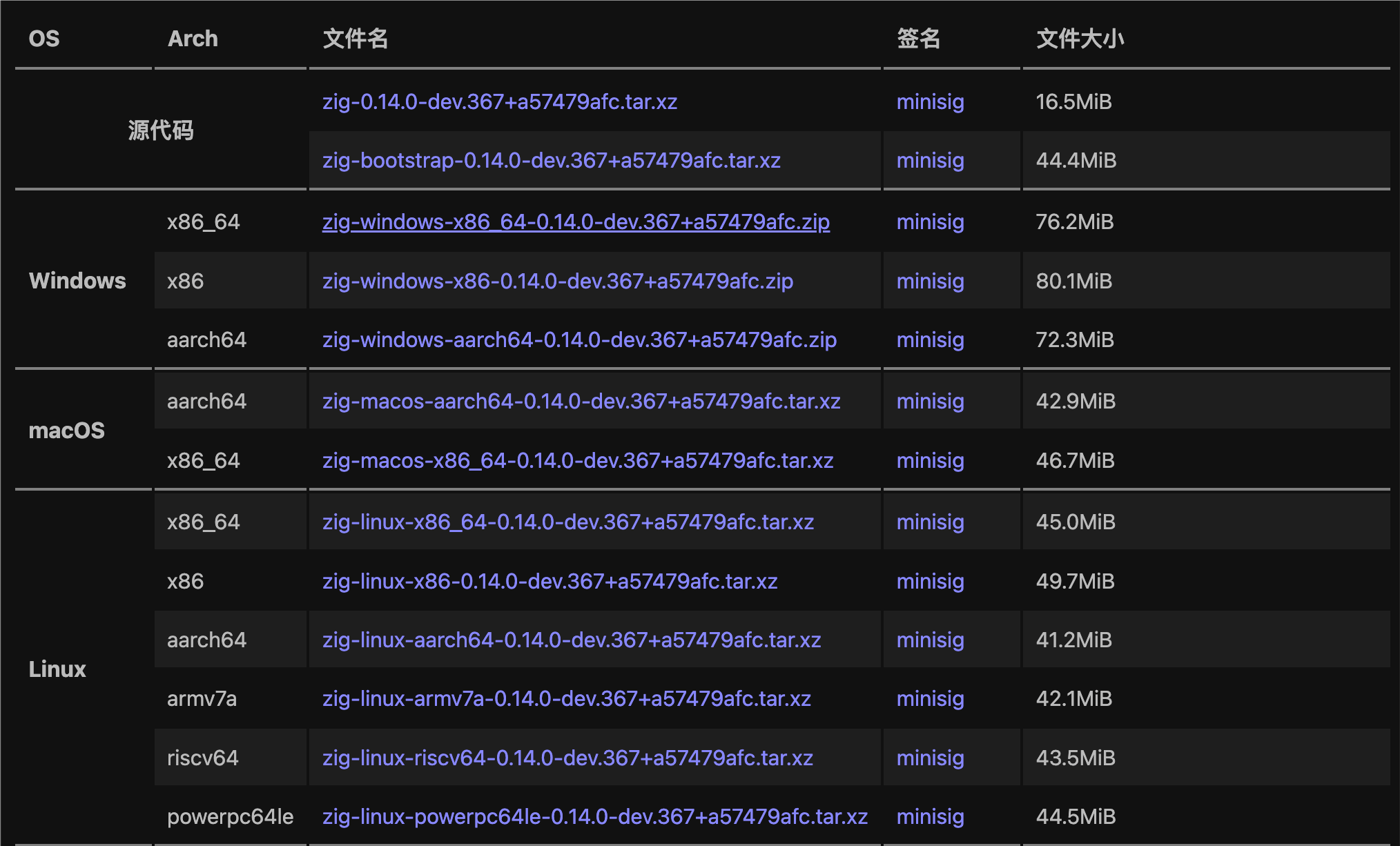
After downloading, use the tar command to extract:
tar -xvf zig-macos-aarch64-0.13.0.tar.xz
Then enter the source package directory and proceed with compilation and installation:
cd zig-macos-aarch64-0.13.0
You can also clone the source code from Zig's GitHub repository:
git clone https://github.com/ziglang/zig.git
Dependencies
- cmake >= 3.5
- gcc >= 7.0.0 or clang >= 6.0.0
- LLVM, Clang, LLD development libraries == 18.x, compiled with the same version of gcc or clang
- Can be installed using the system package manager, or built from source code.
Commands
-
Under the Zig source directory, create a build directory:
mkdir build
cd build
-
Run cmake:
cmake ..
-
Build and install Zig:
make install
Please noteCMAKE_PREFIX_PATHThis convenient cmake variable. CMake will preferentially look for LLVM and other dependencies in this location.
These steps will generatestage3/bin/zig, which is the Zig compiler built by Zig itself.
macOS + Homebrew
For macOS using Homebrew:
-
Under the Zig source directory, create a build directory:
mkdir build
cd build
-
Run cmake, and enable static LLVM:
cmake .. -DZIG_STATIC_LLVM=ON -DCMAKE_PREFIX_PATH="$(brew --prefix llvm@18);$(brew --prefix zstd)"
-
Build and install Zig:
make install
FreeBSD
For FreeBSD:
-
Use pkg to install the necessary dependencies:
sudo pkg install -qyr FreeBSD devel/llvm18 devel/cmake archivers/zstd textproc/libxml2 archivers/lzma
-
Under the Zig source directory, create a build directory:
mkdir build
cd build
-
Run cmake, and enable static LLVM:
cmake .. -DZIG_STATIC_LLVM=ON -DCMAKE_PREFIX_PATH="/usr/local/llvm18;/usr/local"
-
Build and install Zig:
make install
These steps will install the Zig compiler on your system.
Other extensions