ZooKeeper supports certain specific four-letter commands to interact with it, used to obtain the current status and related information of the ZooKeeper service. Users can submit the corresponding commands to ZooKeeper from the client via telnet or nc (netcat).
Install the nc command:
$ yum install nc                # centos
或
$ sudo apt install netcat       # ubuntu
Four-letter command format:
echo [command] | nc [ip] [port]
The commonly used four-letter commands of ZooKeeper are as follows:
| Four-letter command | Function description |
|---|---|
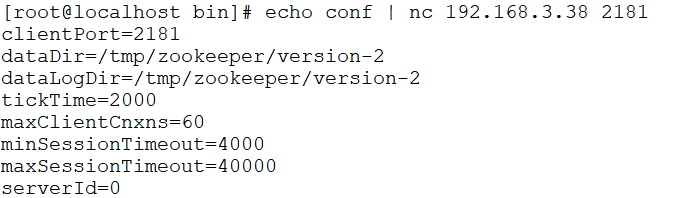
| conf | Introduced in version 3.3.0. Prints detailed information about service-related configuration. |
| cons | Introduced in version 3.3.0. Lists detailed connection/session information for all clients connected to this server, including the number of packets received/sent, session ID, operation latency, the last operation executed, and so on. |
| crst | Introduced in version 3.3.0. Resets connection and session statistics for all connections. |
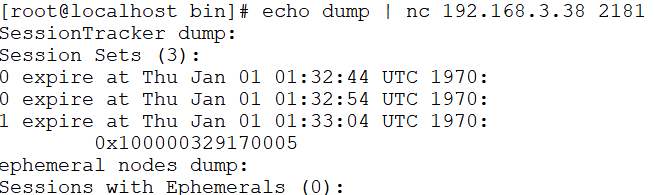
| dump | Lists the more important sessions and ephemeral nodes. This command is only useful on the leader node. |
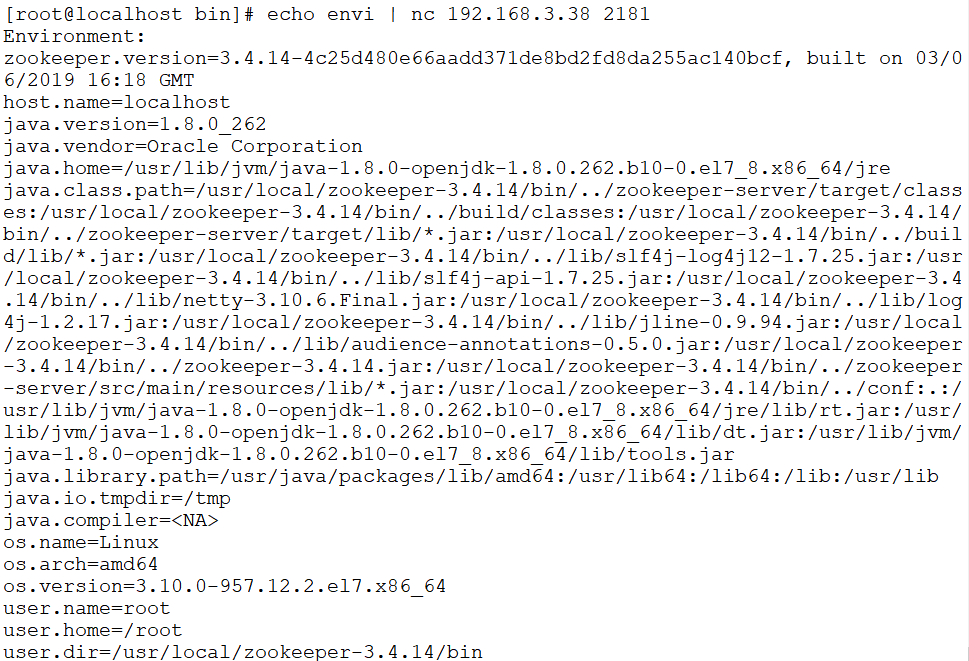
| envi | Prints detailed information about the service environment. |
| reqs | Lists unprocessed requests. |
| ruok | Tests whether the service is in a correct state. If so, the service returns "imok"; otherwise, it makes no response. |
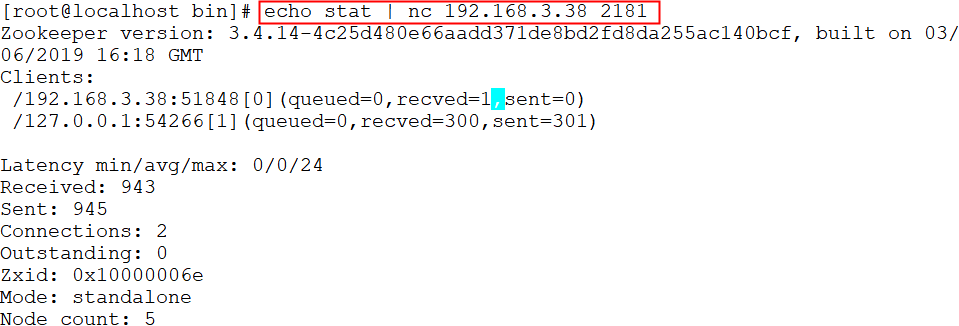
| stat | Outputs a list of clients regarding performance and connections. |
| srst | Resets server statistics. |
| srvr | Introduced in version 3.3.0. Lists detailed information about connections to the server. |
| wchs | Introduced in version 3.3.0. Lists detailed information about server watches. |
| wchc | Introduced in version 3.3.0. Lists detailed information about server watches by session. Its output is a list of sessions related to watches. |
| wchp | Introduced in version 3.3.0. Lists detailed information about server watches by path. It outputs a path related to the session. |
| mntr | Introduced in version 3.4.0. Outputs a list of variables that can be used to detect the health status of the cluster. |
Reference official link:https://zookeeper.apache.org/doc/current/zookeeperAdmin.html#sc_4lw
Four-Letter Command Usage
stat Command
The stat command is used to view zk's status information. Example:
$ echo stat | nc 192.168.3.38 2181
ruok Command
The ruok command is used to check whether the current zkserver has started. If it returns imok, it means it is normal. Example:
$ echo ruok | nc 192.168.3.38 2181

dump Command
The dump command is used to list unprocessed sessions and ephemeral nodes. Example:
$ echo dump | nc 192.168.3.38 2181
conf Command
The conf command is used to view server configuration. Example:
$ echo conf | nc 192.168.3.38 2181
cons Command
The cons command is used to display information about clients connected to the server. Example:
$ echo cons | nc 192.168.3.38 2181

envi Command
The envi command is used to view environment variables. Example:
$ echo envi | nc 192.168.3.38 2181